
Use PassportsGo on your phone or computer
Everything moves into PassportsGo — the app on your phone, or passportsgo.com on a computer. What works where.
PassportsGo has replaced my.passports.com. It works two ways: the app on your phone, or passportsgo.com in a browser on your computer.
It's one account either way. Sign in with the same email, and anything you do on one shows on the other.
- Step 1
Get the app on your phone
Download PassportsGo from the App Store or Google Play and sign in with your email. There's no password.
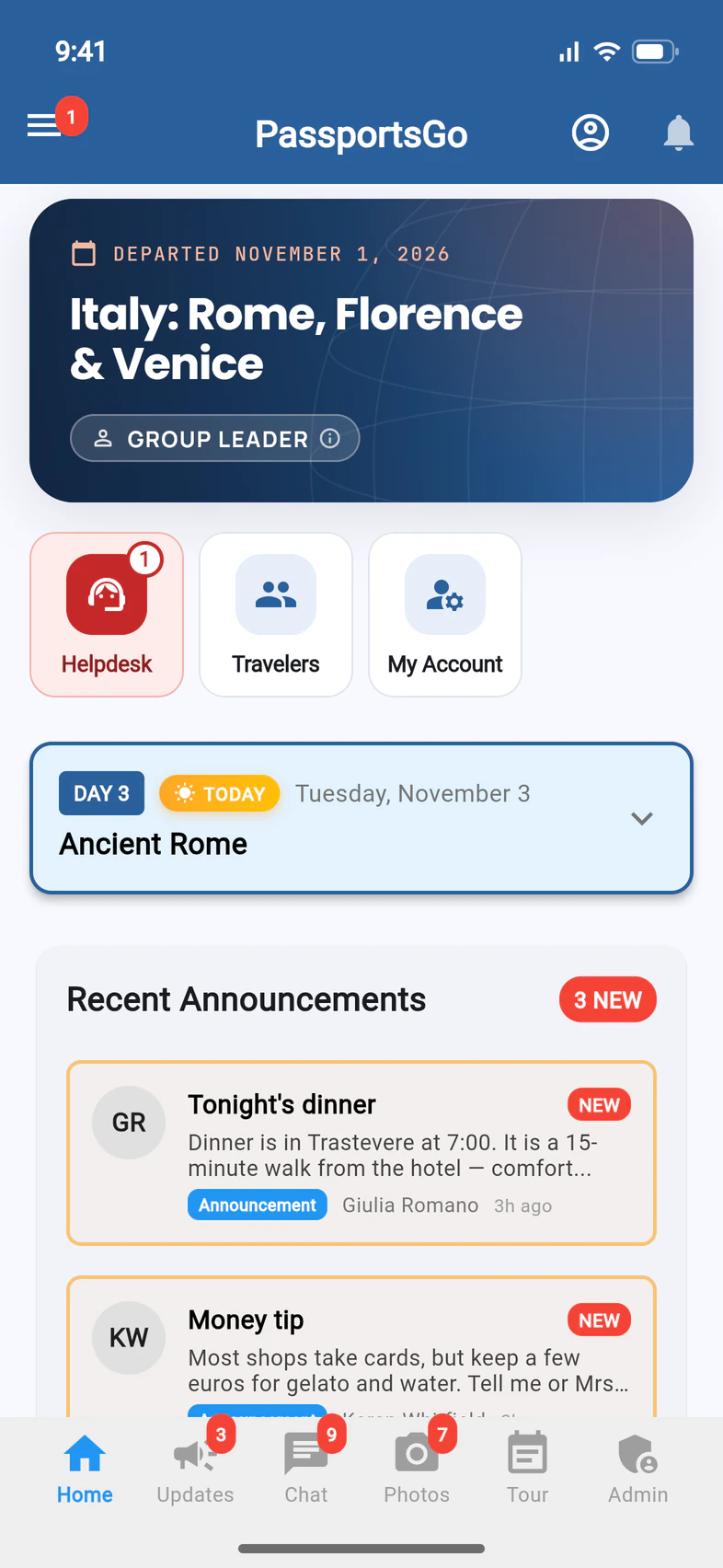
Home opens on your tour 1, with today's plan, the latest announcements and chats.
- Step 2
Or use a computer
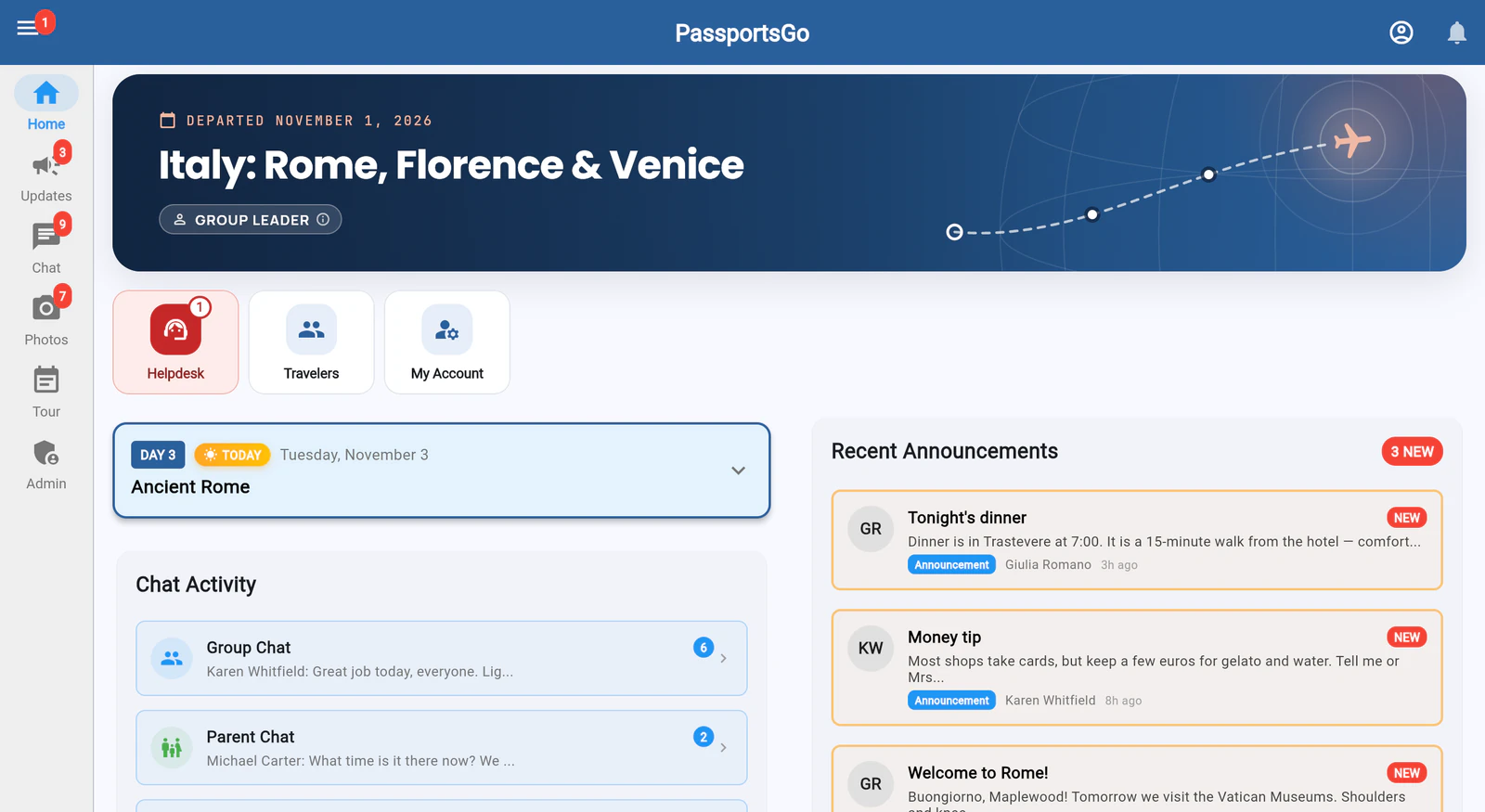
On a computer, go to passportsgo.com and sign in the same way. It's the same PassportsGo, laid out for a big screen. The tabs run down the left side 1, and Home spreads your tour 2, chats and announcements across the page.
- Step 3
Find your group-leader tools
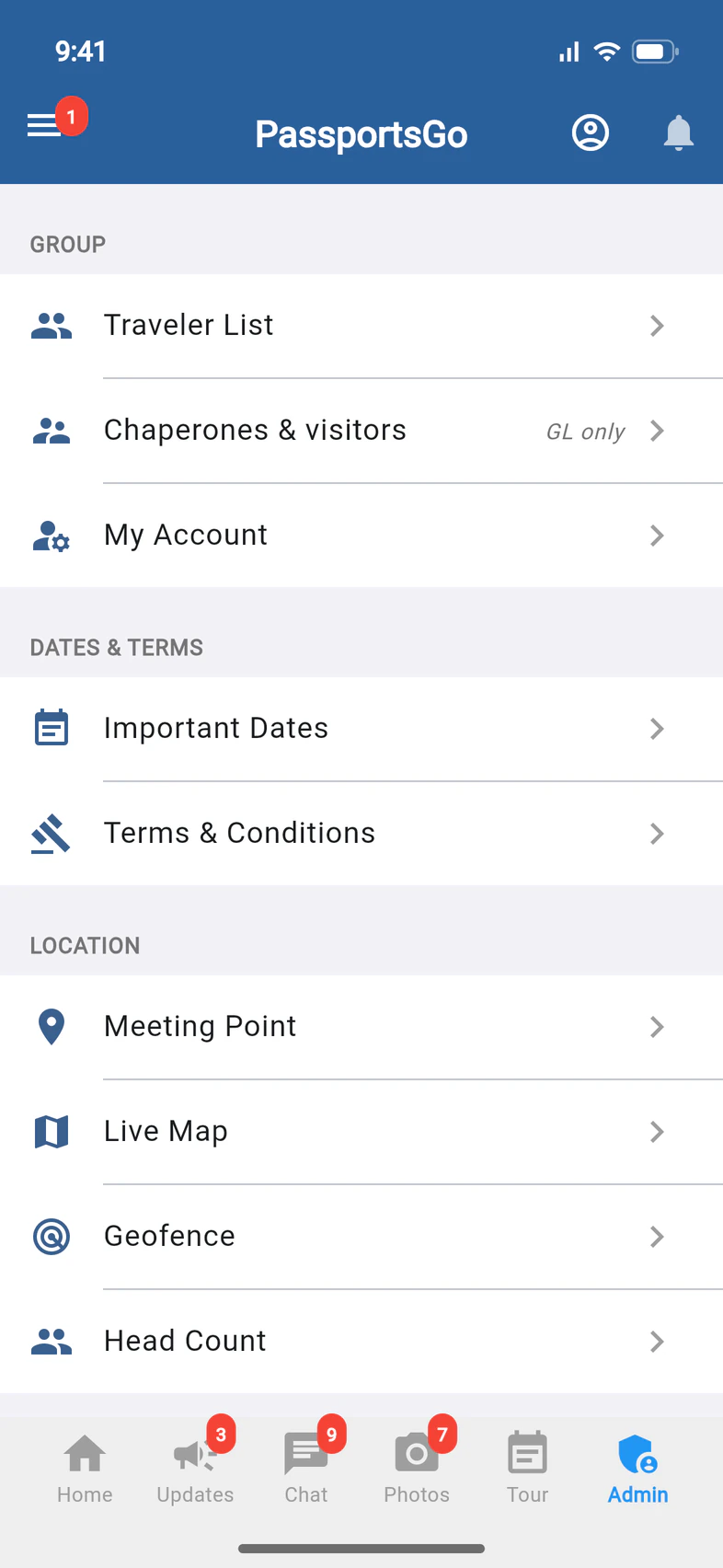
Your group-leader tools are on Admin 1. Traveler List 2, also Travelers on Home, is your roster. Chaperones & visitors, right under it, is where you name your chaperones and see what each person can do. The lists and reports you used on my.passports.com are at its top, in the Reports row: Traveler Info, Dietary & Medical, Documents and Financial (each traveler's balance; only group leaders see it).
Announcements go on Updates: see Post an announcement. To email your travelers and their families, tap Message group at the top of the Traveler List.
Need a list the old portal gave you, like everyone's phone numbers? Report Builder, first in the Reports row, makes one: see Build your own report. For everyone's email addresses, Copy emails, right after it, copies them for your own email app.
Good to know
Where did my.passports.com go?
PassportsGo replaced it. Your group, your travelers, announcements and reports are all in PassportsGo: the app, or passportsgo.com in a browser. Links from the old my.passports.com no longer sign you in: sign in with your email or phone and a code.
What only works on the phone?
Sharing your own location, uploading videos, taking photos with the camera inside Chat or Photos, and saving photos to your device. Everything else works on a computer too.
Do I need both?
No. Use whichever suits you. They're the same account, so a post you write on your computer shows up on your phone.
How do I sign in?
With your email address and a 6-digit code. See Sign in to PassportsGo.
Who do I call if I'm stuck?
Call Passports at 1-800-332-7277.
Screens show a sample family and tour — your names, dates and amounts will differ. Checked against the app November 3, 2026.
Call us. A real person in Worcester picks up.
Monday to Friday, 8am to 4pm Eastern — and around the clock once your group is on tour. Or email passportsgo@passports.com.