
Check participant balances
The Financial report lists every traveler's program cost, charges, payments and balance.
See who has paid and who still owes. The Financial report lists every traveler's program cost, charges, payments and balance in one table, and each traveler's details page shows their totals and payment status.
Only you, the group leader, see these numbers.
- Step 1
Open the Financial report
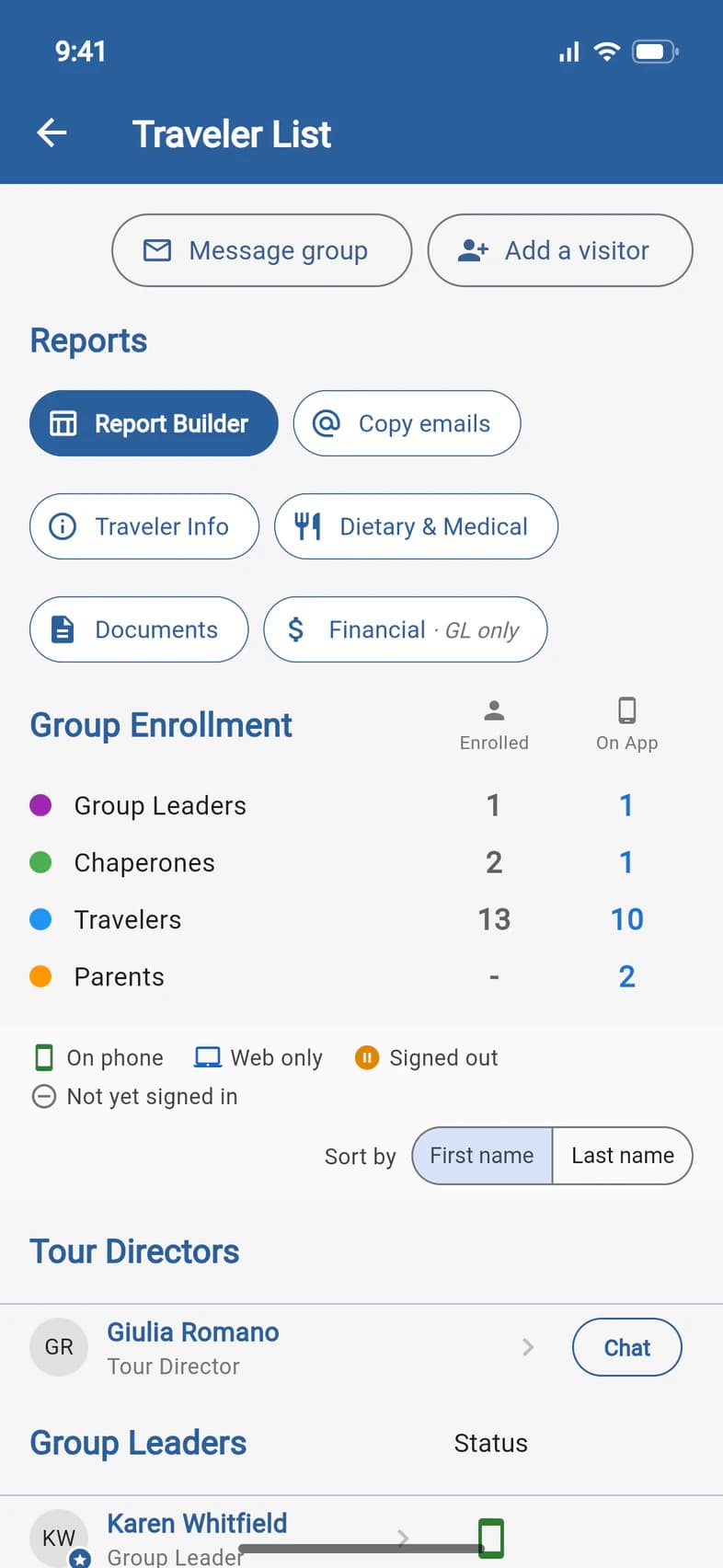
On Home, tap Travelers (or Admin, then Traveler List). In the Reports row at the top of the list, tap Financial 1. It's marked GL only.
- Step 2
Read the table
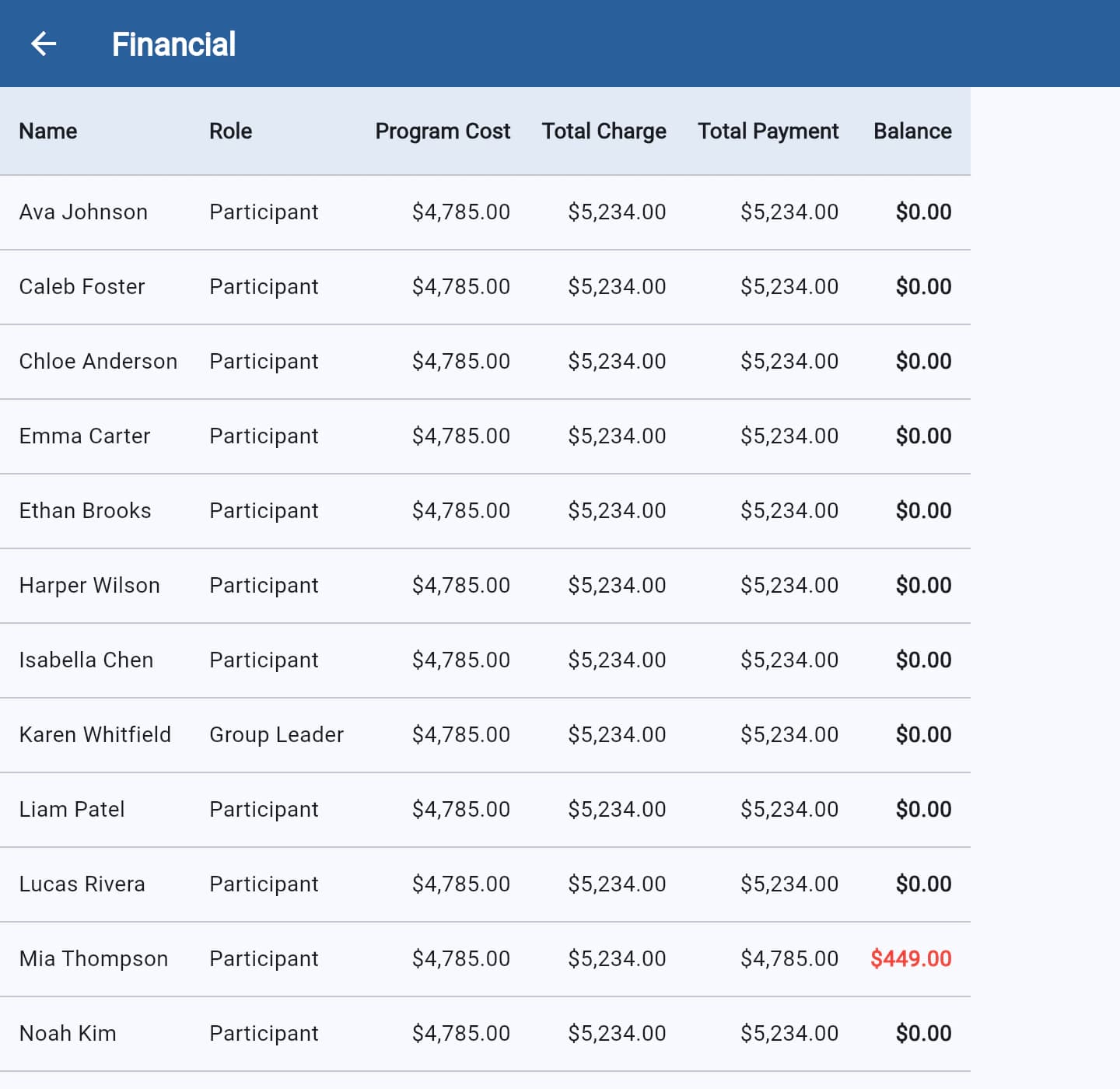
Each row is one person on the tour: travelers, chaperones and you. The columns are Program Cost, Total Charge (the program cost plus anything added, like travel protection), Total Payment and Balance 1.
A red balance 2 is still owed. A green one is a credit.
On a phone, the table is wider than the screen. Swipe it sideways to see Total Payment and Balance.
- Step 3
Check one traveler
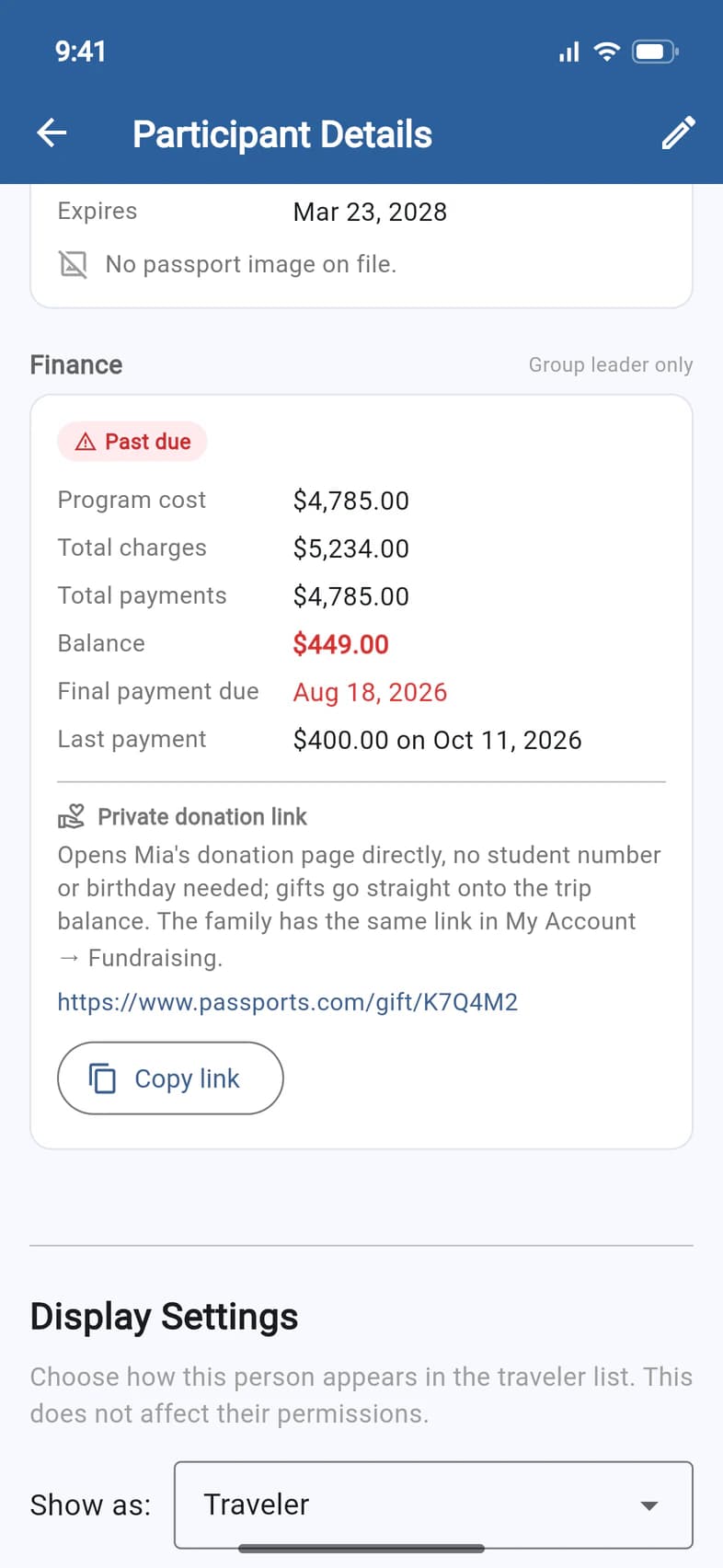
On Home, tap Travelers to open the Traveler List, then tap a name. Scroll down to Finance 1.
You see the traveler's totals and their status: Past due 2 means the final payment date has passed and money is still owed. Paid in full and E-Z Pay (payments on a schedule) show here too. Final payment due gives the date.
You see totals only. The family's payments, cards and bank details stay private to them.
- Step 4
Pass on their donation link
While a traveler owes a balance, Finance ends with their Private donation link 1. It opens the traveler's own donation page, with no student number or birthday needed, and every gift goes straight onto their trip balance. The family has the same link in My Account › Fundraising.
Tap Copy link 2 to paste it into an email or a text. In the app on a phone, Share link sends it from there.
The link shows only while the traveler owes a balance. Once they're paid in full, it's gone.
Good to know
Can my chaperones see balances?
No. The Financial report, the Report Builder's money columns and each traveler's Finance section are for the group leader only.
Can I get a list of just who owes?
Yes. In the Traveler List's Reports row, tap Report Builder, pick the Balances template, turn on the Owes a balance filter, then tap Download Excel or PDF. See Build your own report.
A relative wants to help pay.
Send them the traveler's Private donation link from Finance. They give by card on the donation page, and the gift goes onto the balance. See Let family and friends chip in.
A traveler is missing from the report.
Waitlisted travelers are left out of the Financial report and the other reports. They're listed under Waitlisted on the Traveler List, and join the reports once Passports adds them to the tour. See Use the Traveler List.
A family has a question about their bill.
Families see their own balance and payments in PassportsGo, under My Account › Finance, and can message the Passports billing team from there. Or they can call Passports at 1-800-332-7277.
Why doesn't the report add up the group?
It's a list of each person's own balance, not a group invoice.
Screens show a sample family and tour — your names, dates and amounts will differ. Checked against the app September 30, 2026.
Call us. A real person in Worcester picks up.
Monday to Friday, 8am to 4pm Eastern — and around the clock once your group is on tour. Or email passportsgo@passports.com.