
Open your account
The My Account tile lists every traveler you look after; tap one to see everything for them.
Everything for your traveler is on their account page: contact details, forms, payments and room type. If you look after more than one traveler on the tour, you pick one first.
- Step 1
Open My Account
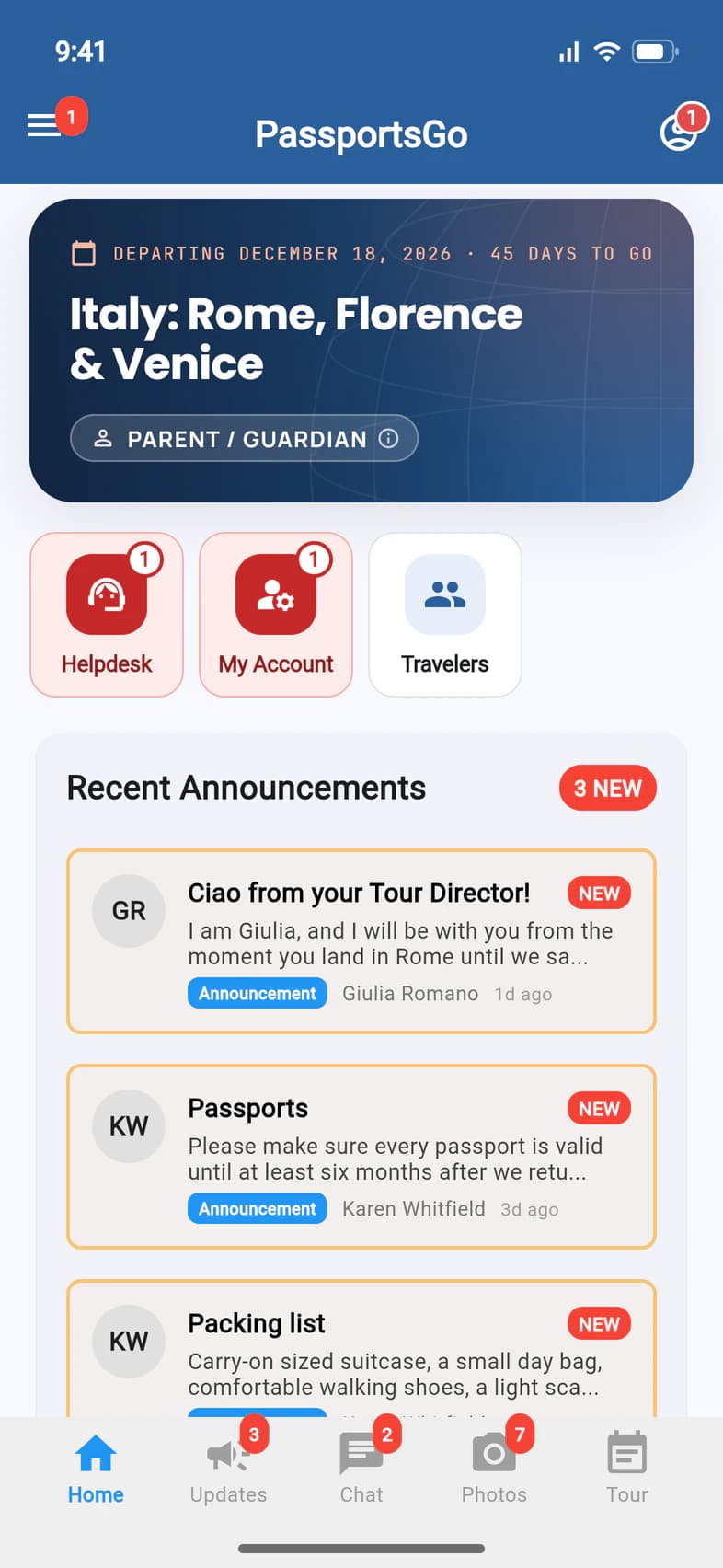
On Home, tap My Account 1, or the person icon at the top right 2.
A red number on My Account means something is waiting for you, like a form to confirm.
- Step 2
Pick your traveler
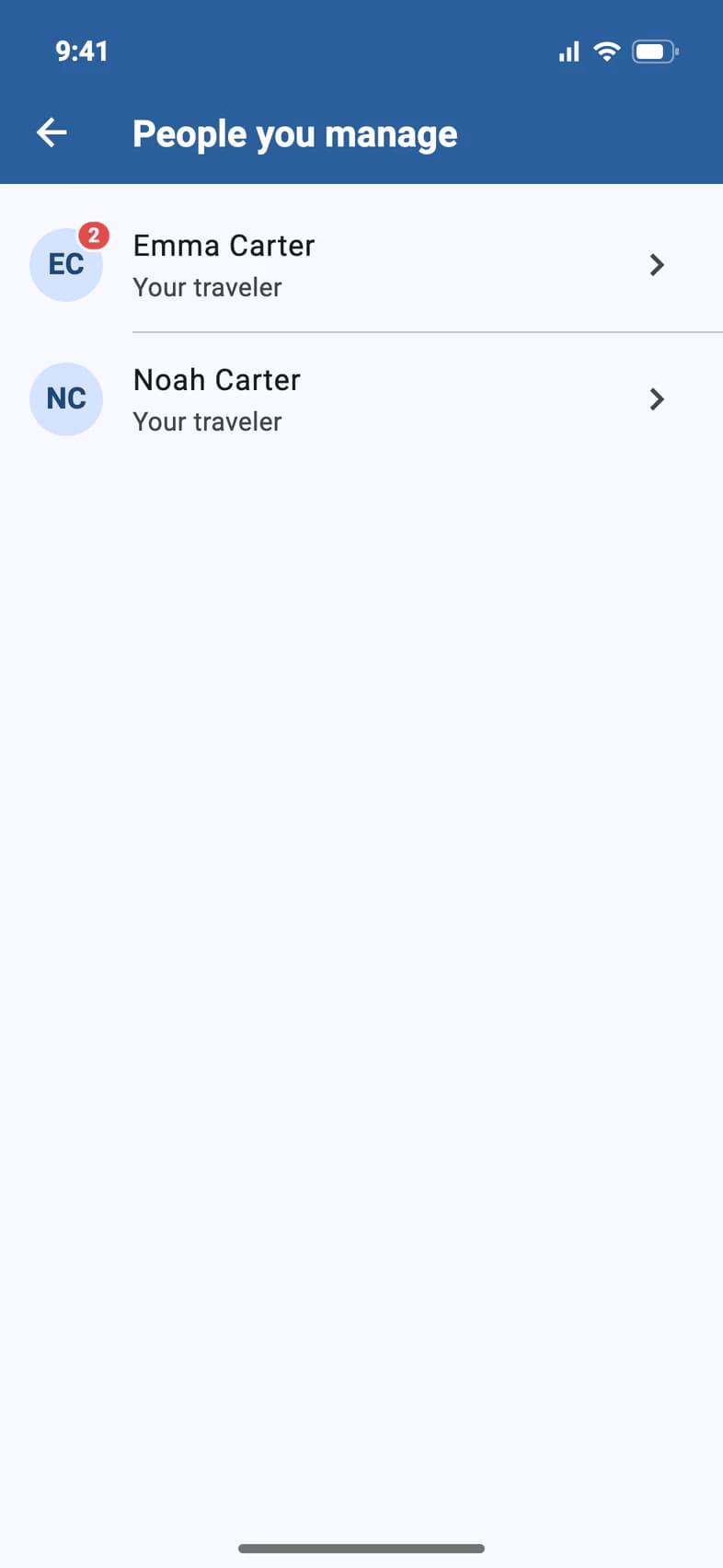
If you look after more than one traveler on the tour, People you manage lists them all 1 2. A red number on a traveler's initials shows how many things need you. Tap a name.
With one traveler, you skip this and go straight to their page.
- Step 3
See everything for your traveler
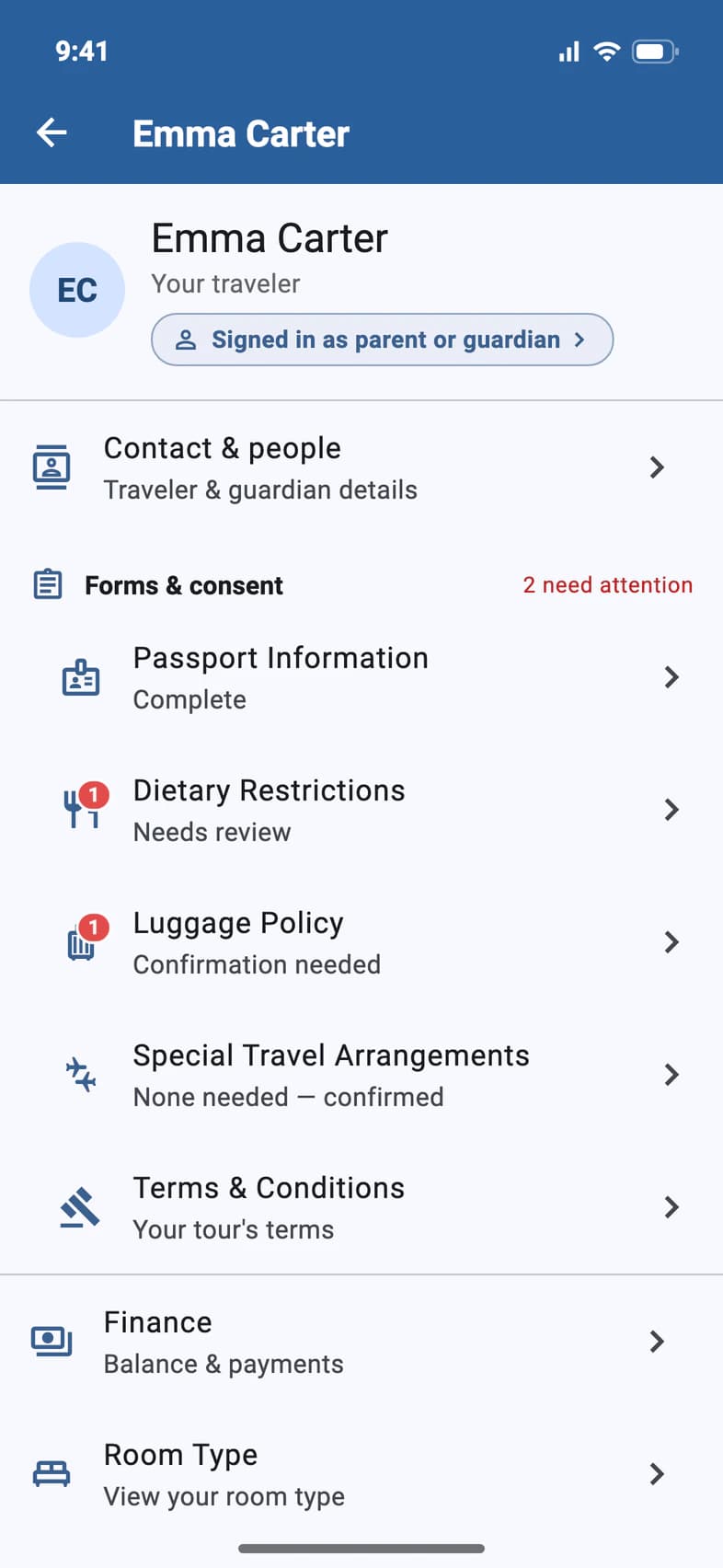
The traveler's page has it all:
- Contact & people 1: traveler, guardian and emergency contact details.
- Forms & consent 2: every form, with a count of the ones that need attention. A red dot marks each of those, like Dietary Restrictions 3. Its last row, Terms & Conditions, has your tour's terms, with the date each took effect.
- Finance 4: the balance and payments. See Make a payment.
- Further down, Room Type, and Ask Passports for questions to the Passports team.
Signing up a brother, sister or friend for the same tour? More than 120 days before departure, parents and guardians see Enroll another traveler at the bottom of this page.
Good to know
What does the red number mean?
Things waiting for you, such as a form to confirm or details to add. Open the traveler's page, and each one has a red dot next to it. They count on the PassportsGo app icon too, updated Terms included, so the icon keeps a number until they're finished. Once the trip has left, it asks for nothing more: no red numbers, and every page stays there to read.
Can my traveler see this page too?
Yes. A traveler signed in with their own email sees their page, marked You. For a traveler under 18, Finance is grayed out with a lock (For a parent or guardian: tap to see why): tapping it opens Sign-in & Finance, which shows who sees the payments.
What does the line under the name mean?
It says which email on the record you signed in with: Signed in as parent or guardian or Signed in as the traveler. Tap it to open Sign-in & Finance: who's on the record, and who sees the payments.
If it's amber (Signed in as traveler and parent: same email, or Signed in as traveler and billing contact: same email for a traveler 18 or older), one address is on file for both the traveler and a parent or billing contact. Tap it, say who you are and, if it asks, give the other person's email: PassportsGo fixes it in one step. A traveler 18 or older who pays for their own trip can say they're both, and the line then reads Signed in as the traveler · billing contact.
Terms & Conditions says Updated terms to review.
Passports has published updated terms for your tour, and Home shows a red Updated Terms tile until you answer. Open Terms & Conditions: it says what changed, with a link to read the updated terms. Tap I agree, or Not now: your current terms continue to apply to your tour, and you can come back to agree later.
Looking after more than one traveler with the same update waiting? They're listed, ticked, under Also answer for, so one I agree covers them all. Untick anyone you'd rather answer for separately. A parent or guardian answers for a traveler under 18; a traveler 18 or older answers from their own sign-in.
My two travelers are on different tours.
People you manage shows the travelers on the tour you're looking at. Switch tours from the ☰ menu to see the other one.
I don't see My Account.
Make sure you signed in with the email address on the enrollment: see Fix sign-in trouble. Still missing? Call Passports at 1-800-332-7277.
Screens show a sample family and tour — your names, dates and amounts will differ. Checked against the app November 3, 2026.
Call us. A real person in Worcester picks up.
Monday to Friday, 8am to 4pm Eastern — and around the clock once your group is on tour. Or email passportsgo@passports.com.