
Ask Passports a question
Open a Helpdesk ticket — billing, rooming, travel — and follow the reply in the app.
Ask the Passports team anything about your traveler's trip, right in the app. Your question and every answer stay together in one conversation, and you get an email or a notification when Passports replies.
Before you start
- PassportsGo, signed in as the traveler or a parent or guardian.
- Step 1
Open the Helpdesk
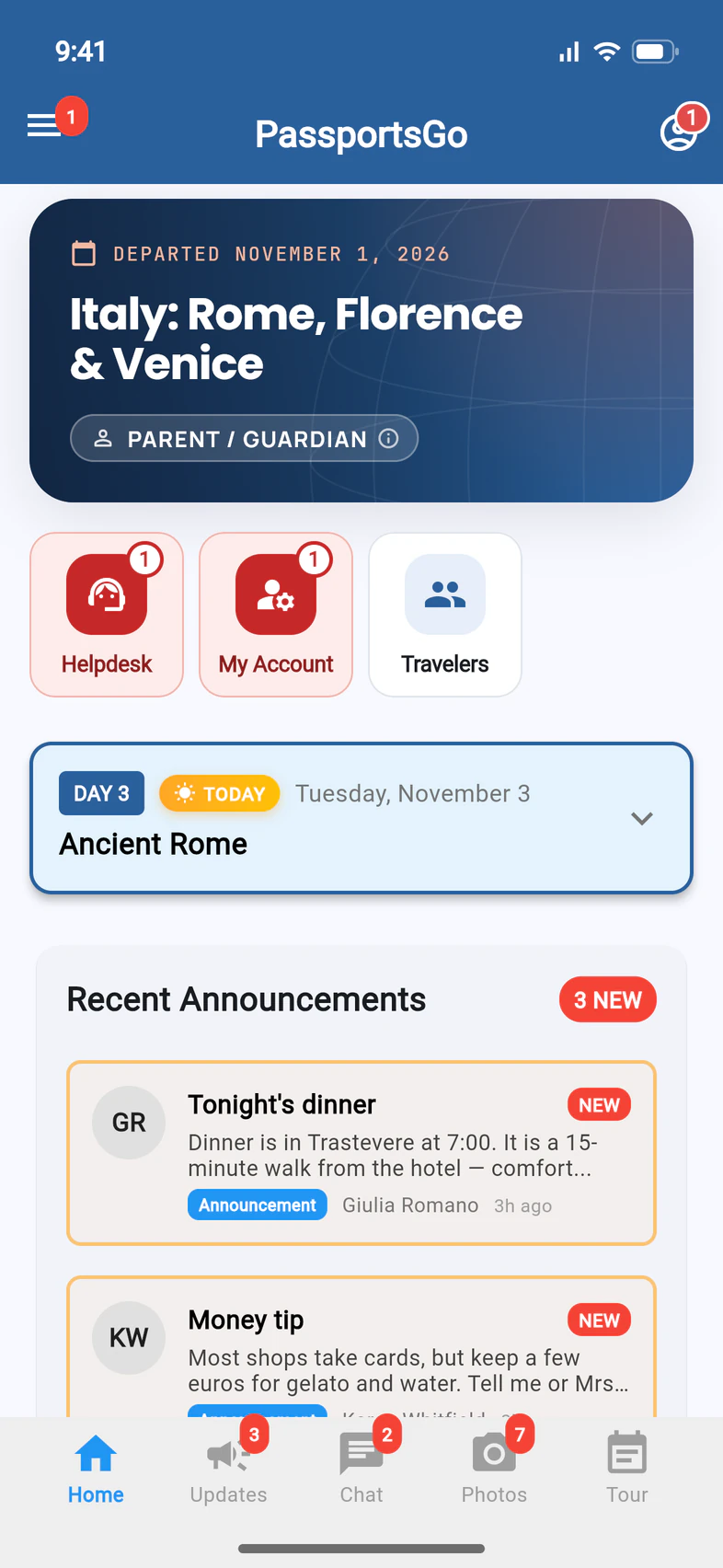
On Home, tap Helpdesk 1. A red number on it means Passports has answered. Helpdesk is also in the ☰ menu.
- Step 2
Start a new question
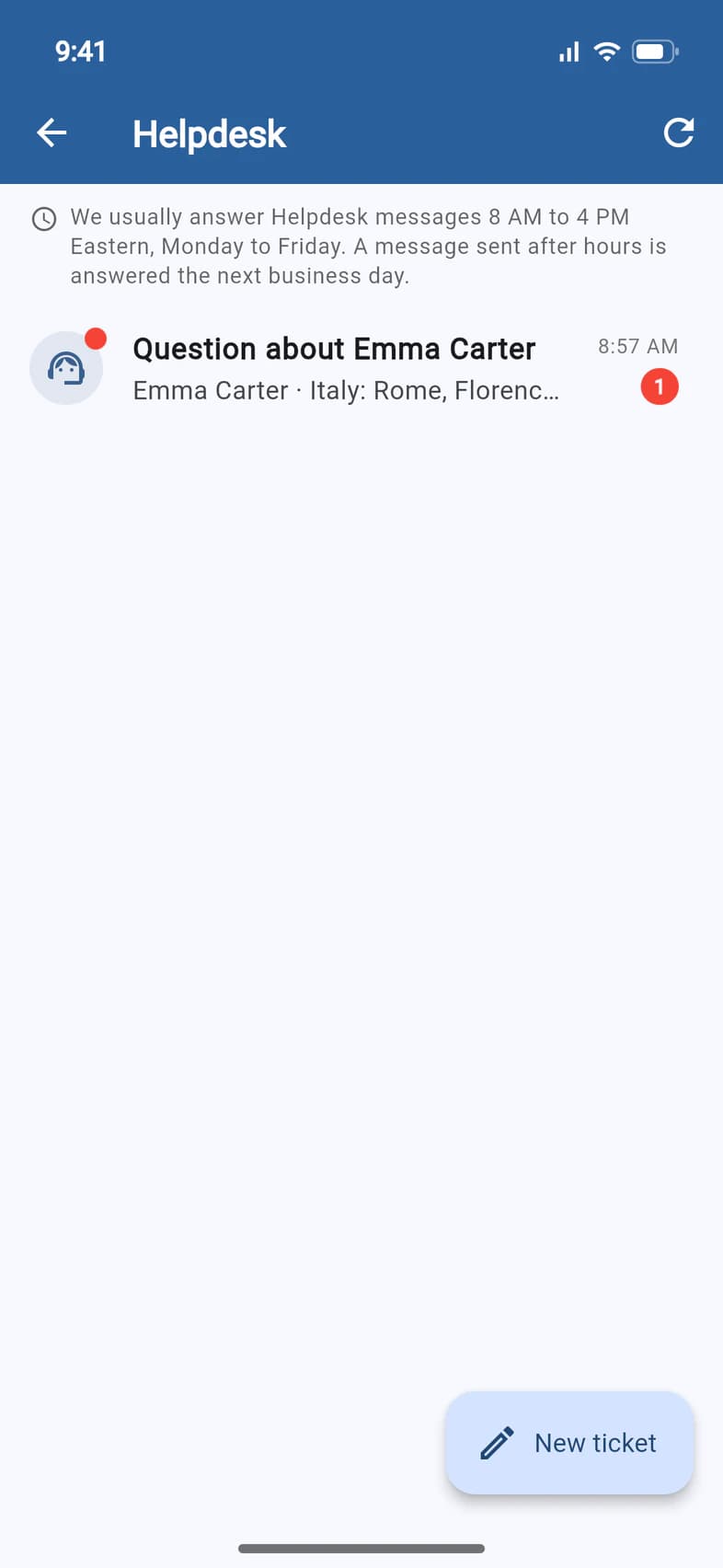
Your conversations with Passports are listed here 1, with a red number when there's a new answer. To ask something new, tap New ticket 2.
The line at the top says when Passports answers: usually 8 AM to 4 PM Eastern, Monday to Friday. A message sent after hours is answered the next business day.
- Step 3
Write your question
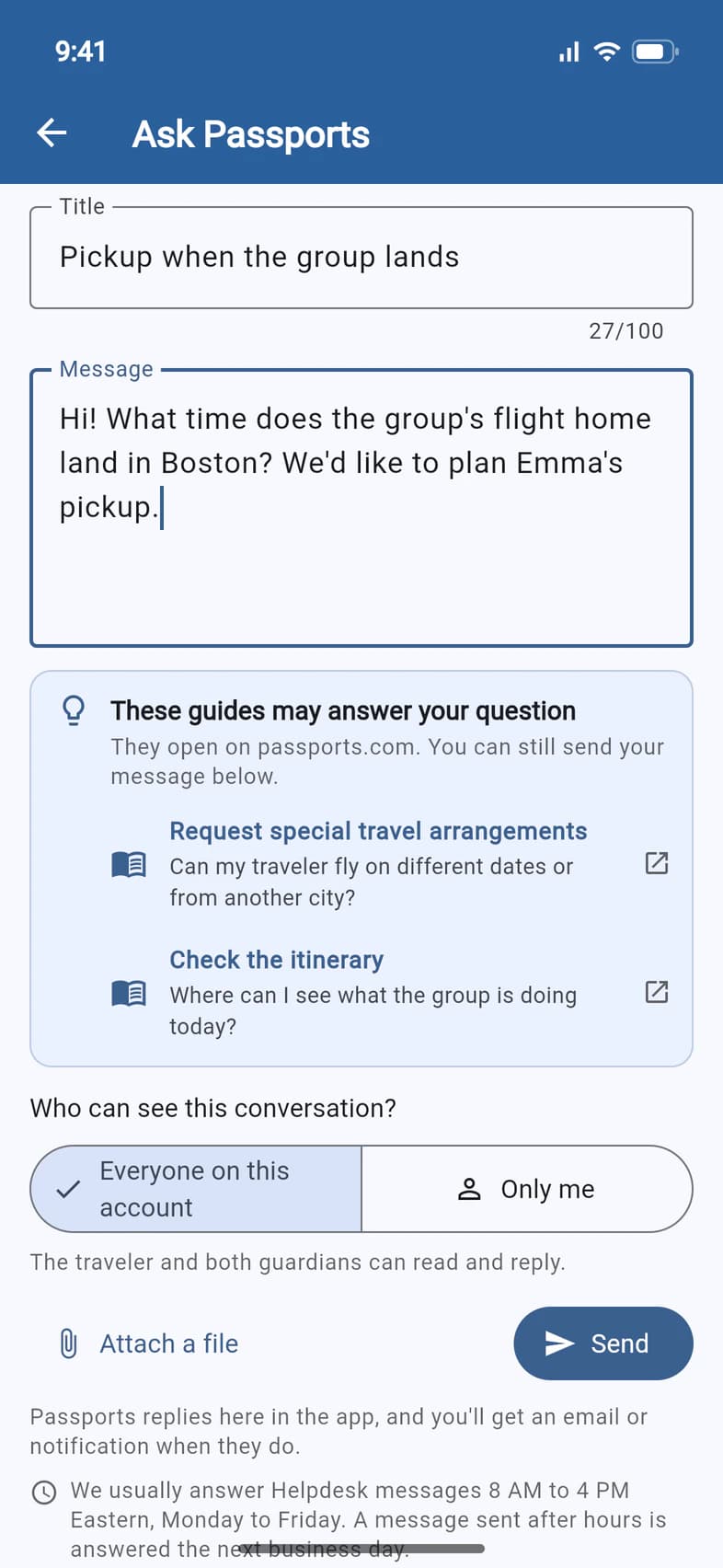
Give it a short Title 1 and type your Message 2. As you type, These guides may answer your question can offer a few help guides: tap one to read it on passports.com, or carry on and send your message.
Under Who can see this conversation? 3, keep Everyone on this account so the traveler and both guardians can read and reply, or pick Only me. Then tap Send 4.
A traveler under 18 doesn't choose: the box says You and your parents or guardians, and they can read and reply too.
Tap Attach a file to add a photo or a document: PDF, image or spreadsheet, up to 5 files of 10 MB each.
- Step 4
Read the answer
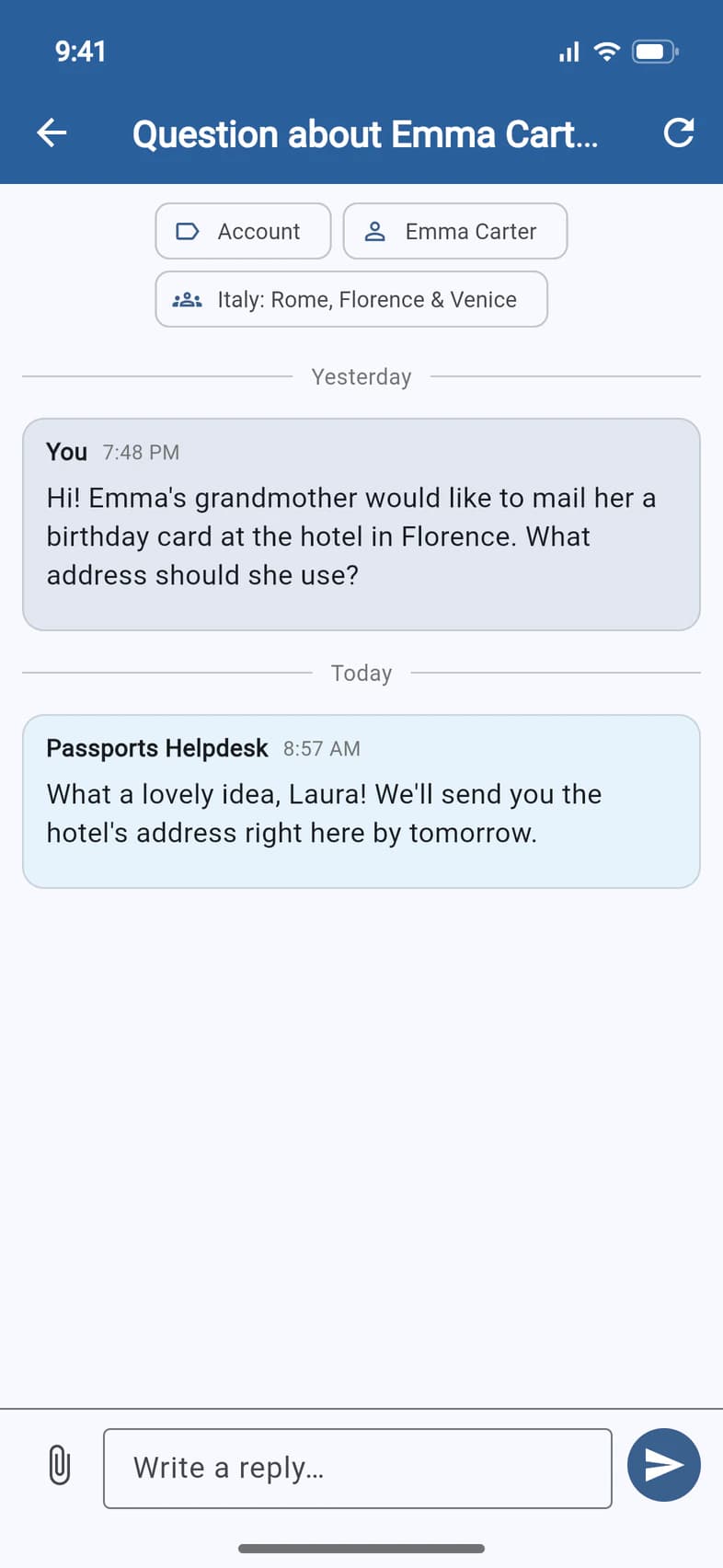
Tap the conversation to open it. Passports' answer 1 appears under your question. Until it comes, the line under your message says when Passports usually answers.
To answer back, type in Write a reply… 2 and tap the send arrow 3.
Good to know
Is there a quicker way to ask about my traveler?
Yes. On your traveler's page (My Account on Home), tap Ask Passports. The conversation is already about that traveler, and help guides that may answer it appear as you type.
I have a question about the bill.
On Finance, use Question about your bill?. Help guides on paying may appear as you type, and you can still send. That conversation is for the billing contacts, so a traveler who can't open Finance won't see it either.
I want to cancel my traveler's spot.
Ask in the Helpdesk and say so. Instead of guides, the form shows Asking to cancel a spot: send your request, and someone from Passports will get back to you. Read the cancellation terms opens the refund and cancellation rules.
What does Only me change?
Passports' replies come to you alone, and the rest of the account won't see the conversation. Travelers under 18 don't get Only me: their parents or guardians see every conversation they start.
A conversation says it's closed.
You can still reply. Replying reopens it.
I have feedback about the app itself.
Tap ☰, then Help at the bottom. Help & Feedback has a Send feedback form. See Help & Feedback.
When will Passports answer?
Passports usually answers Helpdesk messages 8 AM to 4 PM Eastern, Monday to Friday, and a message sent after hours is answered the next business day. For something urgent, call Passports at 1-800-332-7277. Once your group is on tour, someone answers around the clock.
Screens show a sample family and tour — your names, dates and amounts will differ. Checked against the app October 23, 2026.
Call us. A real person in Worcester picks up.
Monday to Friday, 8am to 4pm Eastern — and around the clock once your group is on tour. Or email passportsgo@passports.com.