
Make a payment
Pay any amount toward your tour from a bank account (no fee) or a card, in about two minutes.
Pay toward your traveler's tour whenever you like, in any amount, right from PassportsGo — the payments you used to make on my.passports.com now live here.
A payment from your bank account is free. A card is charged right away, with a small convenience fee that the app shows before you pay.
Before you start
- PassportsGo on your phone, or passportsgo.com in a browser — signed in as the parent or guardian who pays.
- Your bank account on file, another checking or savings account (routing and account number), or a credit or debit card.
- Step 1
Open your traveler's Finance page
On the Home screen, tap My Account — or the person icon at the top right. If you look after more than one traveler, pick the one you're paying for.
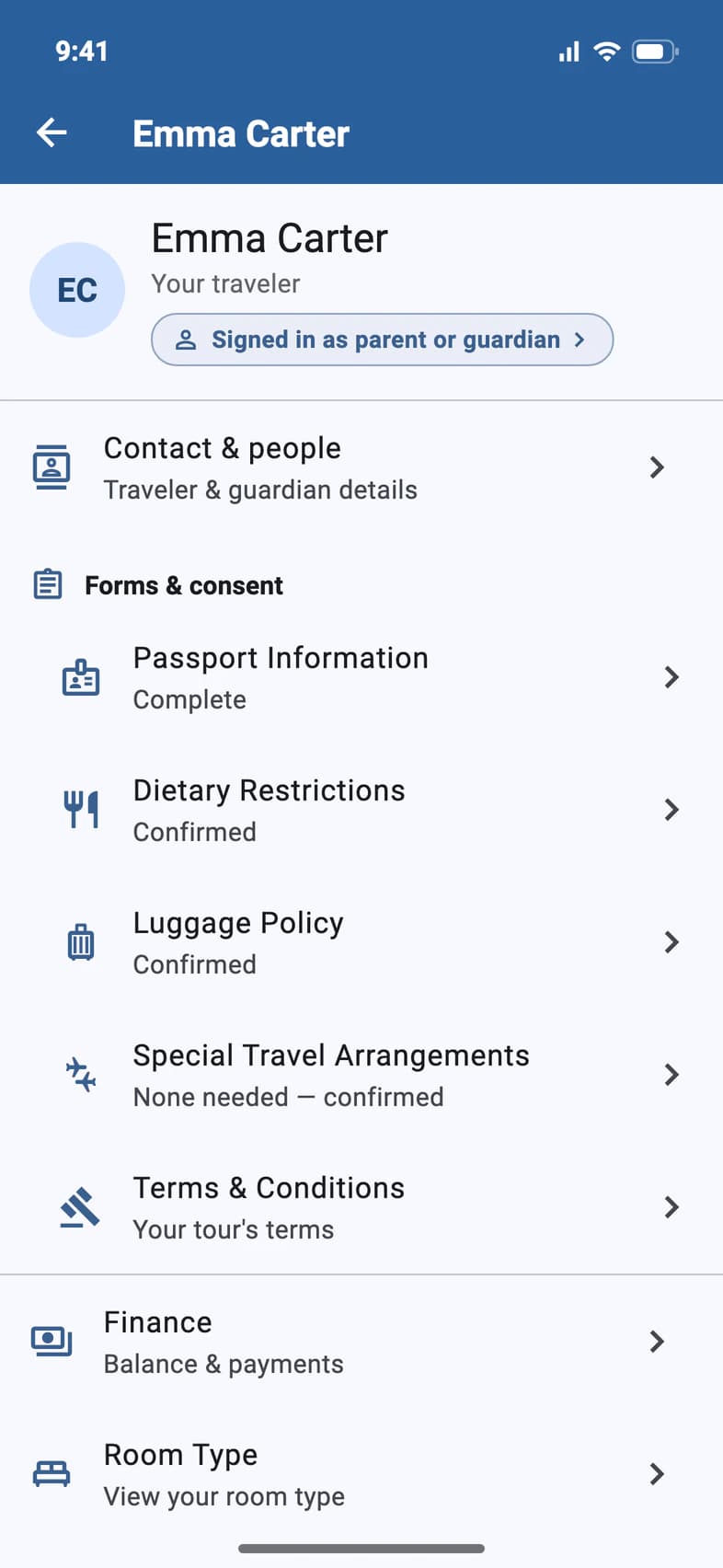
On your traveler's page, tap Finance 1.
Finance is for the parents or guardians on the enrollment, and for travelers who are 18 or older or pay for their own trip. A younger student signed in with their own email sees Finance greyed out with a lock: tapping it opens Sign-in & Finance, which shows who can pay. When the school pays for the trip, Finance doesn't appear for anyone.
- Step 2
Check your balance
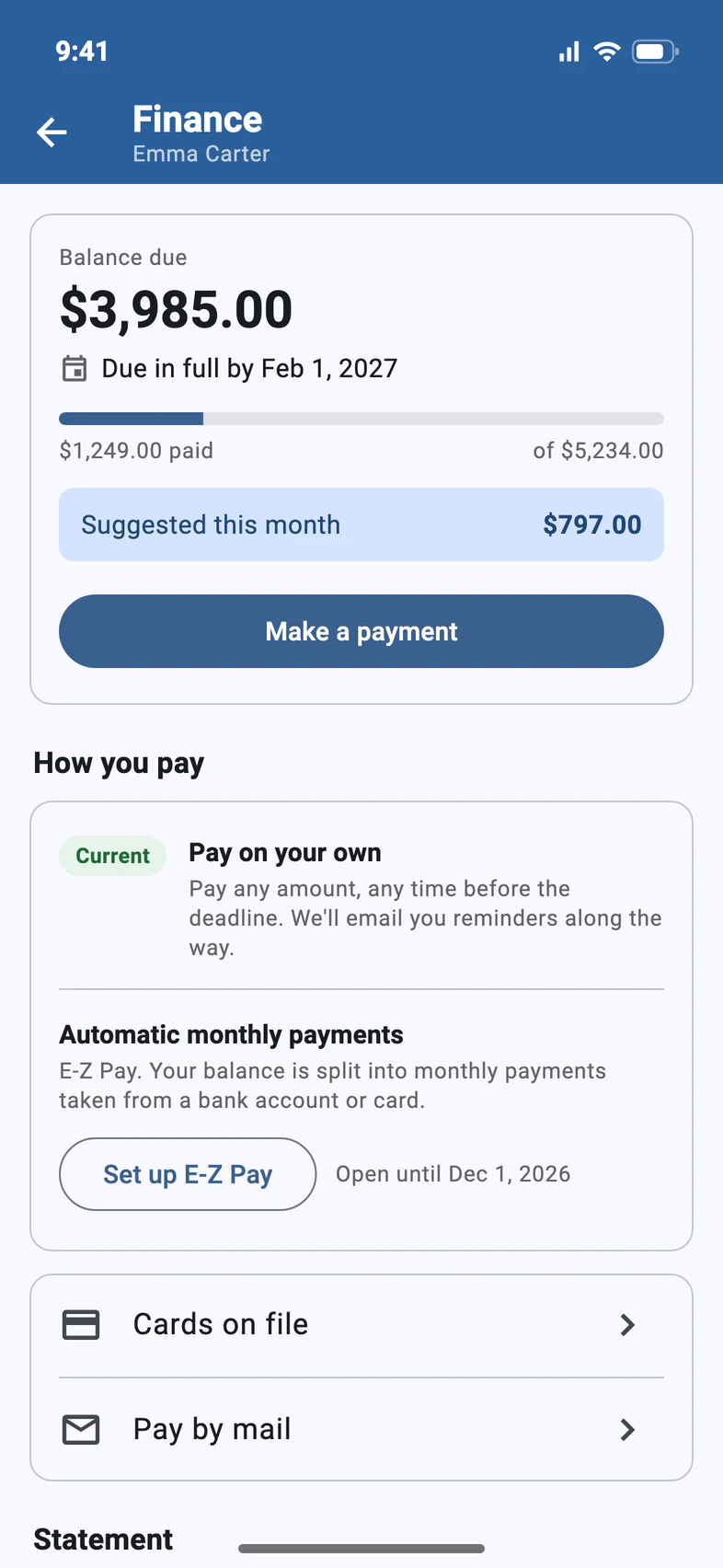
The card at the top shows your Balance due 1 and the date it has to be paid by 2. The bar underneath fills in as you pay.
When you're ready, tap Make a payment 3.
Suggested this month is a monthly amount that keeps you on pace for the due date. It's a guide, not a bill — pay whatever suits you.
On the waitlist? Until your traveler's spot is confirmed, Finance says payments are on hold, and there's no Make a payment. We'll let you know as soon as a spot opens.
- Step 3
Enter an amount
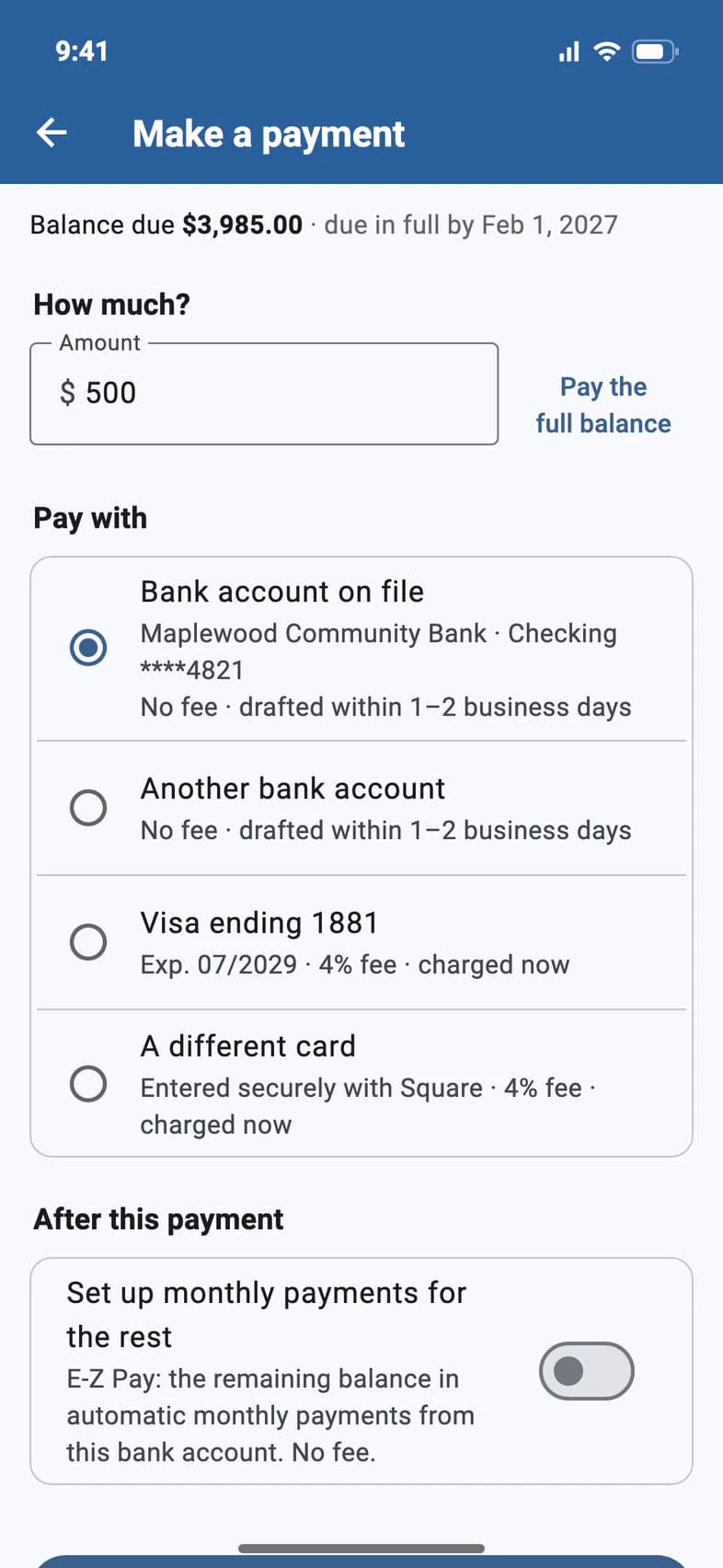
Type how much you'd like to pay in Amount 1. To pay everything that's left, tap Pay the full balance 2 instead.
Any amount up to your balance is fine.
- Step 4
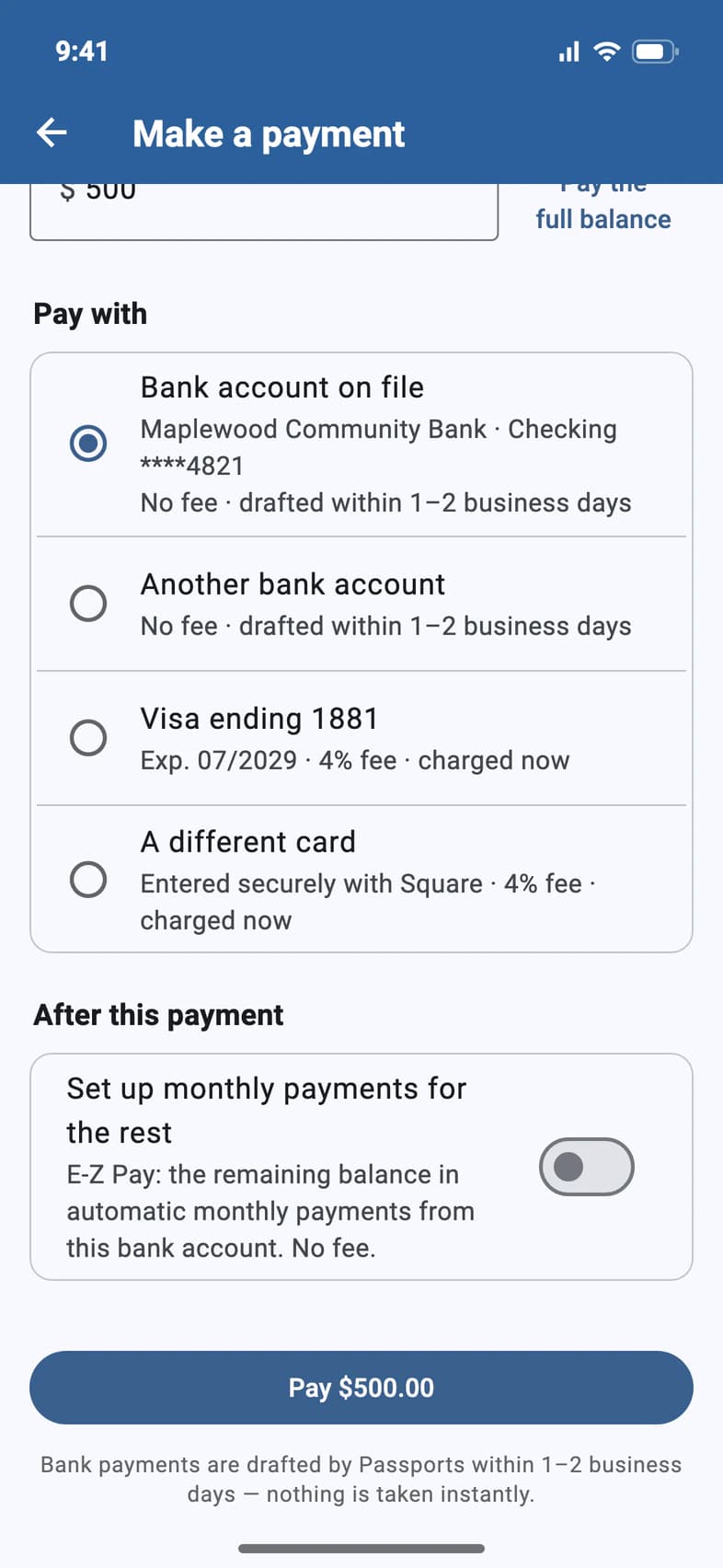
Choose how to pay
Under Pay with, pick where the money comes from:
- Bank account on file 1 — the account you already gave us. No fee; Passports drafts it within 1–2 business days.
- Another bank account — enter a different routing and account number. Also no fee.
- A saved card, like Visa ending 1881 2, or A different card — charged immediately, plus the card convenience fee shown on the screen.
A new card is typed into a secure Square screen. Passports never sees or stores the full card number.
- Step 5
Review, then pay
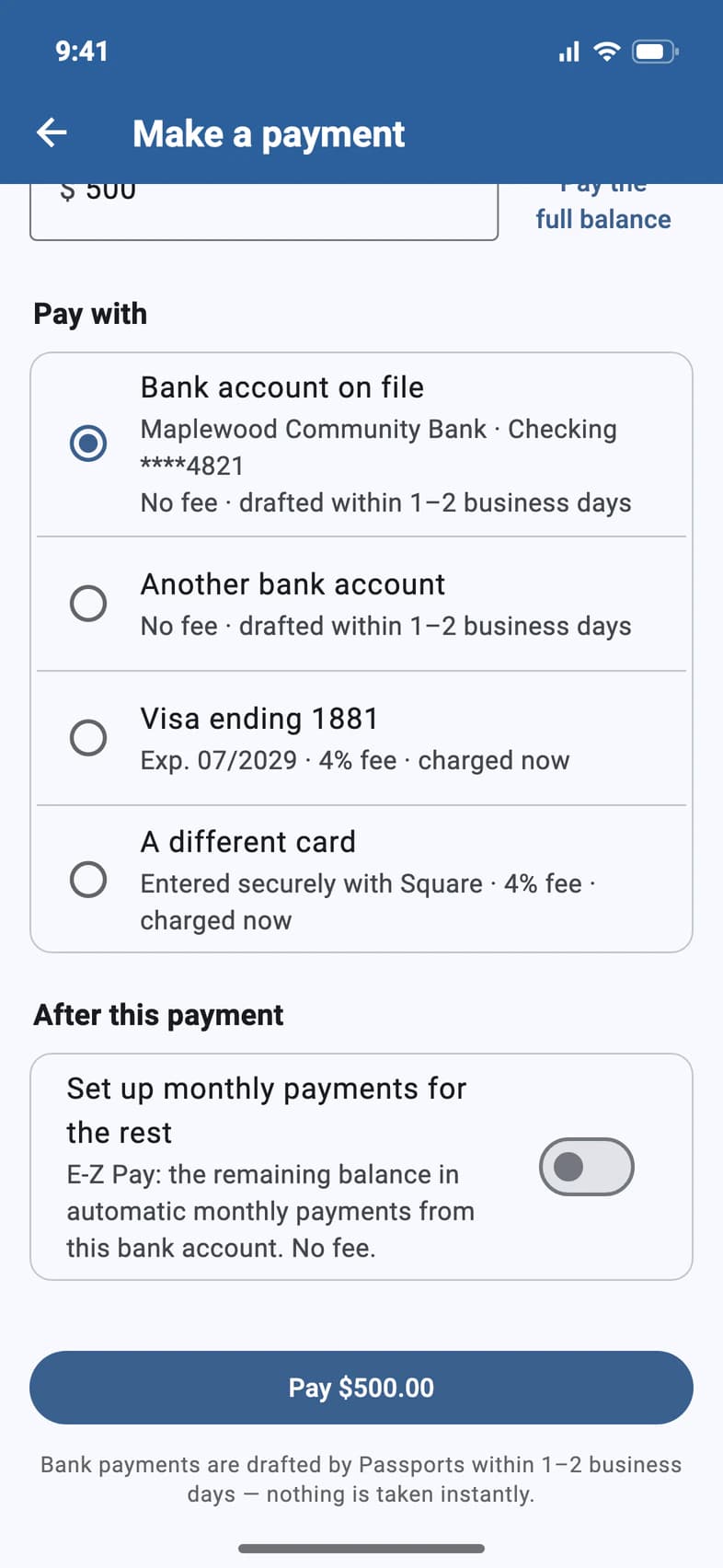
After this payment 1 offers to spread whatever is left into automatic monthly payments (E-Z Pay). Leave it off for a one-time payment.
Then tap the Pay button 2 — it shows the exact amount you're about to pay.
- Step 6
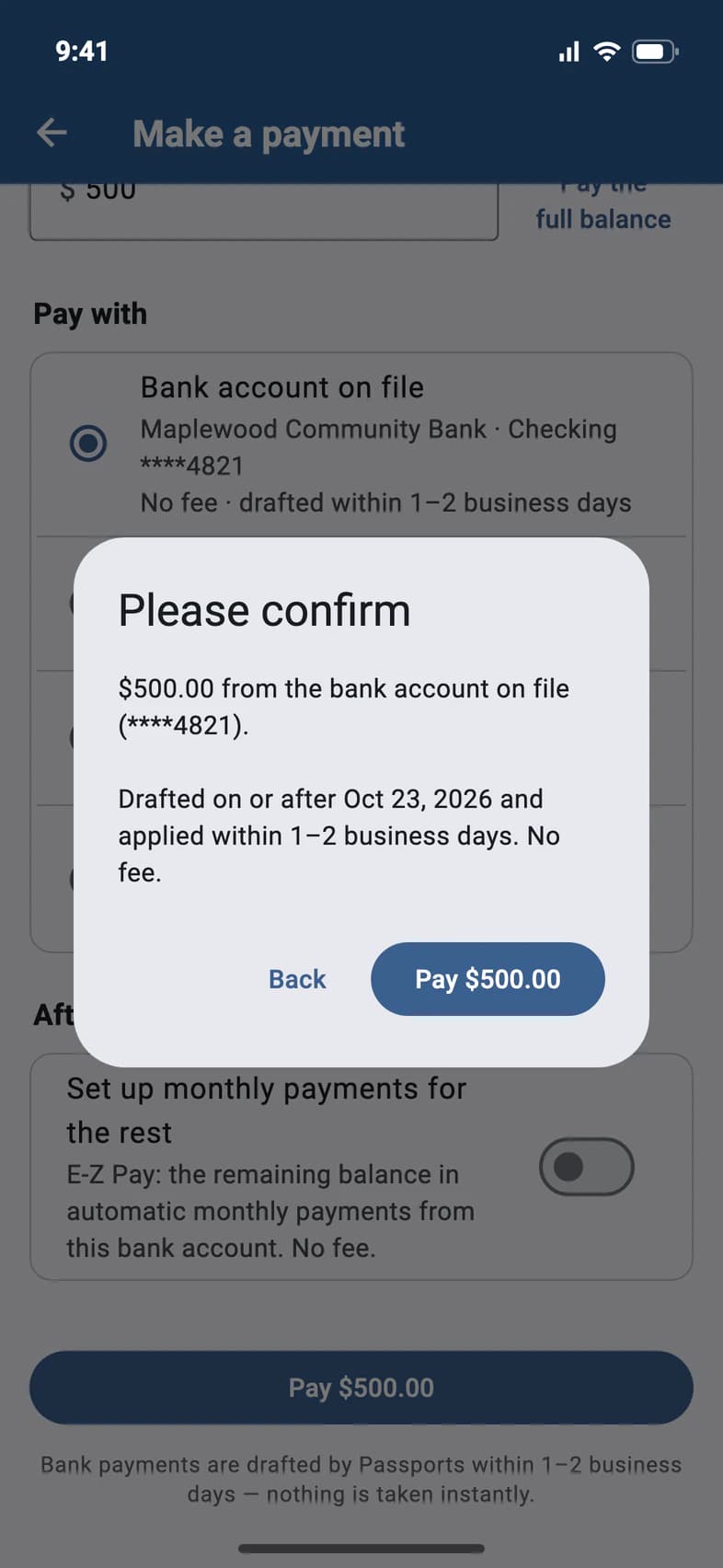
Confirm
A summary pops up: how much, where it comes from, and when it's drafted. Tap Pay $500.00 1 to send it — or Back to change something.
Tap Pay once. If the screen seems slow, give it a moment rather than tapping again — a second tap can mean a second payment.
- Step 7
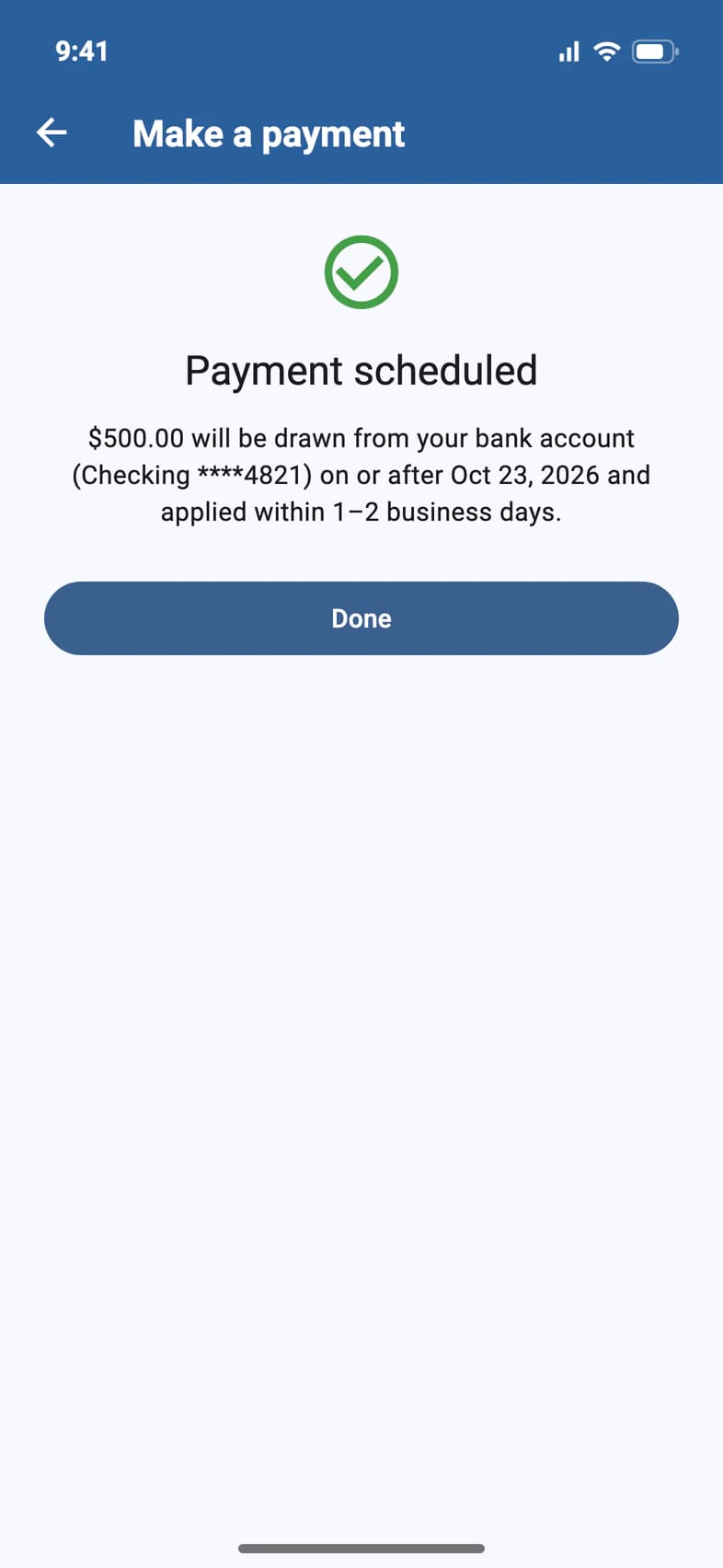
You're done
A bank payment shows Payment scheduled; a card shows Payment complete with a receipt to save. Tap Done 1.
Back on Finance, a bank payment shows as pending until it's drafted — and until then, you can still cancel it there.
Good to know
Is there a fee?
Paying from a checking or savings account is free. Card payments add a convenience fee, which the app shows — as a percentage beside each card, and as a dollar amount before you confirm.
How long does a bank payment take?
Passports drafts it within 1–2 business days. Until it has been sent to your bank, Finance shows it as pending with a Cancel pending payment button.
I'm on E-Z Pay. Can I still make an extra payment?
Yes. When you already have automatic monthly payments, After this payment asks whether to Keep my monthly payments — your remaining payments are recalculated around the extra payment — or Stop automatic payments and pay the rest on your own. Keeping them takes any amount. Paying on your own starts with a $495 deposit, so until that much is paid, stopping takes at least the rest of it: the screen says how much under Amount.
If your monthly payments come from a bank account and you keep them while paying from a different bank account, they come from that account from now on, too: the screen says so before you pay. To move them without paying anything, see Change the account E-Z Pay uses.
Who can make payments?
The parents or guardians on the enrollment, and travelers who are 18 or older or pay for their own trip. A student under 18 signed in with their own email sees Finance locked: tapping it opens Sign-in & Finance, which lists who sees payments. There, a missing parent or guardian email can be added, and a parent using the student's phone can tap I'm Laura — sign in as Laura (with their own name) to sign in with their own email. When the school pays for the trip, Finance doesn't appear at all. If Finance is missing for someone who should have it, call Passports — they can turn it on for that person.
Can I mail a check instead?
Yes. While there's a balance to pay, tap Pay by mail on Finance for the address and who to make the check payable to. See Pay by check.
Something went wrong with a payment. Who do I call?
Call Passports at 1-800-332-7277, Monday to Friday, 8am–4pm Eastern — or use Question about your bill? at the bottom of Finance.
Screens show a sample family and tour — your names, dates and amounts will differ. Checked against the app October 19, 2026.
Call us. A real person in Worcester picks up.
Monday to Friday, 8am to 4pm Eastern — and around the clock once your group is on tour. Or email passportsgo@passports.com.