
Update contact and emergency details
Keep the traveler's, guardians' and emergency contact's details current.
Keep your traveler's contact details current: their cell phone, the guardians' phone numbers and home address, and an emergency contact. It takes a minute, and PassportsGo tells you when something is missing.
Before you start
- PassportsGo, signed in as the traveler or a parent or guardian.
- Step 1
Open Contact & people
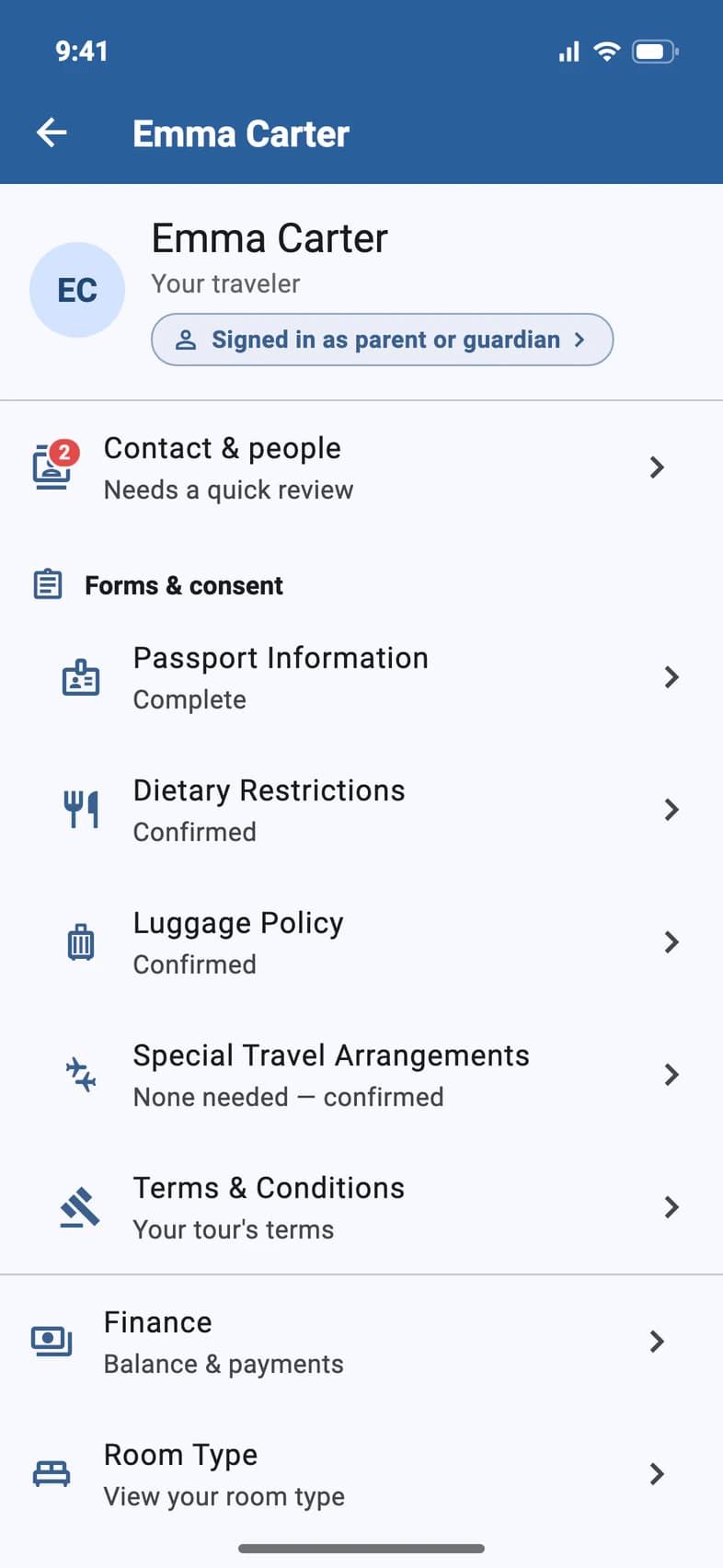
On your traveler's page (My Account on Home), tap Contact & people 1. Needs a quick review and a red number mean something is missing.
- Step 2
See what's on file
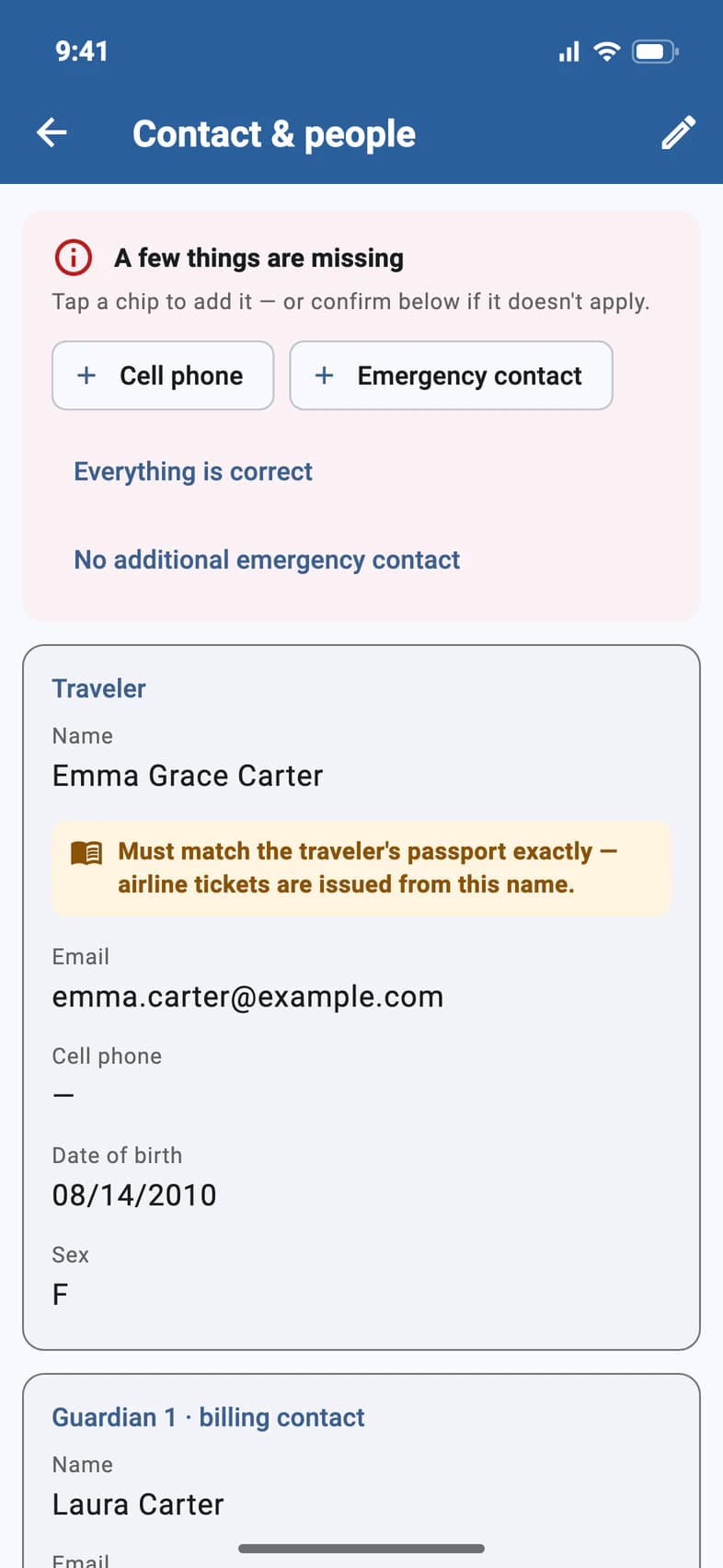
The page lists the traveler, Guardian 1 · billing contact, Guardian 2 and the Emergency contact.
When A few things are missing 1 is at the top, each chip names one, like Emergency contact 2. Tap a chip, or the pencil at the top 3, to add or change details.
- Step 3
Change the details
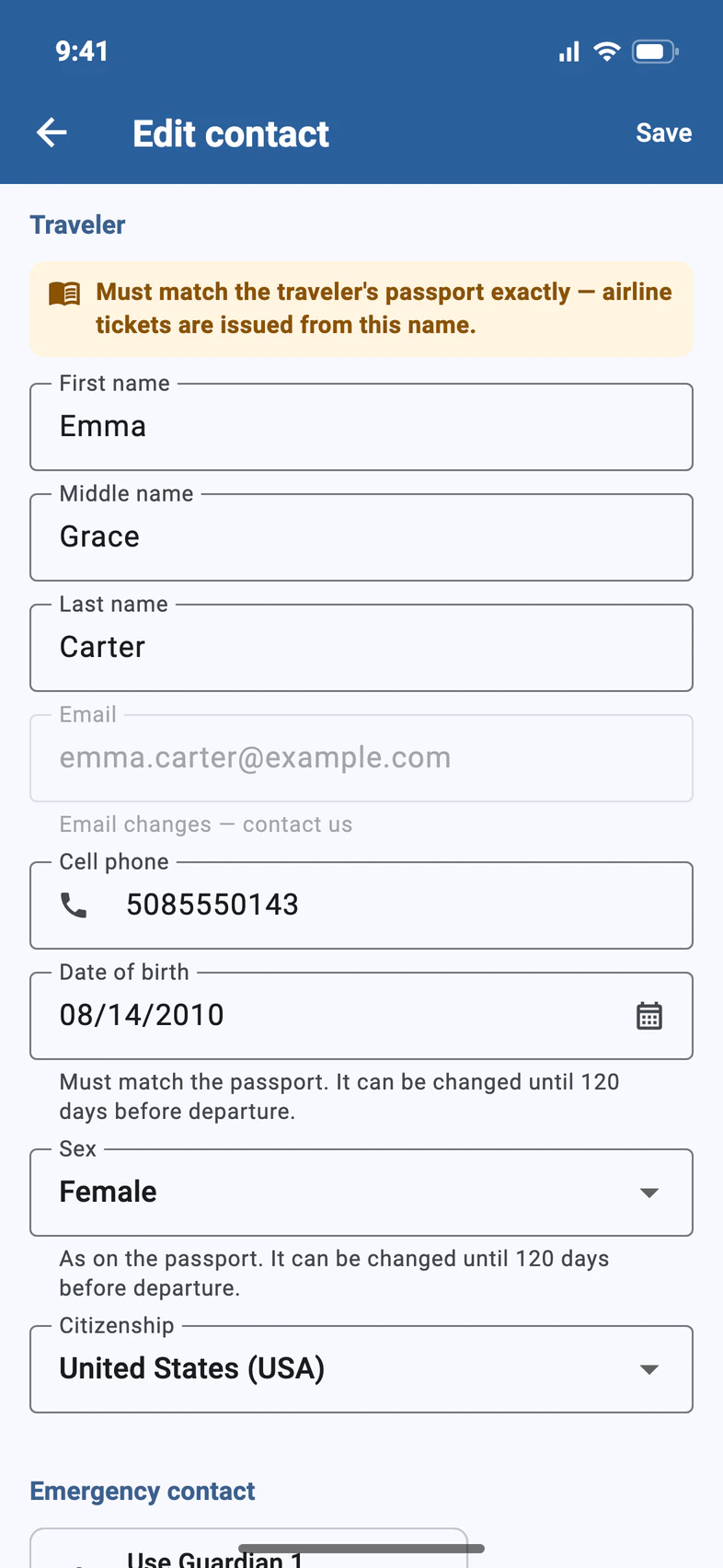
On Edit contact, type over anything that has changed:
- The traveler's name must match the passport exactly 1. Airline tickets are issued from it.
- Email addresses are grayed out 2: they're how each person signs in (see below).
- Fill in what's missing, like the traveler's Cell phone 3.
- Date of birth and Sex must match the passport too. You can correct them until 120 days before departure.
- Step 4
Add the emergency contact, then save
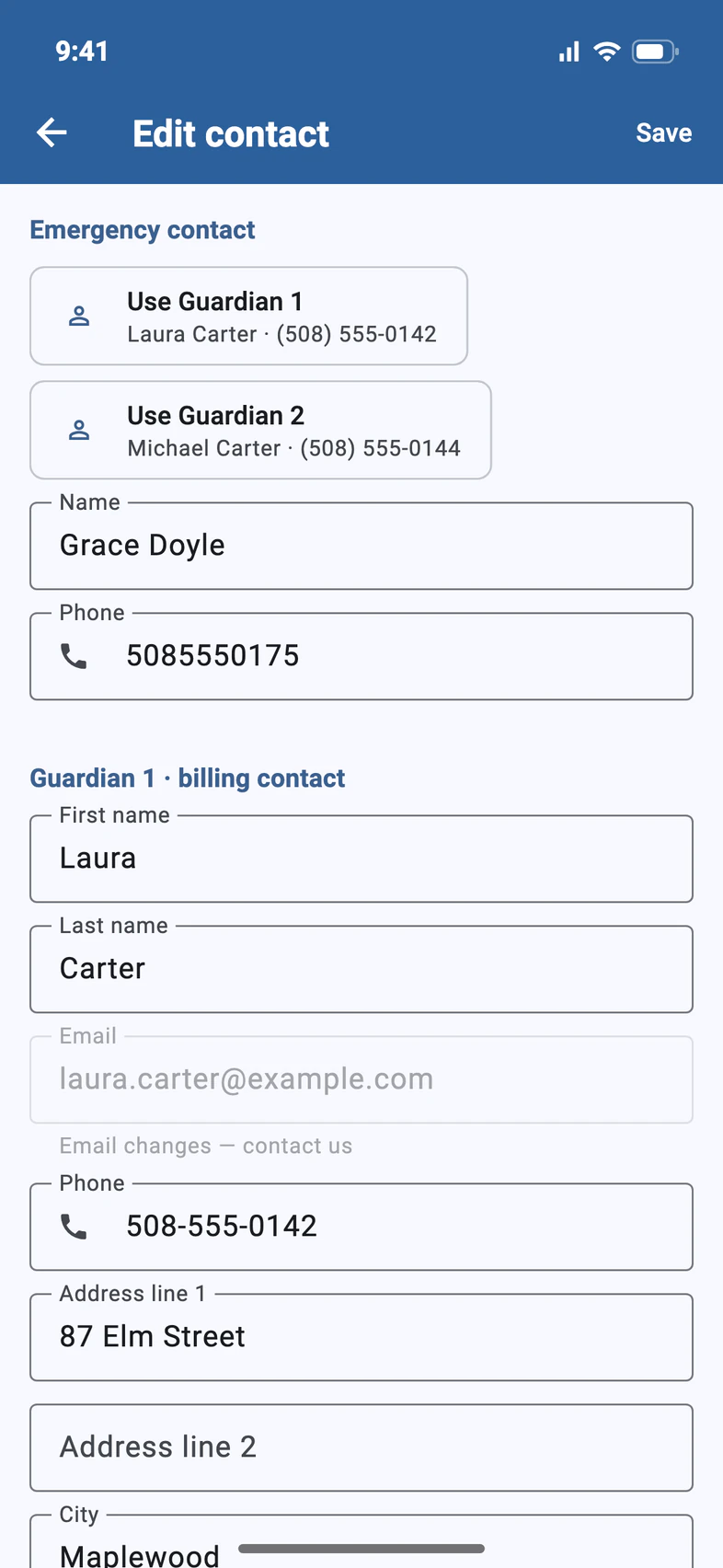
Scroll down to Emergency contact 1 and enter a name and phone number. Is a parent the emergency contact? Tap Use Guardian 1 or Use Guardian 2 at the top of the section: it fills in that guardian's name and phone for you.
Guardian 1's phone and the home address 2 are further down. Then tap Save 3.
What you can change depends on who you are. Only the billing contact (Guardian 1) can change Guardian 1's details and the home address.
- Step 5
Nothing to add?
If a missing detail doesn't apply, say so on Contact & people. Tap Everything is correct 1 (for example, when your traveler has no cell phone), or No additional emergency contact 2. Then tap Confirm.
The reminder goes away. You can still change the details later.
Everything is correct covers the date of birth and cell phone. A blank middle name has its own Middle name card: tap Add middle name, or No middle name on passport if the passport has none.
Good to know
How do I change an email address?
Email addresses are how each person signs in, so they can't be changed on Edit contact. If the traveler and a parent share one email, or no parent email is on file, you can fix it yourself: tap Signed in as … under the traveler's name on their page, and Sign-in & Finance shows what will change before you tap Save. For anything else, tap Ask Passports on your traveler's page, or call Passports at 1-800-332-7277.
The traveler's name is grayed out.
From 120 days before departure, only Passports can change the traveler's name, because airline tickets are issued from it. Tap Ask Passports on your traveler's page, or call 1-800-332-7277. Missing a middle name? The Middle name card on Contact & people then offers Ask Passports to add it, a message ready to send.
Who can change what?
Guardian 1, the billing contact, can change every section. Guardian 2 can change the traveler's details, the emergency contact, and their own name and phone. Travelers can change their own details and the emergency contact.
Can I change the date of birth?
Yes, on Edit contact: type it as MM/DD/YYYY or pick it with the calendar button. Sex works the same way. Either can be changed until 120 days before departure, and a missing one can always be filled in. After that, they're grayed out: tap Ask Passports on your traveler's page, or call 1-800-332-7277.
Screens show a sample family and tour — your names, dates and amounts will differ. Checked against the app October 19, 2026.
Call us. A real person in Worcester picks up.
Monday to Friday, 8am to 4pm Eastern — and around the clock once your group is on tour. Or email passportsgo@passports.com.