
What parents, travelers and chaperones see
What each role can see and do — parents, travelers, chaperones and visitors.
PassportsGo shows each person what fits their role, so a parent sees a little less than their traveler, and the group leader sees the most.
- Step 1
Find your role
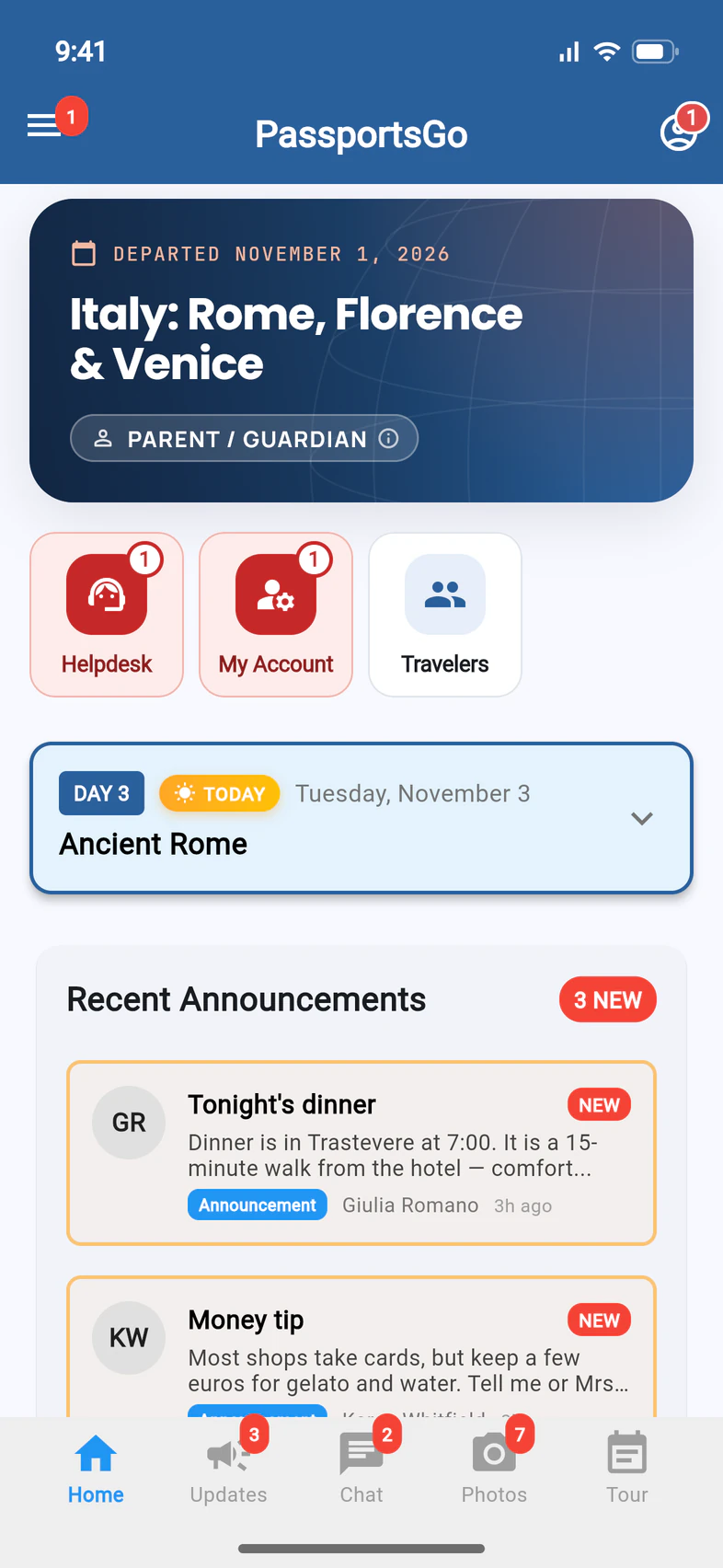
On Home, the chip under the tour's name shows your role 1, like PARENT / GUARDIAN.
The tiles under it are shortcuts. Travelers 2 opens the Traveler List, with everyone on the trip: See who's on the trip.
The tabs 3 at the bottom are what your role can open.
No Travelers tile? Your group leader chooses who can see the Traveler List: everyone on the tour (the usual choice), only travelers and chaperones, or only admins.
- Step 2
See what each role can do
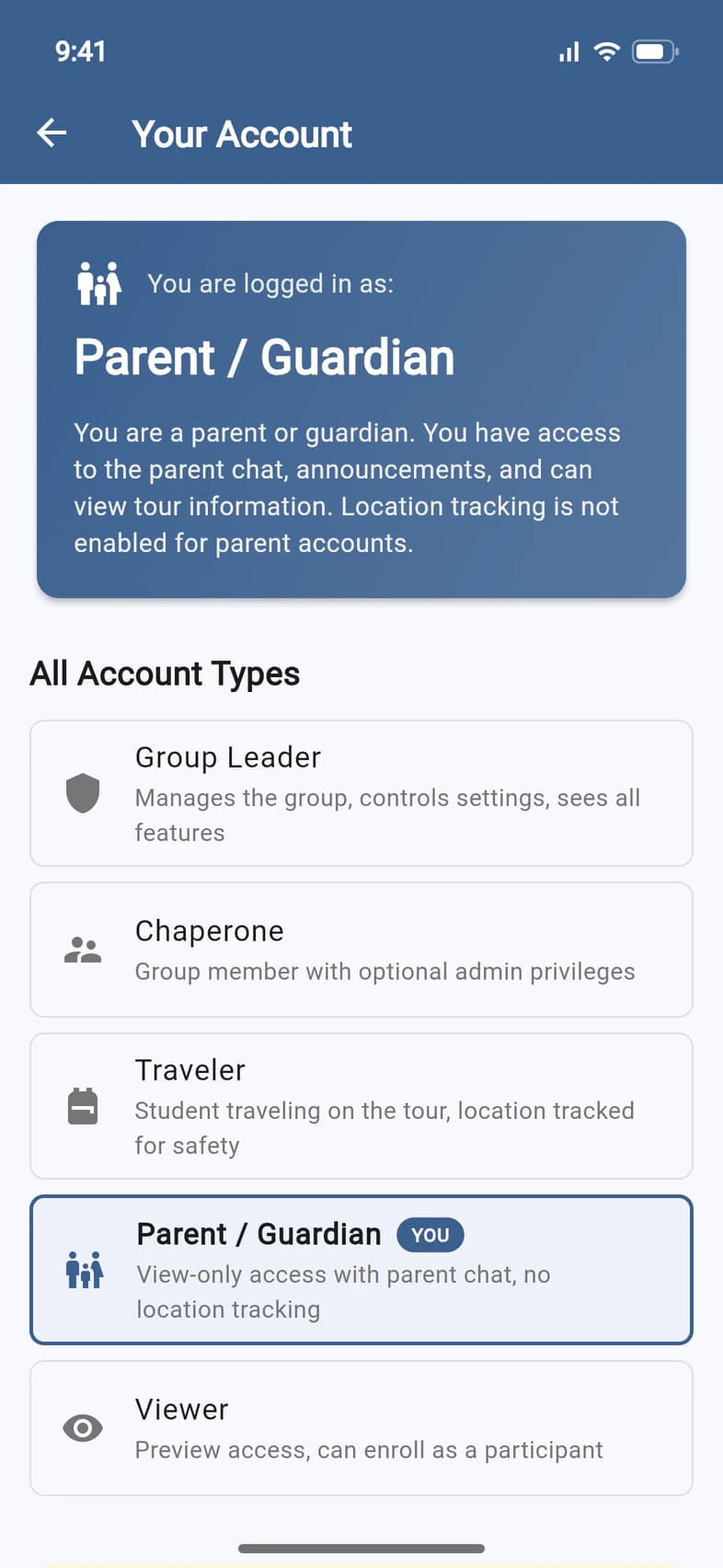
Tap the chip. Your Account says what your role can do 1, and All Account Types 2 lists every role.
Good to know
What do parents and guardians see?
Home, Updates (announcements), Chat (the parent chat), Photos (to view), Tour (the itinerary) and My Account for forms and payments. The Travelers tile opens the Traveler List, unless your group leader shows it only to travelers and chaperones, or only to admins. Parents don't share a location and don't get the group's meeting points.
What do travelers see?
The same, plus the group chat and sharing photos. During the tour, a traveler's location is shared for safety.
What about chaperones?
Chaperones travel with the group, and most are admins: they can post announcements and use the group leader's tour tools. The group's money, hotel choices and settings stay with the group leader. A chaperone's Chaperone Application is under My Account: see the Chaperone Application. If the group leader turns on Can use Recruitment for a chaperone who's an admin, they also get the Recruitment tile on Home, to add contacts, message the interest list and share the tour with Email me the invitation, the Tour flyer and Pictures for social media: see Let someone help you recruit.
Someone was invited as a visitor.
Visitors follow the tour from afar by invitation, like a grandparent or a principal. They see announcements and photos. A visitor the group leader invites to help recruit, with Can use Recruitment, also gets the Recruitment tile, as a chaperone does. On a tour that's still a proposal, Home says A proposal, not yet enrolled. and there's no Travelers tile.
Screens show a sample family and tour — your names, dates and amounts will differ. Checked against the app November 3, 2026.
Call us. A real person in Worcester picks up.
Monday to Friday, 8am to 4pm Eastern — and around the clock once your group is on tour. Or email passportsgo@passports.com.