
Add passport details
Scan the passport or type it in — and pause the reminders if it hasn't arrived yet.
Passports needs your traveler's passport details, exactly as printed on the passport. The quickest way is to scan the passport's photo page. You can also type the details in.
The passport must still be valid more than six months after you get home from the trip.
Before you start
- Your traveler's passport, open at the photo page.
- PassportsGo, signed in as the traveler or a parent or guardian.
- Step 1
Open Passport Information
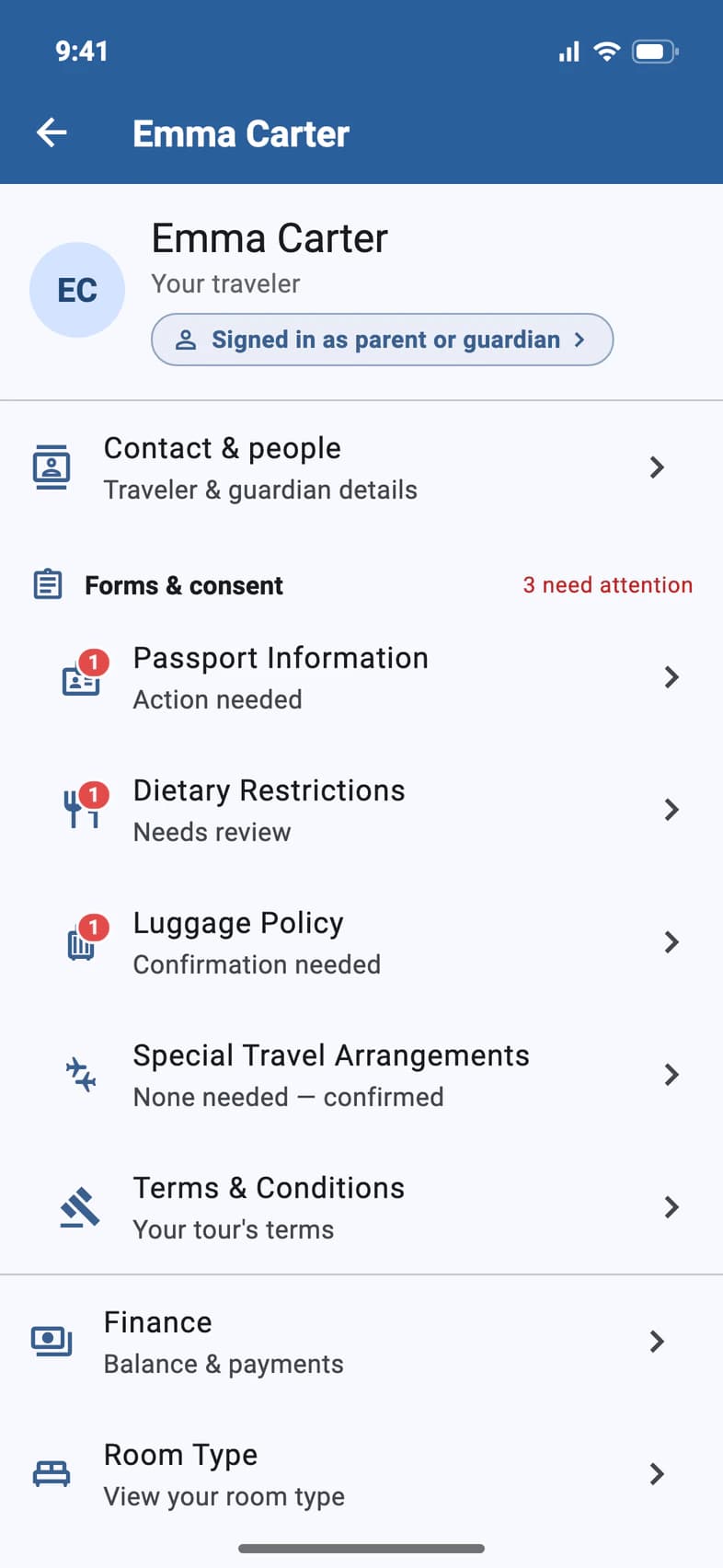
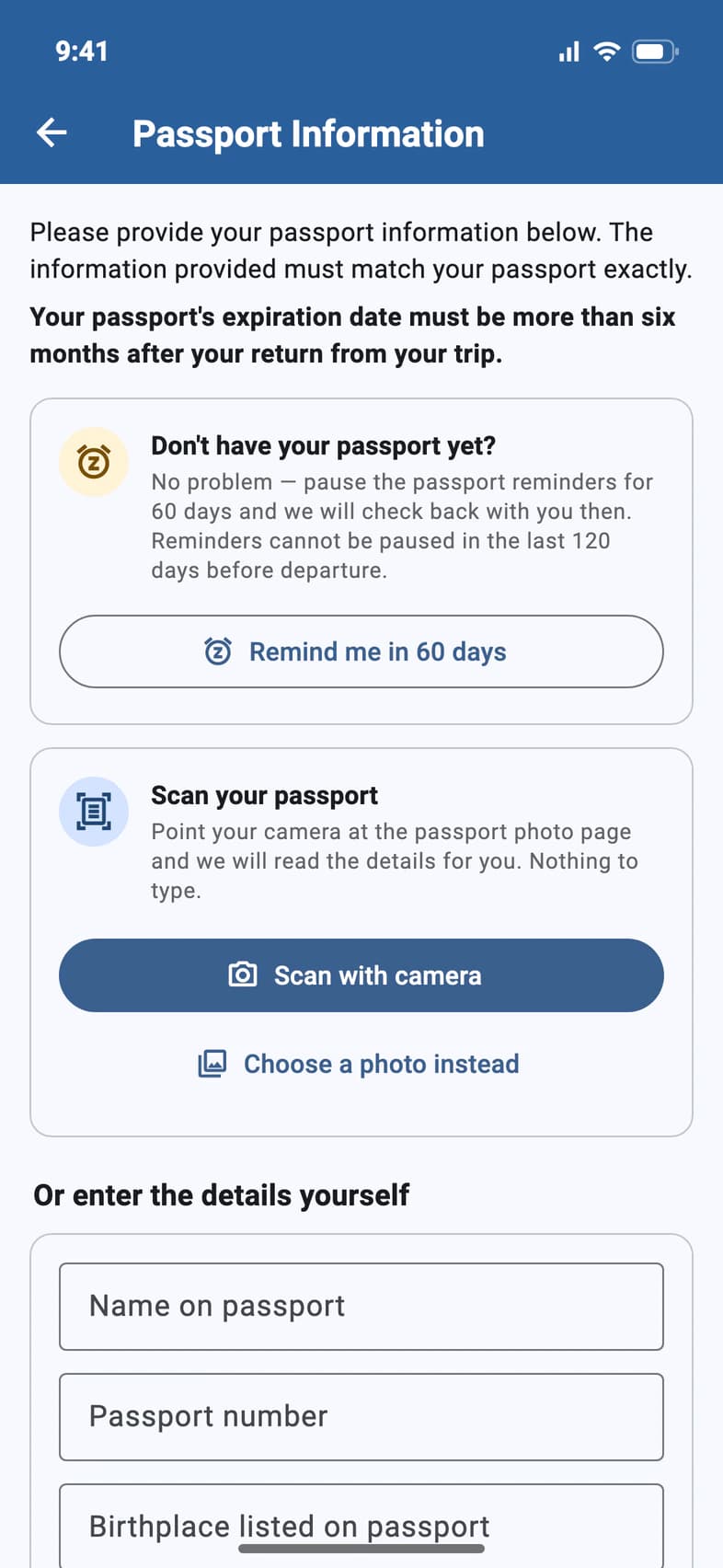
Open your traveler's page (My Account on Home). Under Forms & consent, tap Passport Information 1. Action needed means Passports doesn't have the passport yet.
- Step 2
Scan the passport
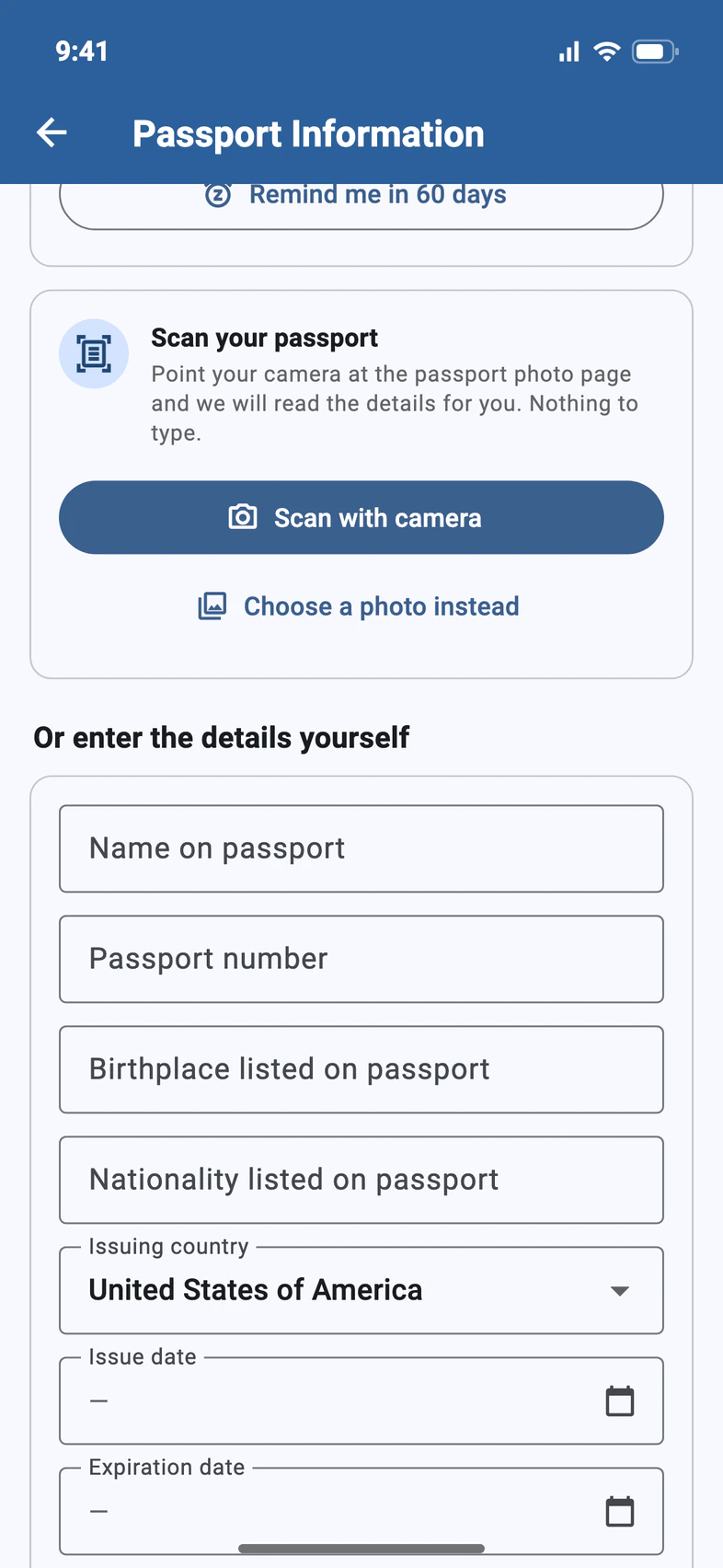
If you see Scan your passport 1, tap Scan with camera 2 and point your phone at the passport's photo page. PassportsGo reads the details, saves them with the photo, and shows them under Passport scanned. Look them over.
Already have a photo of the page? Tap Choose a photo instead 3. On a computer, the button reads Upload a photo of your passport.
Get the whole photo page in the frame, flat and without glare.
- Step 3
Or type the details
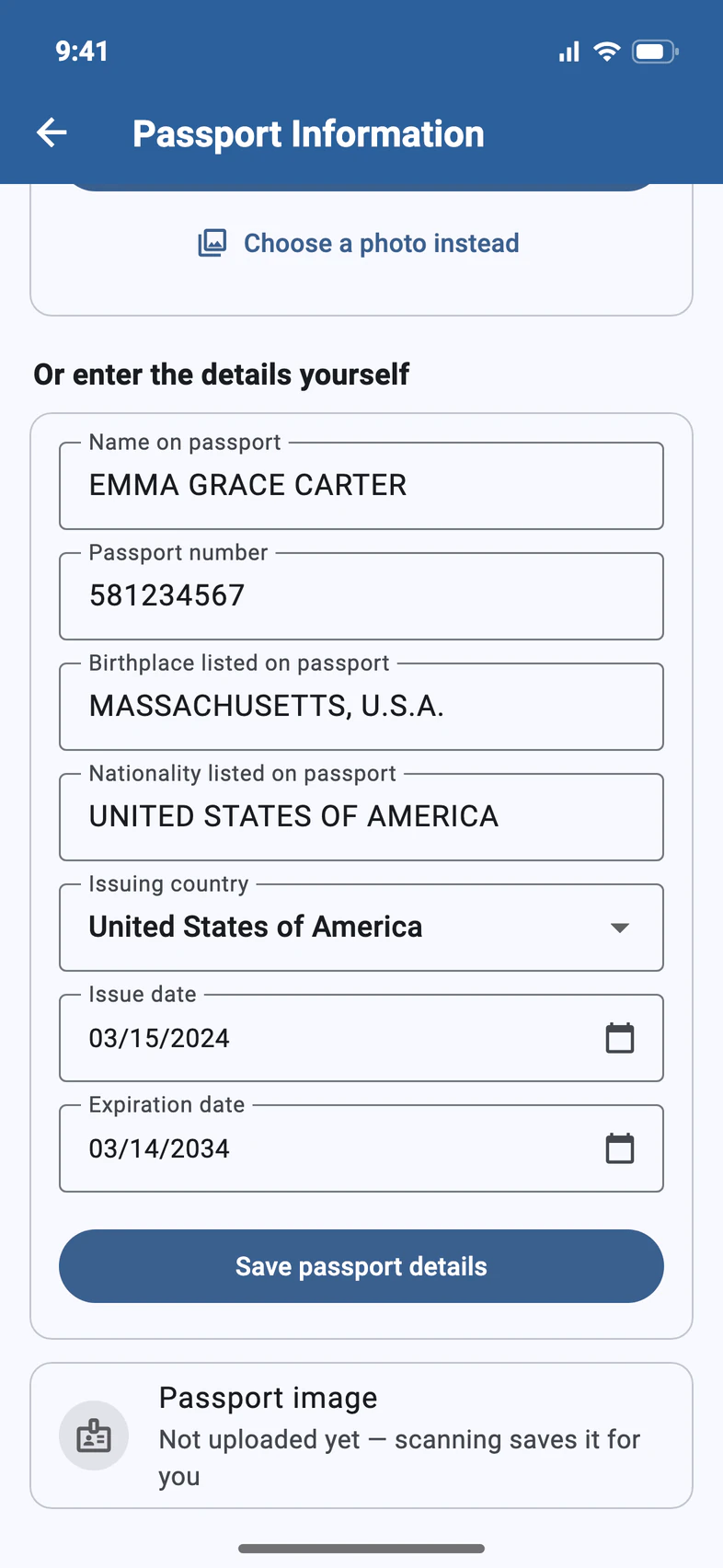
Under Or enter the details yourself, fill in each field exactly as it appears on the passport, from Name on passport 1 down to Expiration date 2. Then tap Save passport details 3.
If the saved passport expires too soon, a warning at the top of the page shows its expiration date next to your return date. Renew the passport before the trip.
- Step 4
Add a photo of the passport
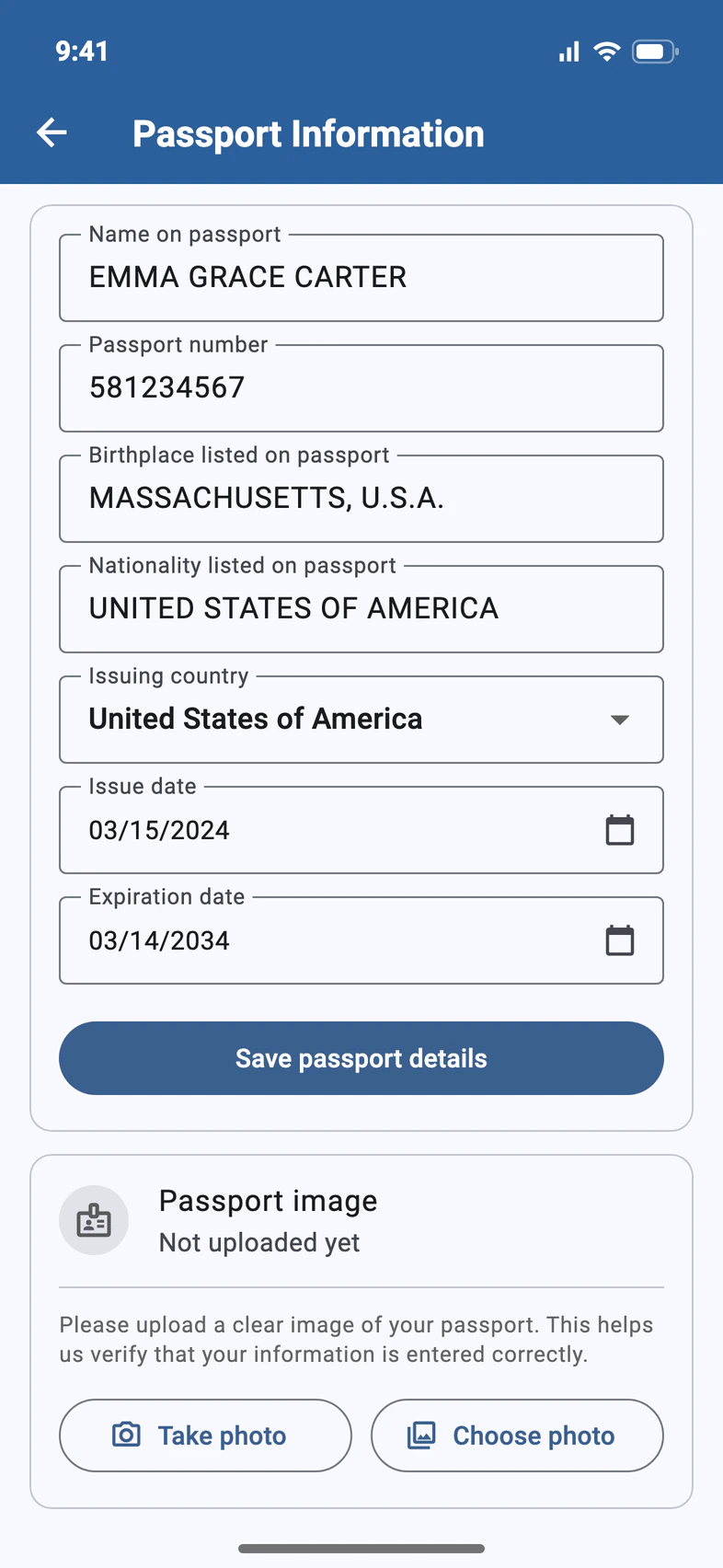
No Scan your passport card? Under Passport image 1, tap Take photo 2 or Choose photo 3 to add a clear picture of the photo page. It helps Passports check the details.
When you scan the passport, the scan saves the photo for you.
- Step 5
Passport not here yet?
Waiting for a new passport? Under Don't have your passport yet? 1, tap Remind me in 60 days 2 to pause the passport reminders. Come back and add the details when it arrives.
Reminders can't be paused in the last 120 days before departure. By then, Passports needs the passport details.
Good to know
Who can enter the passport details?
The traveler or a parent or guardian on the enrollment.
Why must it be valid six months after the trip?
Many countries won't let a traveler in on a passport that expires within six months. PassportsGo checks the expiration date against your return date.
The passport isn't from the United States.
Pick the right Issuing country and fill in the details the same way. PassportsGo then asks you to confirm the Non-US passport declaration.
The scan got something wrong.
Scanned details can only be changed by Passports. On the same page, tap Something wrong? Ask Passports and tell us what's wrong. If the scan asks you to check some details instead, fix them in the form and tap Save passport details.
Who do I call with a question?
Call Passports at 1-800-332-7277.
Screens show a sample family and tour — your names, dates and amounts will differ. Checked against the app September 26, 2026.
Call us. A real person in Worcester picks up.
Monday to Friday, 8am to 4pm Eastern — and around the clock once your group is on tour. Or email passportsgo@passports.com.