
Change your group settings
Location tracking, who can start chats, what your Tour Director sees, photo review — and the danger zone.
Group Settings holds the switches that apply to your whole group: location tracking, who can see the Traveler List, who can start chats, whether travelers see their roommates, what your Tour Director can see, photo review, and the danger zone. Only you can change them, and each switch saves the moment you tap it.
- Step 1
Open Group Settings
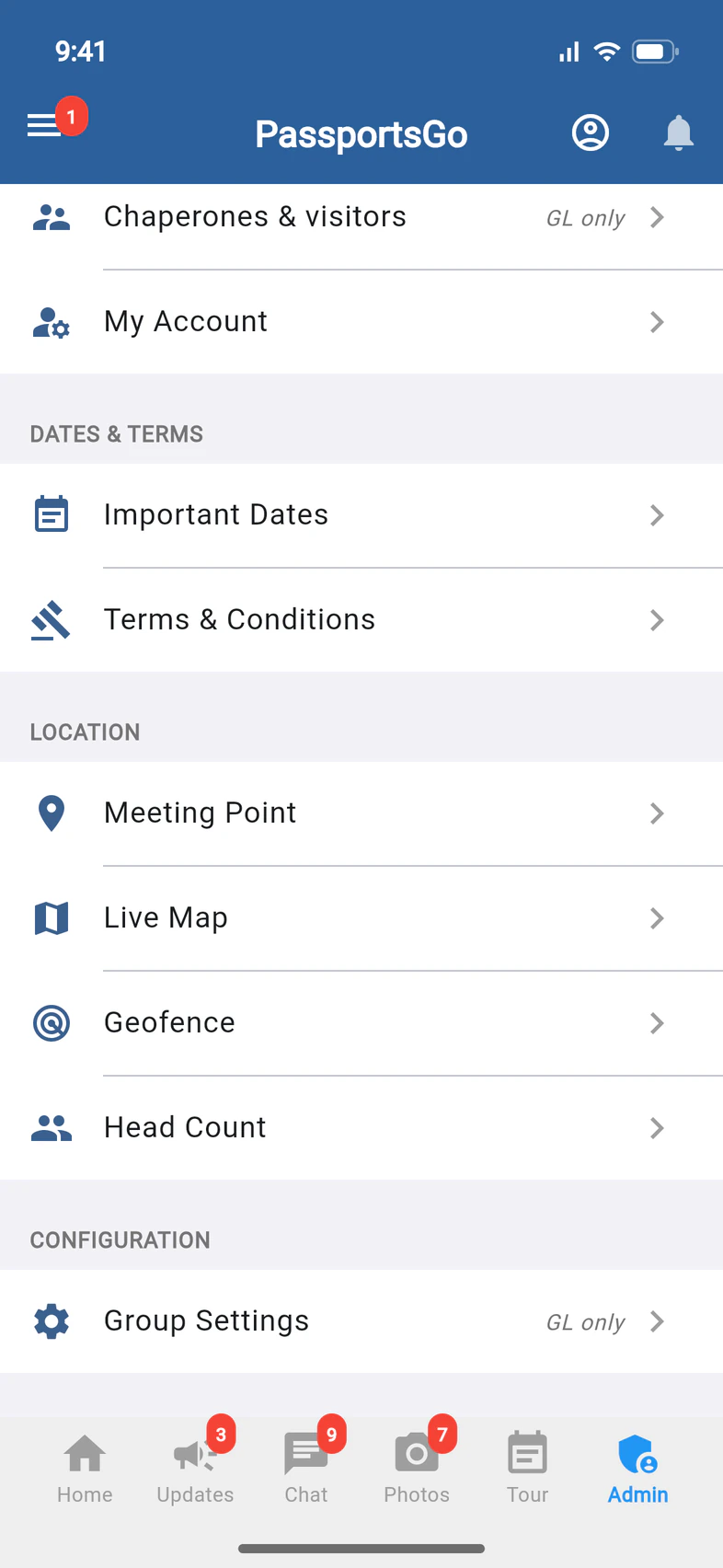
Tap Admin and scroll down to CONFIGURATION, then tap Group Settings 1. It's marked GL only 2: your admins don't see it.
- Step 2
Location for the whole group
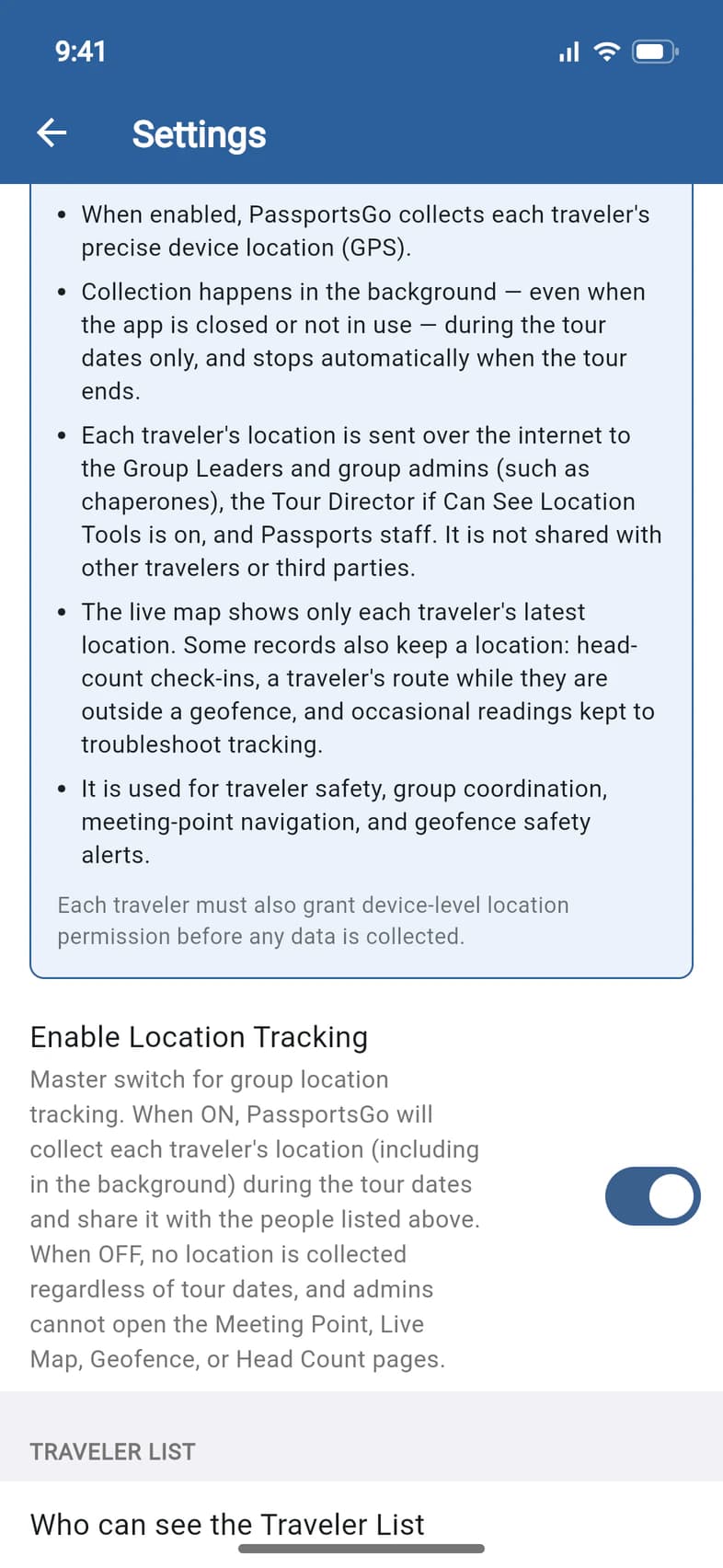
Enable Location Tracking 1 is the master switch for your group's location sharing. It starts on. Turned off, no traveler's location is collected, and you and your admins can't open Meeting Point, Live Map, Geofence or Head Count.
The card above it says exactly what is shared and with whom, in the words your travelers see too.
- Step 3
Choose who sees the Traveler List
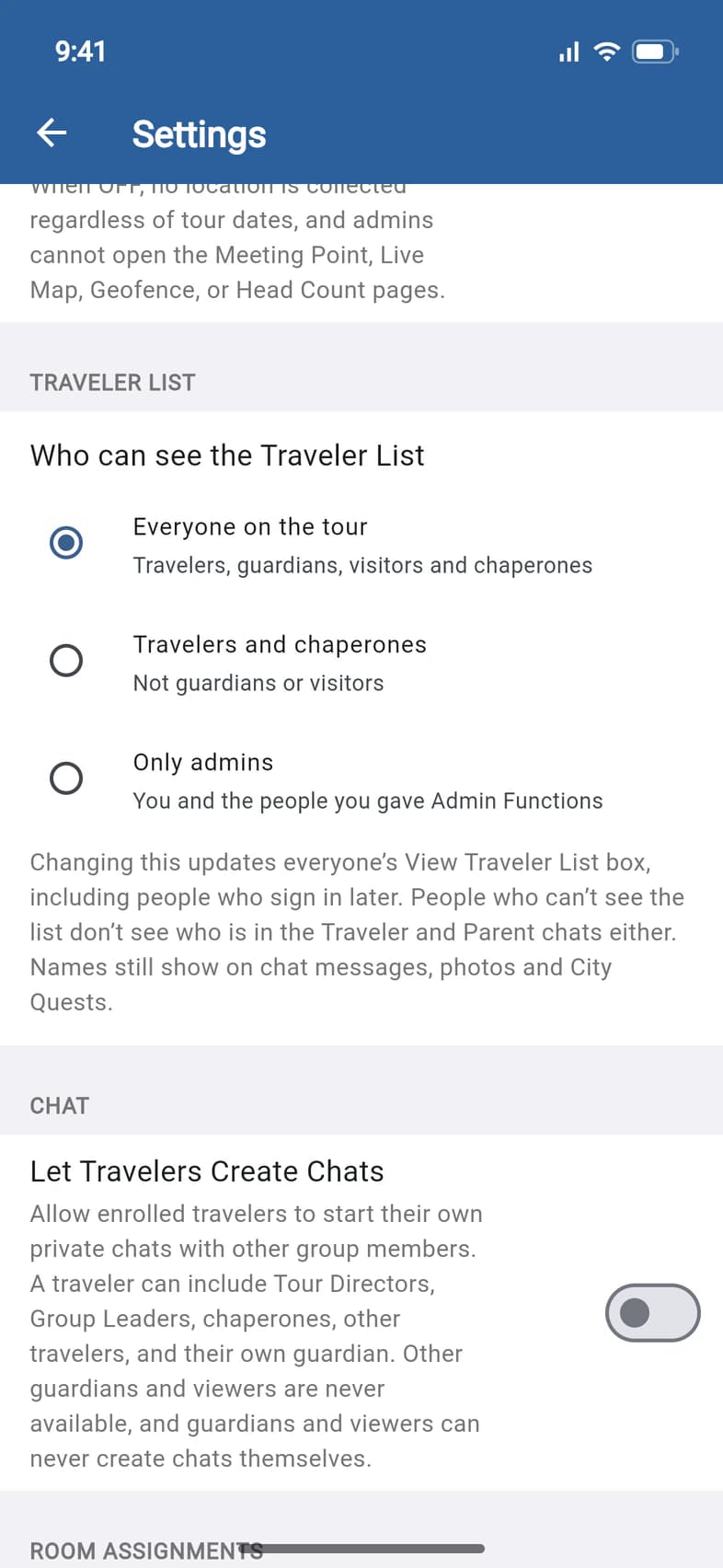
Under TRAVELER LIST, Who can see the Traveler List 1 starts at Everyone on the tour 2: travelers, guardians, visitors and chaperones. Travelers and chaperones hides it from guardians and visitors. Only admins keeps it to you and the people you gave Admin Functions.
PassportsGo asks before it changes, then says who the list is now hidden from. Your choice also covers people who sign in later, and people who can't see the list don't see who is in the Traveler and Parent chats either.
- Step 4
Let travelers start chats
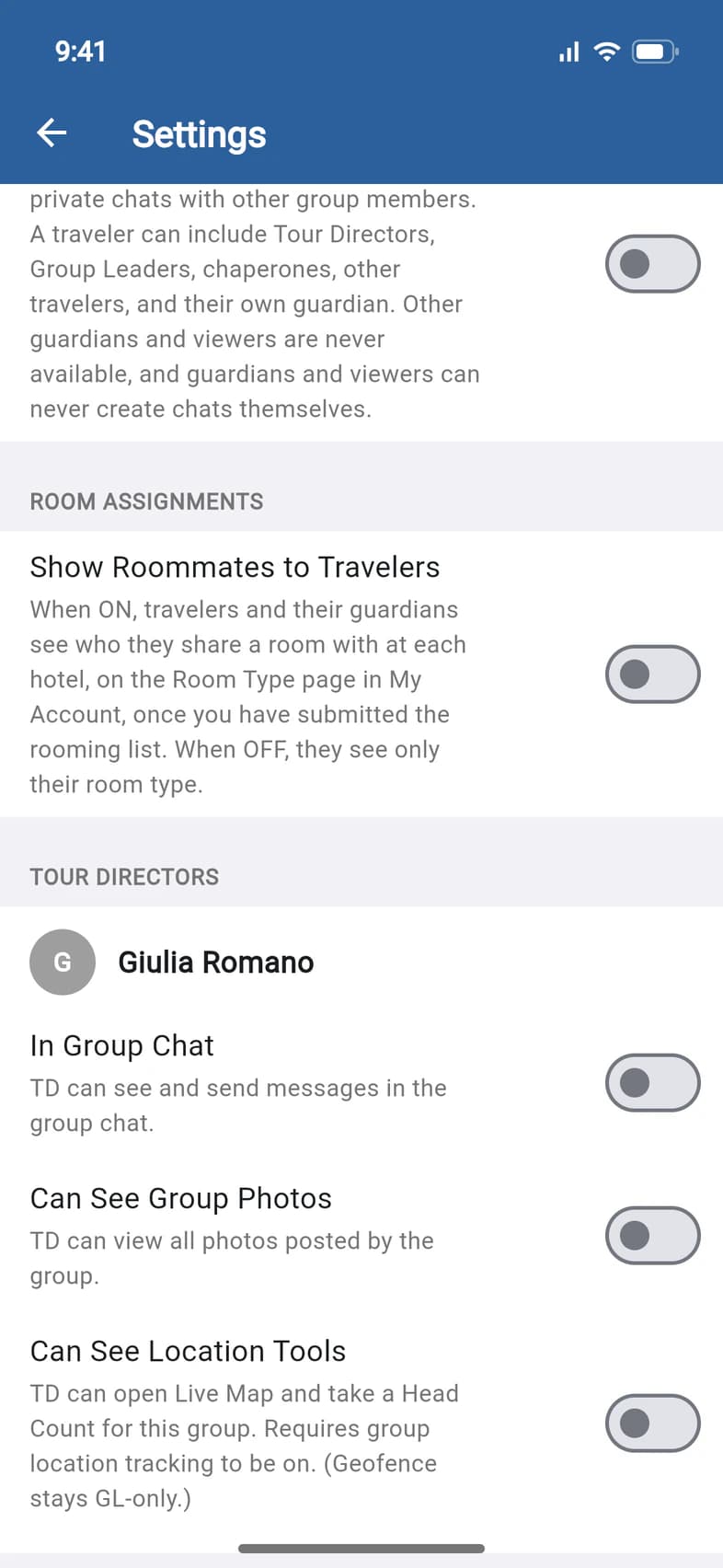
Let Travelers Create Chats 1 lets travelers start their own private chats. Guardians and viewers can never start chats.
- Step 5
Show roommates to travelers
Under ROOM ASSIGNMENTS, Show Roommates to Travelers 1 starts off. Turn it on, and travelers and their guardians see who they share a room with at each hotel, on the Room Type page in My Account, once you've submitted your rooming list. While it's off, they see only their room type.
Below it, TOUR DIRECTORS 2 holds what your Tour Director can see: see Work with your Tour Director.
Good to know
Can one person see the Traveler List when I've hidden it?
Yes. Open them from the Traveler List and, under Permissions, tick View Traveler List, then Save Permissions: see Make someone an admin. Changing Who can see the Traveler List again replaces choices you made for one person.
What else is in Group Settings?
Further down: PHOTO FEED, with Enable Photo Comments and Require Photo Review (see Review and remove photos), and the DANGER ZONE.
How do I lock everyone out?
In the DANGER ZONE, turn on Disable This Group. In the app's words, it will "lock everyone out of chat, photos, announcements, and the home screen. You can re-enable any time. TDs keep itinerary access." Turn it off to let everyone back in.
What does Delete Group Data do?
It permanently deletes the group data you select. There's no undo, so the app asks you to type DELETE first. Only the main group leader can run it: anyone else gets "Only the main Group Leader can delete group data". It isn't available on a proposal or a tour Passports cancelled, or to the other school's leader on a tour that shares its group with another school.
Home says "This group is in read-only mode".
Groups go read-only 45 days after departure: chats, photos and announcements stay, but nobody can post. Tap Reactivate on Home to open it again until 2:30 AM Eastern that night.
Screens show a sample family and tour — your names, dates and amounts will differ. Checked against the app November 3, 2026.
Call us. A real person in Worcester picks up.
Monday to Friday, 8am to 4pm Eastern — and around the clock once your group is on tour. Or email passportsgo@passports.com.