
Make someone an admin
Open their Permissions, tick Admin Functions, and save — or fine-tune what they can see.
Admins help you run the tour: they can post announcements, manage the location tools, delete photos and change permissions. Make a chaperone an admin, or fine-tune what anyone can see and do.
Before you start
- The person is on the app. Someone who hasn't signed in yet has no permissions to set.
- Step 1
Open their details
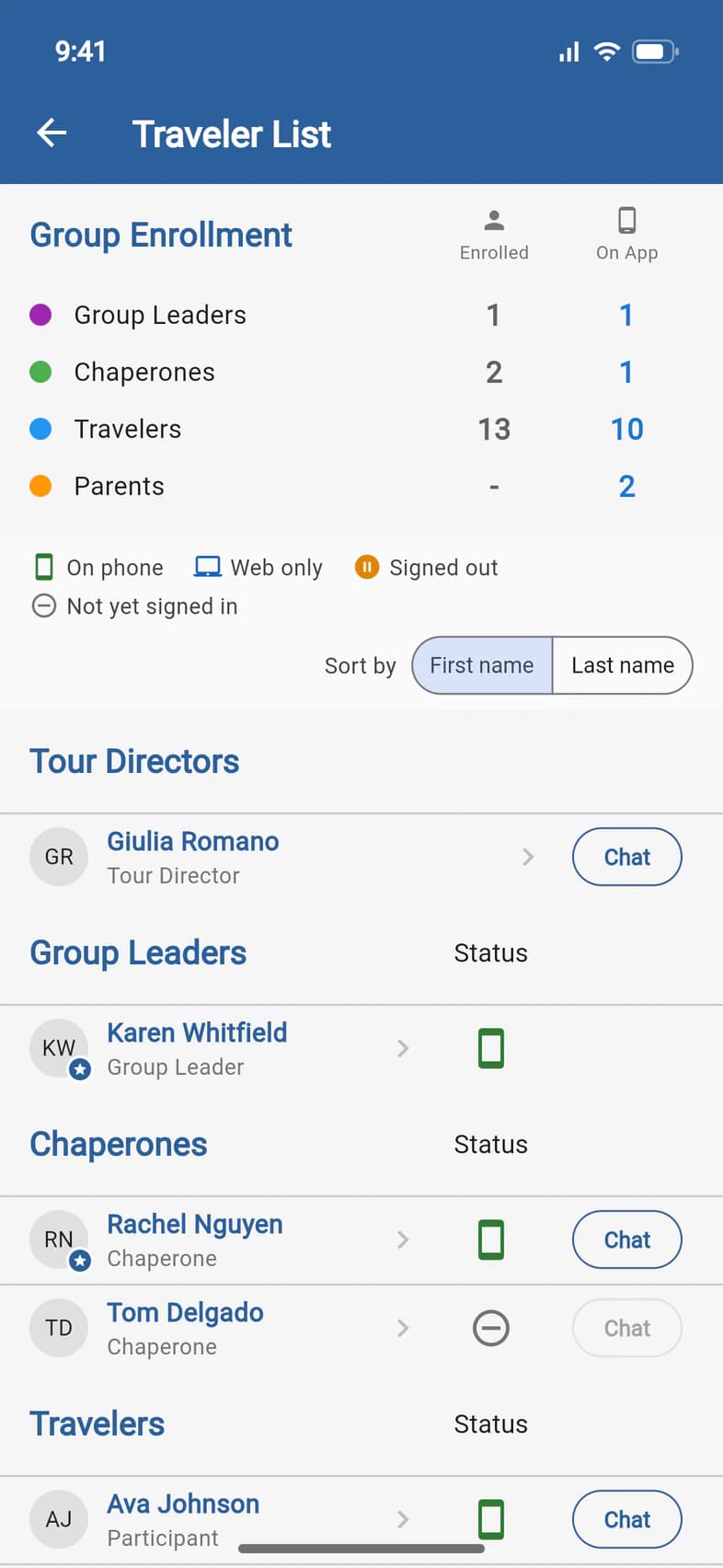
Open the Traveler List (Travelers on Home) and tap the person, like Rachel Nguyen 1.
- Step 2
Tick Admin Functions
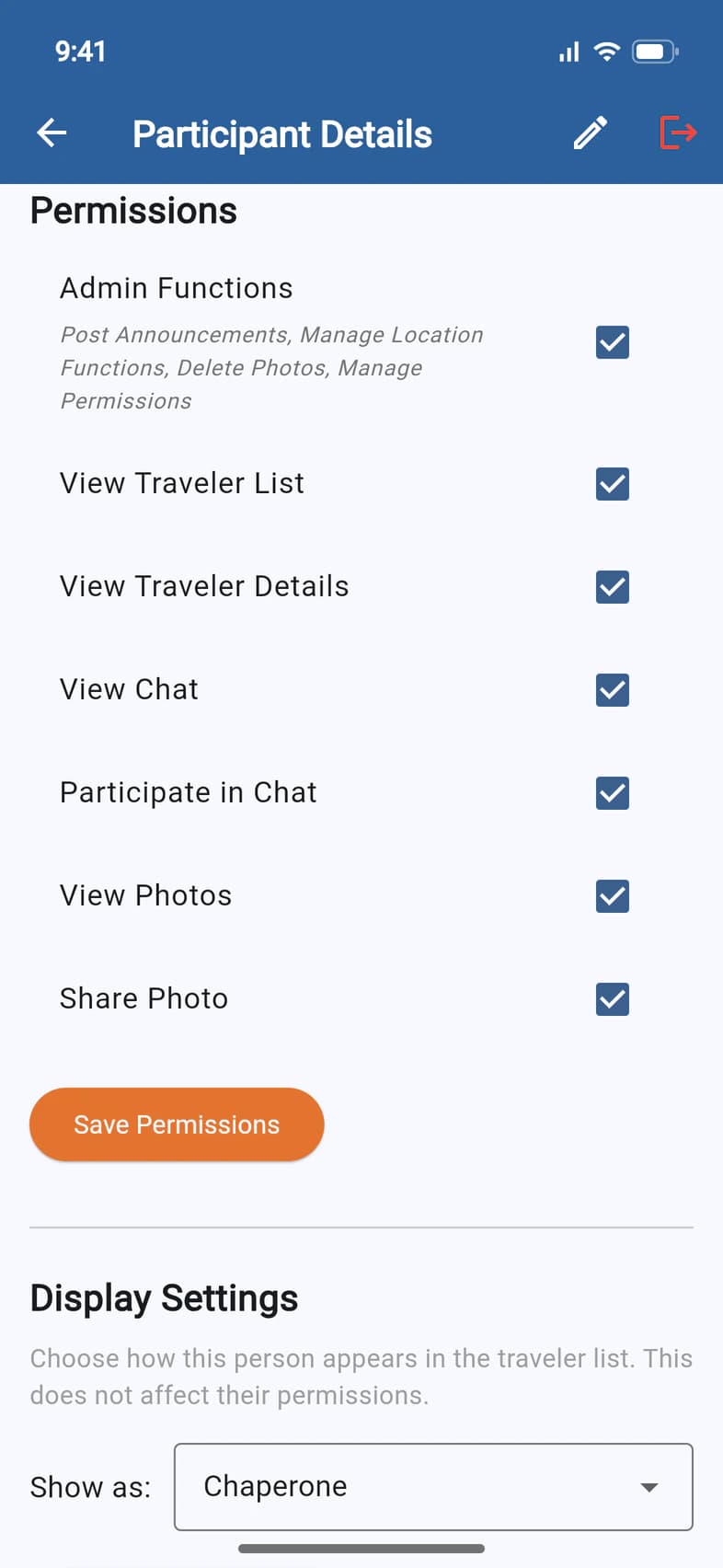
Scroll down to Permissions 1. Tick Admin Functions 2. The other boxes set what they can see and do: the Traveler List, traveler details, chat and photos. Admins always have the Traveler List: View Traveler List matters only for someone who isn't an admin. If your Group Settings hide the list from this person, a note under it says so: tick the box to let them see it anyway.
Tap Save Permissions 3. Only the boxes you changed are saved.
You can also do this on Admin › Chaperones & visitors: tap the person's card. The same boxes are there, and while Admin Functions is ticked, so is Can use Recruitment: see Let someone help you recruit.
Group leaders always have admin rights: your own Admin Functions box can't be unticked.
Unticking Admin Functions also ends their Recruitment access, takes them off the emergency contacts behind the HELP button and removes them from the Tour Director chat. Ticking it again doesn't bring Recruitment back: you turn that on again. On Chaperones & visitors, PassportsGo warns you first.
- Step 3
Change how they're listed (optional)
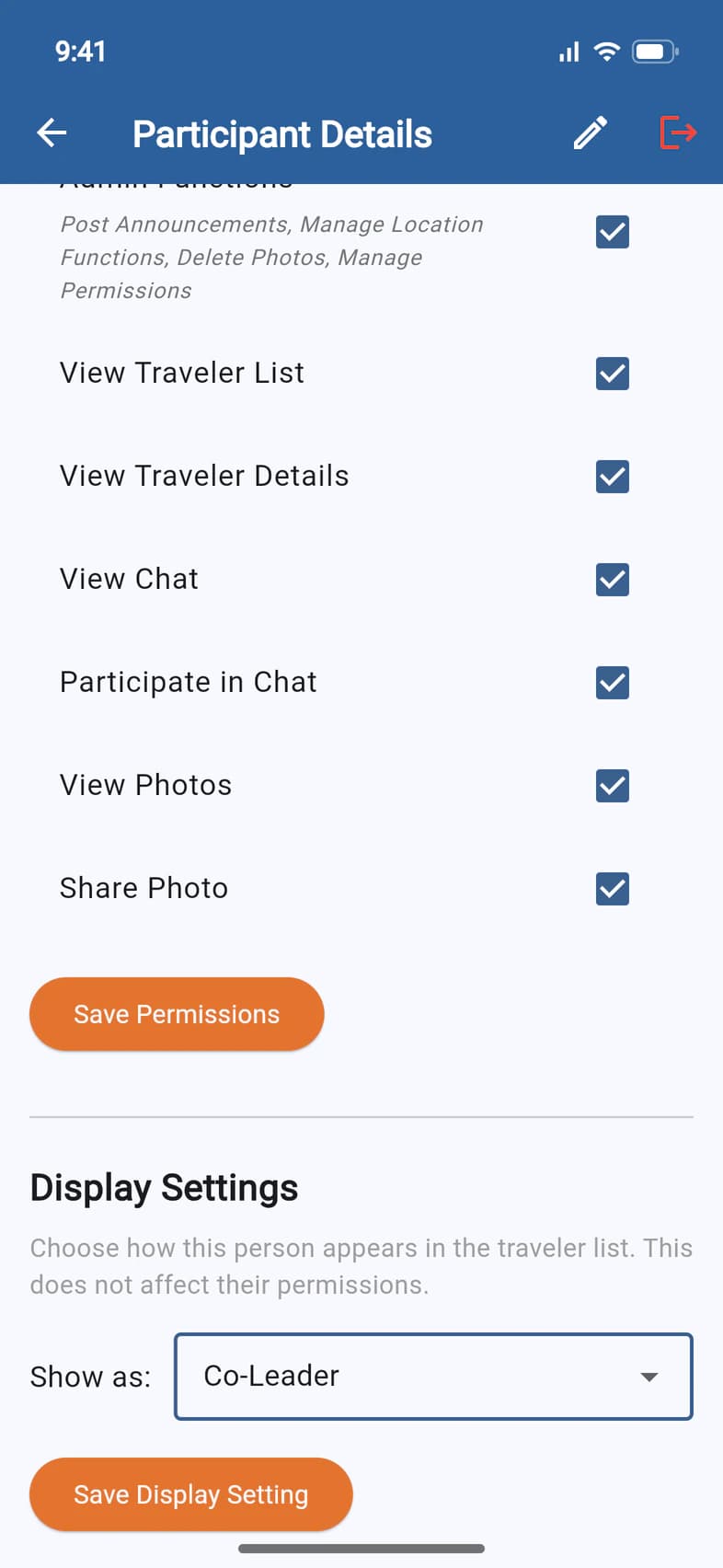
Display Settings 1 change how the person appears in the Traveler List. This doesn't change their permissions. Pick under Show as 2 and tap Save Display Setting 3.
For a chaperone who leads with you, pick Co-Leader (only chaperones have this choice). They're listed under Group Leaders, after you, with Co-Leader under their name, and they stay a chaperone everywhere else: Copy emails, the reports and what they can do in the app. Group Leader goes further: Copy emails skips them, and the tour's paperwork, like the group certificate, can name them as a leader.
Good to know
Who can change permissions?
The group leader, and chaperones who are admins (Manage Permissions is part of Admin Functions), on the person's details page. Chaperones & visitors is yours alone. Passports can also set someone's permissions for you: ask in the Helpdesk. You then see the boxes ticked on their page, as if you had saved them.
What else do admins see on the Traveler List?
The Reports row (Copy emails and every report but Financial), and the Waitlisted section if your tour has one. They can look at the waitlist, but only you can ask Passports to add someone from it. Message group and Add a visitor, at the top of the list, are yours, not your admins'.
Who sees the Traveler List?
Everyone on the tour, unless you change it: in Admin › Group Settings, under Traveler List, you can show it to Travelers and chaperones only, or to Only admins. You and your admins always see it. See Use the Traveler List.
Does Co-Leader give someone admin rights?
No. Co-Leader only changes how they're listed. Admin Functions is what gives them admin rights, so tick it too if they should have both.
How do I add a chaperone?
Name and invite them on Admin › Chaperones & visitors: see Name and invite your chaperones. Once they've signed in to PassportsGo, you can make them an admin here.
Can admins see the families' money?
No. Balances are for the group leader only.
Screens show a sample family and tour — your names, dates and amounts will differ. Checked against the app November 3, 2026.
Call us. A real person in Worcester picks up.
Monday to Friday, 8am to 4pm Eastern — and around the clock once your group is on tour. Or email passportsgo@passports.com.