
Review and submit your rooming list
Place travelers in rooms, check the rooming policy, and submit the list to Passports.
When it's time to decide who rooms with whom, Passports sends you a rooming list with the rooms booked for your group. You place every traveler in a room, then submit the list for Passports to review.
- Step 1
Open your rooming list
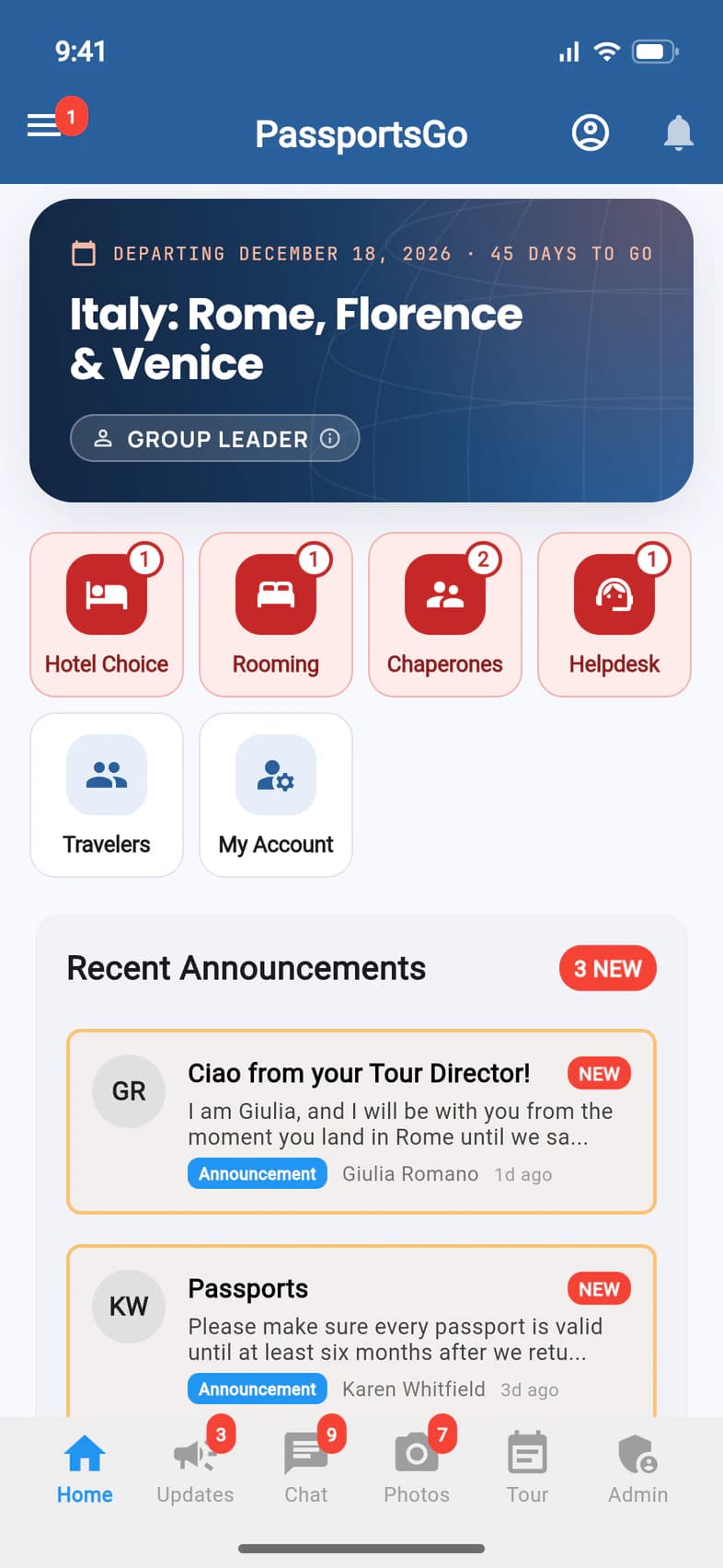
When a rooming list is waiting for you, Home shows a red Rooming tile 1. Tap it. Passports also emails you a link to the list.
- Step 2
See what's left to do
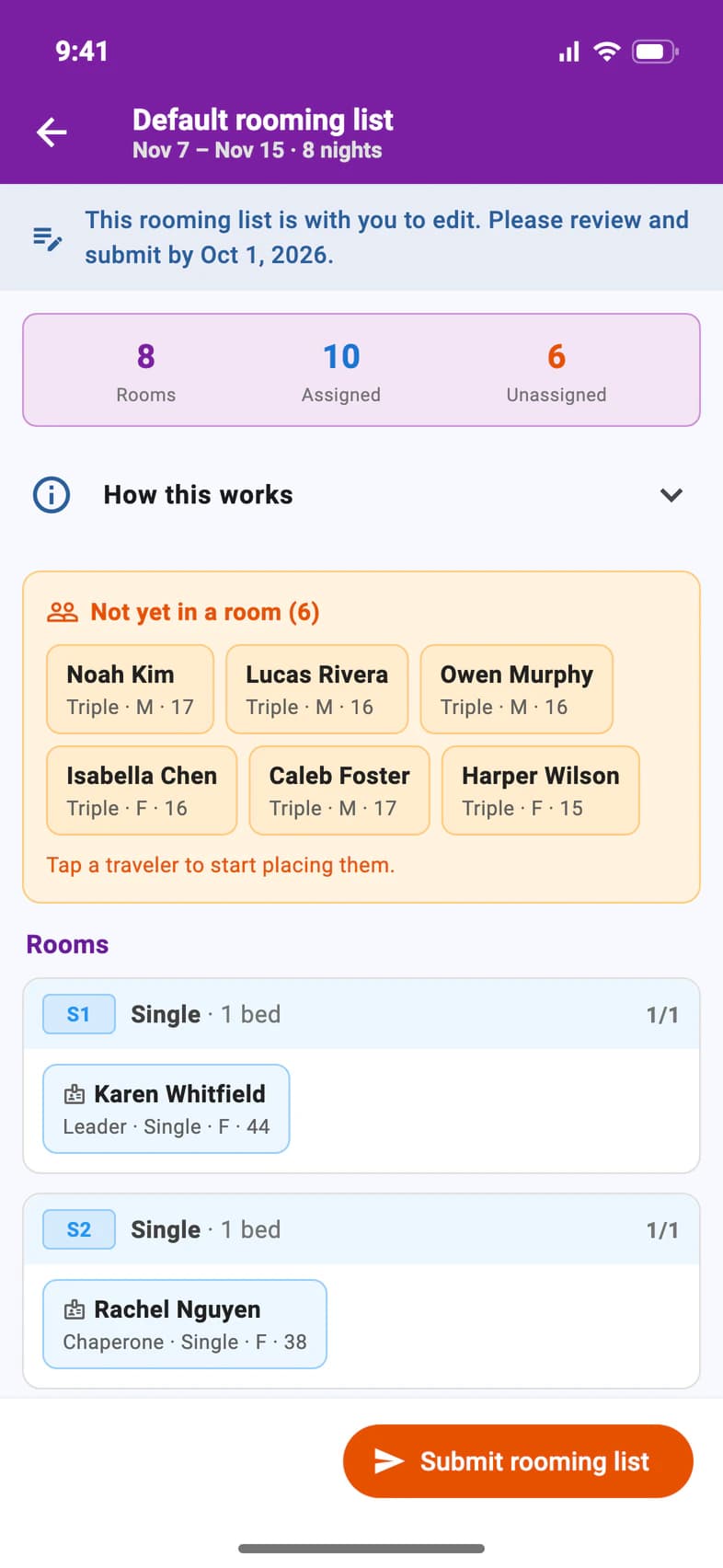
The banner at the top 1 says when the list is due. The counts show how many travelers are still Unassigned 2, and they're listed under Not yet in a room.
How this works 3 explains the room types and has the Rooming Policy.
Each traveler shows the room type they signed up for, their sex and age, so you can see at a glance who fits where.
- Step 3
Put travelers in rooms
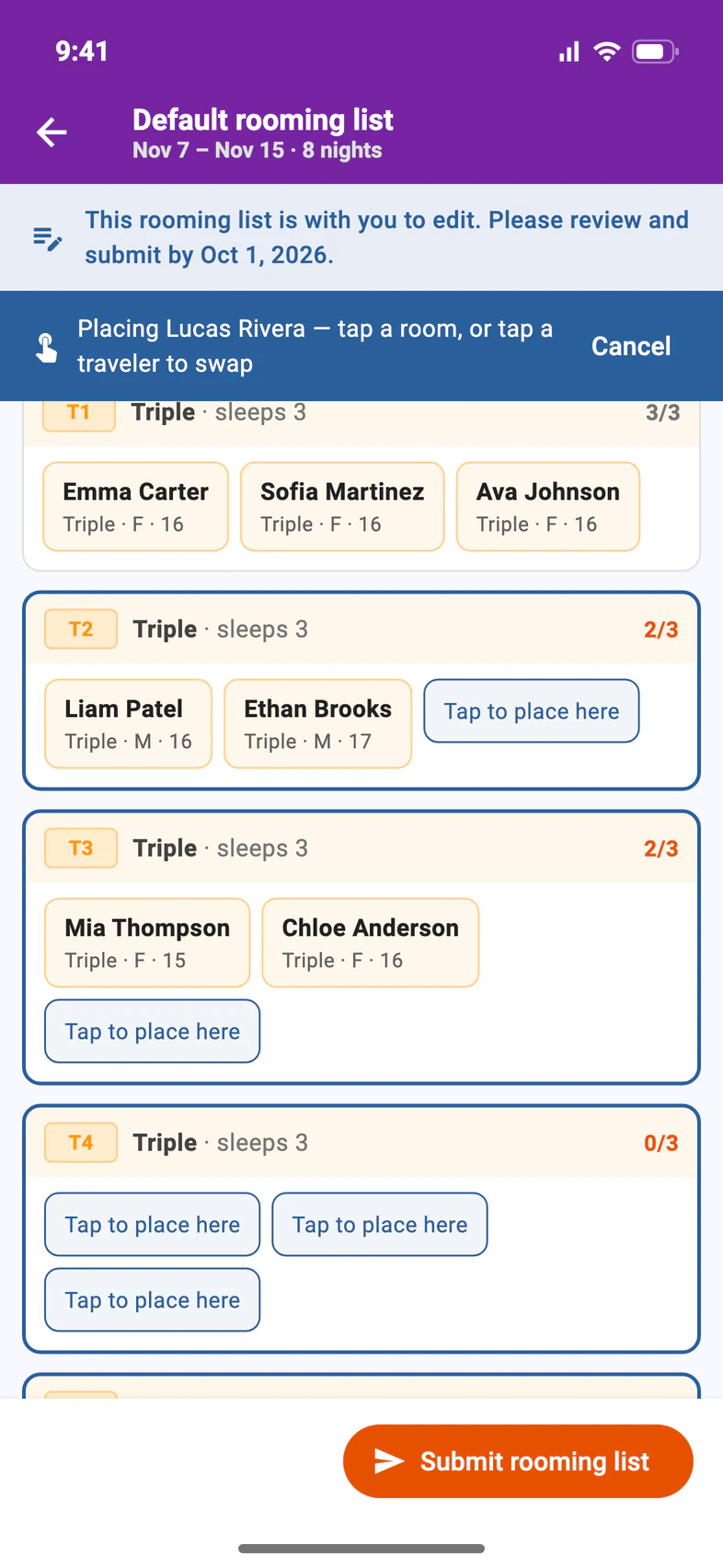
Tap a traveler under Not yet in a room. The bar at the top shows who you're placing 1. Then tap Tap to place here 2 in a room with space.
To move someone who already has a room, tap them: you can move them, swap them with someone else, or take them out of the room.
PassportsGo saves every move as you go. A full room can't take another traveler: tap someone in it to swap instead.
- Step 4
Submit the list
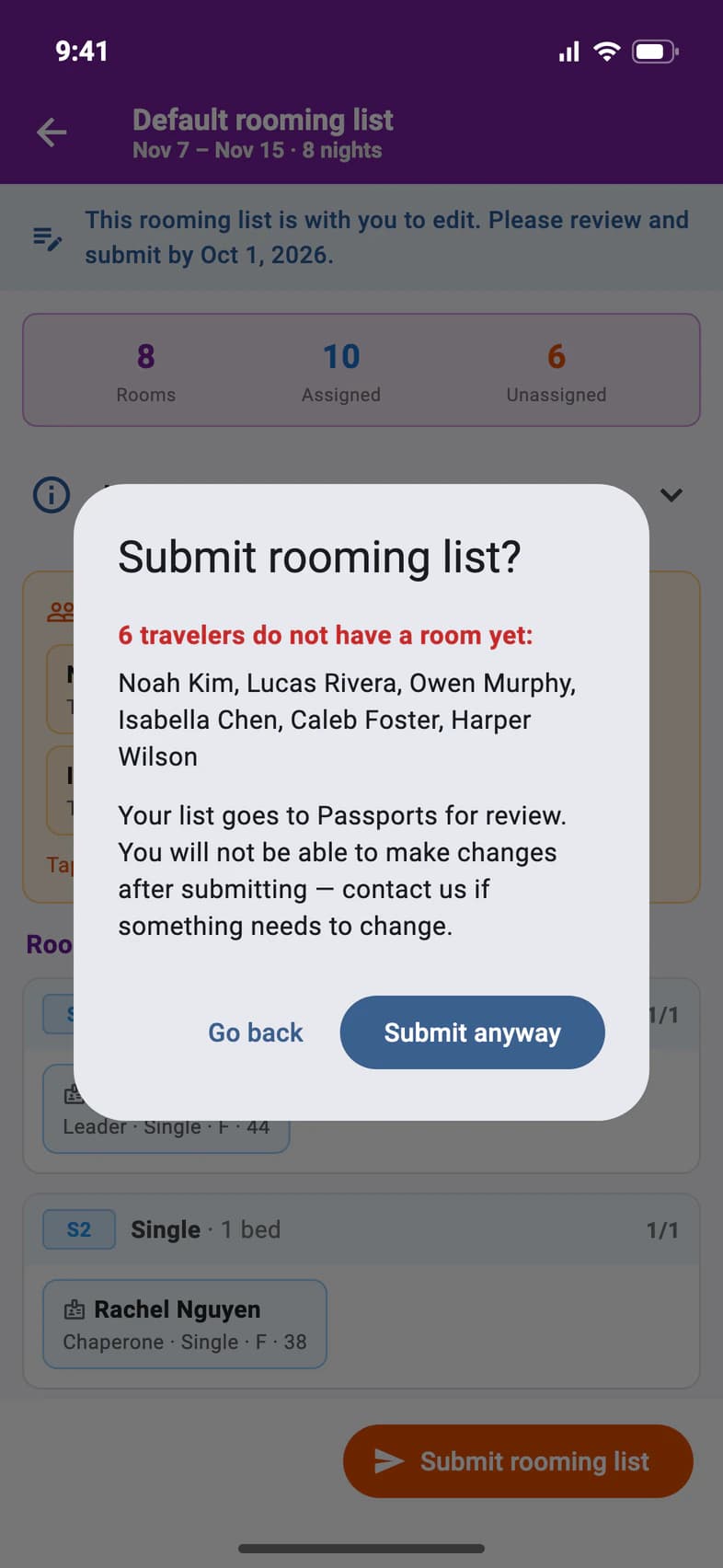
When everyone has a room, tap Submit rooming list at the bottom. If someone still has no room, PassportsGo tells you who 1. Tap Go back to finish, or Submit anyway 2.
After you submit, the list goes to Passports for review and you can't change it. If something needs to change, tap Ask Helpdesk at the bottom of the rooming list.
Good to know
What do the room types mean?
Single: one bed, one person. Double: one bed for two people. Twin: two separate beds, two people. Triple: three people. Quad: four people.
A family asked for a certain roommate.
That's your call: roommate requests come to you. A different room type, like a single, is Passports': families ask for it from their own Room Type page.
Can families see who they room with?
Only if you turn on Show Roommates to Travelers in Admin › Group Settings. It's off to start. Then travelers and their guardians see their roommates at each hotel on their Room Type page, once you've submitted the list.
Can my chaperones edit the list?
No. Only the group leader edits and submits the rooming list.
Passports sent the list back for me to edit.
Within a few seconds the red Rooming tile shows on Home, and on the Tour tab's Hotels, the Rooming lists row reads With you to edit: no need to refresh. Once Passports takes it back to review, it reads Passports is reviewing. If that happens while you're editing, the editor closes and says This rooming list is no longer open for editing.
I have more than one rooming list.
Tap Rooming and pick the list first. Each one has its own due date. A list for one hotel, once it's open, also shows on that hotel's day on the Tour tab: its Rooming Allocation and a Rooming List button, even while that day still reads just Overnight because your hotels aren't showing yet. The default list doesn't.
Screens show a sample family and tour — your names, dates and amounts will differ. Checked against the app November 3, 2026.
Call us. A real person in Worcester picks up.
Monday to Friday, 8am to 4pm Eastern — and around the clock once your group is on tour. Or email passportsgo@passports.com.