
Work with your Tour Director
Your Tour Director's card, chat and WhatsApp — and what they can see.
Once your Tour Director (TD) joins your group in PassportsGo, you can reach them from the app and decide what they can see.
When they join, Home shows Your Tour Director has joined until you open it.
- Step 1
Open the TD tab
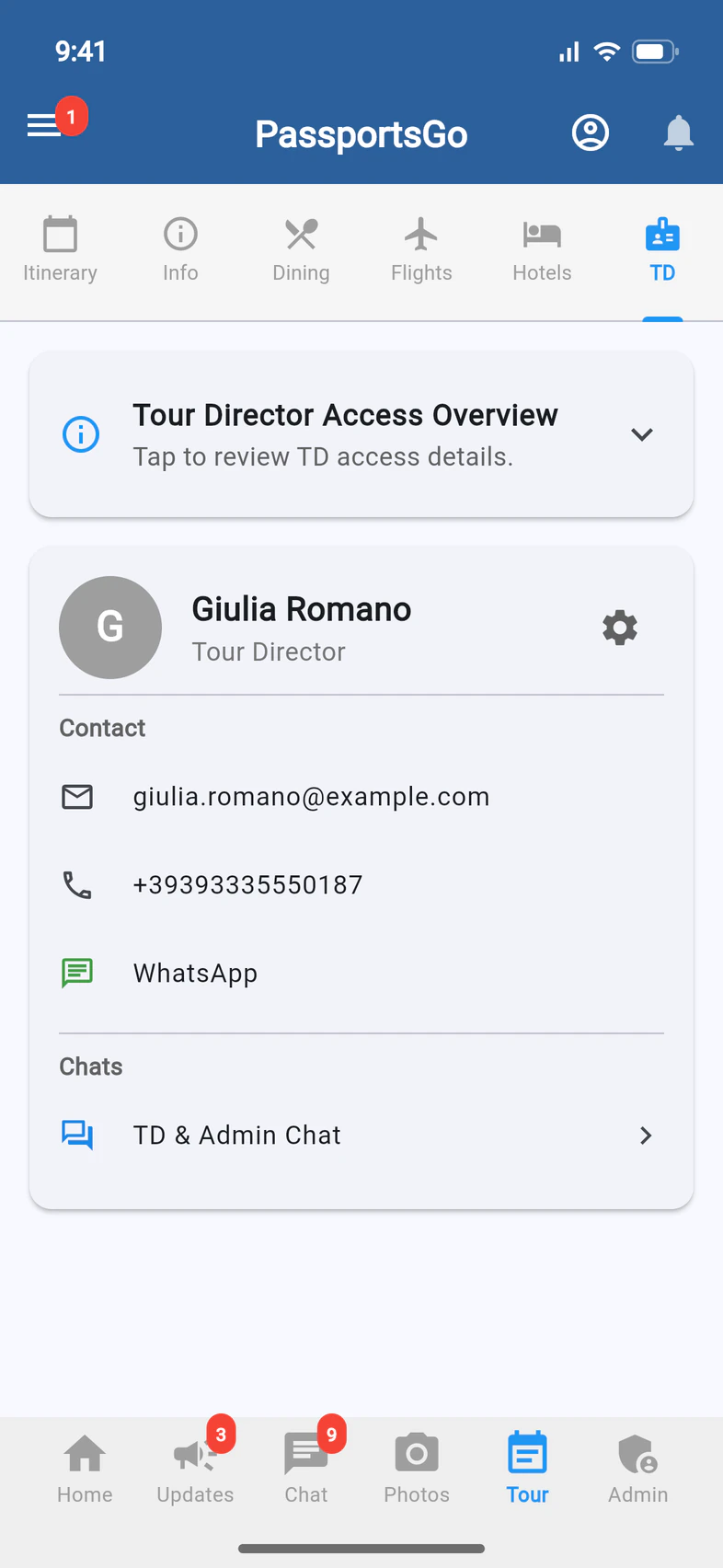
Tap Tour, then TD 1. It shows your TD's card 2.
The TD tab appears once your TD has joined, for you and your admins.
- Step 2
Contact your TD
Tap their email or phone number, or WhatsApp 1 to message them there. TD & Admin Chat 2 is a chat for your TD and your group's admins.
On a tour that shares a TD with other groups, there's also a Consolidated TD Chat.
- Step 3
See what they can access
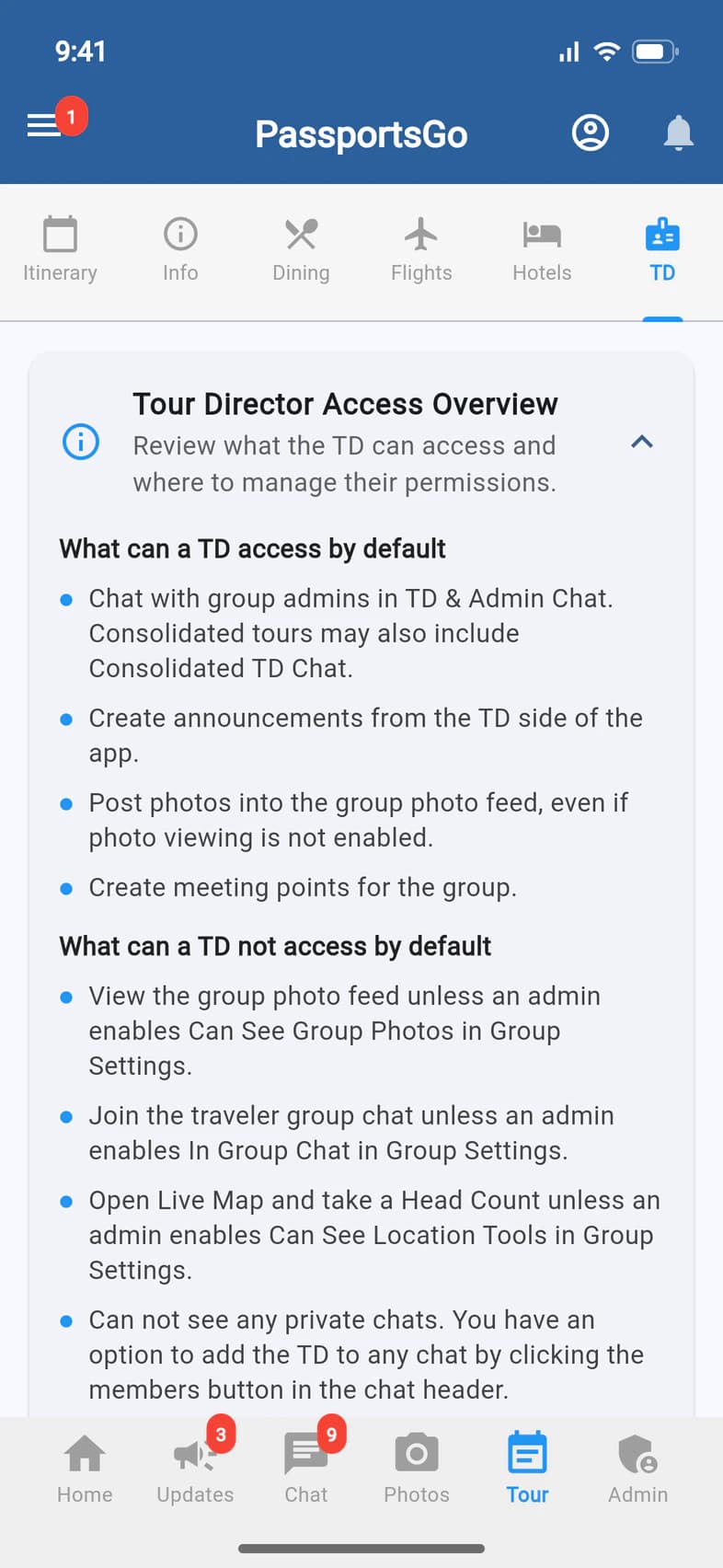
Tap Tour Director Access Overview. It lists what a TD can do from the start 1, like posting announcements, photos and meeting points, and what needs your OK 2.
For example, a TD can't open Live Map or take a head count unless you turn on Can See Location Tools. Geofences stay with you and your admins.
- Step 4
Change what they can see
Tap the gear on your TD's card 1. Group Settings opens at Tour Directors, with three switches:
- In Group Chat: they can read and write in the travelers' Group Chat.
- Can See Group Photos: they can see the group's photos.
- Can See Location Tools: they can open Live Map and take head counts. Your group's location tracking must be on too.
Each switch saves as soon as you tap it.
Good to know
Can my TD see where our travelers are?
Only if you turn on Can See Location Tools. Then they can open Live Map and take head counts. They never see your geofences.
Which chats can my TD read?
TD & Admin Chat, and the travelers' Group Chat if you turn on In Group Chat. To add them to another chat, open it and use its members button.
Who can change these switches?
Only you, the group leader. Your admins can see the TD tab and contact the TD.
There's no TD tab.
Your TD hasn't joined the group in PassportsGo yet. Once they do, it appears for you and your admins, and Home tells you.
Screens show a sample family and tour — your names, dates and amounts will differ. Checked against the app September 23, 2026.
Call us. A real person in Worcester picks up.
Monday to Friday, 8am to 4pm Eastern — and around the clock once your group is on tour. Or email passportsgo@passports.com.