
Update your own details and application
Your own record — passport, dietary needs, contacts — and your Group Leader Application.
You travel too, so PassportsGo keeps a record for you just like each traveler's: your passport, dietary needs and contacts. It's also where you fill in and sign your Group Leader Application.
- Step 1
Open your own record
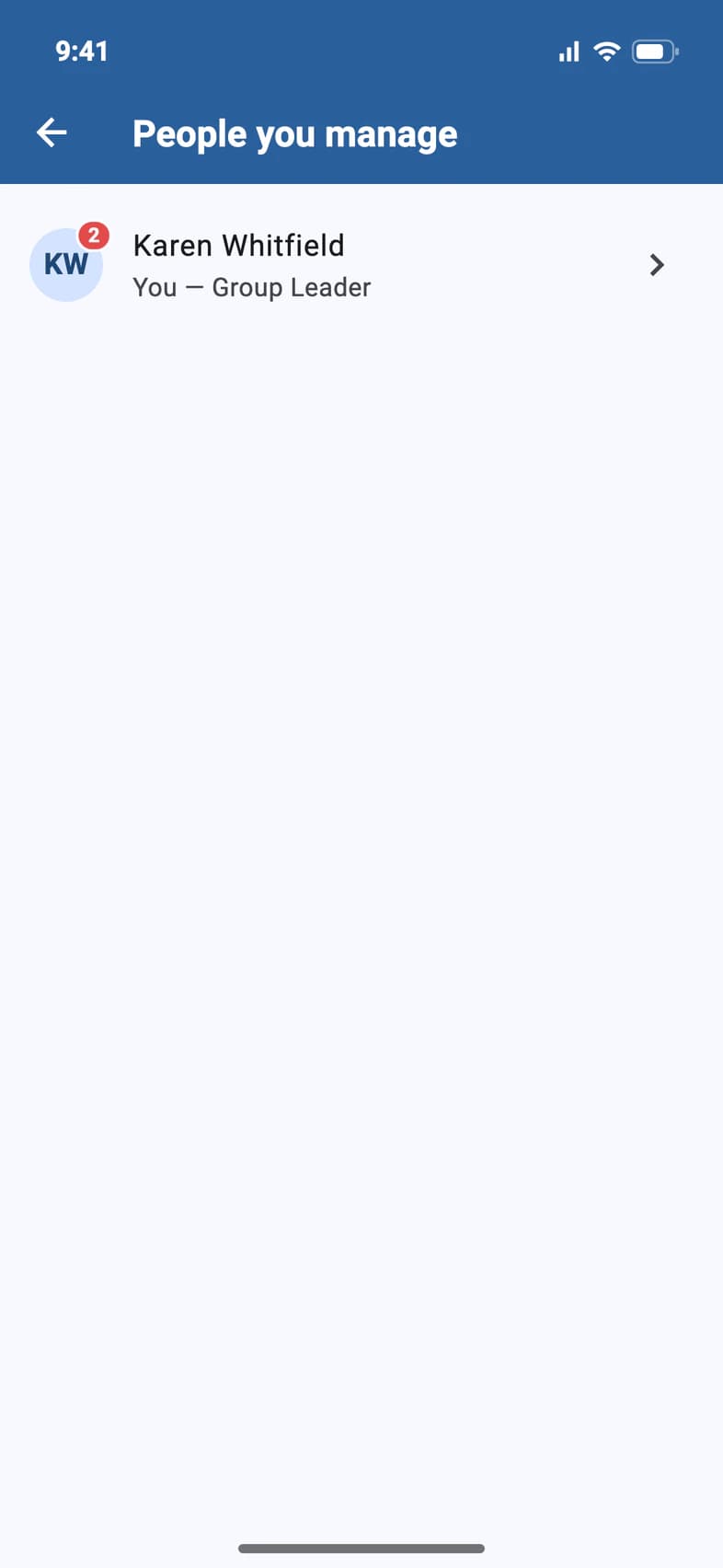
Tap My Account on Home (it's under Admin too). Under People you manage, tap your name 1: it says You — Group Leader 2.
- Step 2
See what's left to do
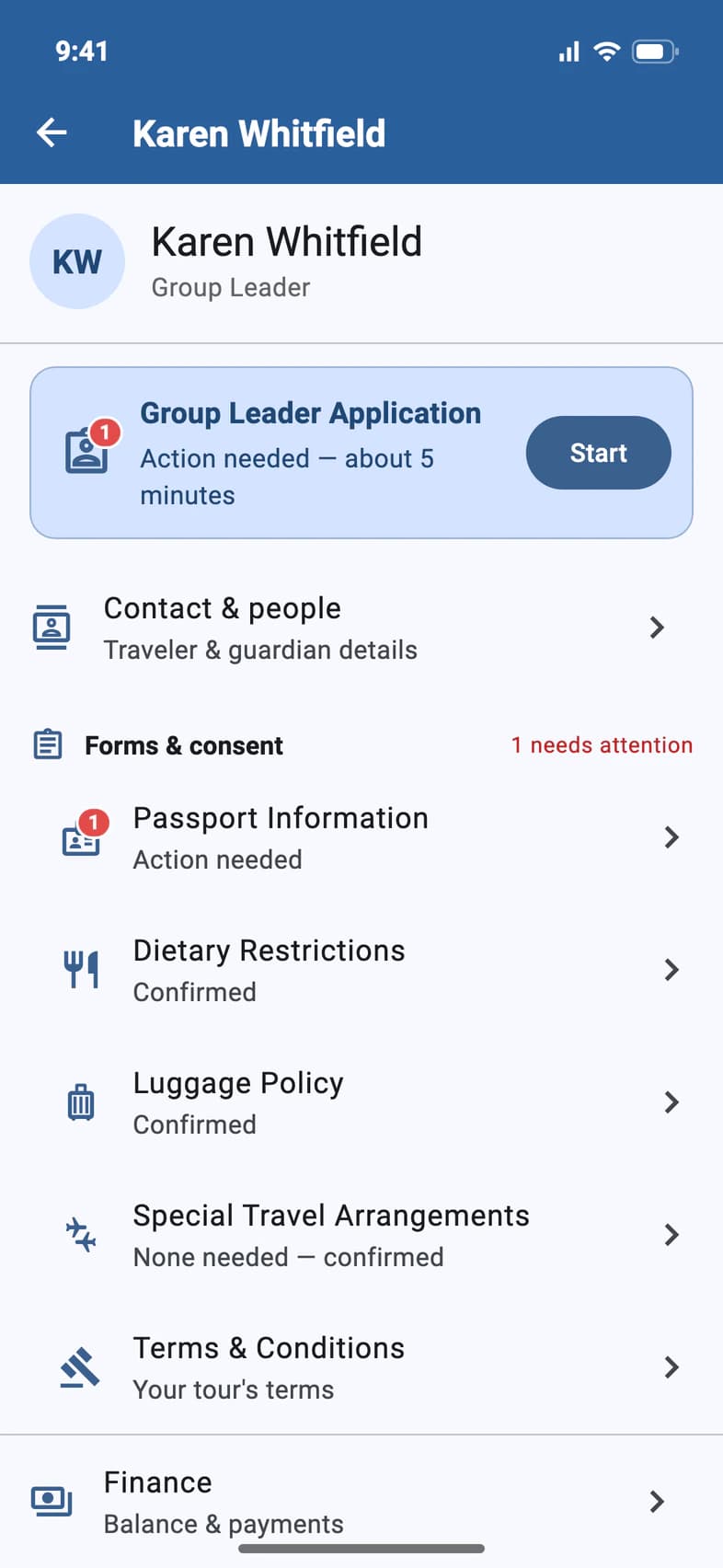
Your record has the same sections a family's has. Until you've filed your Group Leader Application 1, it waits at the top in a card of its own: it takes about 5 minutes. Red numbers mark what else still needs you: here, your Passport Information 2.
Passport, dietary needs and luggage work exactly as they do for families: see Add passport details. The last row under Forms & consent, Terms & Conditions, holds the terms for your tour: the Group Leader Terms & Conditions, the Release & Agreement and the Participant Terms, each with the date it took effect and, once you have agreed, when you did.
- Step 3
Fill in your application
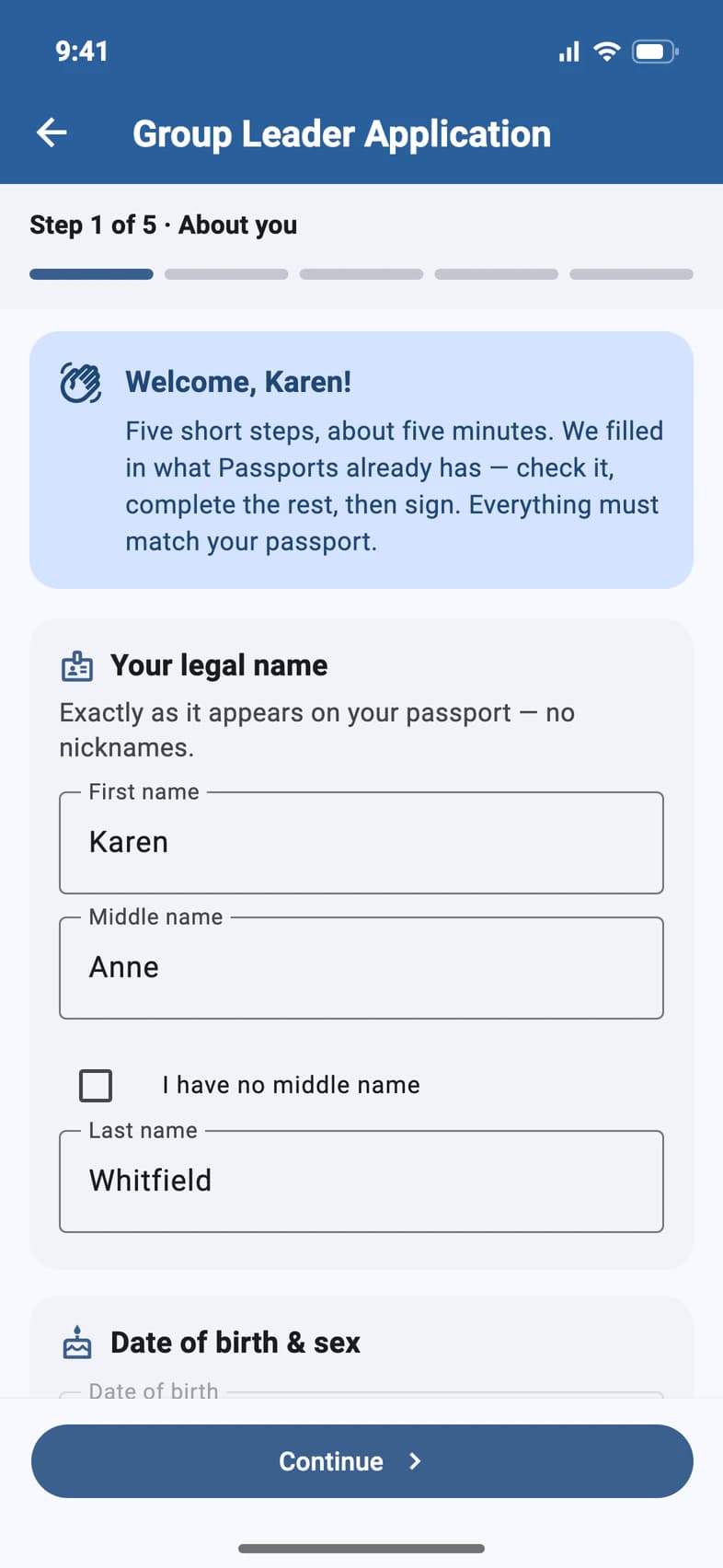
Tap Start on the application card. It's five short steps 1, from About you to Review & sign, with what Passports already has filled in. Your name must match your passport exactly 2.
Once you've signed, the application moves under Forms & consent, as a row that says Submitted and the date. Step by step: see Fill out your Group Leader Application.
Good to know
Do my chaperones fill this in too?
Yes, on their own record: a Chaperone Application, the same five steps. They sign in as themselves: see Fill out your Chaperone Application. To name and invite them, see Name and invite your chaperones.
I don't see Finance on my record.
Your own Finance shows once your travelers cover your trip (for example, six full-paying travelers for one free group leader) or from 150 days before departure. If you're on E-Z Pay or have made a payment, it's always there.
My date of birth is missing or wrong.
Fix it on your record: Contact & people, then the pencil. A blank Date of birth or Sex can always be filled in, and one on file can be changed until 120 days before departure. After that, or on a convention trip, call Passports at 1-800-332-7277. Your email can't be changed there: ask Passports.
PassportsGo asks about my middle name.
If Passports has no middle name for you, Contact & people asks: tap Add middle name, or No middle name on passport if your passport has none. Once names are locked, 120 days before departure, tap Ask Passports to add it instead. Ticking I have no middle name on your application answers it too.
Terms & Conditions says Updated terms to review.
Passports has published new terms for your tour. Open Terms & Conditions, read them, and tap I agree, or Not now to come back later.
I made a mistake after submitting.
Call Passports at 1-800-332-7277: once submitted, the application can't be changed in the app.
My name says Registration canceled.
On a tour Passports cancelled, your own registration is canceled with it. Under People you manage, your name then shows Registration canceled and the date instead of You — Group Leader. Tap it to see Finance (what was paid, the refund and your payments; nothing can be changed there) and Ask Passports.
Where's my room?
Room Type on your record shows your room type, and the application repeats it on its Your tour step.
Screens show a sample family and tour — your names, dates and amounts will differ. Checked against the app October 19, 2026.
Call us. A real person in Worcester picks up.
Monday to Friday, 8am to 4pm Eastern — and around the clock once your group is on tour. Or email passportsgo@passports.com.