
Let family and friends chip in
Share your private donation link or bingo card — their gift lands on your balance.
Grandparents, neighbors, a coach: anyone can give toward your traveler's trip, and whatever they give goes straight onto the balance. There's nothing to set up.
- Step 1
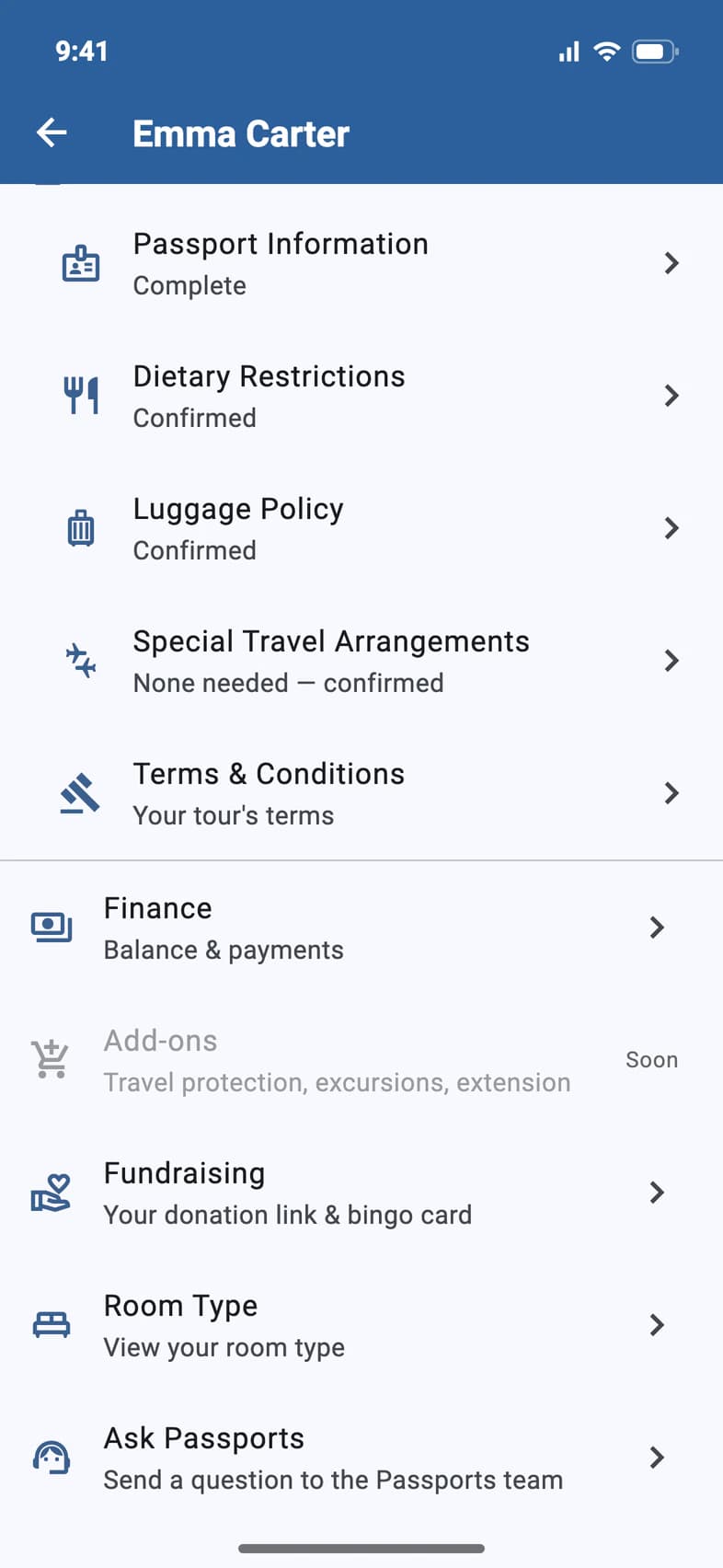
Open Fundraising
On Home, tap My Account and choose your traveler. Then tap Fundraising 1.
- Step 2
Share your private link
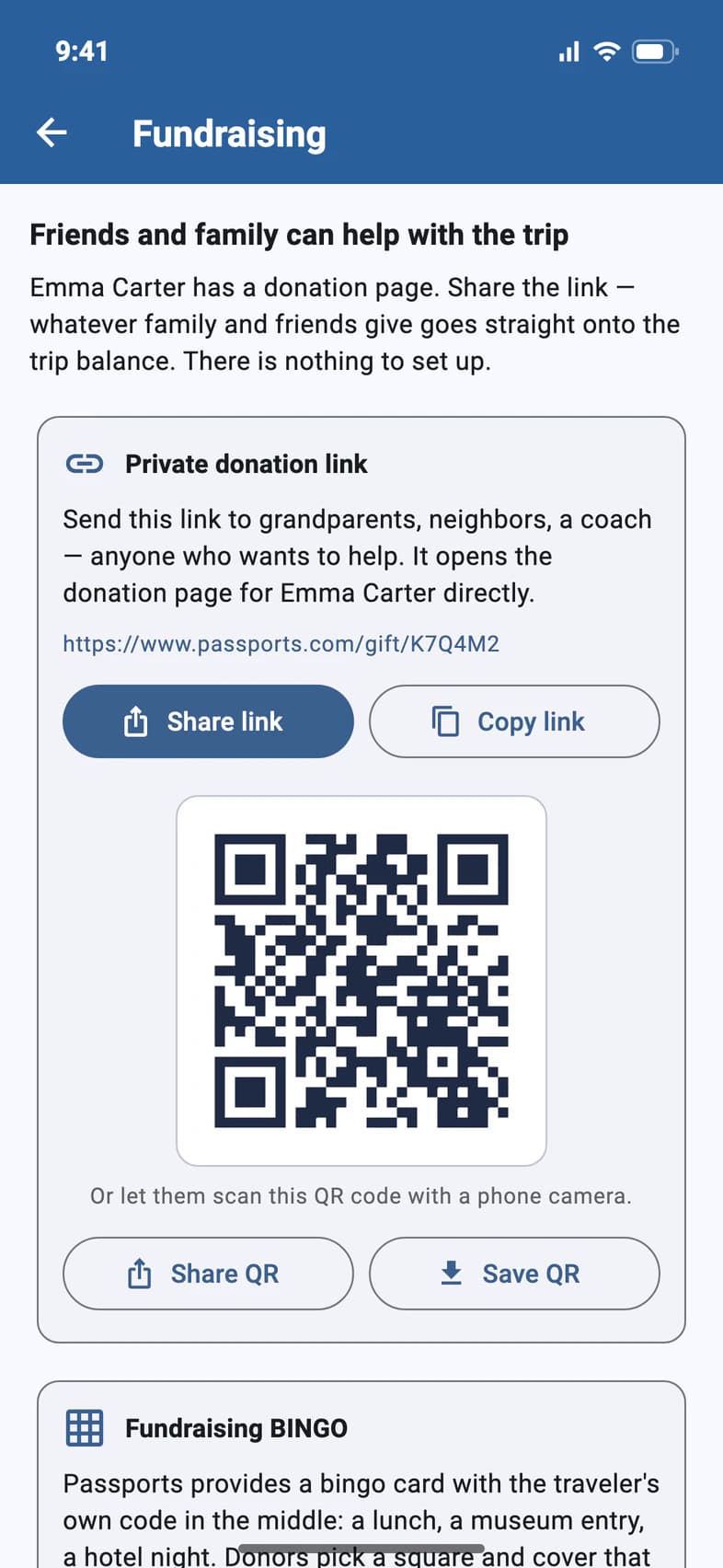
Your Private donation link 1 opens your traveler's donation page directly. Tap Share link 2 to send it by text or email, or Copy link 3.
- Step 3
More ways to share
Under the link is its QR code 1. Anyone can scan it with a phone camera to open the same donation page. Tap Share QR to send the picture, or Save QR to keep it in your photos, for a flyer, say. On a computer, the button reads Download QR code.
Fundraising BINGO 2 is a bingo card with your traveler's own code: each square is a piece of the trip, like a lunch or a museum entry. Donors pick a square and cover it. Print the card or share it.
Good to know
How do they pay?
By card on the donation page, with a 4% fee. A gift can't be more than the balance still due.
Does our group leader have our link?
Yes. While a balance is due, your group leader sees the same private link in your traveler's details on their Traveler List, so they can pass it on to relatives who ask how to help. It's the same link as on Fundraising.
Where do gifts show up?
In your payments on Finance, marked Gift, with who gave it. See Read your Finance page.
Screens show a sample family and tour — your names, dates and amounts will differ. Checked against the app September 28, 2026.
Call us. A real person in Worcester picks up.
Monday to Friday, 8am to 4pm Eastern — and around the clock once your group is on tour. Or email passportsgo@passports.com.