
Read your Finance page
Your balance and due date, how you pay, and every charge and payment so far.
Your traveler's Finance page shows everything about paying for the tour: what's left to pay and by when, how you're paying, and every charge and payment so far.
- Step 1
Open Finance
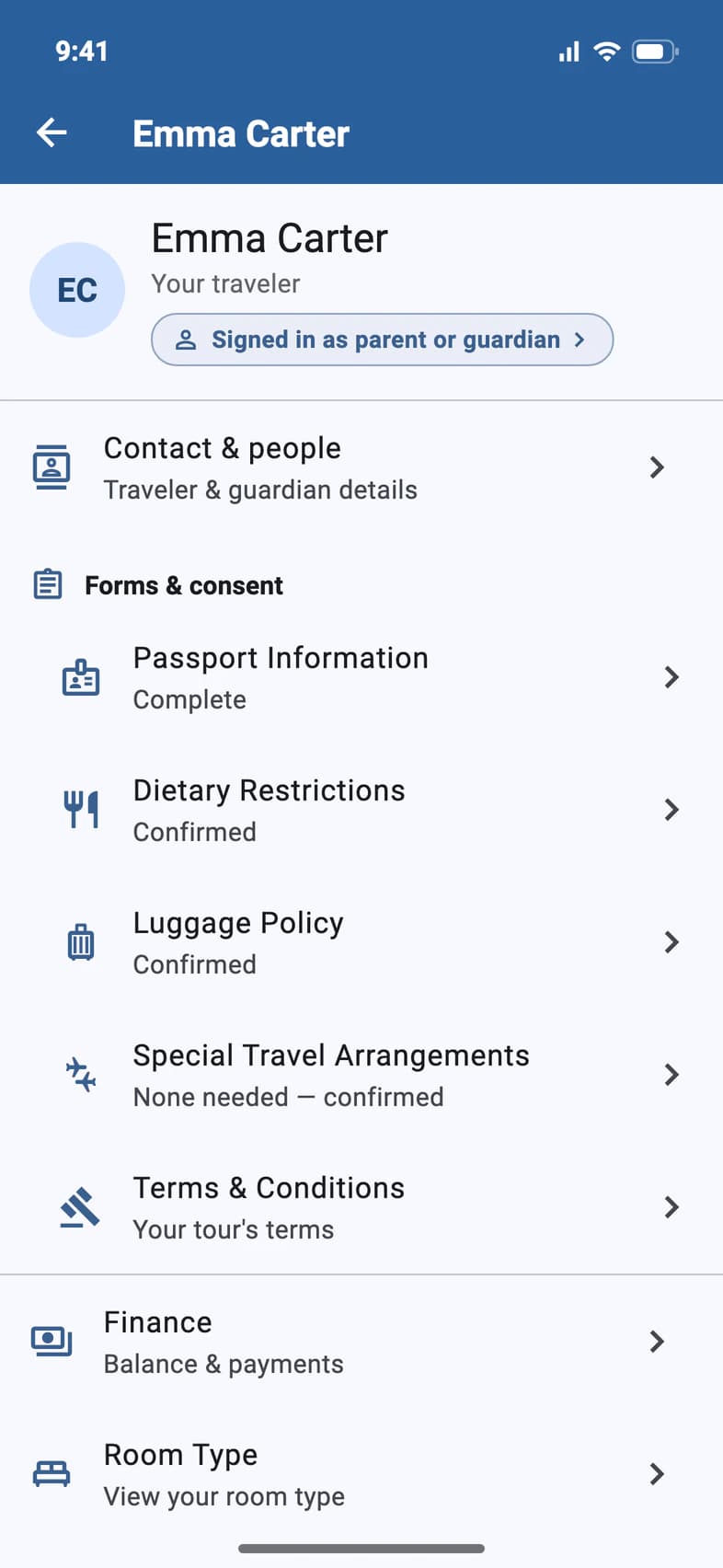
On Home, tap My Account and choose your traveler. Then tap Finance 1.
Finance is for the parents or guardians on the enrollment, and for travelers who are 18 or older or pay for their own trip. A younger student signed in with their own email sees Finance greyed out with a lock: tapping it opens Sign-in & Finance, which shows who can pay. When the school pays for the trip, Finance doesn't appear for anyone.
- Step 2
See your balance
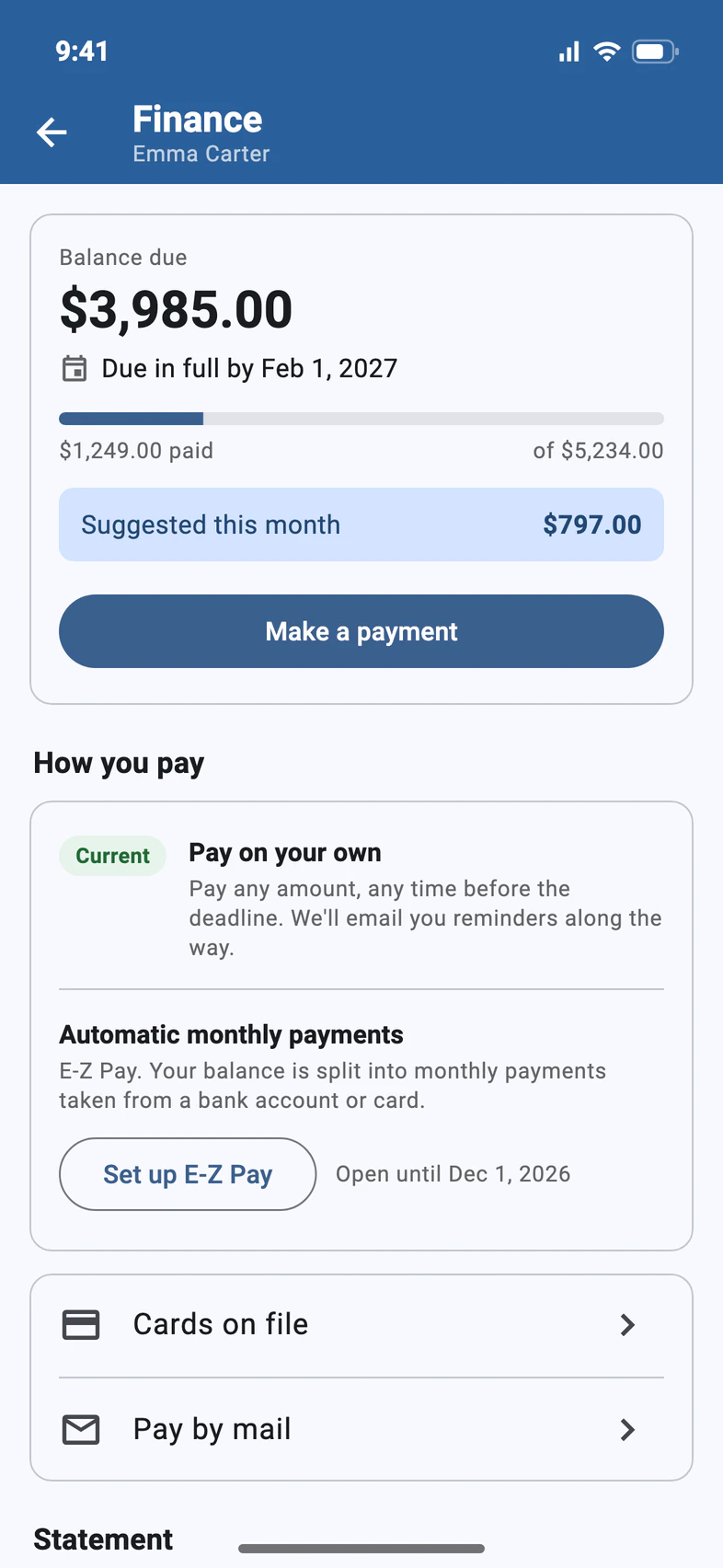
Balance due 1 is what's left to pay, and the date under it 2 is when it's due in full. The bar 3 fills in as you pay.
Suggested this month 4 is a monthly amount that keeps you on pace for the due date. It's a guide, not a bill. To pay, tap Make a payment: see Make a payment.
- Step 3
See how you pay
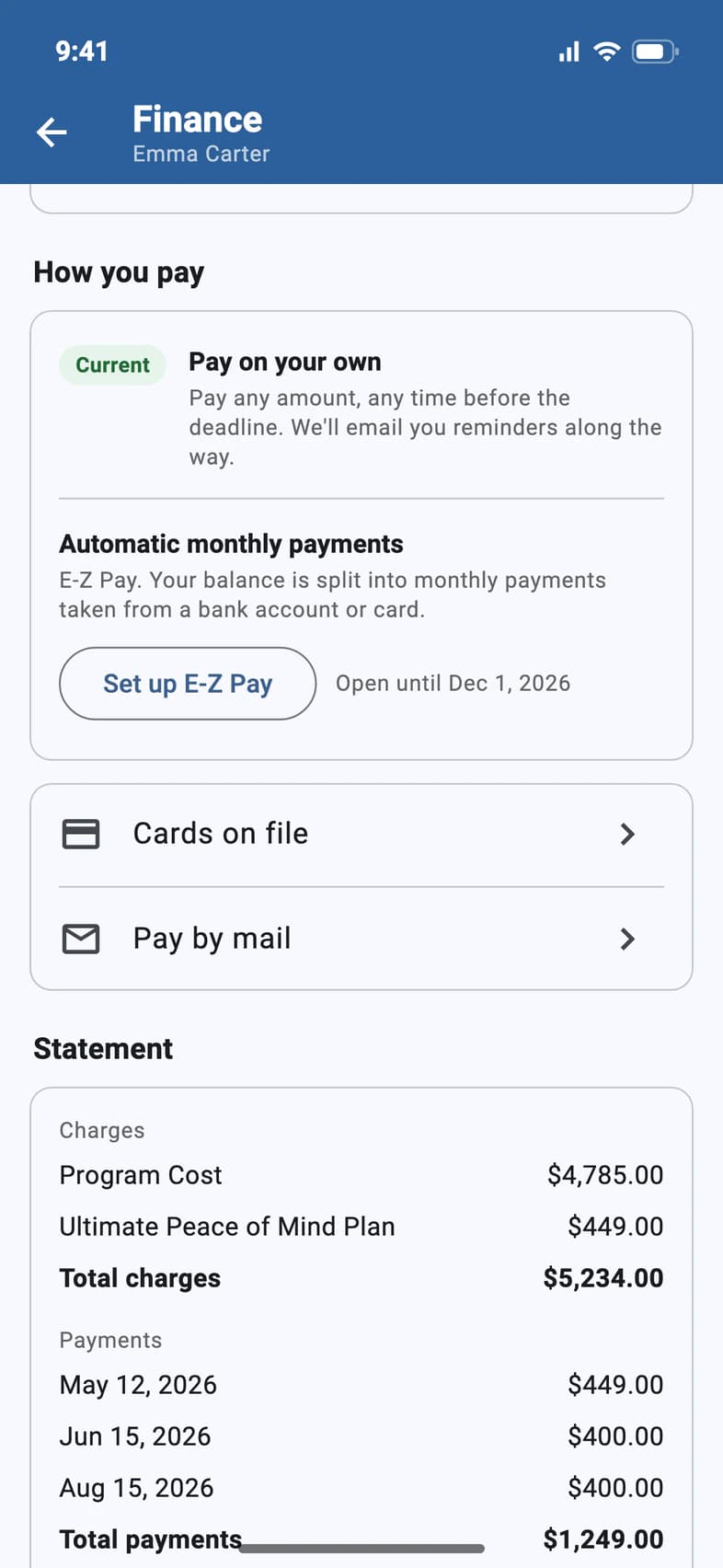
How you pay 1 marks your plan Current 2. Pay on your own means any amount, any time before the due date, with email reminders along the way. Automatic monthly payments 3 is E-Z Pay: see Set up E-Z Pay.
Below it: Cards on file 4 and Pay by mail 5.
Already on automatic payments? How you pay then has Upcoming payments, Change account and Cancel E-Z Pay. To move them to another bank account or card, see Change the account E-Z Pay uses.
- Step 4
Check your statement
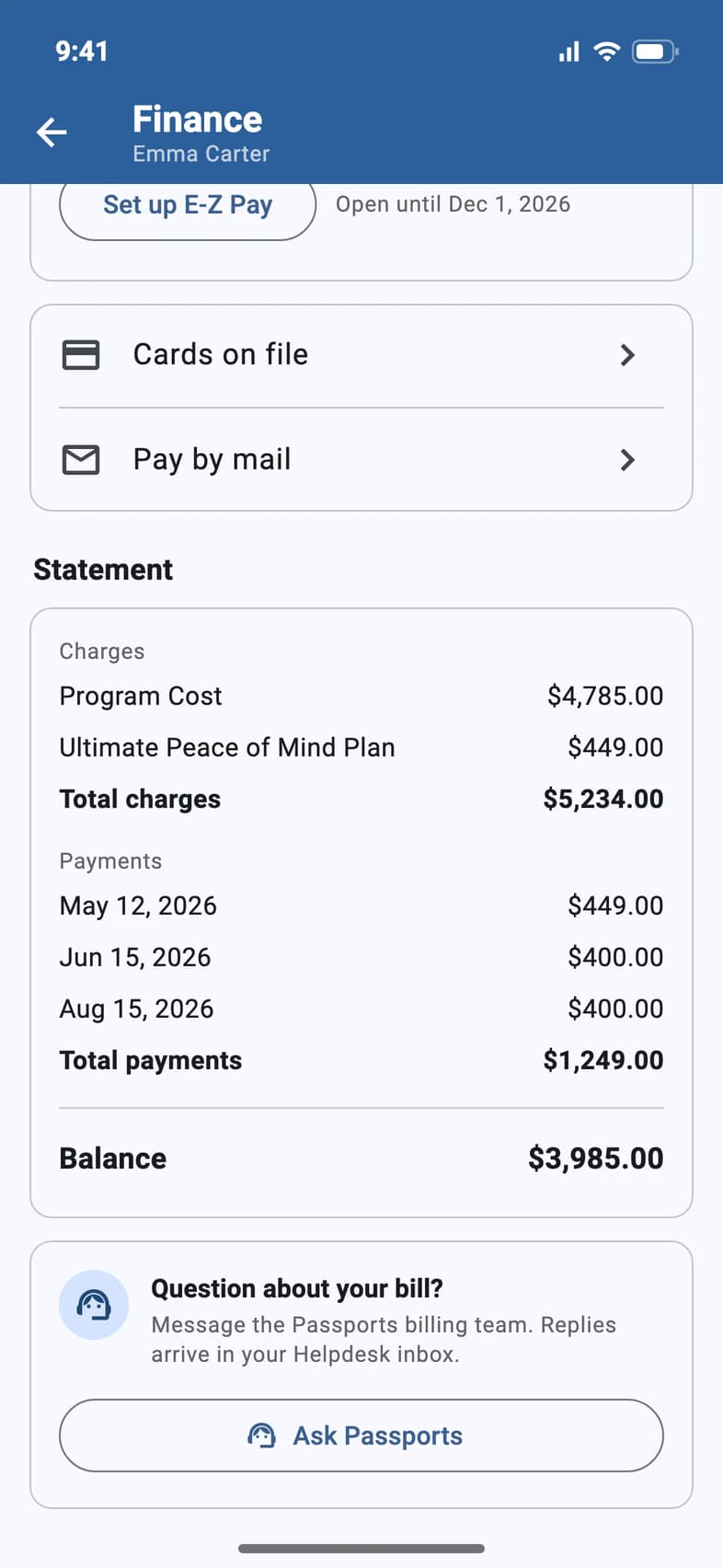
The Statement 1 lists each charge, the tour and any extras such as travel protection, up to Total charges 2. Then every payment, up to Total payments 3, and your balance.
A question about your bill? Question about your bill? 4 sends a message to the Passports billing team.
Good to know
A payment I made isn't in the list yet.
A bank payment shows at the top of the page as pending until Passports drafts it, within 1–2 business days. Card payments go through right away.
What's a Gift in my payments?
A gift from family or friends, with who sent it. See Let family and friends chip in.
I don't see Finance.
It's for the parents or guardians on the enrollment, and for travelers who are 18 or older or pay for their own trip, unless Passports has changed that for your family. A traveler under 18 signed in with their own email sees Finance greyed out with a lock: tap it to see who can pay, or to add a parent or guardian email when none is on file. On groups where the school pays, no one sees Finance.
Our balance is $0. Where did How you pay go?
When nothing is owed, Finance shows your Balance, marked Paid in full once the trip is paid, and leaves out How you pay and Pay by mail: there's nothing left to pay. If automatic monthly payments are still set up, How you pay stays so you can cancel them. Cards on file stays too, so you can delete a saved card.
We're on the waitlist. Why can't we pay?
Payments are on hold until your traveler's spot is confirmed: Finance says so under your balance, and there's no Make a payment, How you pay or Pay by mail until then. If automatic monthly payments were already set up, they stay listed; ask Passports about them. We'll let you know as soon as a spot opens.
Screens show a sample family and tour — your names, dates and amounts will differ. Checked against the app October 19, 2026.
Call us. A real person in Worcester picks up.
Monday to Friday, 8am to 4pm Eastern — and around the clock once your group is on tour. Or email passportsgo@passports.com.