
Manage cards on file
Save a card securely with Square, or delete one you no longer use.
Save a card to pay with it in one tap. Cards are stored securely with Square, the payment company Passports uses.
- Step 1
Open your cards
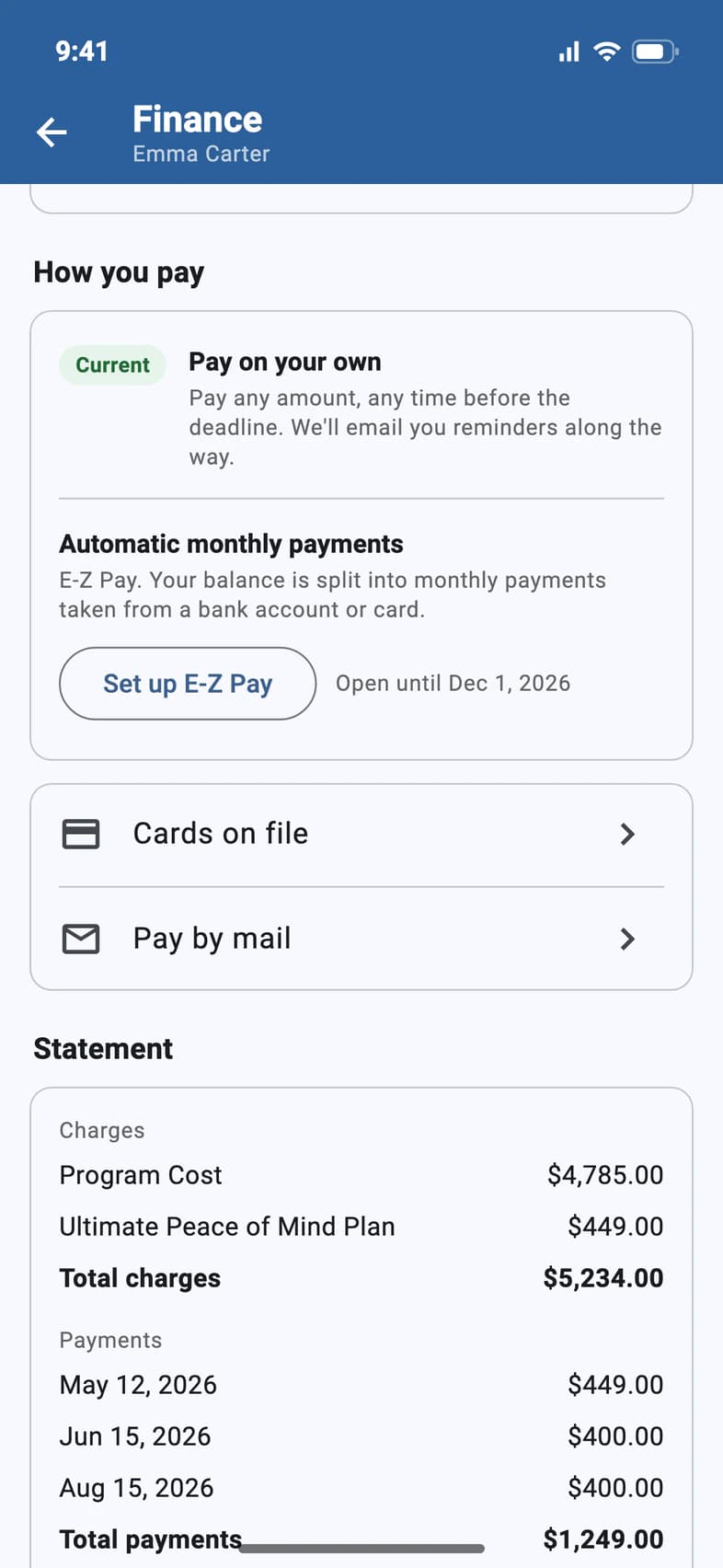
On your traveler's Finance page, tap Cards on file 1.
- Step 2
See your saved card
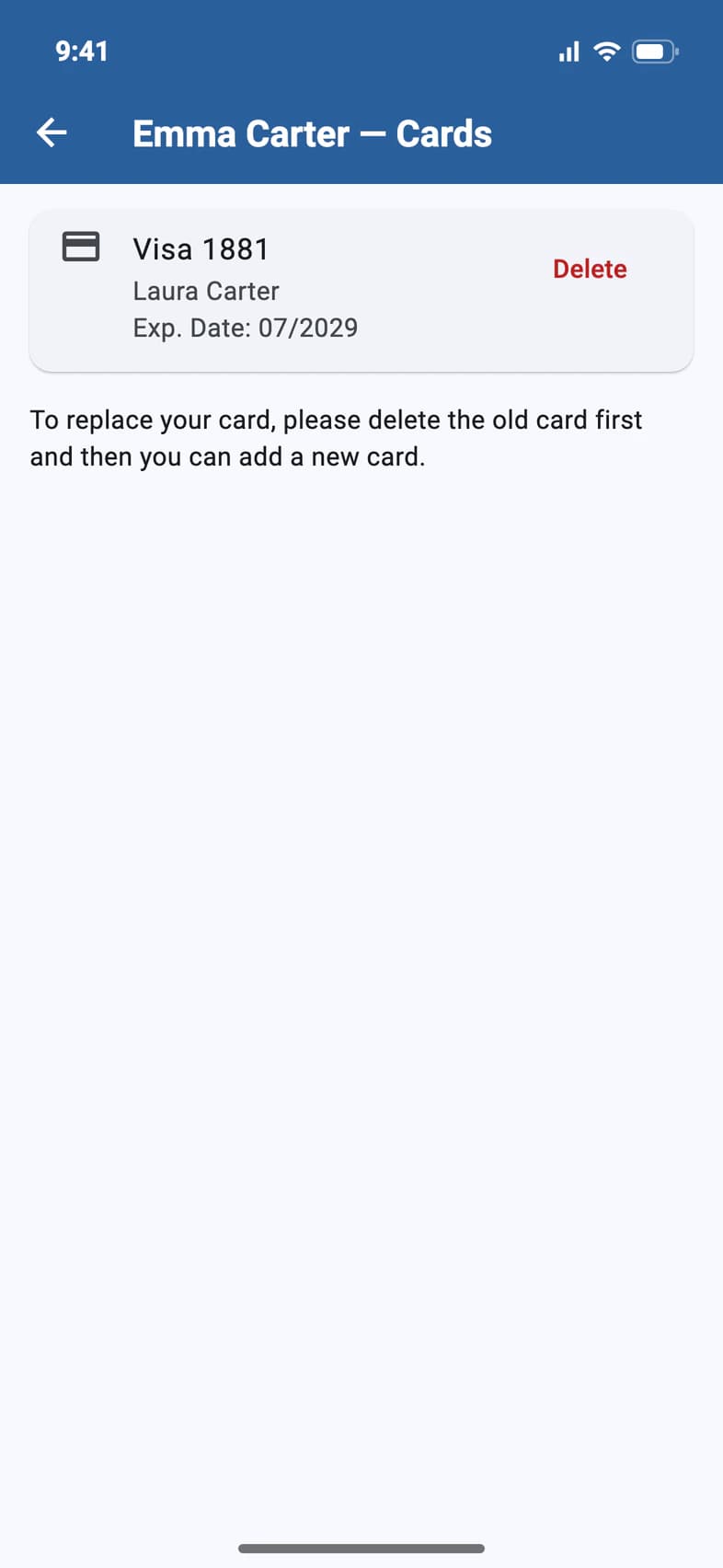
Your card shows its type and last four digits 1, the name on it and when it expires. To replace a card, delete the old one first 2, then add the new one.
- Step 3
See the card E-Z Pay uses
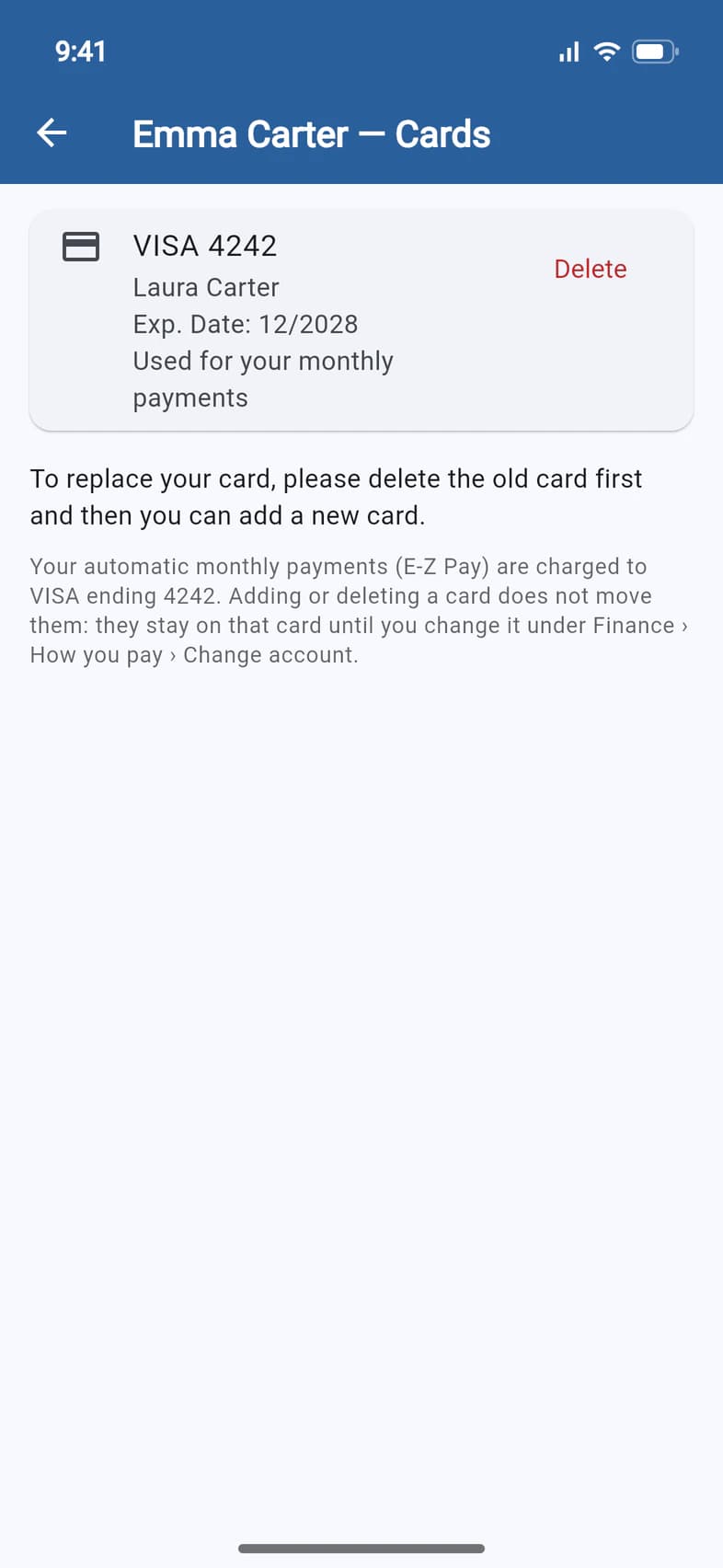
On E-Z Pay with a card, the card your monthly payments are charged to says “Used for your monthly payments” 1. Adding or deleting a card doesn't move them 2: they stay on that card until you choose another card or a bank account under Change account on Finance.
New card for E-Z Pay? Don't delete the old one first: tap Change account on Finance, choose A different card and enter it. It's saved here, and then you can delete the old card. See Change the account E-Z Pay uses.
- Step 4
Delete a card
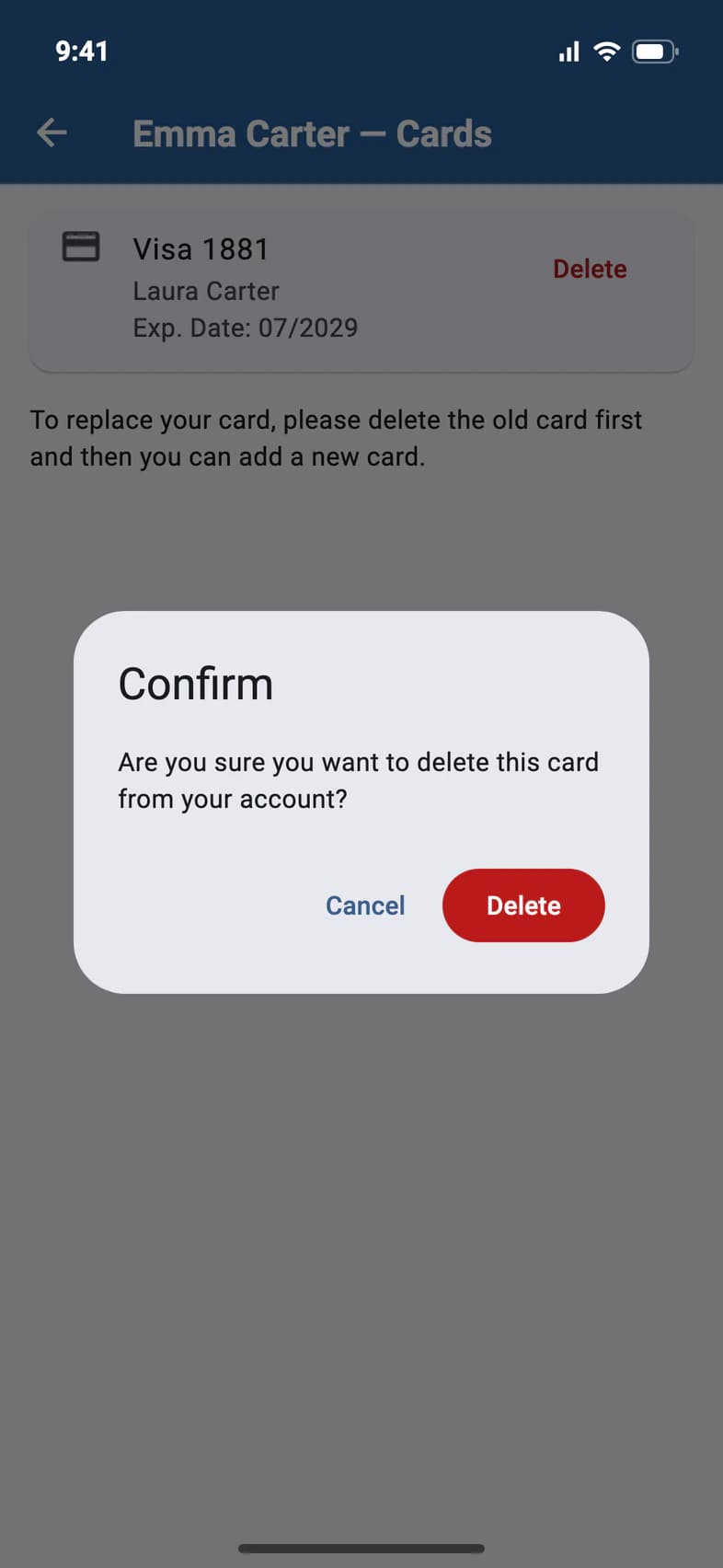
Tap Delete, then Delete 1 to confirm.
- Step 5
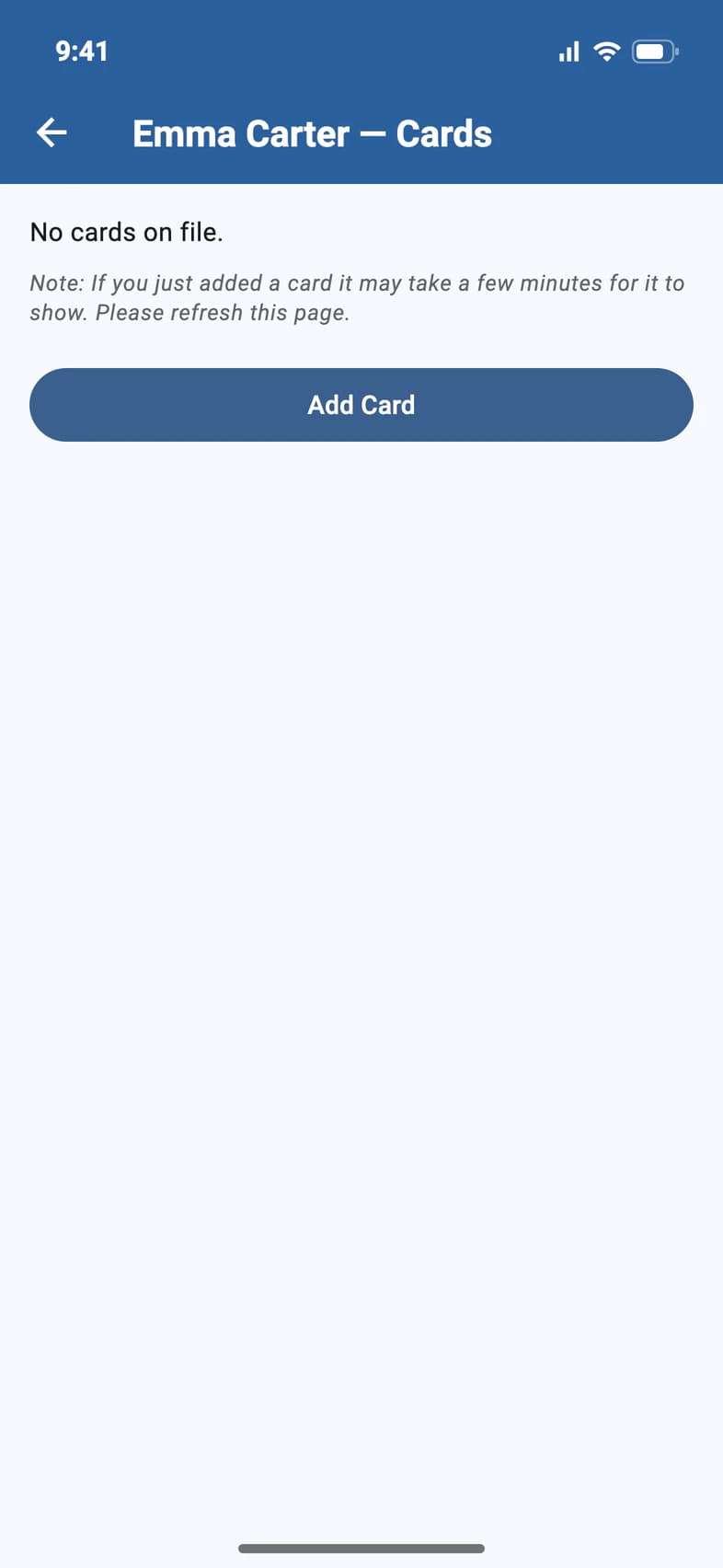
Add a card
With no card saved, tap Add Card 1 and enter the card in Square's secure form.
A new card can take a few minutes to show. Pull down to refresh the page.
Good to know
Is there a fee to pay by card?
Yes, 4% of each card payment; the app shows it before you pay. Payments from a bank account are free.
The trip is paid off. Can I remove my card?
Yes. Cards on file stays on Finance after the trip is paid, even when there's nothing left to pay: open it and delete the card.
My E-Z Pay payments come from this card. Can I delete it?
Move the payments first: tap Change account on Finance and choose another card or a bank account. If you delete the card they use, PassportsGo warns you: the payments won't go through until you choose another one there. See Change the account E-Z Pay uses.
Screens show a sample family and tour — your names, dates and amounts will differ. Checked against the app October 15, 2026.
Call us. A real person in Worcester picks up.
Monday to Friday, 8am to 4pm Eastern — and around the clock once your group is on tour. Or email passportsgo@passports.com.