
Set up E-Z Pay
Spread your balance into monthly payments from a bank account or a card.
E-Z Pay splits your balance into monthly payments, taken automatically from a bank account or a card, so the tour is paid off by its due date. You set it up yourself in PassportsGo while E-Z Pay is open for your tour.
Before you start
- Your bank account on file, another checking or savings account (routing and account number), or a card.
- Step 1
Open E-Z Pay
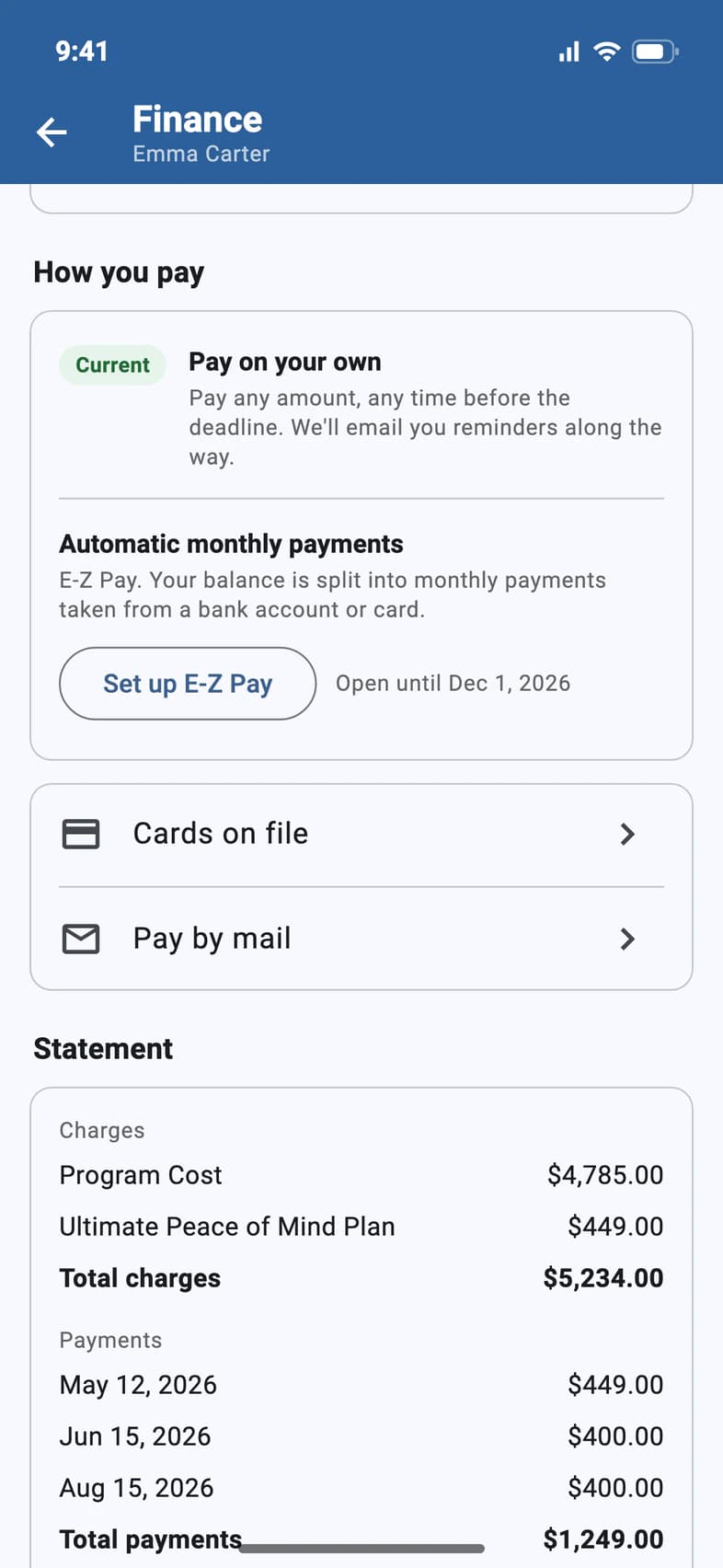
On your traveler's Finance page, under How you pay, tap Set up E-Z Pay 1. The date beside it 2 is the last day to sign up.
If Finance says Enrollment closed, E-Z Pay isn't available anymore for your tour. You can still pay any amount yourself, or ask Passports about payment options.
- Step 2
Choose how to pay
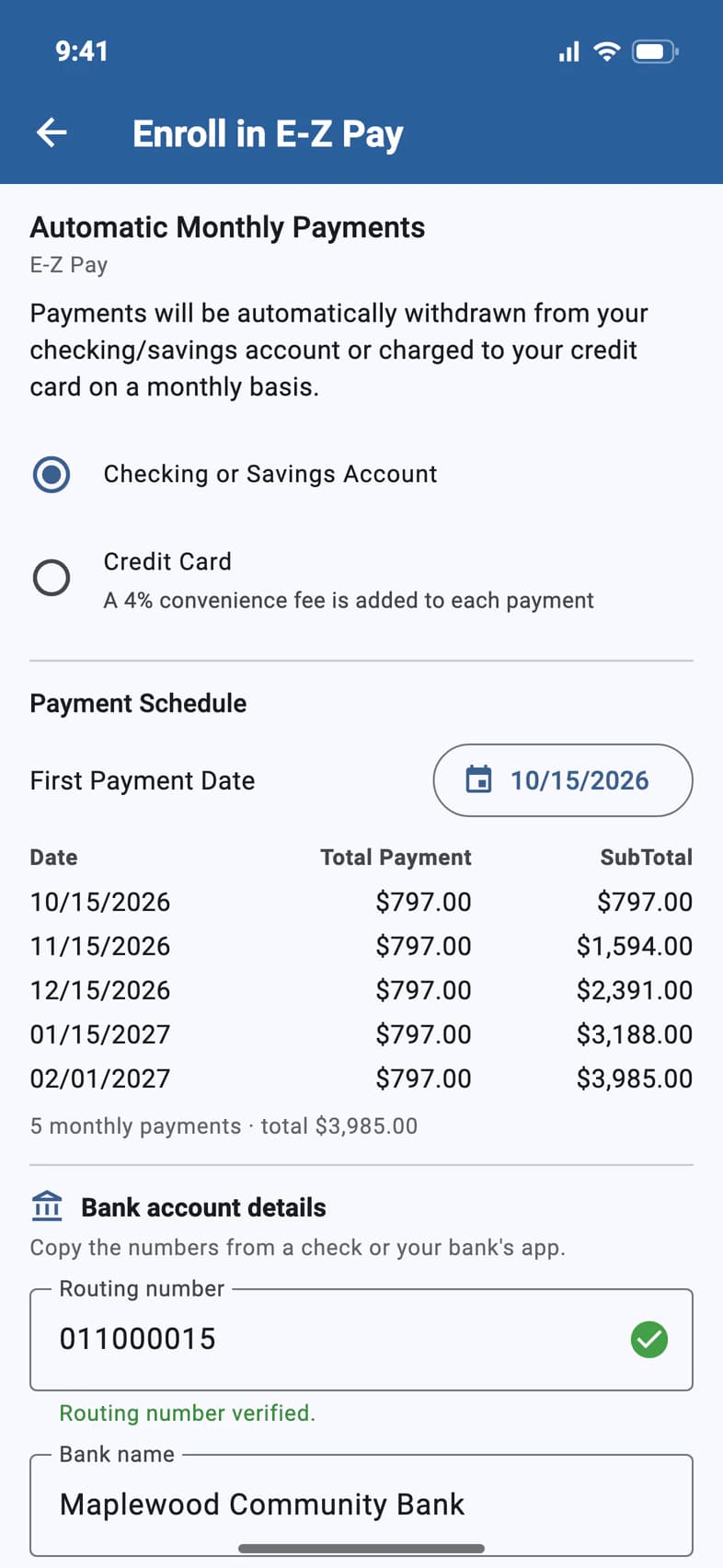
Choose Checking or Savings Account 1 or Credit Card 2. A card adds a 4% fee to each payment 3; a bank account doesn't.
Then pick the date of your first payment 4.
- Step 3
Check the schedule
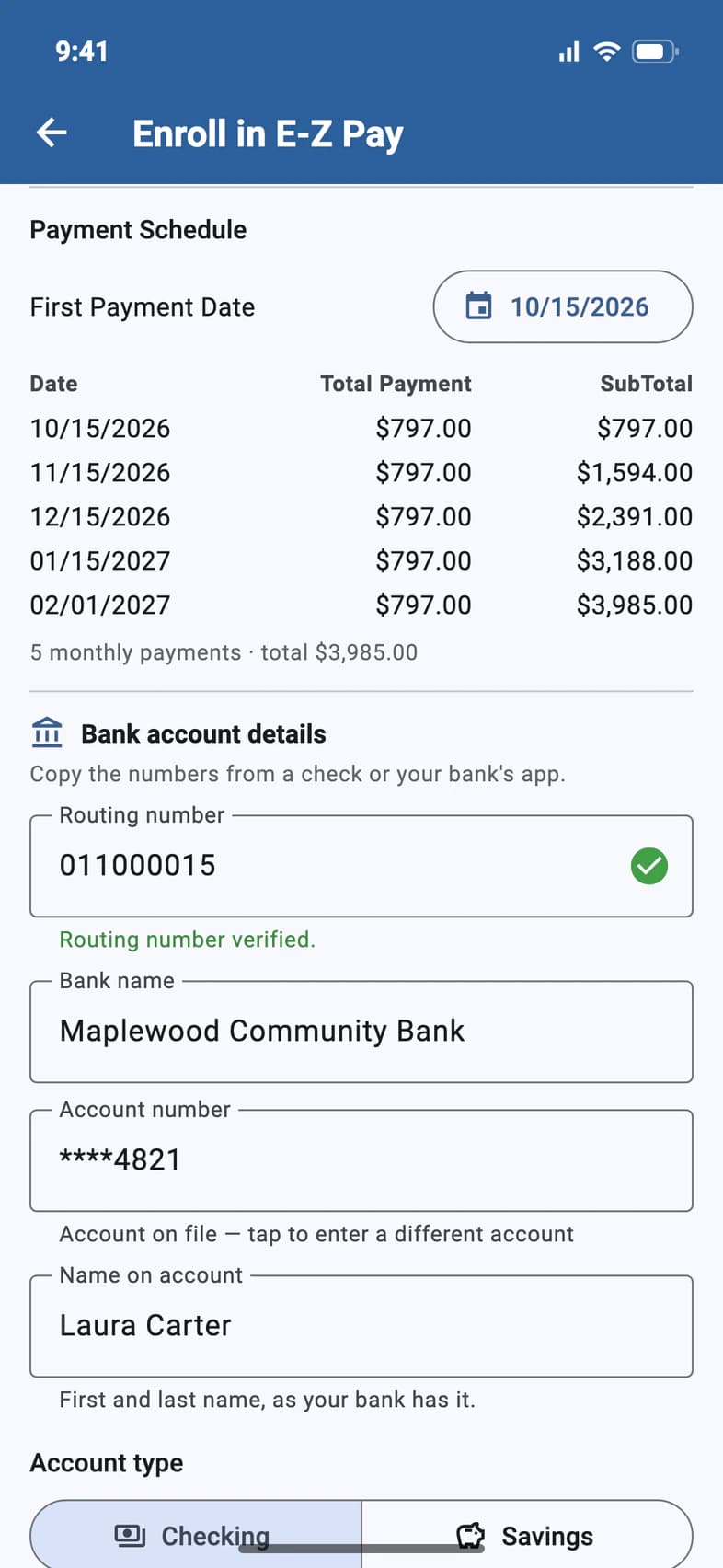
The schedule 1 lists every payment with its date, its amount and the running total, then how many payments there are and what they add up to 2. Below it, check the account or card the payments come from.
- Step 4
Enroll
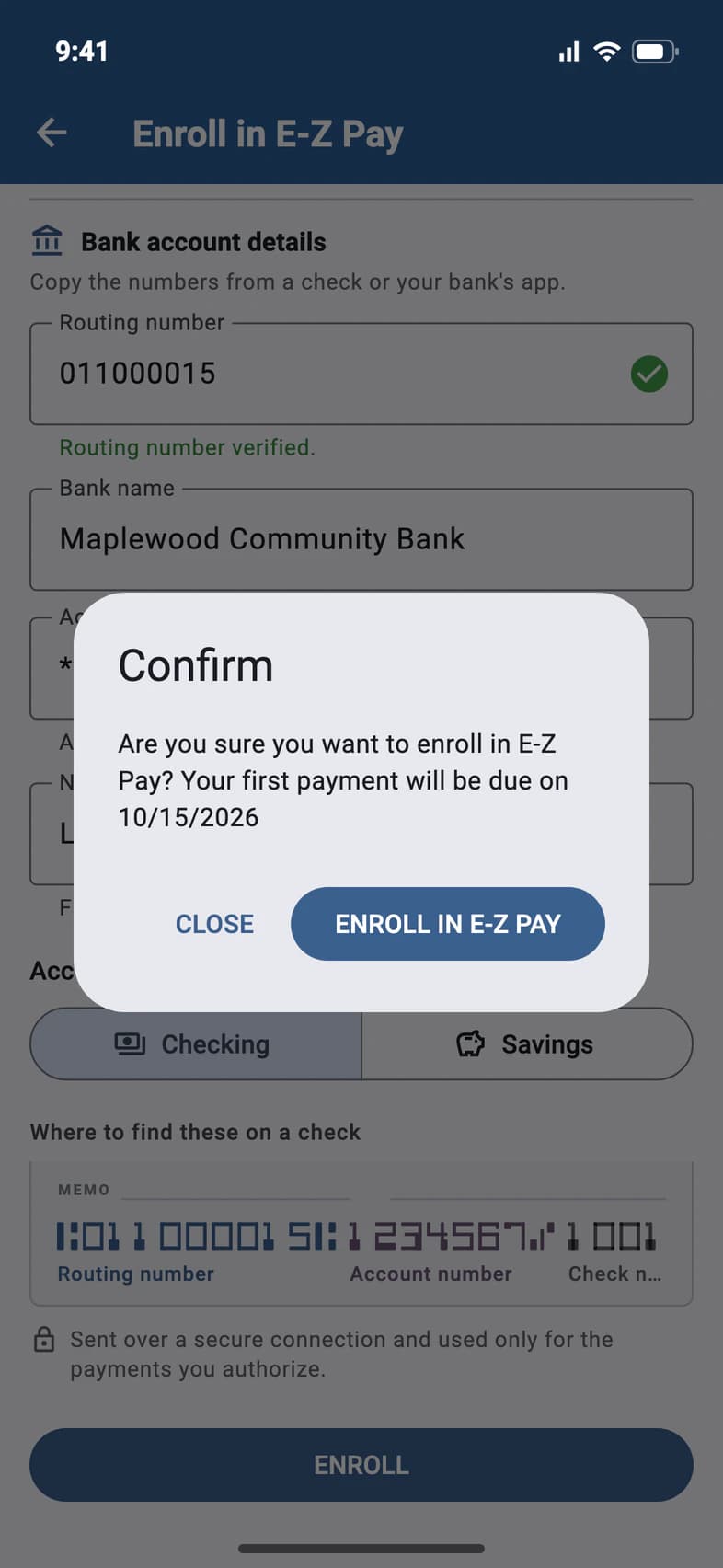
Tap ENROLL at the bottom of the page. The message confirms your first payment date: tap ENROLL IN E-Z PAY 1.
Finance then shows Automatic monthly payments as your current plan, with your upcoming payments.
Good to know
Can I still make extra payments?
Yes. One-time payments are welcome any time, and your monthly plan adjusts automatically. See Make a payment.
How do I stop E-Z Pay?
Tap Cancel E-Z Pay on Finance: see Cancel E-Z Pay or a pending payment. E-Z Pay starts without a deposit, but paying on your own starts with a $495 deposit: until that much is paid, PassportsGo asks what you'd like to do instead, like a one-time payment of the rest of the deposit.
Our balance is $0. Where's Set up E-Z Pay?
With nothing left to pay, Finance leaves out How you pay, and Set up E-Z Pay with it.
We're on the waitlist. Can we set up E-Z Pay?
Not until your traveler's spot is confirmed. While it's waitlisted, Finance says payments are on hold, and there's no Set up E-Z Pay. We'll let you know as soon as a spot opens.
Finance says E-Z Pay is extended for our group.
Some groups get extra time to sign up: Open until then names the last day that still leaves time for two monthly payments, about two months before departure, marked (extended for your group). Near that day, the first payment date has to be on or before it.
Can I pay weekly?
E-Z Pay you set up yourself is monthly. If Passports has moved your payments to a weekly, every-2-weeks or twice-a-month schedule, How you pay says so, for example Automatic weekly payments. Only Passports can change how often you pay: ask them under Question about your bill?.
I want the payments from a different account or card.
Tap Change account under How you pay on Finance: the payments keep their dates and amounts, with the 4% card fee added or dropped. See Change the account E-Z Pay uses.
Screens show a sample family and tour — your names, dates and amounts will differ. Checked against the app October 19, 2026.
Call us. A real person in Worcester picks up.
Monday to Friday, 8am to 4pm Eastern — and around the clock once your group is on tour. Or email passportsgo@passports.com.