
Change the account E-Z Pay uses
Move your E-Z Pay payments to another bank account or card: same dates, same amounts, with the card fee added or dropped.
On E-Z Pay and want the monthly payments to come from somewhere else? Move them to another bank account or a card yourself, in PassportsGo. Nothing is charged when you do it.
Your payments keep the same dates and the same amounts. The only thing that can change is the 4% card fee: it's added to each payment when you move to a card, and dropped when you move to a bank account.
Before you start
- PassportsGo on your phone, or passportsgo.com in a browser, signed in as the parent or guardian who pays.
- The new account's routing and account number, or a credit or debit card.
- Step 1
Open Change account
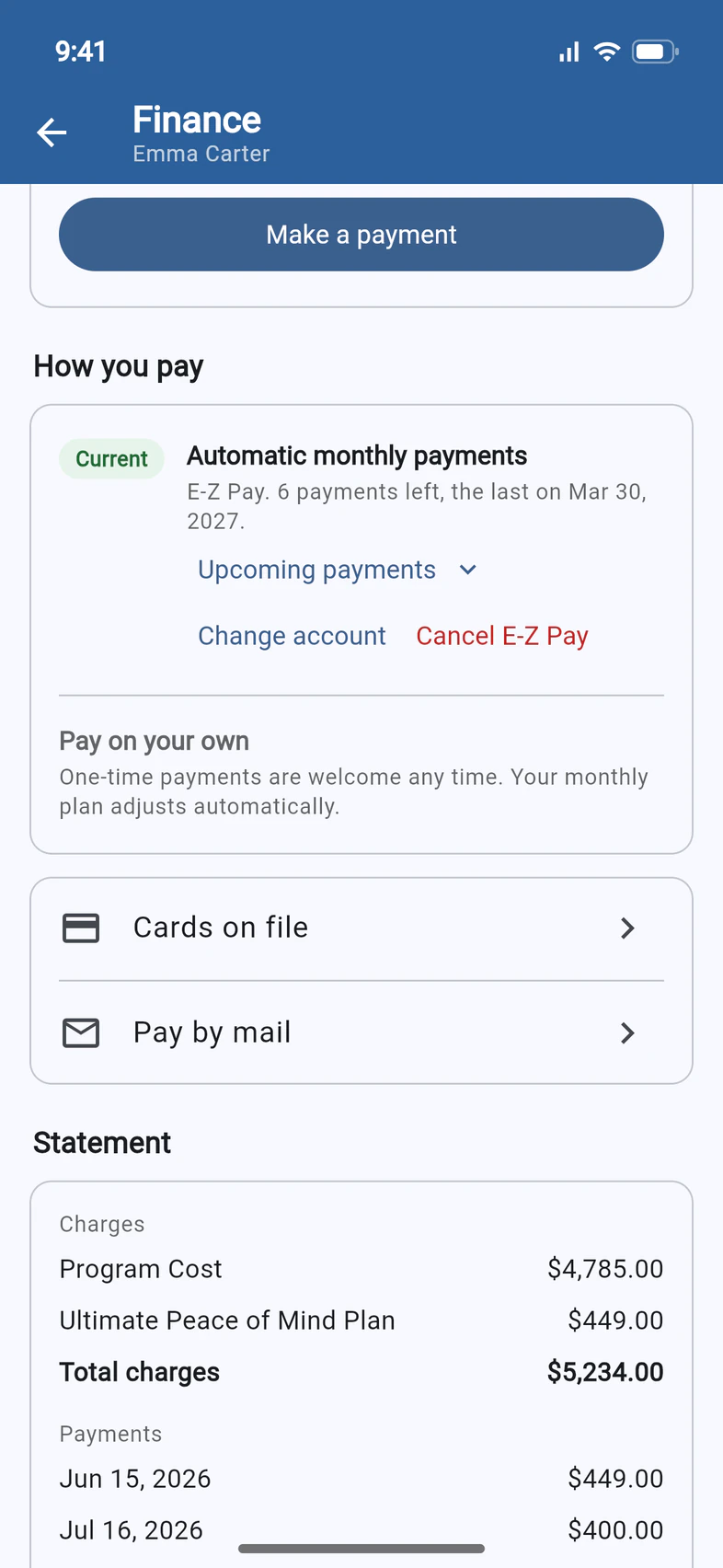
On your traveler's Finance page, How you pay shows Automatic monthly payments 1 as your current plan. Tap Change account 2.
- Step 2
Choose where they come from
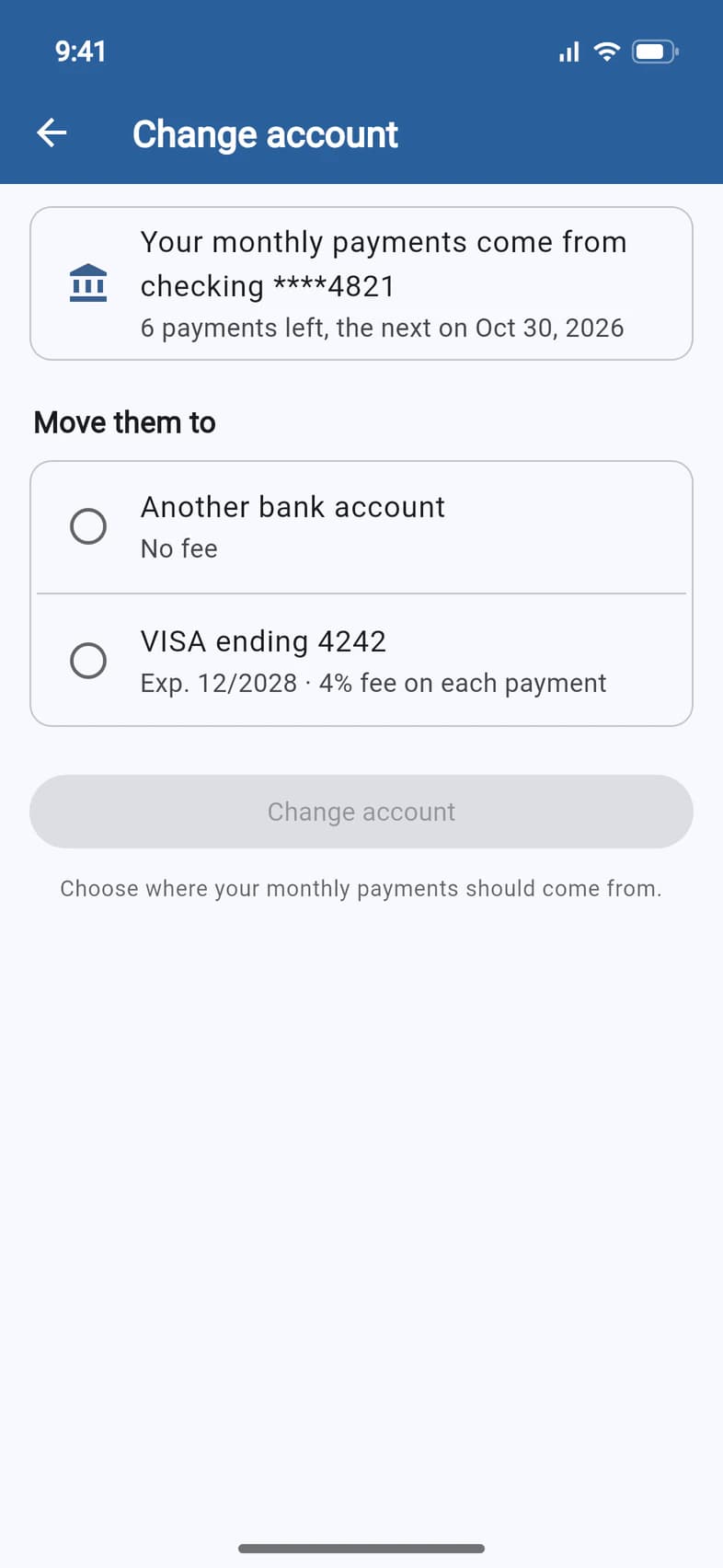
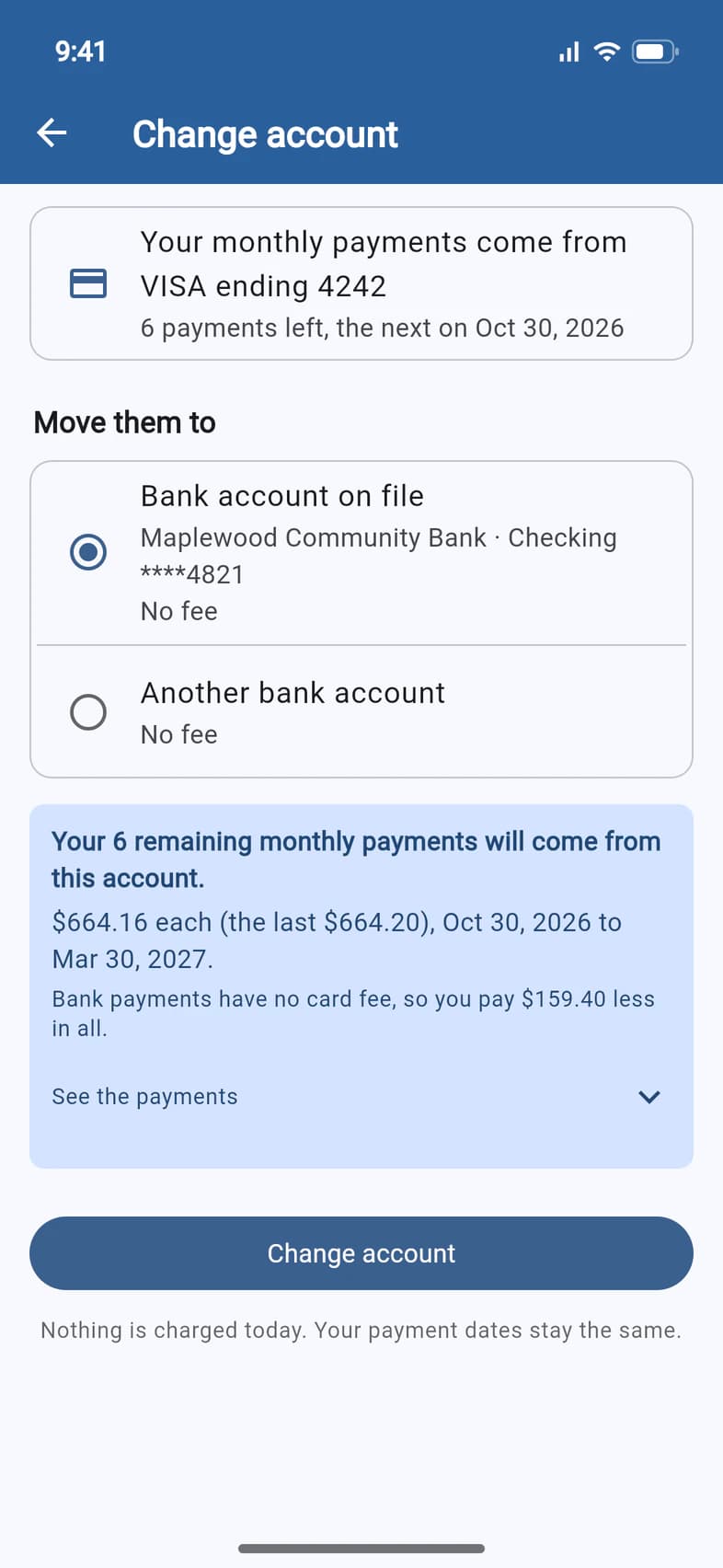
The top of the page says where your payments come from now 1, how many are left and when the next one is.
Under Move them to, pick the new account:
- Another bank account 2: a checking or savings account you type in. No fee.
- Bank account on file: the account you already gave us, listed when your payments don't come from it already. No fee.
- A saved card, like VISA ending 4242 3, or A different card: 4% fee on each payment.
A different card is entered in Square's secure form after you confirm, and saved to your account for the payments. Passports never sees the full card number.
- Step 3
Check the new payments
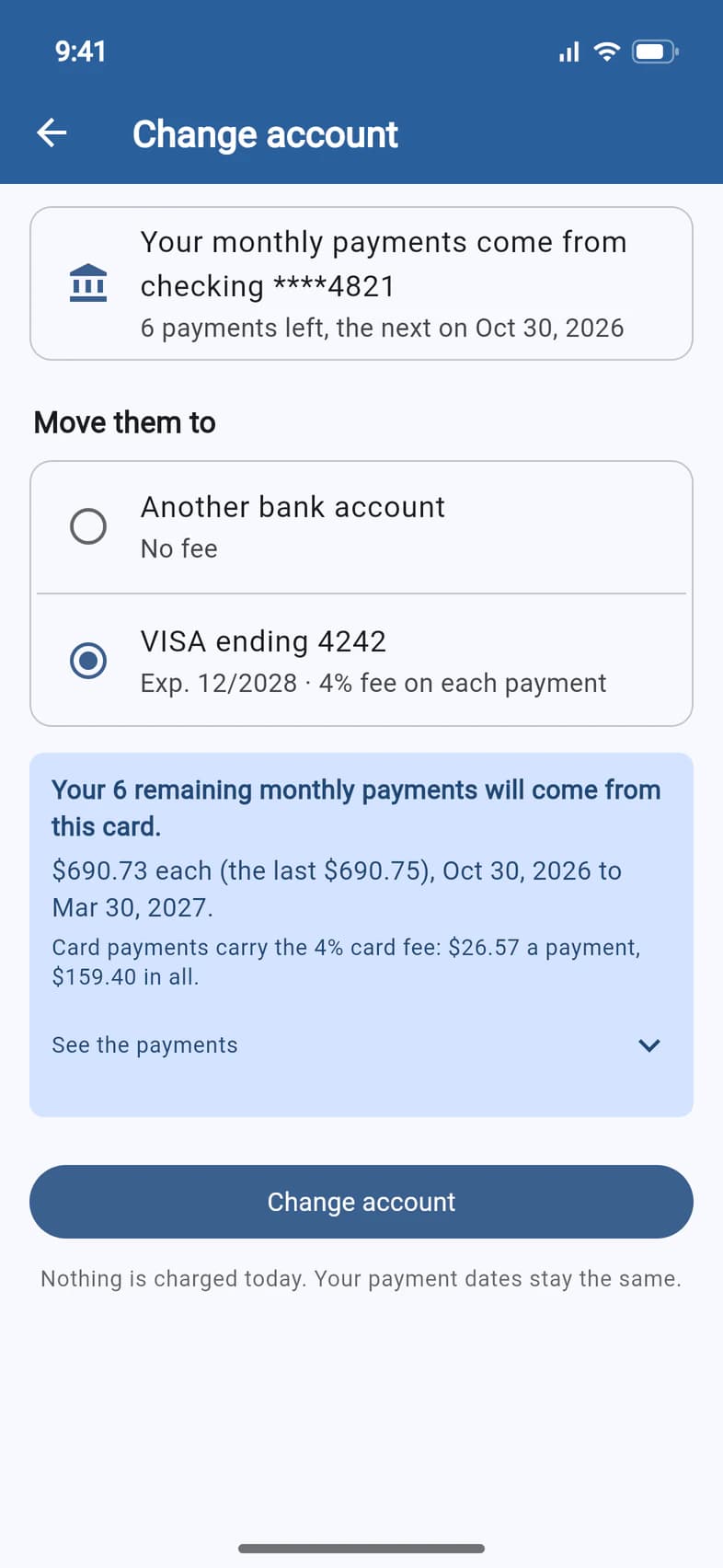
As soon as you pick, the blue box 1 shows what will happen: how many payments move, how much each one is, and the dates.
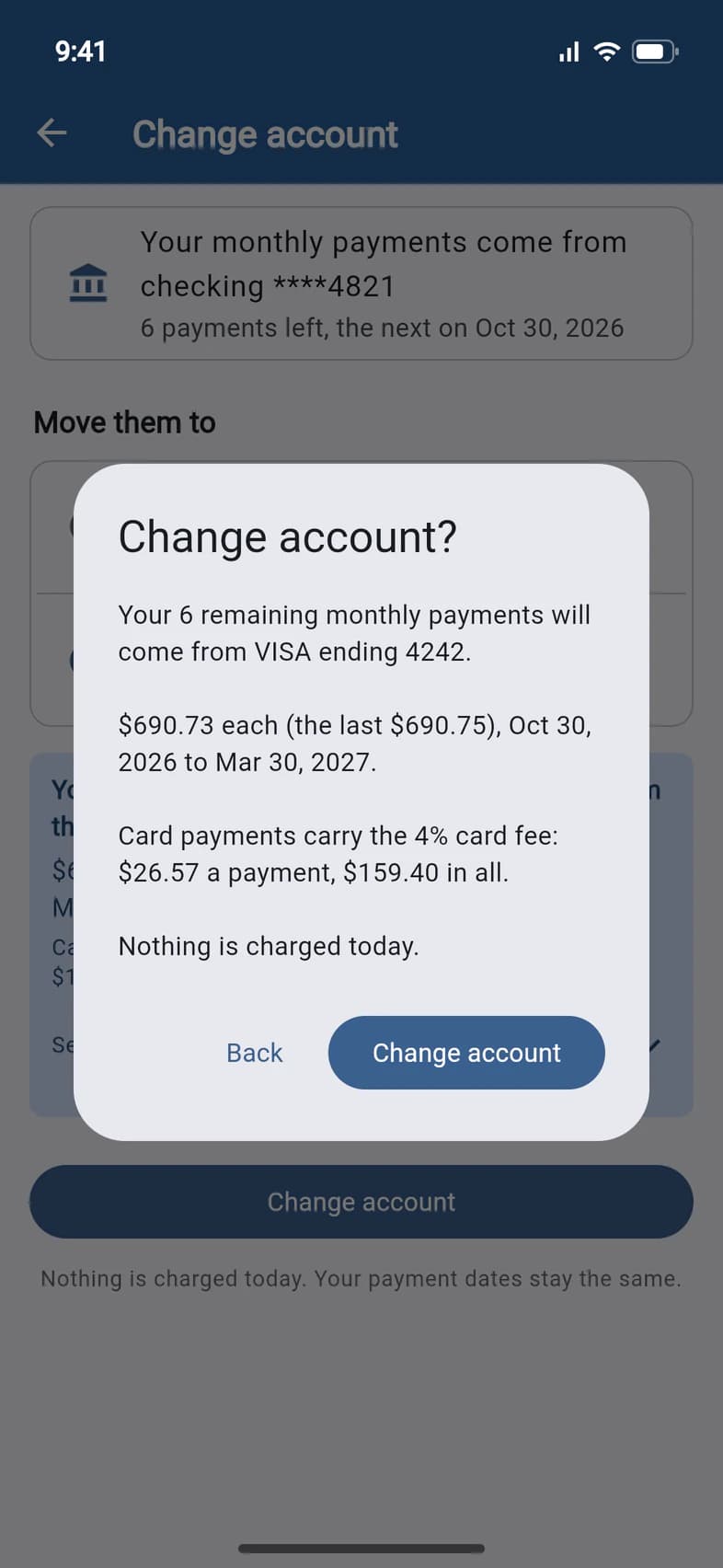
Moving to a card adds the 4% card fee, and the box says what that comes to per payment and in all. Tap See the payments to list every date and amount.
- Step 4
Or enter a bank account
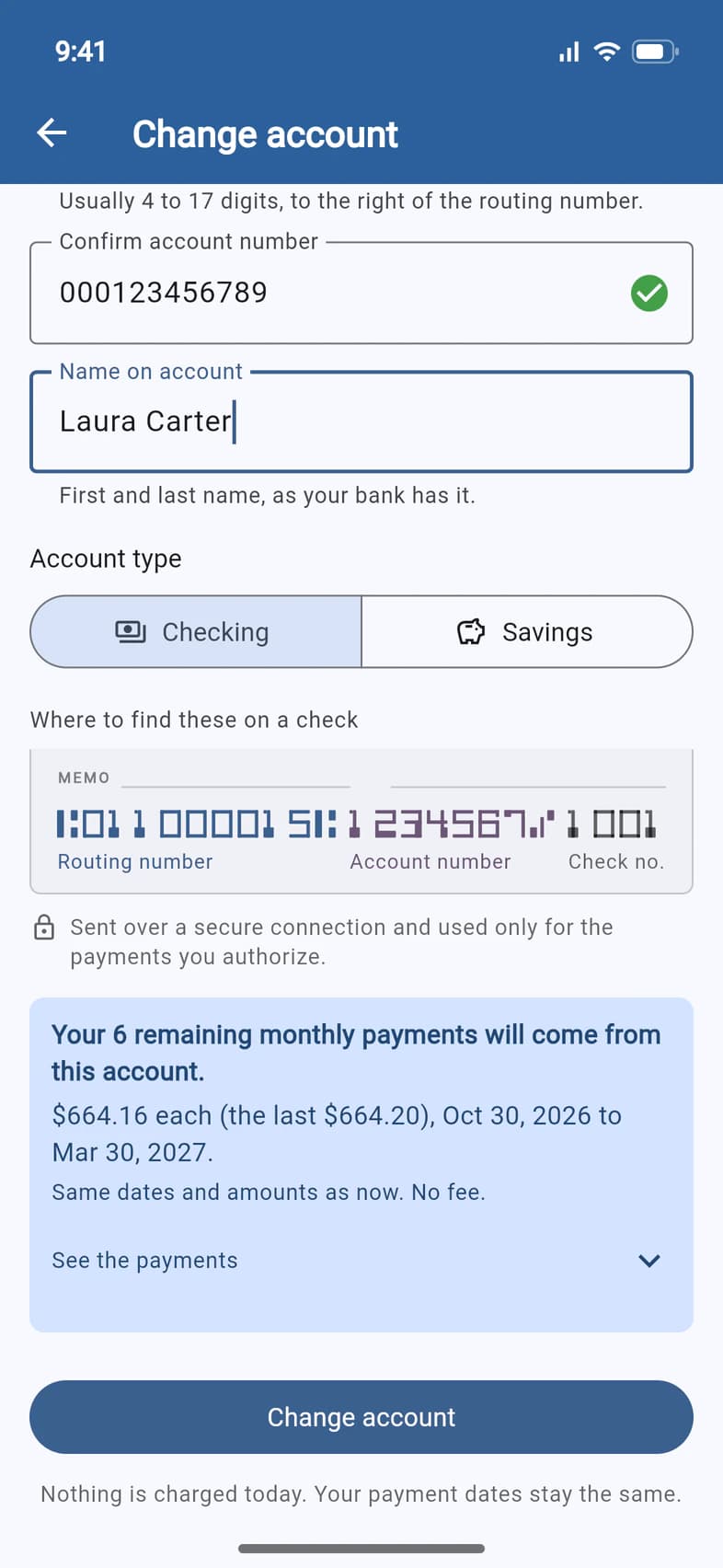
For Another bank account, enter the routing number (the bank's name fills in by itself), the account number twice, the name on the account, and Checking or Savings.
From one bank account to another, the box 1 says Same dates and amounts as now. No fee.
- Step 5
Moving off a card?
When your payments come from a card, choose Bank account on file 1 or Another bank account to drop the card fee. The box 2 says how much less you'll pay in all.
- Step 6
Confirm
Tap Change account at the bottom of the page. The summary repeats the new account, the amounts and the fee, and that nothing is charged today. Tap Change account 1, or Back to change something.
- Step 7
You're done
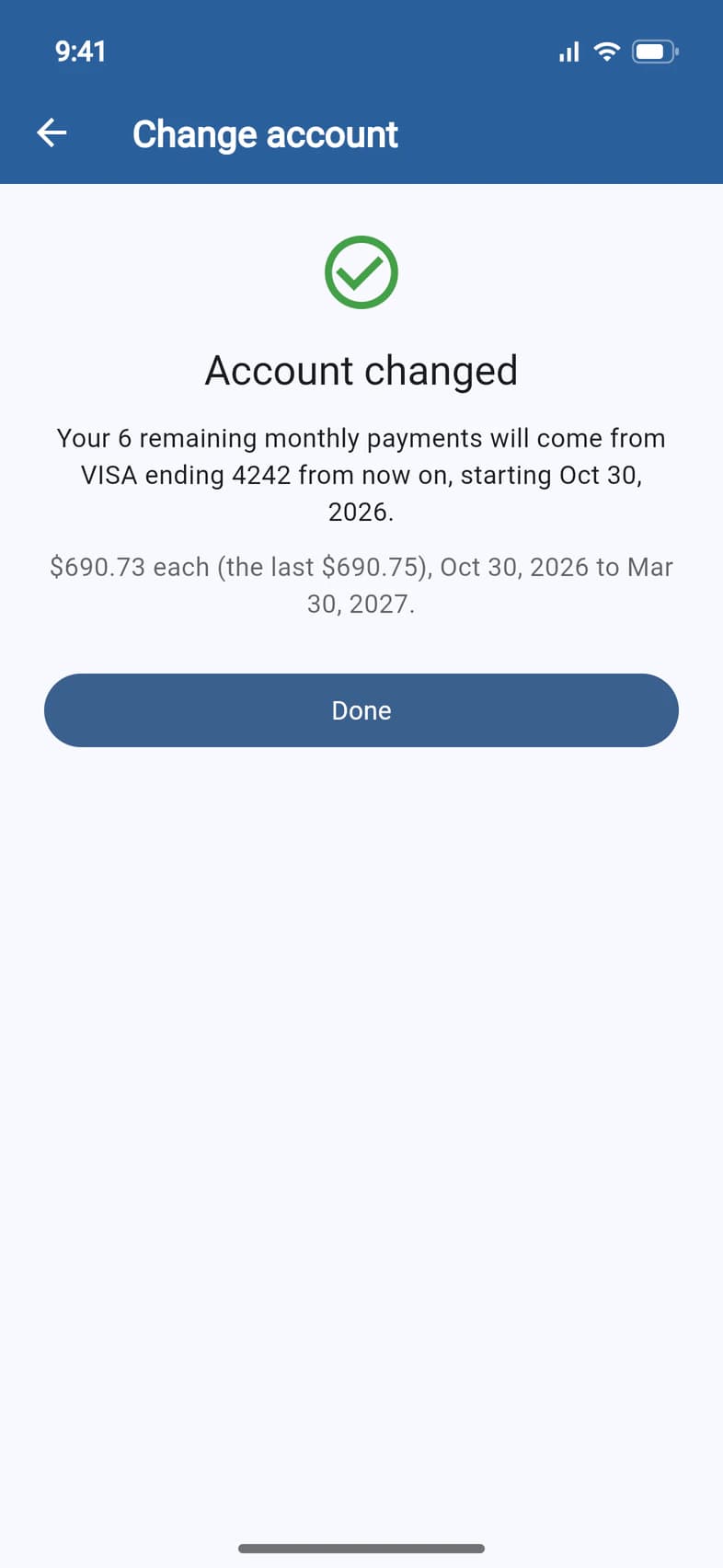
Account changed says where your payments come from from now on, starting with the next one. Tap Done 1: back on Finance, Next automatic payment names the new account. We also email a confirmation to everyone who sees your trip's payments, so a change nobody made won't go unnoticed.
Good to know
I don't see Change account.
It's there only while E-Z Pay has payments still scheduled. It's hidden while a payment is pending or being processed (try again once it has gone through), while your traveler is on the waitlist, and for convention registrations. If your monthly payments are on hold, Passports changes the account with you: call 1-800-332-7277.
Does this change what I owe?
No. The payments keep their dates and amounts, and nothing is charged today. Only the 4% card fee changes: it's added to each payment on a card, and dropped when you move to a bank account.
When does the new account start?
With your next scheduled payment. A payment already sent to the bank or card can't move: Change account waits until it has gone through.
A payment didn't go through. What do I do?
A declined card payment is still due, so it moves with the others: choose another card or a bank account here. If a bank payment came back (a wrong or closed account), E-Z Pay is put on hold and Passports will contact you; you can also call 1-800-332-7277, Monday to Friday, 8am–4pm Eastern.
What happens to my old card?
It stays saved, but your payments no longer use it. To remove it, delete it under Cards on file: see Manage cards on file.
I made a one-time payment from a different bank account.
When your monthly payments come from a bank account and you chose Keep my monthly payments, they now come from the account you paid from, too. Make a payment says so before you pay. See Make a payment.
Screens show a sample family and tour — your names, dates and amounts will differ. Checked against the app October 23, 2026.
Call us. A real person in Worcester picks up.
Monday to Friday, 8am to 4pm Eastern — and around the clock once your group is on tour. Or email passportsgo@passports.com.