
Turn on notifications
Choose which notifications you get — and fix a red Alerts tile on Home.
PassportsGo notifications tell you the moment your group leader posts, a photo goes up or, on tour, a meeting point is set. The announcements you can see also come by email, so you won't miss them, but notifications are the fastest way to hear.
- Step 1
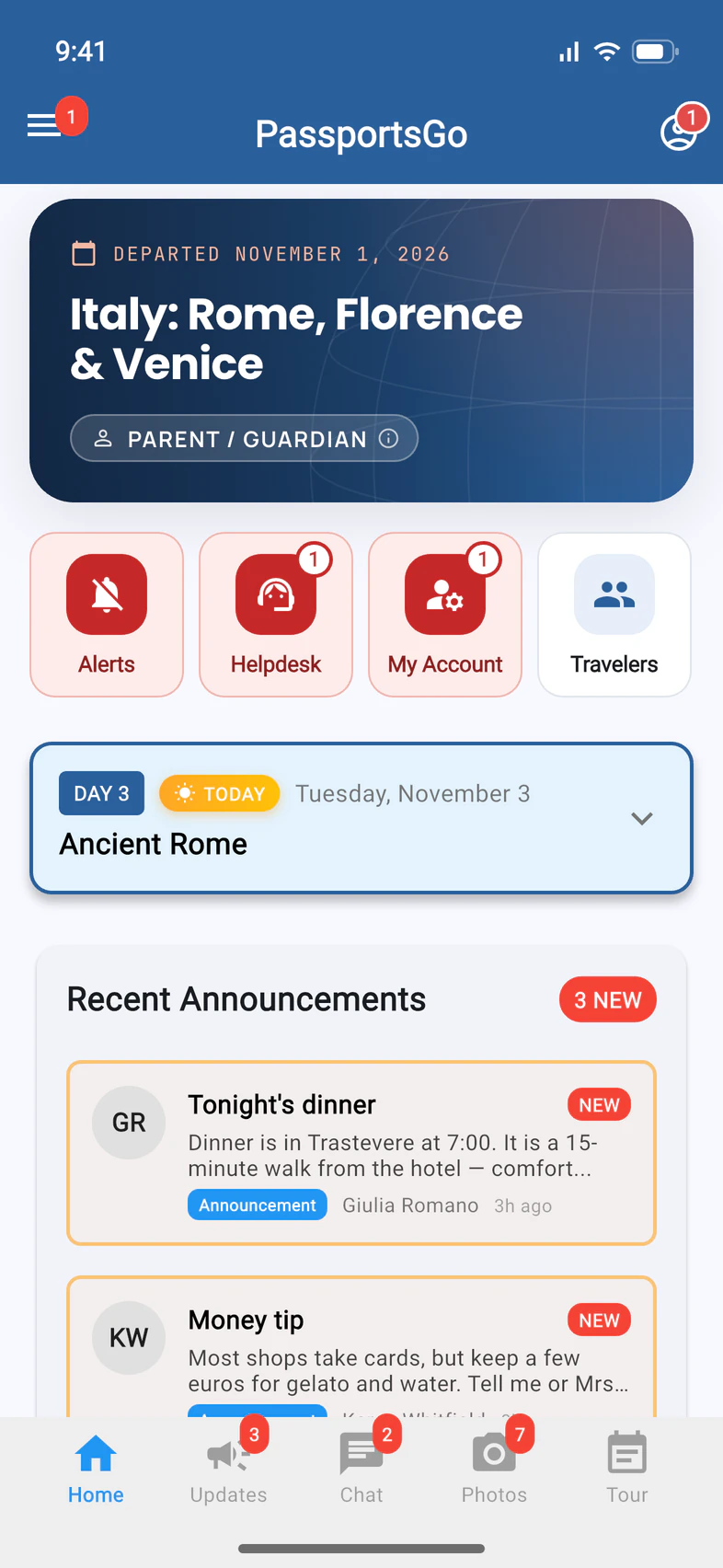
Look for a red Alerts tile
If Home shows a red Alerts tile 1, your phone is blocking PassportsGo's notifications. Tap it.
- Step 2
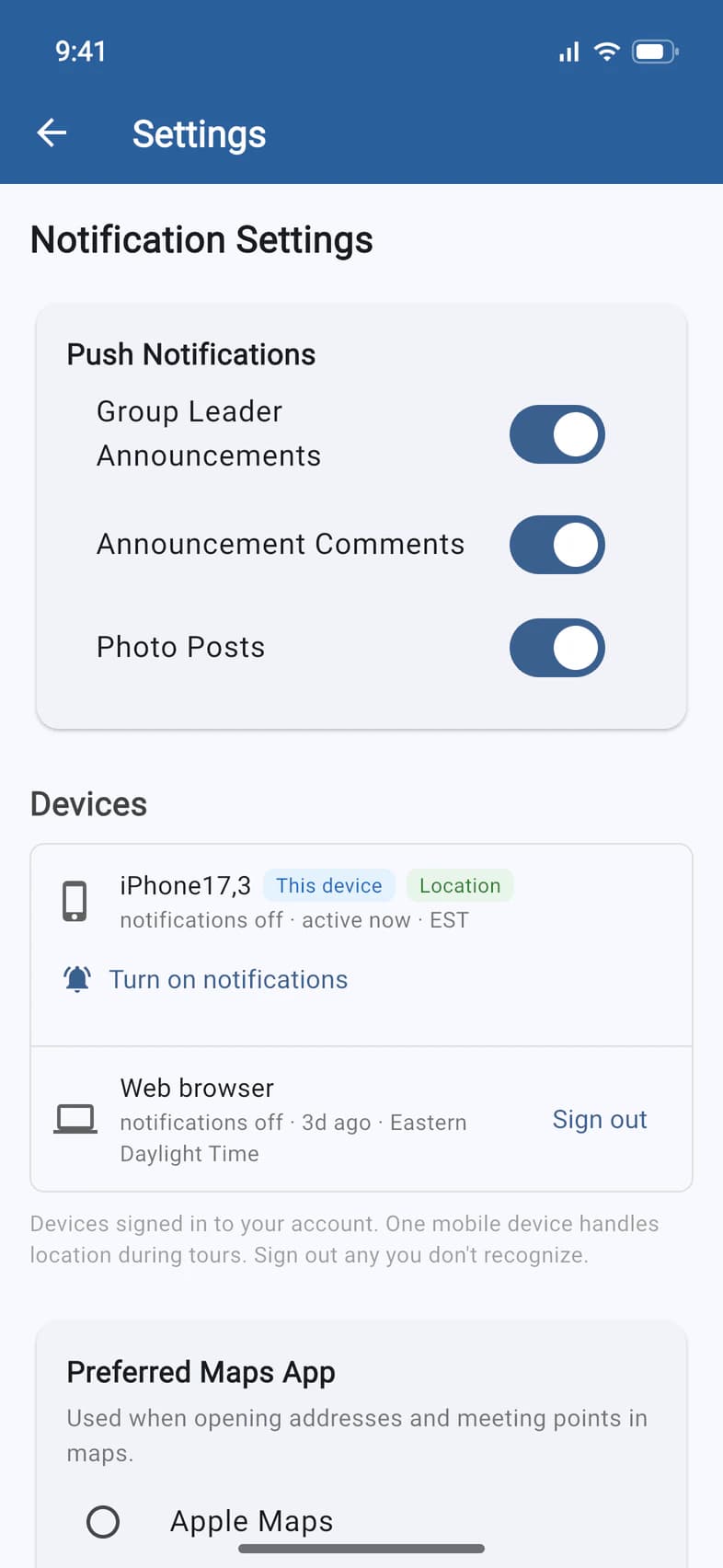
Turn notifications on
Settings opens. Under Devices, your phone says "notifications off" 1. Tap Turn on notifications 2: your phone asks you to allow them or, if you said no before, opens PassportsGo's page in your phone's settings, where you switch notifications on.
- Step 3
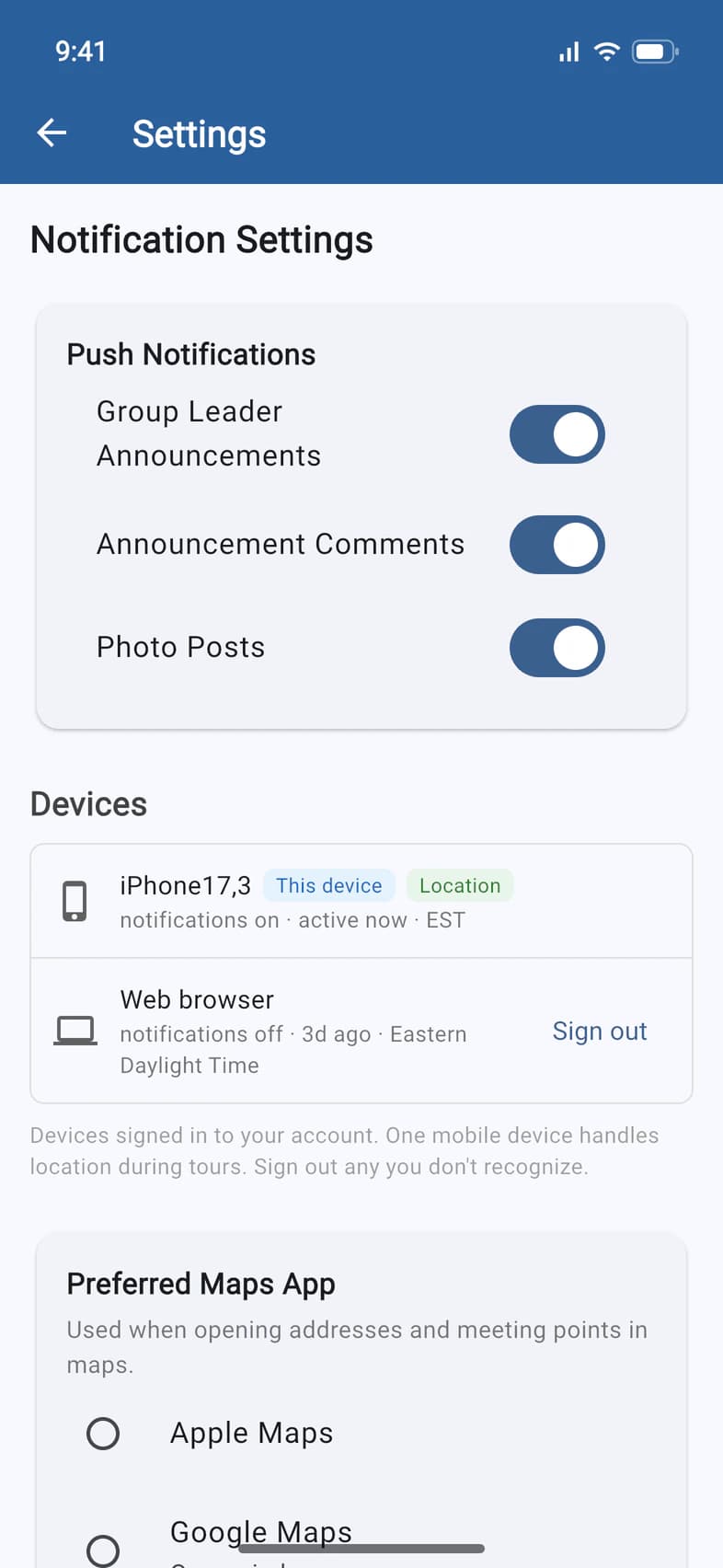
Choose what you hear about
At the top of Settings, under Push Notifications, there's a switch for each kind: Group Leader Announcements 1, Announcement Comments and Photo Posts. Change them, then tap Save Settings at the bottom.
The switches only change notifications on your phone. Announcements still come by email, and that can't be turned off.
Good to know
Do announcements come by email or text too?
By email: every announcement you can see in the app also comes by email, so you won't miss one. They don't come by text. Other messages from Passports, like payment reminders, Helpdesk replies and meeting invitations, can come by text to the phone numbers on the enrollment: you can turn texts off for a number in your profile (☰, then the pencil, Text messages).
Will a notification wake me up at night?
Not for announcements: at home, their notifications wait until 8 AM in your group's home time zone, and the email arrives quietly. Only a post your group leader marks Urgent notifies you straight away.
I'm a traveler. Can I turn off meeting points and head counts?
No. On tour they always come through, so nobody misses a meeting point or a head count.
What happens when I tap a notification?
It opens what it's about: a chat notification opens that chat, a photo notification opens the Photos tab, and a post on Updates or a meeting opens that post or meeting. That works whether PassportsGo is open, in the background or closed. If it's for another of your tours, PassportsGo switches to that tour first. Your other notifications stay on your phone.
What does the number on the app icon count?
The same as the red inside the app: unread posts, chats and photos, Helpdesk replies and to-dos in My Account, like updated terms to agree to. Notifications stay on your phone, even when you open the app, until that number reaches 0 or you sign out. A to-do keeps the number above 0 until you finish it, so swipe away any notifications you're done with.
Can I get notifications on a computer?
Yes, on passportsgo.com: in Settings, under Devices, tap Enable notifications on this browser and allow them when your browser asks.
Screens show a sample family and tour — your names, dates and amounts will differ. Checked against the app November 3, 2026.
Call us. A real person in Worcester picks up.
Monday to Friday, 8am to 4pm Eastern — and around the clock once your group is on tour. Or email passportsgo@passports.com.