
See who's on the trip
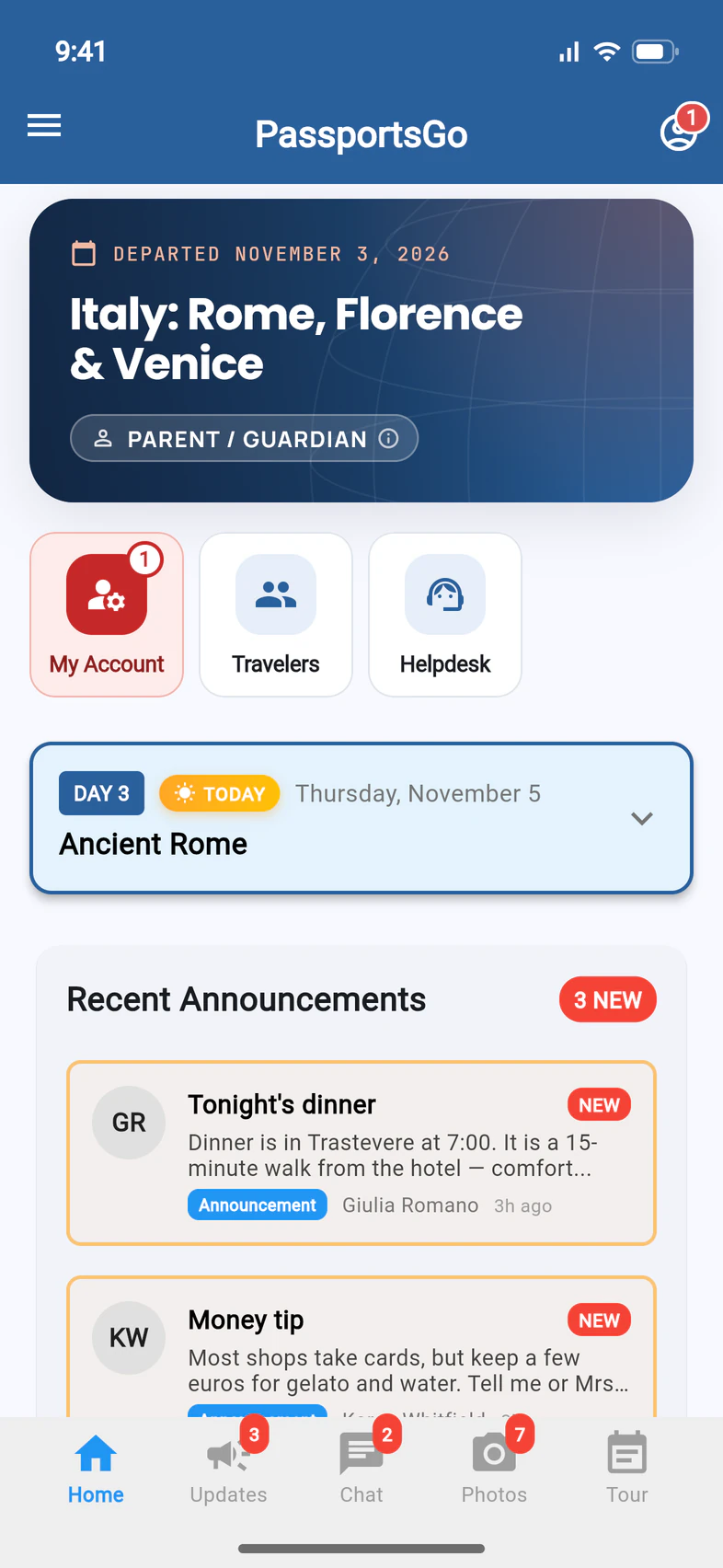
The Travelers tile on Home lists everyone on the tour, when your group leader shares the list.
Want to know who else is going? PassportsGo lists everyone on your tour — the travelers, the chaperones, your group leader and your Tour Director — and shows who's using the app.
Travelers, parents and guardians all see the same list, unless your group leader turns it off. It shows names, not contact details: phone numbers and emails stay with your group leader and the chaperones.
Before you start
- PassportsGo on your phone, or passportsgo.com in a browser — signed in as a traveler, parent or guardian.
- Step 1
Open Travelers
On Home, tap Travelers 1, the first blue tile.
- Step 2
See who's leading the trip
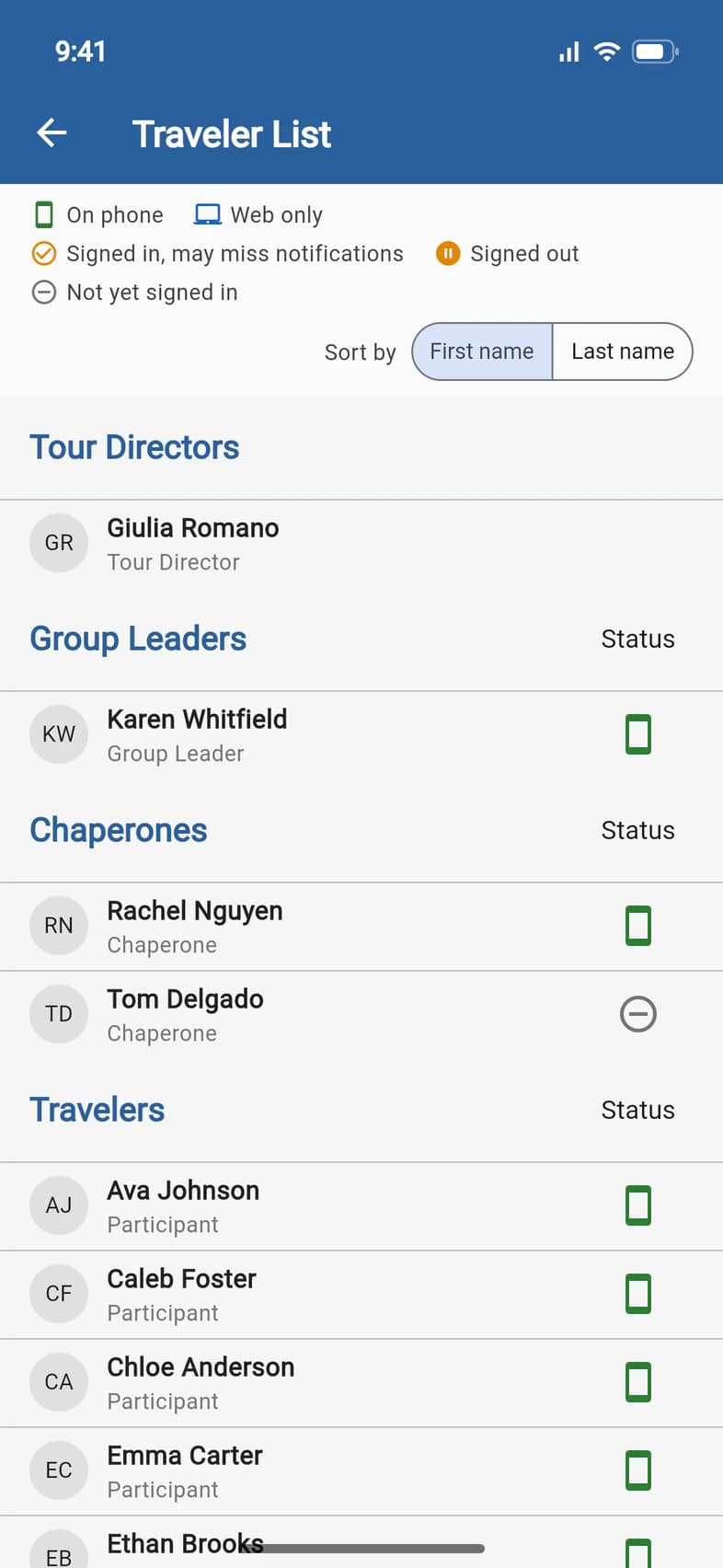
The Traveler List starts with the people in charge: your Tour Directors 1, Group Leaders 2 and Chaperones 3. The travelers come next.
Your Tour Director is listed once they've joined your trip in PassportsGo. A chaperone your group leader shows as Co-Leader is under Group Leaders, after your group leader, with Co-Leader under their name.
- Step 3
Check who's on the app
The icon at the right of each row shows whether that person uses PassportsGo. The key at the top 1 explains the icons:
- On phone 2: signed in to the PassportsGo app on a phone.
- Web only: signed in on passportsgo.com in a browser, but not on a phone.
- Signed in, may miss notifications: an orange check. Signed in, but no phone seen in 45 days and no browser with notifications on, so they may not get notifications. It doesn't mean they're inactive.
- Signed out: has used PassportsGo, but isn't signed in right now.
- Not yet signed in 3: hasn't opened PassportsGo yet.
- Step 4
Find the travelers
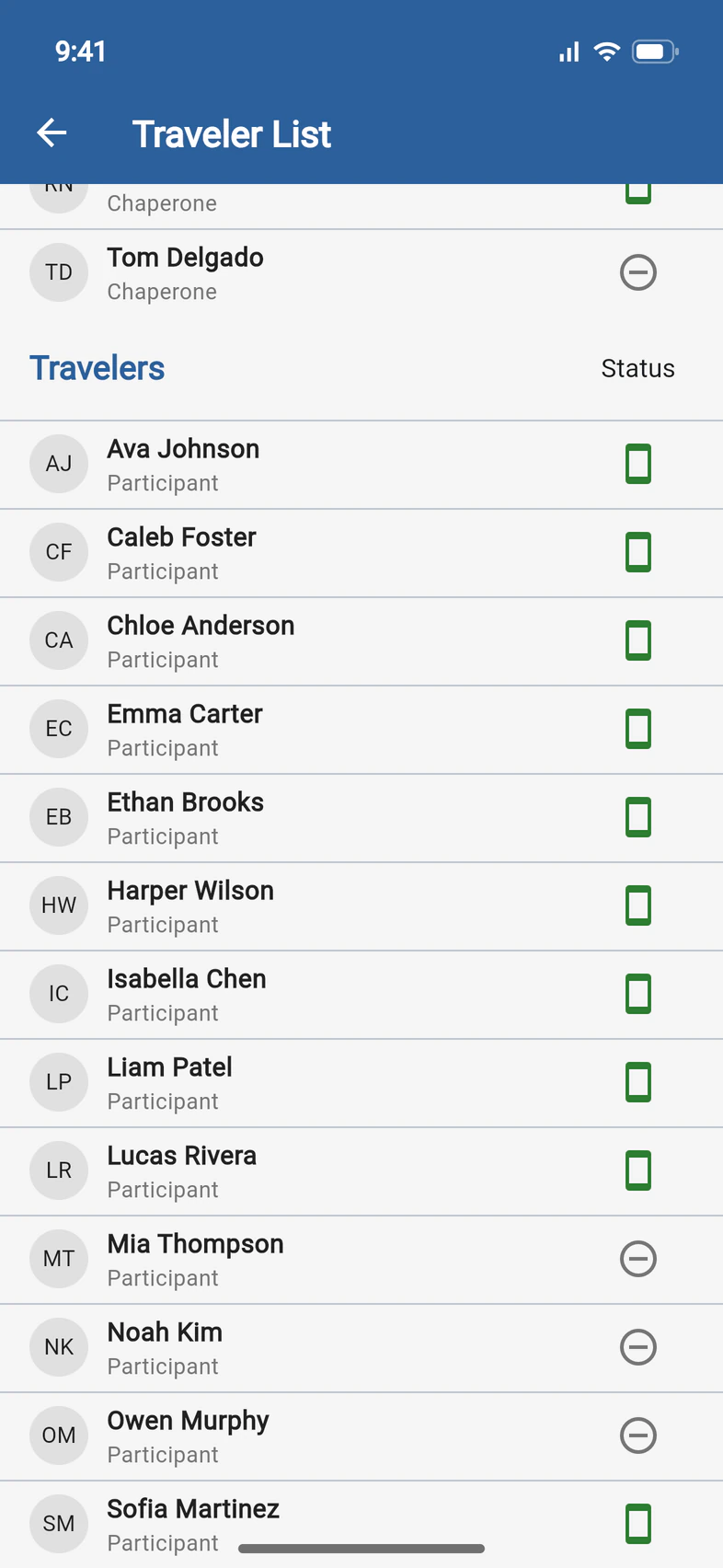
Scroll down to Travelers 1: everyone going on the tour, from A to Z by first name, with Participant under each name. Your own traveler is there too 2.
For families, tapping a name on this list opens nothing: phone numbers and emails stay with your group leader and the chaperones. In a chat, tapping a name shows who that person really is.
- Step 5
Sort by last name
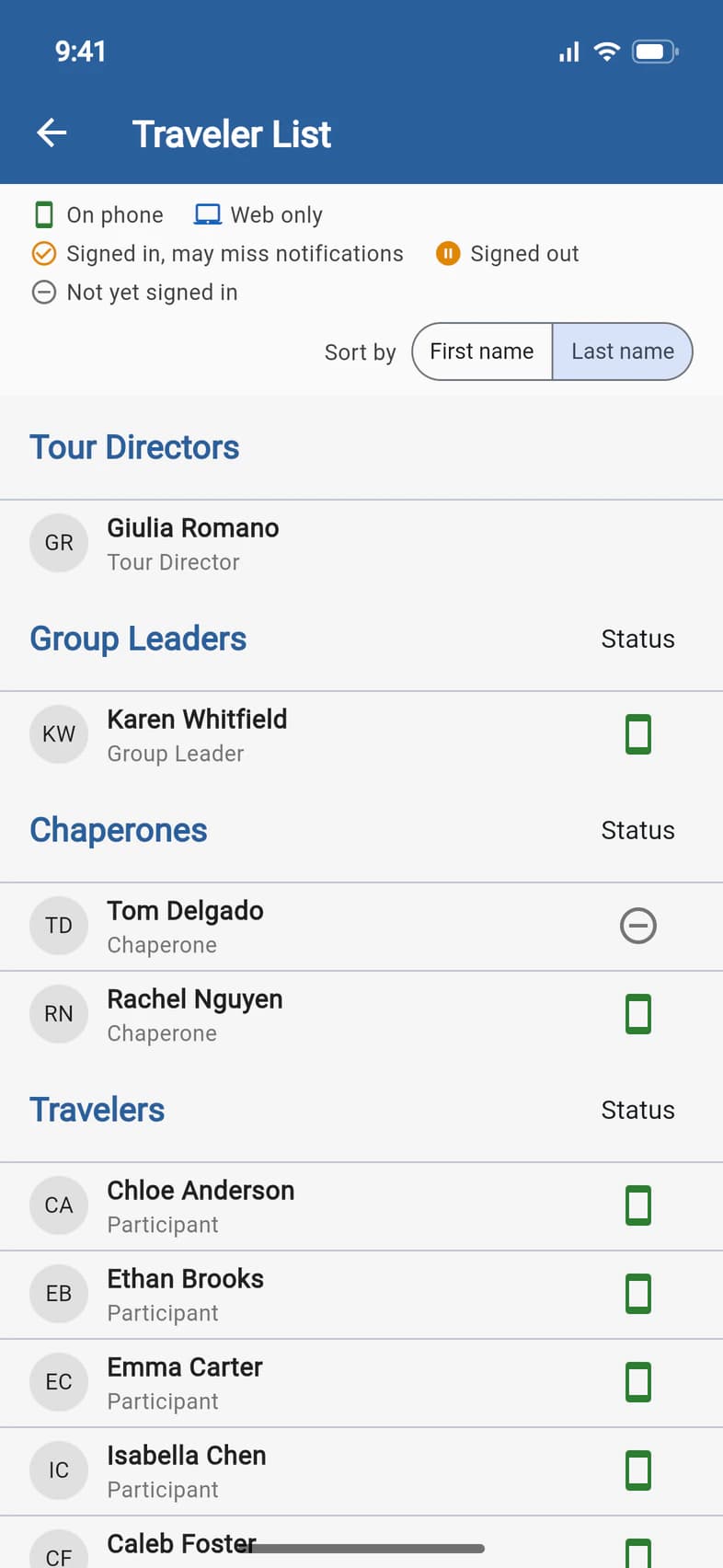
Tap Last name 1 to put every section in last-name order: Chloe Anderson 2 now leads the travelers. First name switches back, and PassportsGo remembers your choice on that phone or computer.
Good to know
I don't see the Travelers tile.
Your group leader chooses who sees the list: everyone on the tour, only travelers and chaperones (not parents, guardians or visitors), or only the group leader and admins. When it's hidden from you, Home has no Travelers tile, and the traveler or parent chat doesn't list its members either. You can still tap a name above a chat message to see that person's real name and role. Ask your group leader if you'd like to see the list.
Why aren't the parents on the list?
The list shows the people on the trip. Parents, guardians and visitors following along from home appear only on the group leader's list. In a chat, tapping a parent's name above their message shows who they are, like Michael Carter, Parent/Guardian of Emma Carter, with no phone number or email.
Can other families see our phone numbers?
Not unless your group leader decides to share them. Families see names, roles and who's on the app, and tapping a name in a chat adds no phone number or email. Phone numbers, emails and emergency contacts show to your group leader and the chaperones, and to anyone the group leader gives View Traveler Details: for them, names are blue, and tapping one opens that person's details. They also get View details when they tap a name in a chat.
What's the phone button next to a name?
It calls that person in the app. It shows only on a phone, around your tour dates, for someone you're allowed to call who has PassportsGo on their phone. Who can call whom is under Good to know in Chat with the group.
Someone is missing from the list.
The list has everyone enrolled on the tour, including people who haven't signed in to PassportsGo yet. On a phone, pull the list down to refresh it. A traveler on the waitlist appears once Passports confirms their spot on the tour. A traveler who cancels comes off the list, and your Tour Director appears once they've joined your trip in PassportsGo.
A traveler shows Not yet signed in.
They haven't opened PassportsGo yet. There's no password: everyone signs in with the email address on their enrollment and a code sent by email or text. See Sign in to PassportsGo.
Someone shows Signed in, may miss notifications.
They're signed in, but PassportsGo hasn't seen a phone of theirs in 45 days, and no browser of theirs has notifications on, so they may not get notifications. It doesn't mean they're inactive: someone using the website without browser notifications shows it too. If it's you, open the app on your phone or turn on notifications in your browser.
Screens show a sample family and tour — your names, dates and amounts will differ. Checked against the app November 5, 2026.
Call us. A real person in Worcester picks up.
Monday to Friday, 8am to 4pm Eastern — and around the clock once your group is on tour. Or email passportsgo@passports.com.