
Play Travel Bingo
Tick squares on your card with a photo, a video or an answer, see everyone's answers, and watch the results and your badges at the end.
Travel Bingo is a game your group leader can start on the tour: a bingo card, or a list like a scavenger hunt, full of things to see and do, from trying a new food to finding the Trevi Fountain. Stamp each square once you've done it, add a photo or a line for an extra point, and go for BINGO. When your leader sends the results, everyone watches the awards on their own phone.
It's for the travelers on the tour, and the leaders and chaperones who play along. Parents and guardians at home don't see it.
Before you start
- PassportsGo on your phone, or passportsgo.com in a browser, signed in as yourself (the traveler).
- A game your leader has started. Until then, there's nothing to play.
- Step 1
Find your game on Home
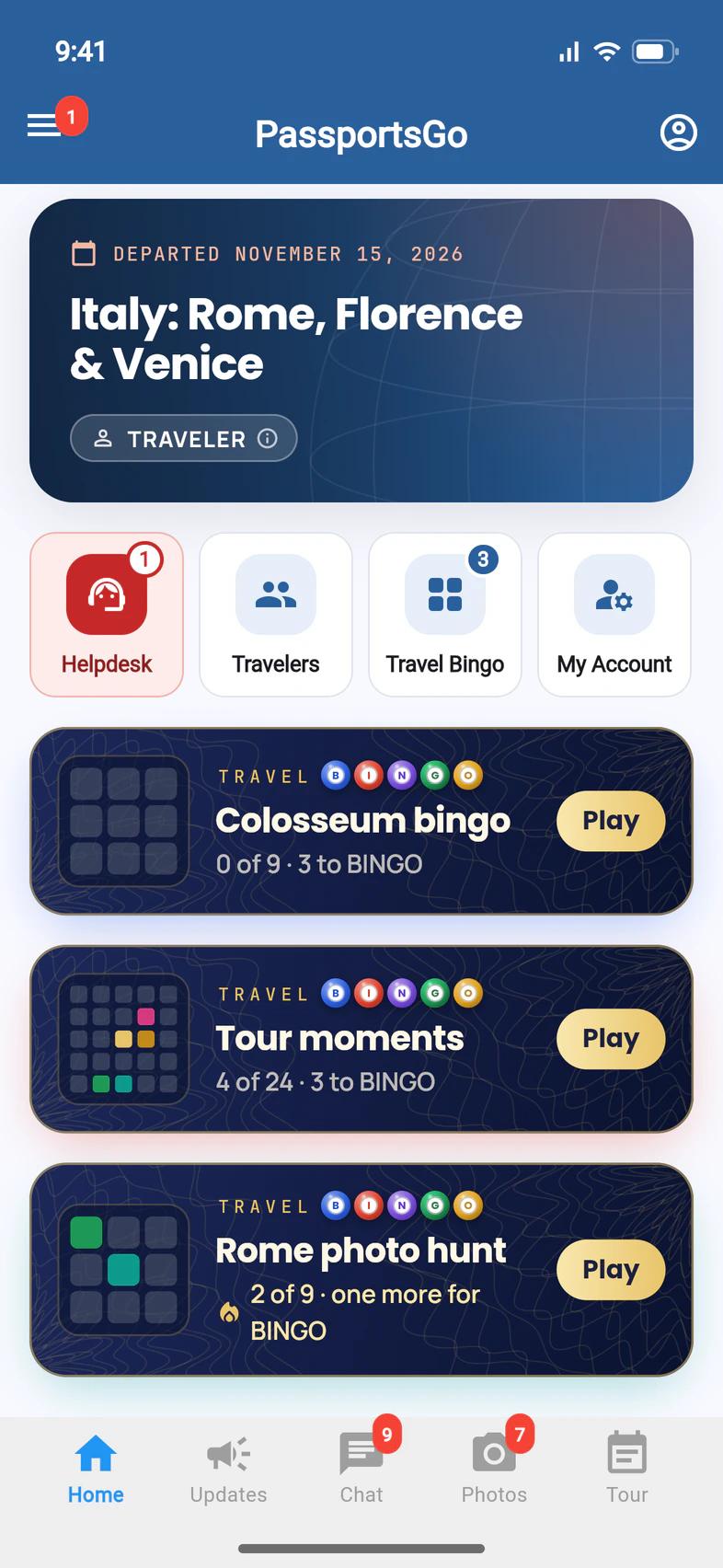
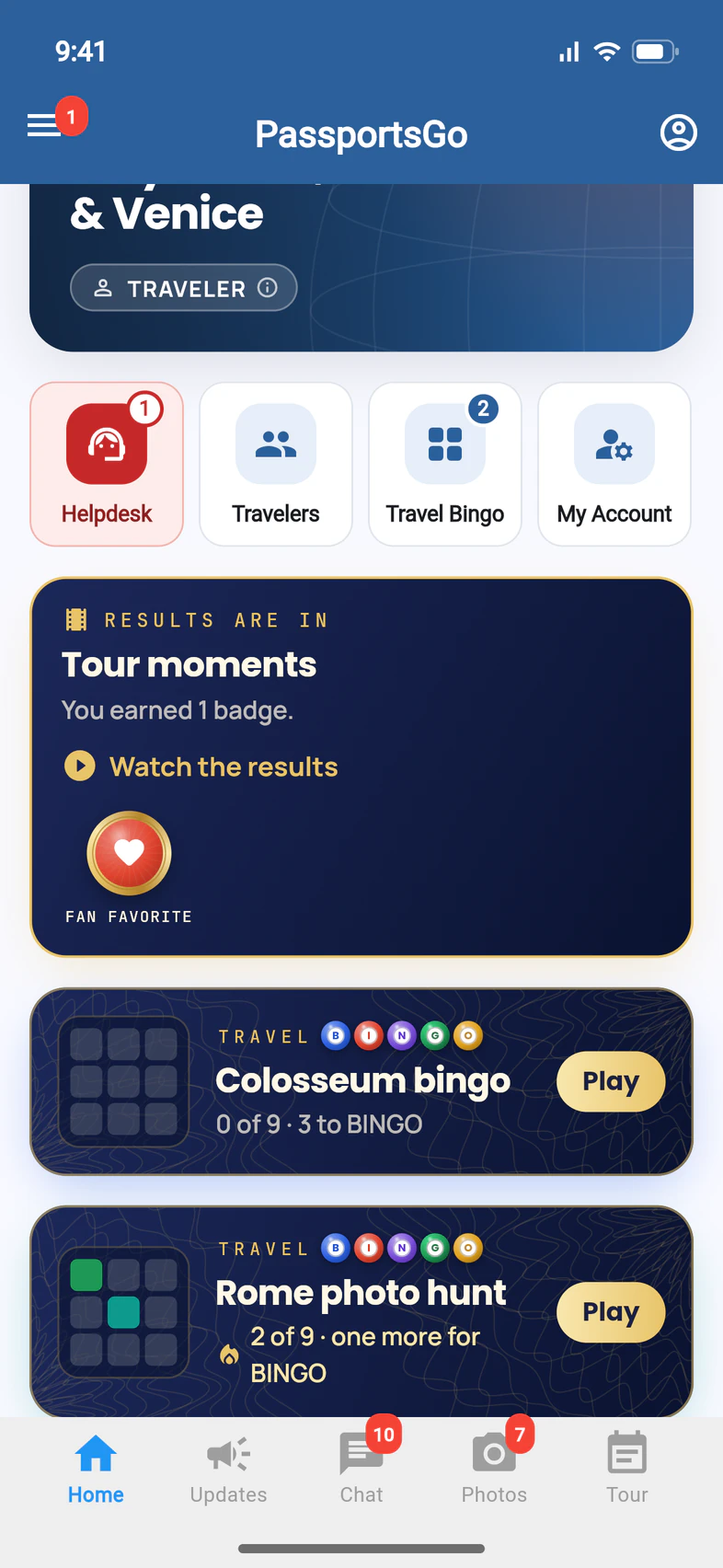
Each game that's playing now has its own card on Home, with your card in miniature and how far you've got ("4 of 24 · 3 to BINGO"). Tap Play 1 to open it.
The Travel Bingo tile 2 opens all your group's games: Playing now, Coming up and Finished. Its number is how many are playing now.
- Step 2
Open your card
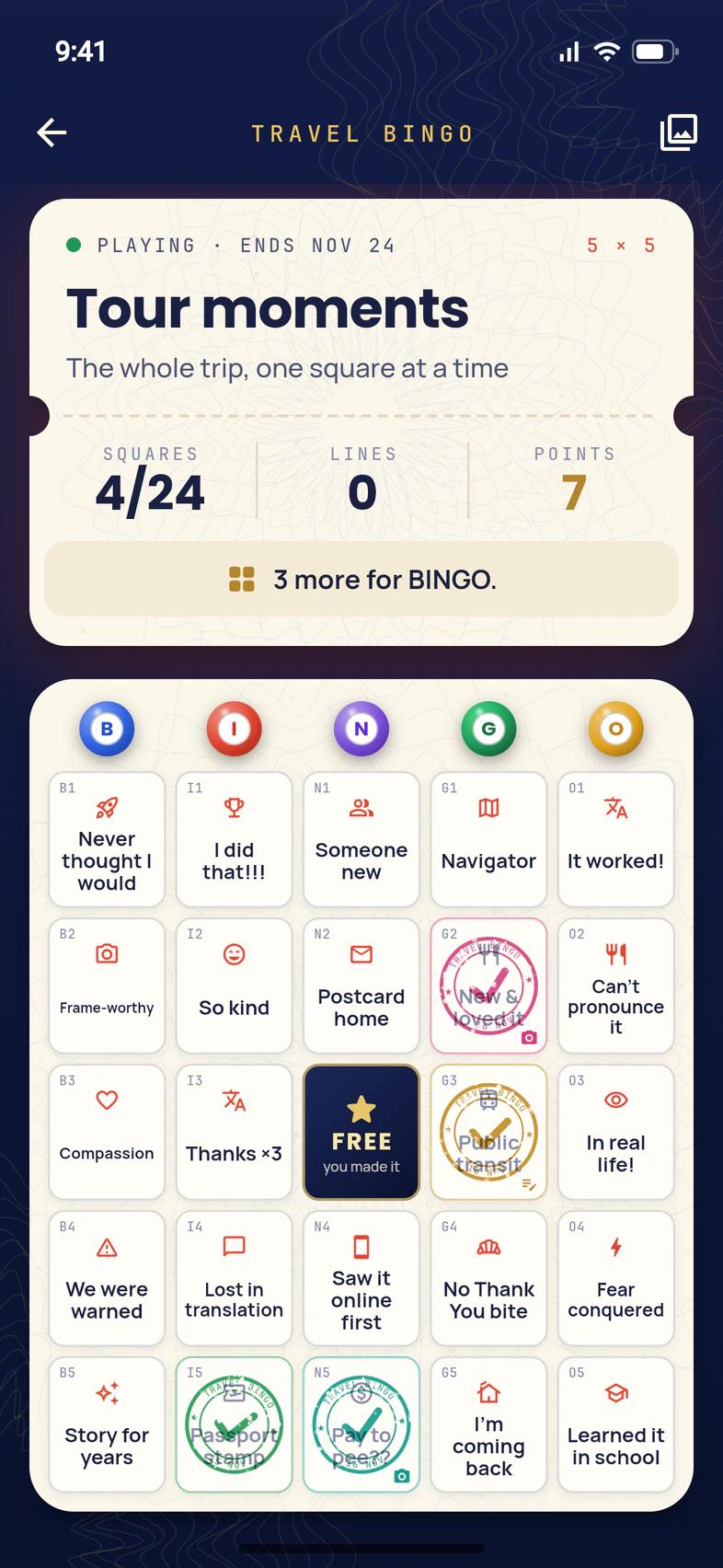
The top of your card is your ticket: how many SQUARES you've stamped, your LINES and your POINTS 1, then what's next 2, like "3 more for BINGO."
Below it is the card itself. Everyone gets the same squares, each in their own order. A 5 × 5 card has the B-I-N-G-O balls over its columns and a free square in the middle. A stamp means done, and a square that glows gold is one away from a line.
When you've done what a square says, tap it 3.
Some games are a list instead of a card: a column of things to find, like a scavenger hunt. They work the same way.
- Step 3
Stamp the square
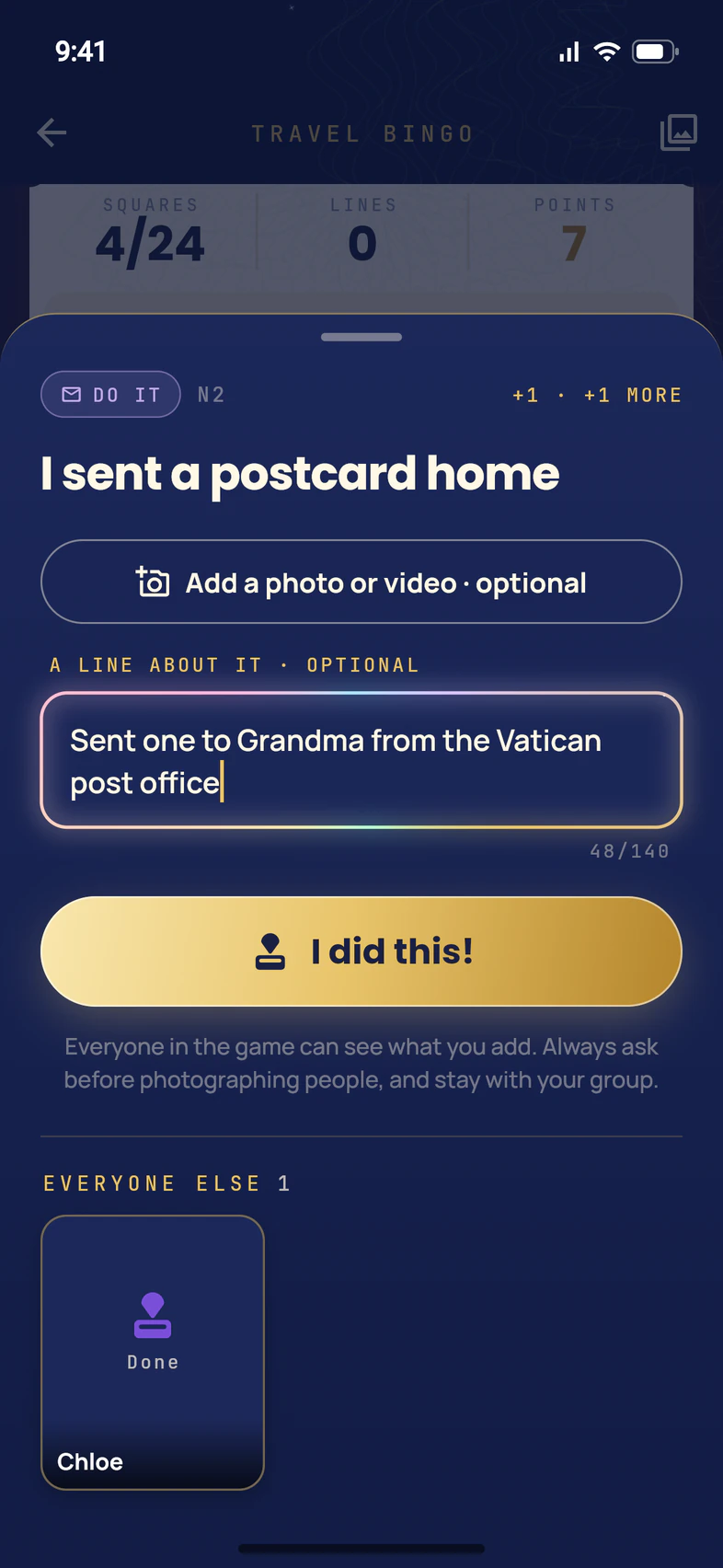
The square opens with the whole challenge. For one more point, add a photo or a video 1 or write a line about what happened 2 (140 characters at most). Both are optional.
Then tap I did this! 3. The stamp comes down on your square with a thump, confetti flies and your points go up: 1 for the square, 1 more for a photo, a video or a line.
Open a stamped square to add a photo, a video or a line later, to change them, or to Un-tick it.
Everyone in the game can see what you add. Always ask before photographing people, and stay with your group.
- Step 4
Make a line for BINGO
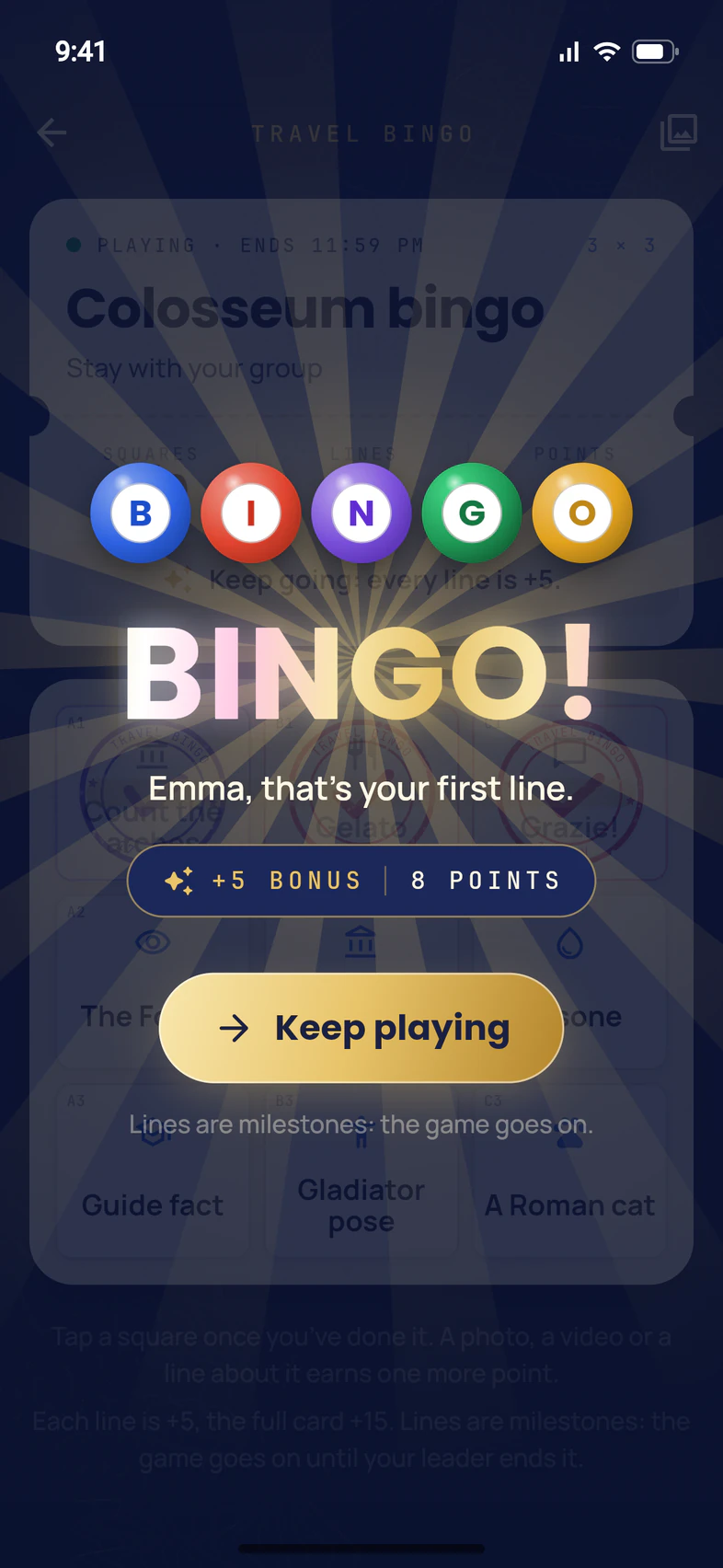
Stamp every square in a row, a column or a diagonal, and BINGO! 1 fills your screen with 5 bonus points 2. On a 5 × 5 card, the free square counts.
Tap Keep playing 3: a line is a milestone, not the end. Every new line is worth 5 more, and stamping the whole card shows FULL CARD! and adds 15. The game goes on until your leader ends it.
- Step 5
Do what a square asks
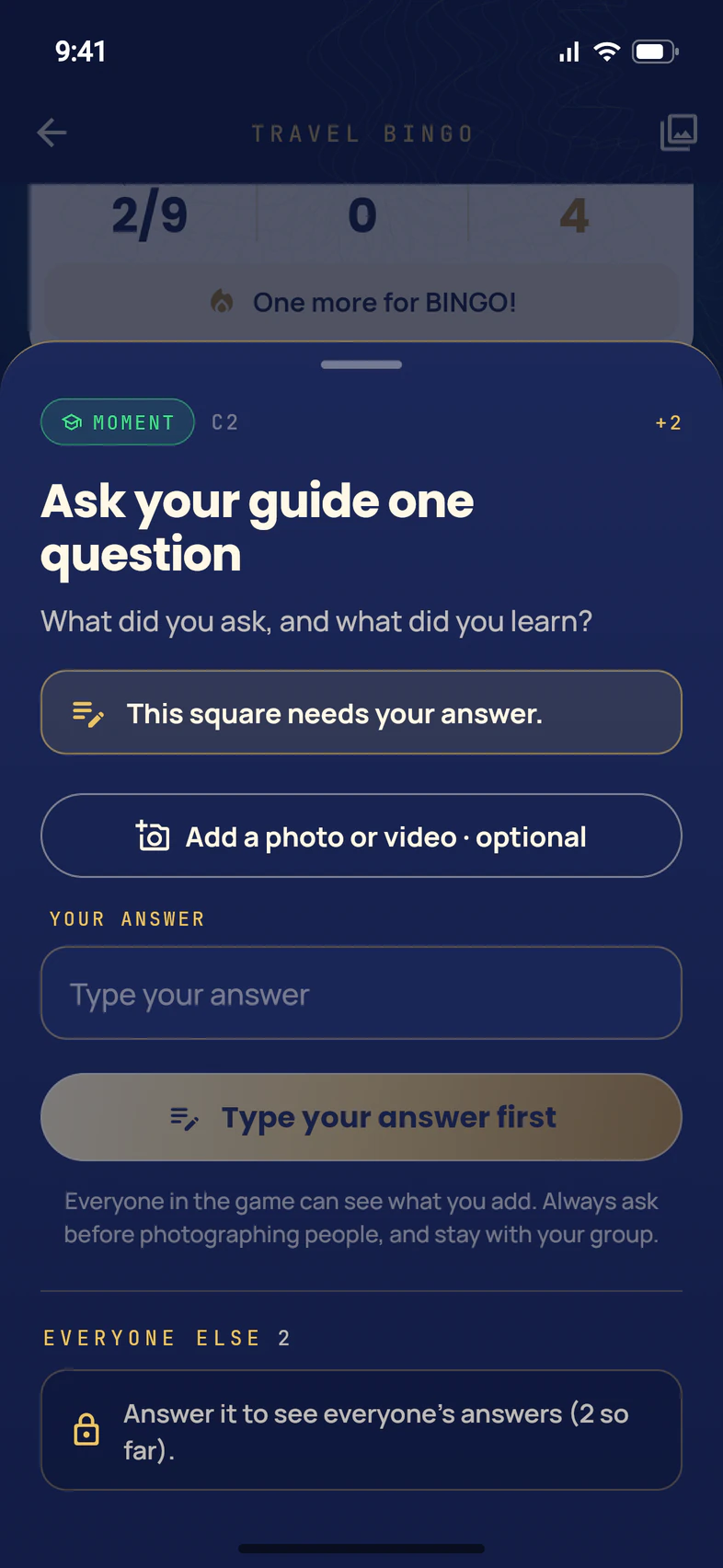
Some squares need something before you can stamp them. You can tell on the card: a camera, a video camera or a pencil sits in the square's corner. Open one and it says so first 1:
- This square needs a photo. Tap Take a photo, or Choose from your photos.
- This square needs a video. Tap Record a video (up to 30 seconds), or Choose a video.
- This square needs your answer. Type it under Your answer 2. The button reads Type your answer first until you do.
Then tap I did this!. A square like this is worth 2 points. On a square that asks for an answer, everyone else's answers stay hidden until you've given yours 3.
On passportsgo.com the buttons read Add a photo and Add a video.
A photo or video has to send before the stamp comes down, so these squares need signal. If it can't send, the square says Check your signal and try again.
- Step 6
See everyone's answers
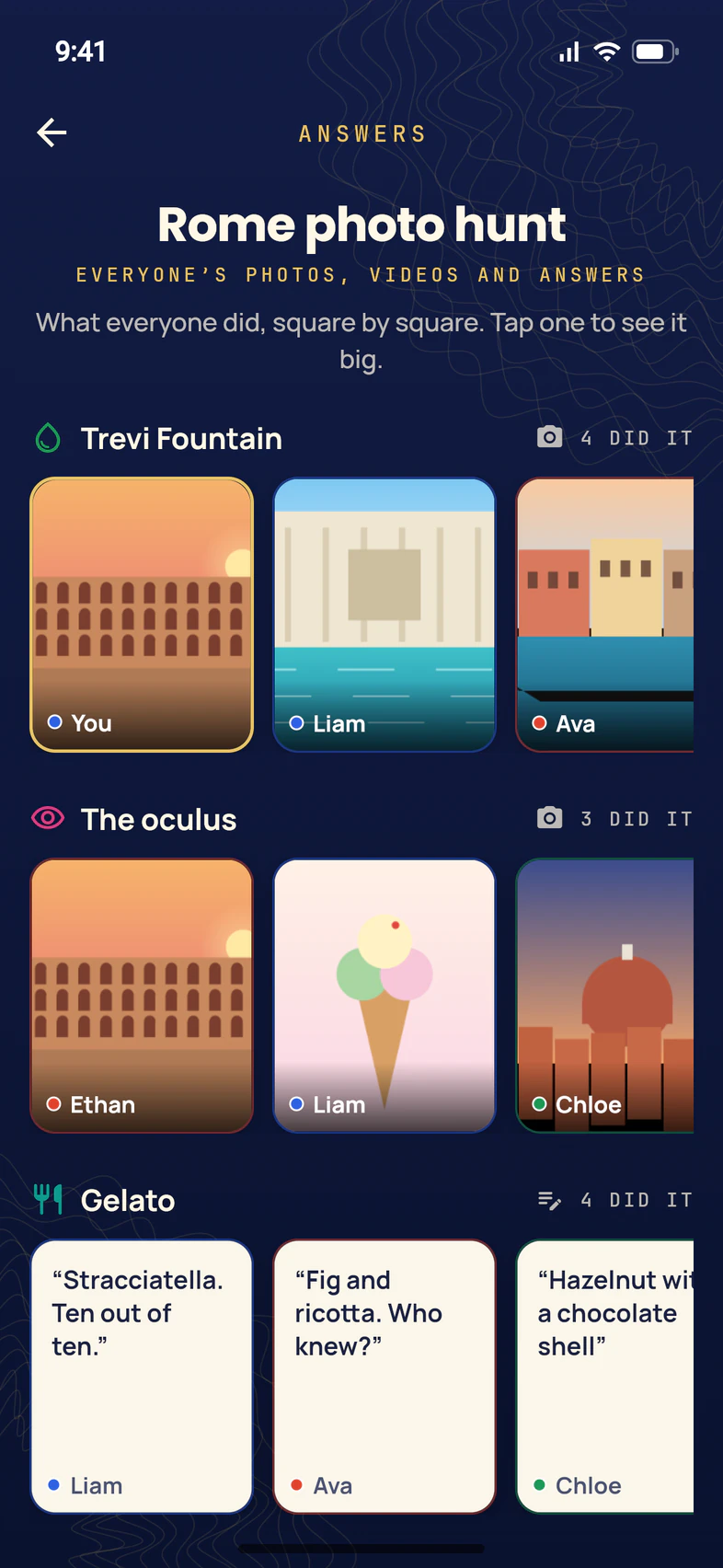
Everyone playing can see what everyone did. On your card, tap the pictures icon at the top right (Everyone’s answers).
Each square that someone has done gets a row 1, with how many did it. Your own is marked You 2, and everyone else's shows their first name and, in a team game, their team's color 3. Tap any of them to see it big.
When you open a square, they're there too, under EVERYONE ELSE.
- Step 7
Play on a team
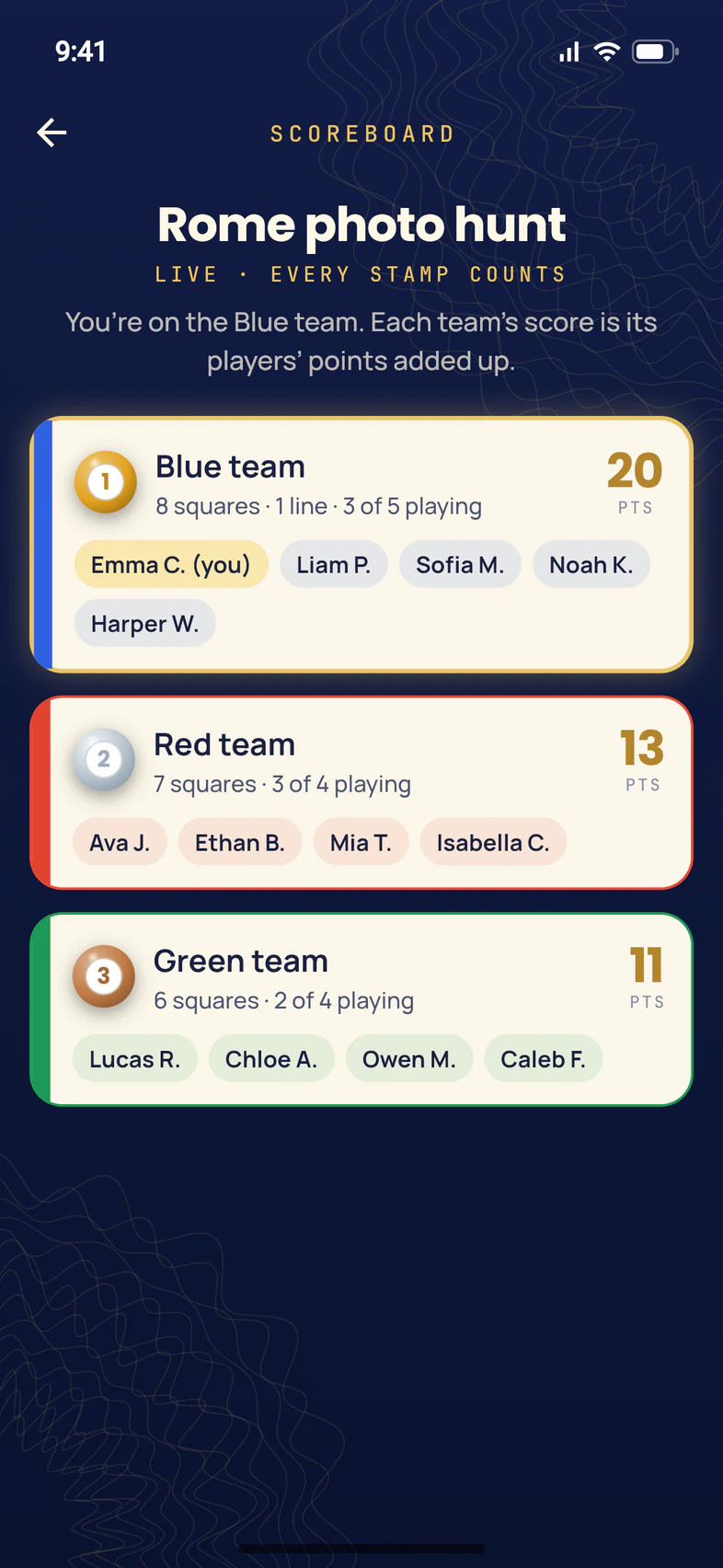
Your leader can split the group into teams. Then your card shows your team, its place and its points: tap Scoreboard to see every team.
The scoreboard lists every team, best first, and says which one you're on, like the Blue team here 1. A team's score 2 is its players' points added up, so every stamp you make counts for your team. You're highlighted among your teammates 3.
It updates as people play. Other players' points don't show until the results: only the team totals.
Your card says Not on a team yet? Your leader puts you on one, and every stamp you've made counts for your team once you're on it.
- Step 8
Watch the results
The game ends when your leader sends the results. You get a notification, "Travel Bingo results are in!", and a RESULTS ARE IN card on Home. Tap Watch the results 1.
The results play on your phone at your own pace: tap the right side to go on, the left side to go back, and ✕ to close. First what the whole group did together, the scoreboard in a team game, then the awards one by one: Storyteller, Most squares, First BINGO, Full card club, Fan favorite, and the Travel Bingo champion (in a team game, The winning team). When an award is yours, your phone says That’s you!
It ends on the group's photos and YOUR BADGES: the awards you won, plus BINGO and Full card badges from your own card. They show on the results card too 2.
The results card stays on Home for three days. After that, open the game under Finished on the Travel Bingo tile and tap Watch the results.
Good to know
Can my parents see Travel Bingo?
No. It's only for the people on the tour. Parents and guardians at home don't see the games, the answers or the results, and they don't get the results notification. The photos and videos you add stay in the game: they don't go into the group's Photos.
Who checks my squares?
Nobody: it's the honor system. Everyone playing can see what you add, and if a square doesn't count, a leader can take it back.
A square I stamped isn't stamped anymore. Why?
Your leader took it back. The stamp and its points go, along with its photo, video or answer. Open the square and it says your leader took it back and when, and that you can do it again: stamp it again to get the points back.
What if I have no signal?
Plain squares stamp anyway: your phone keeps the stamp and sends it when you're back online, and it counts from the moment you stamped it. A photo or video has to send first, so a square that needs one waits until you have signal.
Can we play before the trip?
Yes, if your leader starts a game before you go: there's a card made for that, with things to do at home, like learning a few phrases. It shows on Home like any other game. A game your leader has scheduled for later shows under Coming up, its squares face down until it starts.
I'm a chaperone. Can I play too?
Yes, when your leader lets leaders and chaperones play along, which is on unless they turn it off. Your stamps earn BINGO and full card badges, but adults are never on a team and never win an award. A chaperone your leader has made an admin can also make and run games: see Make a Travel Bingo game.
Screens show a sample family and tour — your names, dates and amounts will differ. Checked against the app November 17, 2026.
Call us. A real person in Worcester picks up.
Monday to Friday, 8am to 4pm Eastern — and around the clock once your group is on tour. Or email passportsgo@passports.com.