
Start and manage chats
Start a chat, add or remove members, message one family, and archive what you're done with.
Every tour has its group chats ready to go, and you can start private chats with anyone on the app: a few travelers, a chaperone or one family.
- Step 1
Your chats
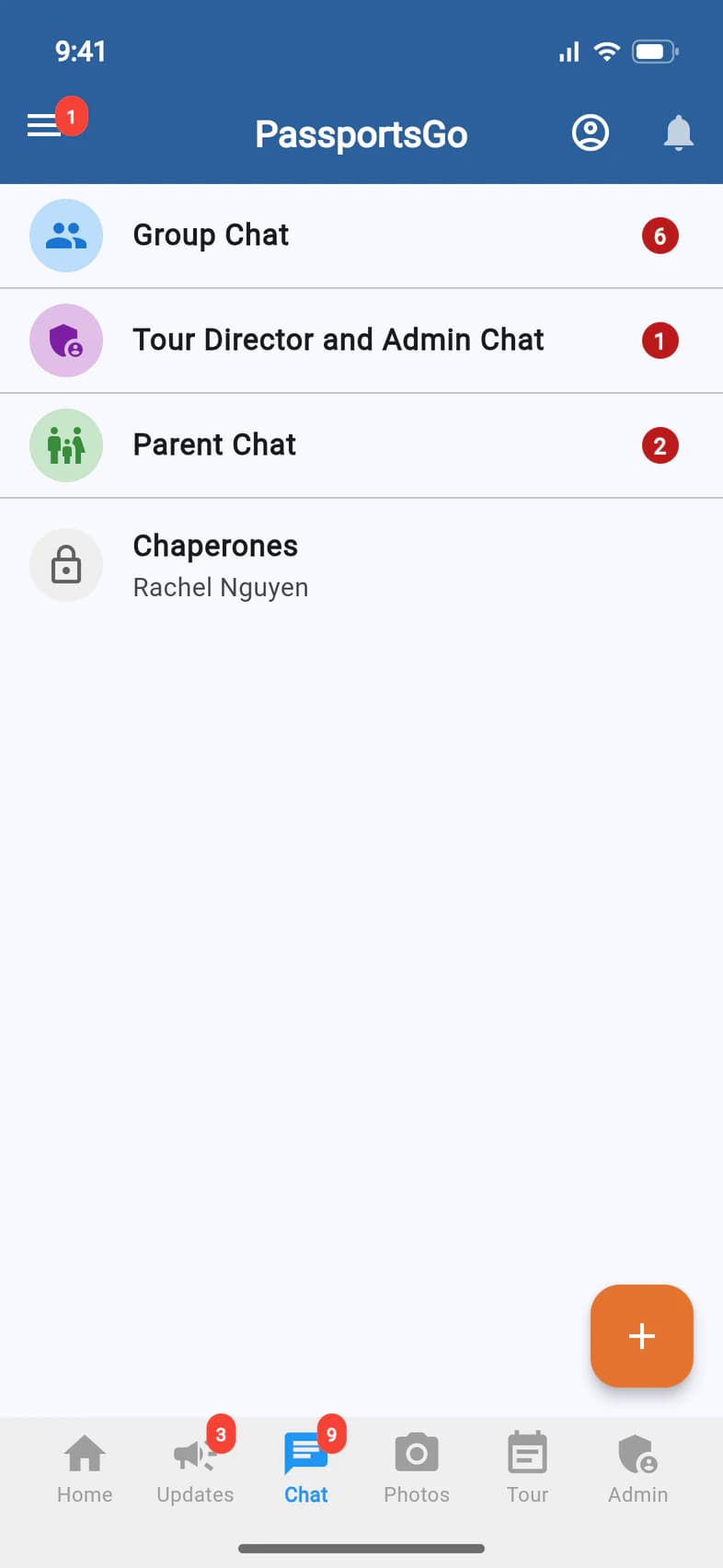
Tap Chat. Every tour has:
- Group Chat 1: travelers, chaperones, you, and your Tour Director once you add them.
- Tour Director and Admin Chat 2: you, your admins and your Tour Director.
- Parent Chat 3: the parents and guardians.
Private chats, like Chaperones 4, are listed below them. Tap + 5 to start a new one.
- Step 2
Start a chat
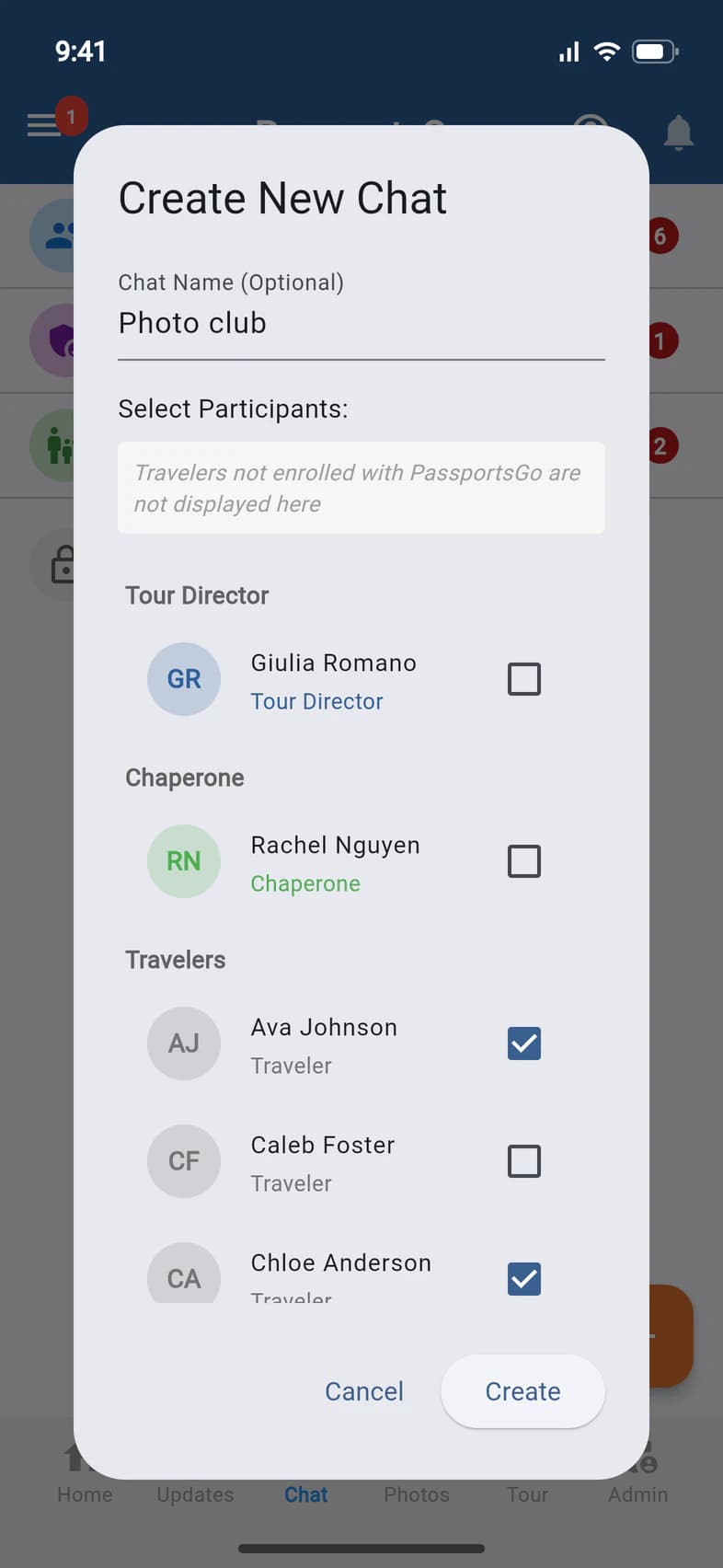
Give the chat a name if you like 1. Under Select Participants 2, tick the people to add 3. Only people on the app are listed. Then tap Create 4.
Already have a chat with exactly those people? PassportsGo offers to open it instead: tap Load Chat.
- Step 3
Inside the group chat
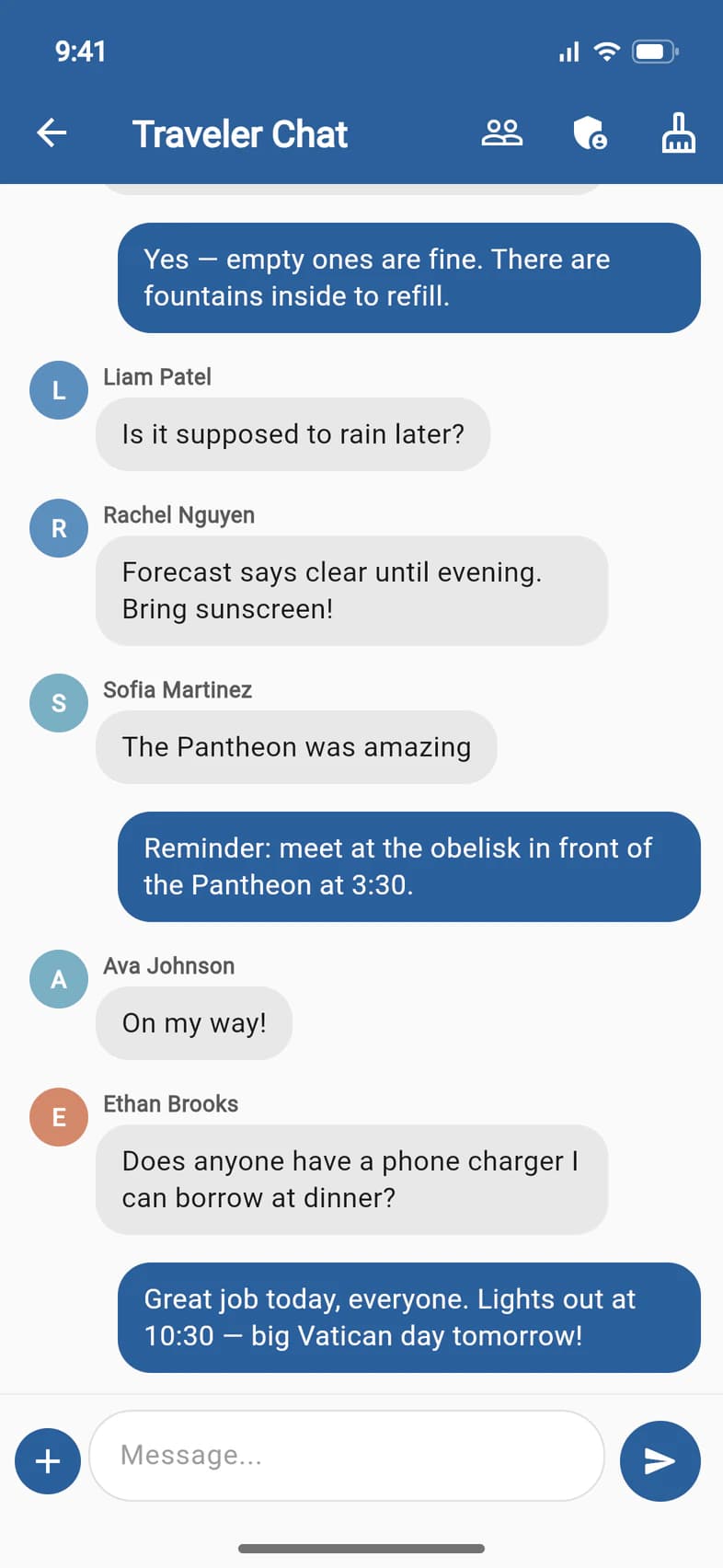
Type in Message... 1 and tap the arrow to send. At the top, the people icon 2 lists the chat's members.
To let your Tour Director read and post here, tap the shield 3, tick their name and tap Save Changes.
The broom 4 (group leaders only) clears the Group Chat for everyone: the messages are archived, not deleted. You'll confirm by typing PURGE.
No shield? It appears once your Tour Director joins your group in PassportsGo. You can also turn on In Group Chat for them in Group Settings: see Work with your Tour Director.
- Step 4
Change a private chat
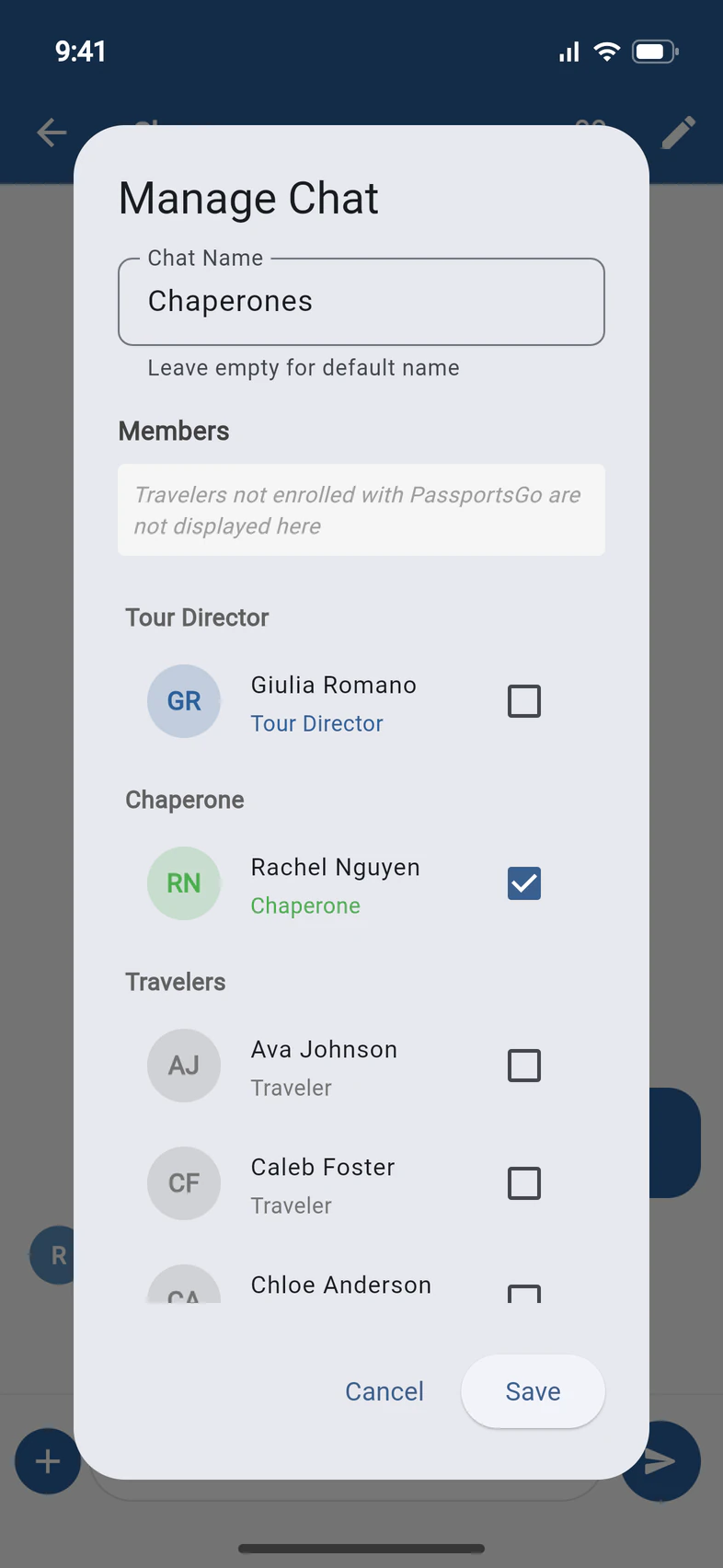
In a private chat, tap the pencil at the top to Manage Chat. Rename it 1, tick or untick Members 2 to add or remove people, and tap Save 3.
Good to know
How do I archive a private chat?
On the Chat tab, swipe the chat and confirm Archive. You and your admins can bring it back later.
Can travelers start chats?
Travelers can always message you with Chat Group Leader. To let them start their own chats too, turn on Let Travelers Create Chats in Admin › Group Settings.
Someone posted something they shouldn't.
Press and hold the message to delete or flag it. Flagged messages are sent to the group leaders.
Screens show a sample family and tour — your names, dates and amounts will differ. Checked against the app September 26, 2026.
Call us. A real person in Worcester picks up.
Monday to Friday, 8am to 4pm Eastern — and around the clock once your group is on tour. Or email passportsgo@passports.com.