
Edit a post and see who read it
Edit or delete a post, and see read counts — with the names of who hasn't read it yet.
After you post an announcement, you can fix a typo, delete it, pin it to the top, and see who has read it, so you know who still needs a nudge.
The whole announcement, from writing it to who’s read it
Post on Updates with a title, a message and a poll, choose who sees it and know when each family is notified, then see the votes, the comments and who hasn't read it yet, and edit or delete it.
Real app screens, sample tour · narration generated with AI
- Step 1
See who has read it
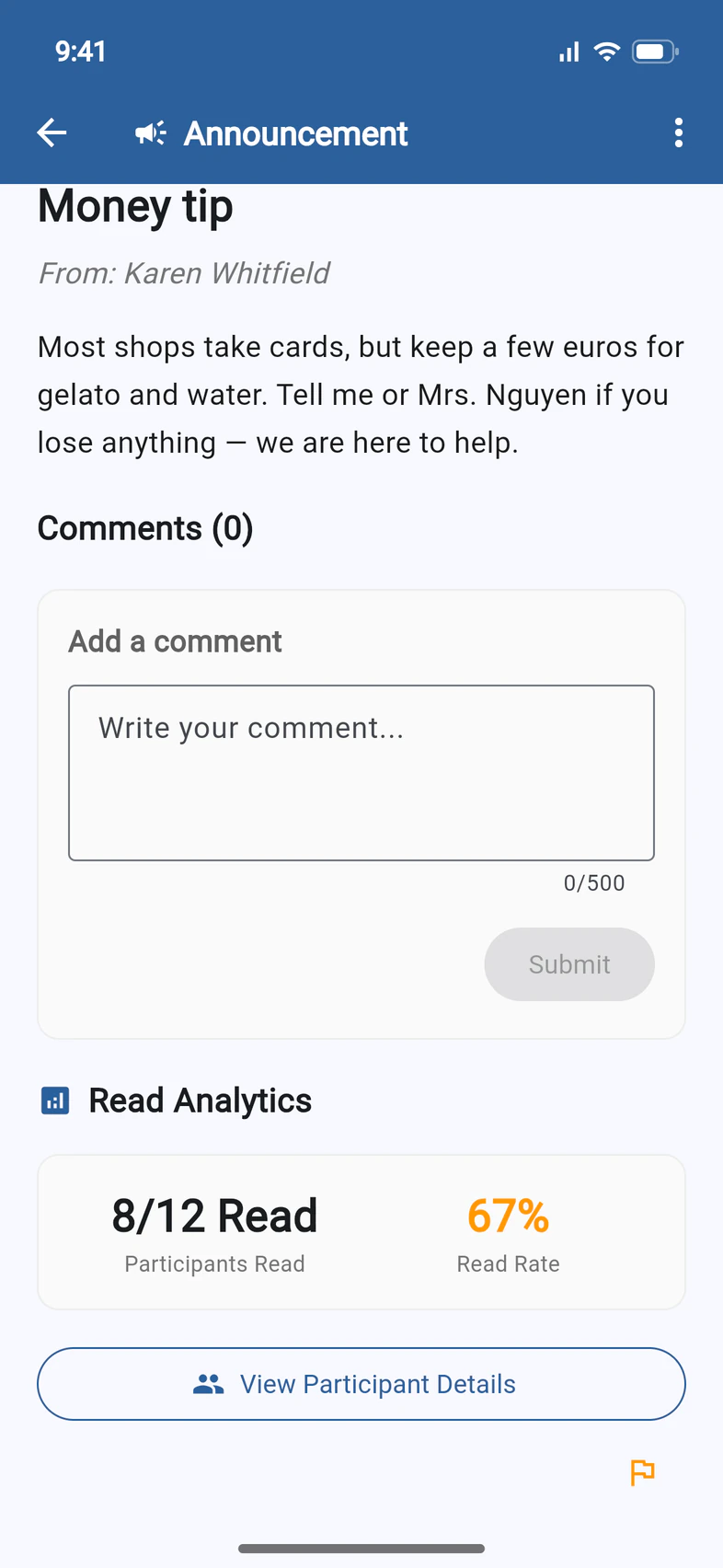
On Updates, tap your post. Near the bottom, Read Analytics 1 shows how many of the people on the app have read it 2.
Tap View Participant Details 3 for the names.
- Step 2
Find who hasn't read it
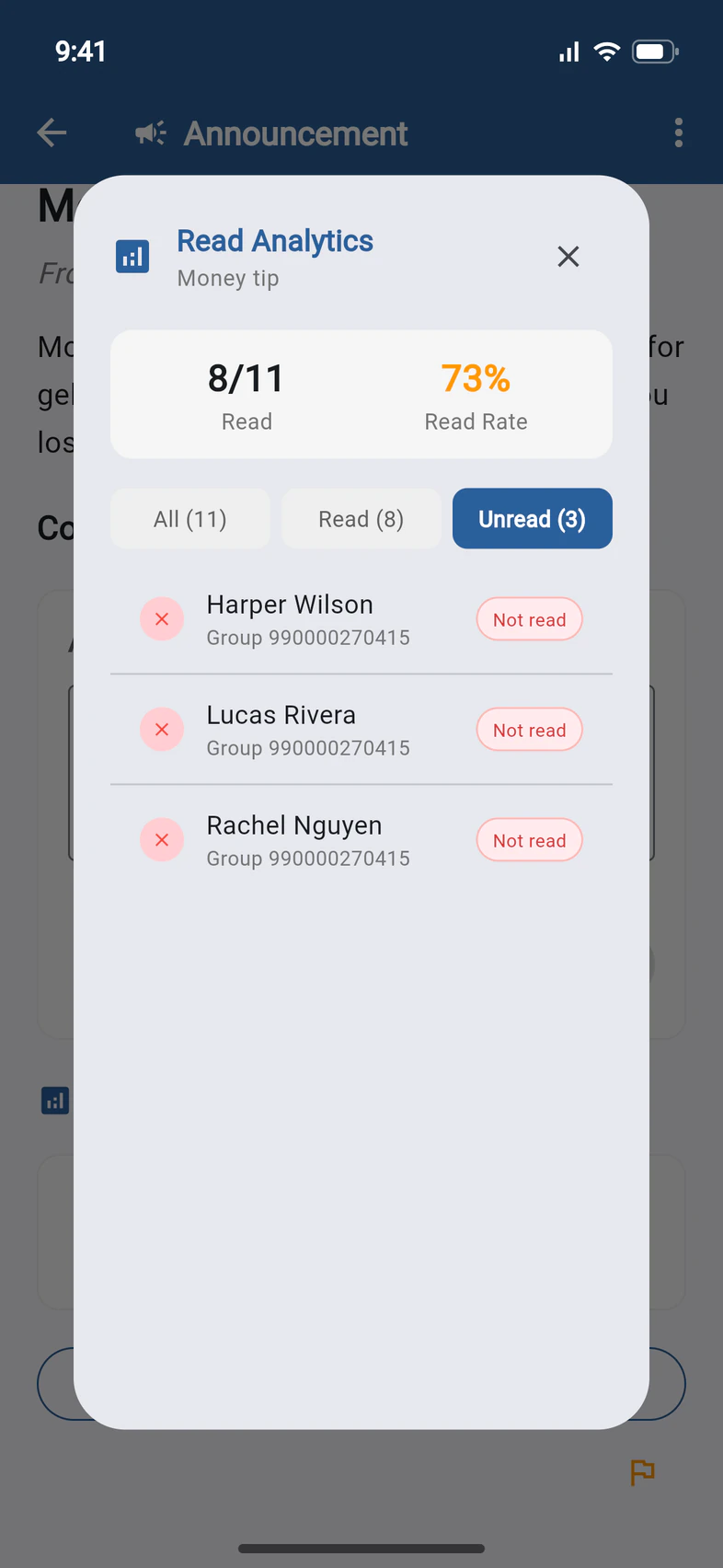
Tap Unread 1 to see who hasn't opened it yet. All lists everyone on the app.
Only people on the app are counted. Families who get announcements by email aren't in the list.
- Step 3
Pin, edit or delete it
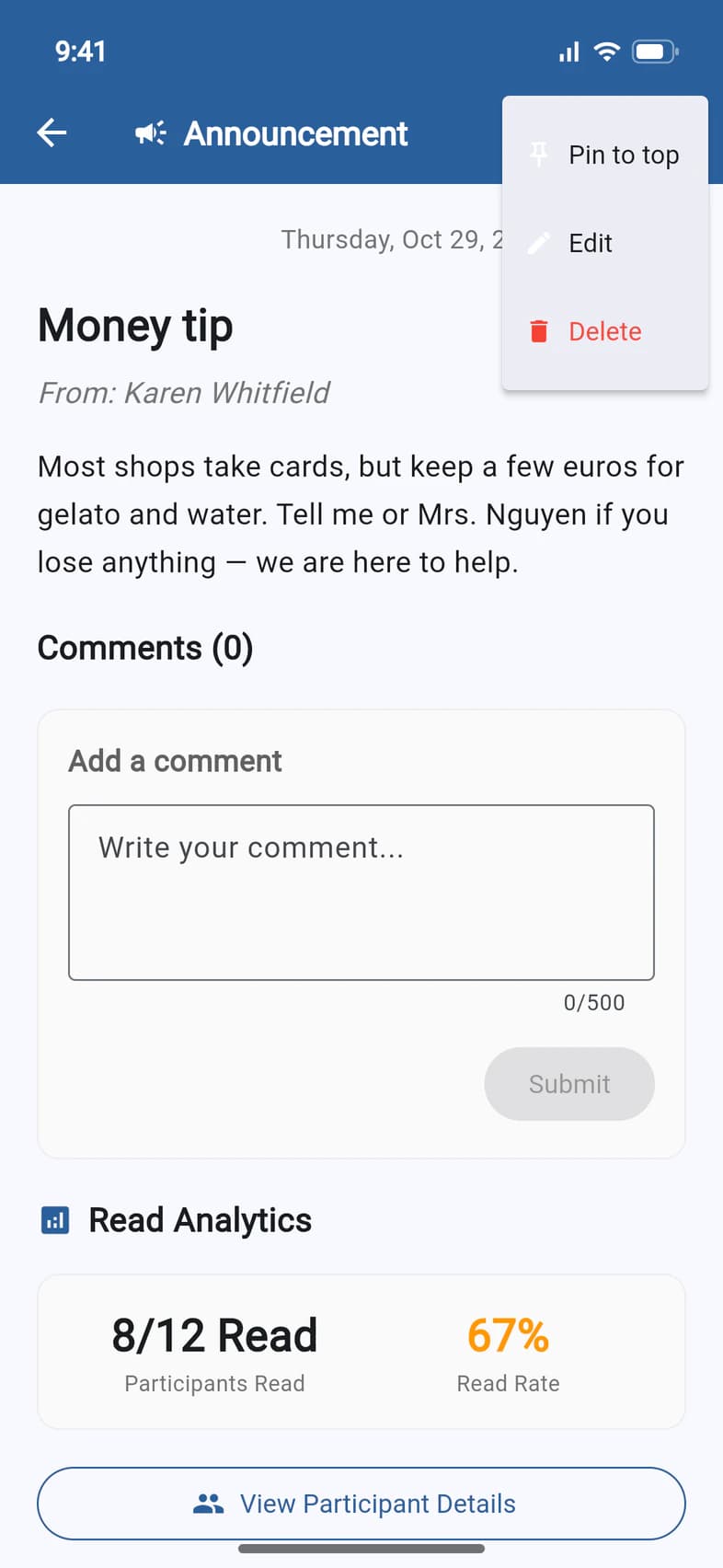
Open the post and tap ⋮ at the top right.
Pin to top 1 keeps the post first on Updates and on Home, for everyone who can see it. One post is pinned at a time: if another one is, PassportsGo asks before replacing it. Once it's pinned, the same menu says Unpin.
Edit 2 opens the post with your text: change it and tap UPDATE. Delete 3 removes it for everyone, after you confirm. It can't be undone.
Editing or pinning doesn't send the post again, and it keeps who has already read it.
Good to know
Who else can see read counts?
Your admins, like chaperones with Admin Functions, and your Tour Director.
Who can pin a post?
You, your admins and your Tour Director. A pinned post says who pinned it and when, above its title. Deleting the pinned post unpins it.
How do I post a new announcement?
See Post an announcement.
Screens show a sample family and tour — your names, dates and amounts will differ. Checked against the app October 12, 2026.
Call us. A real person in Worcester picks up.
Monday to Friday, 8am to 4pm Eastern — and around the clock once your group is on tour. Or email passportsgo@passports.com.