
Post photos and videos
Upload from your camera roll with a title and caption — and download everything after the trip.
Share the trip as it happens: post photos and short videos to the group's album, where travelers and parents can see them. After the tour, download the whole album in one go.
- Step 1
Open Photos
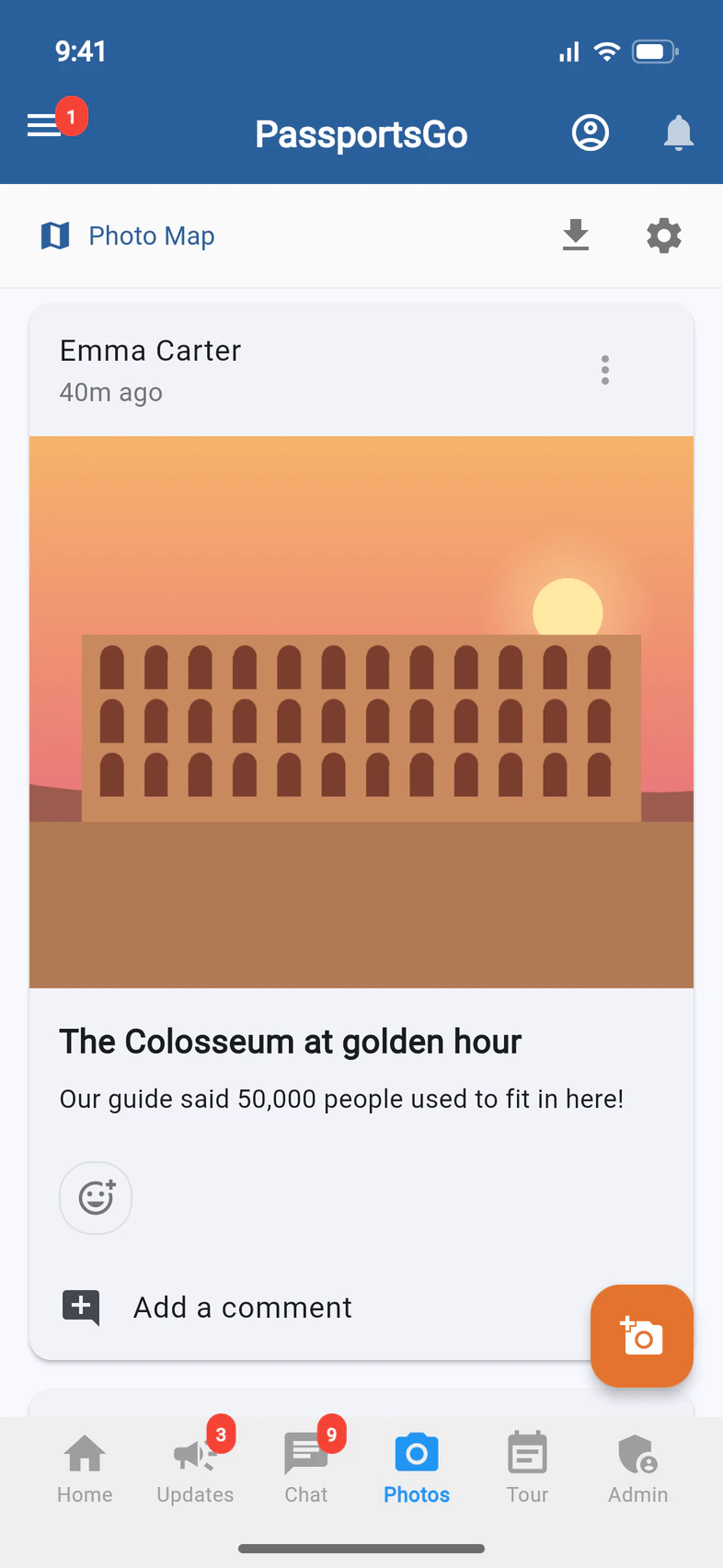
Tap Photos, then the orange camera 1.
If you've turned on photo review, the top of Photos also says how many photos are waiting for you: see Review and remove photos.
- Step 2
Pick your photos
Choose from Gallery 1 adds photos and videos you already took. Photo 2 or Video 3 takes one now. Videos must be under 90 seconds and 100 MB.

- Step 3
Add a title and post
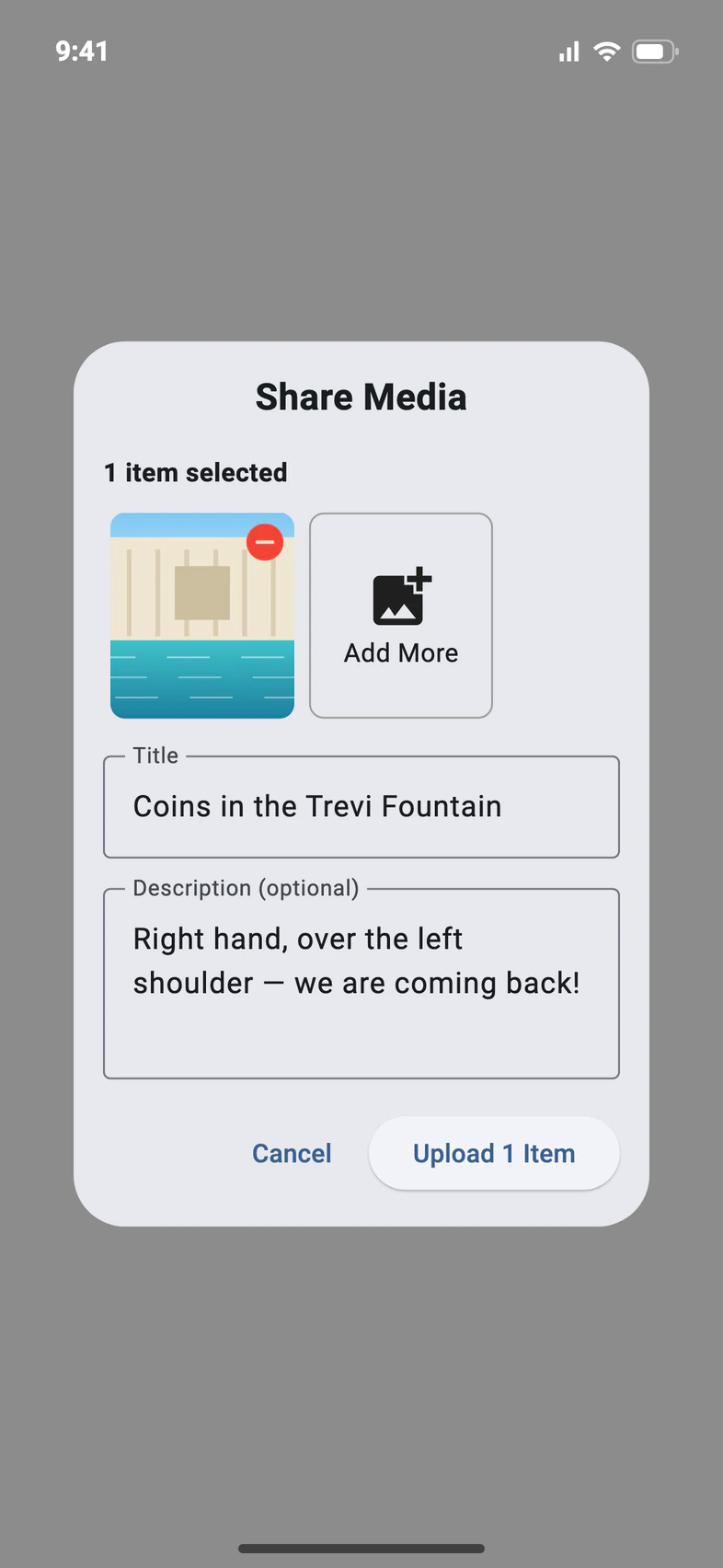
Type a Title 1 (required) and a description if you like. Add More 2 puts several photos in one post. Tap Upload 3.
Picked a lot of photos? Preparing your photos... shows while they're prepared, and Upload and Add More come back once they're in.
Titles can't be changed after you post.
- Step 4
Download the album
After the trip, tap the download arrow 1 at the top of Photos. On a phone, Save to Device saves everything to your gallery, or Email Download Link sends you a link to the whole album.
Good to know
Can I check travelers' photos before everyone sees them?
Yes: see Review and remove photos.
Who sees a photo before I approve it?
With photo review on, only the person who posted it (marked Pending Review) and you and your admins. Travelers, parents and visitors see it on Photos, on Home and on the Photo Map once it's approved. Your own photos, and your admins', post right away.
Who can post?
Travelers, chaperones and you. Parents and visitors can look, react and download.
Why isn't my photo on the Photo Map?
The map shows each photo where it was taken, so the photo has to carry its location. On an iPhone, a photo you pick keeps its location unless the Location switch is off in the photo picker's Options. If a photo you pick has no location, Share Media tells you before you upload and says what to check: that switch, and whether your iPhone's Camera saves locations. Photos posted from a computer don't appear on the map.
Screens show a sample family and tour — your names, dates and amounts will differ. Checked against the app November 3, 2026.
Call us. A real person in Worcester picks up.
Monday to Friday, 8am to 4pm Eastern — and around the clock once your group is on tour. Or email passportsgo@passports.com.