
Run a City Quest
Set up a walking quest for the whole group or in teams, and print the answer key.
A City Quest is a walk through a city on your tour: a string of stops, each with a short story, a question and a team photo. You start it on the day, for the whole group together or as teams racing each other, and everyone follows along on their own phone.
Want to see one first? City Quest: The Game turns real City Quests into a free 3D game you can play in a browser or right in PassportsGo (☰, then Fun & Games), with your class or on your own.
The whole quest, from setup to the recap
Choose a City Quest and its stops, start it for the whole group or as racing teams, follow every team's progress, and end with a recap everyone can open from Home.
Real app screens, sample tour · narration generated with AI
- Step 1
Find City Quests
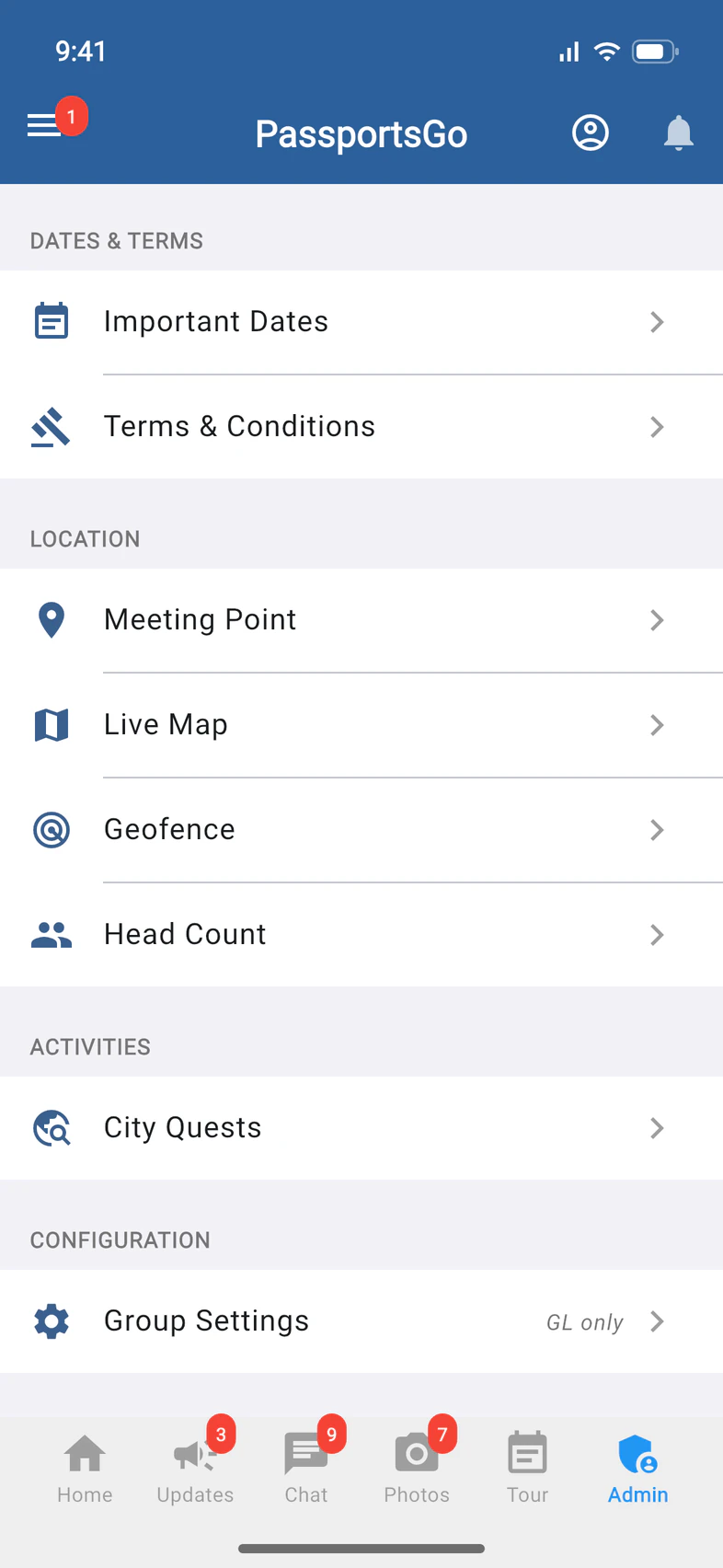
Tap Admin. Under Activities, tap City Quests 1.
- Step 2
Pick a quest
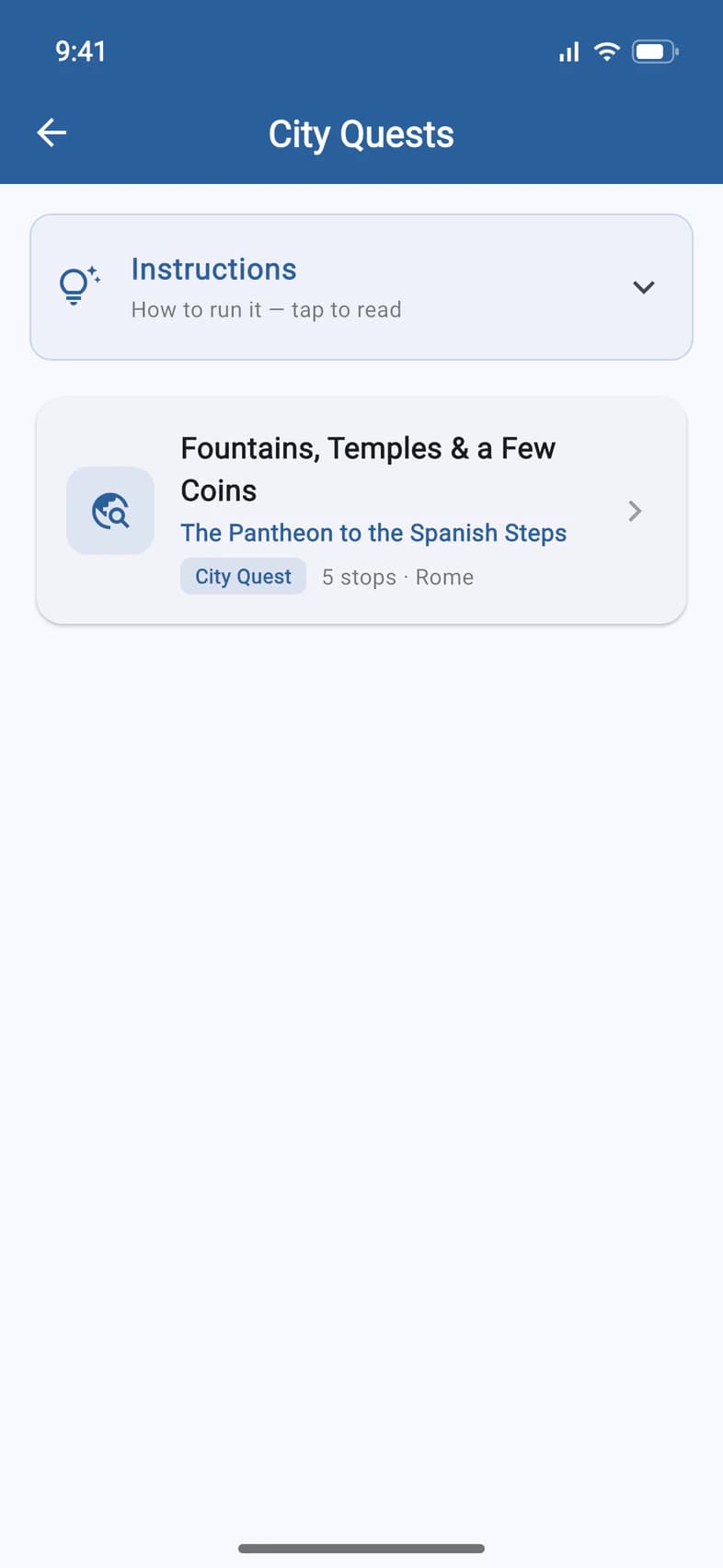
Tap a quest to open it 1. Each one says where it walks, how many stops it has and the city.
New to City Quests? Instructions at the top of the list is a how-to for leaders: tap it to read.
- Step 3
Read the introduction
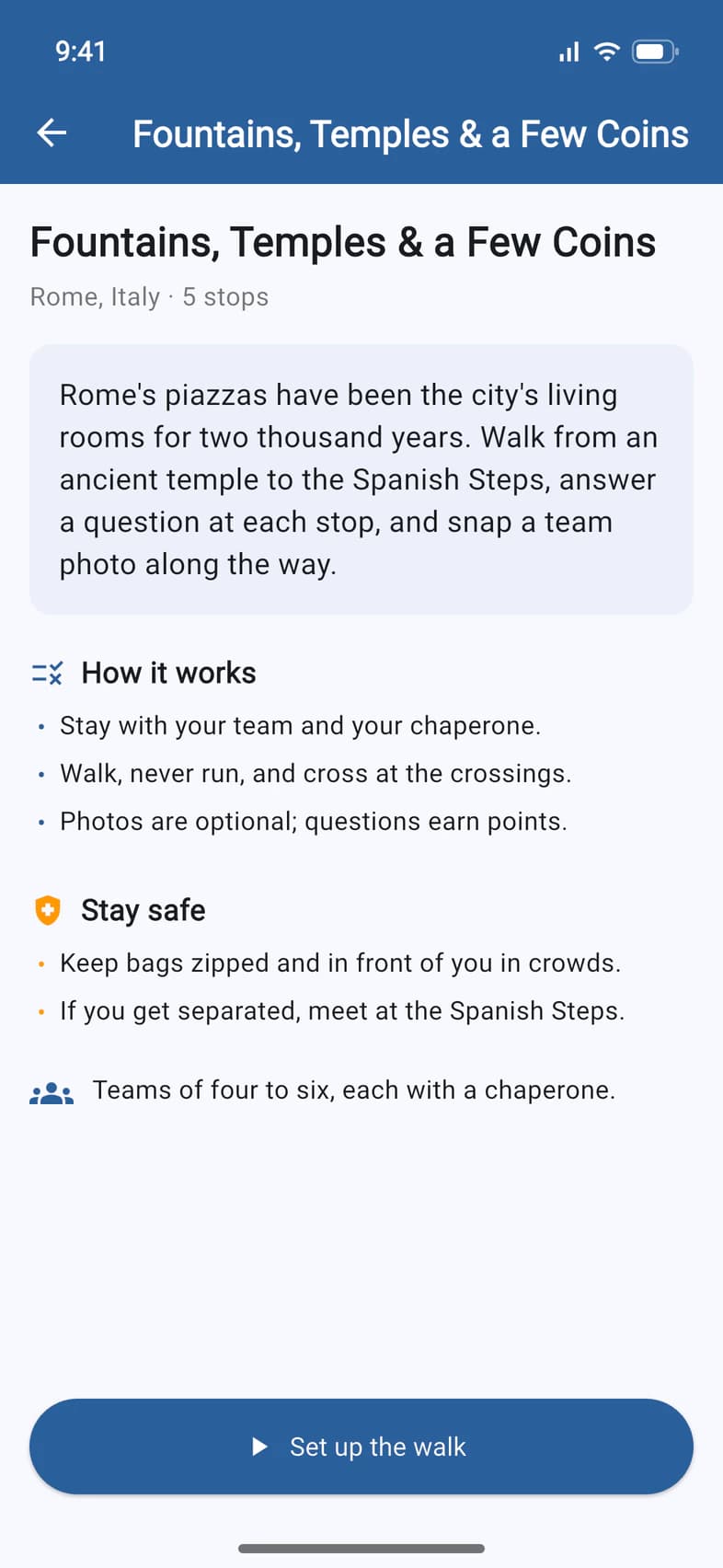
The quest opens with its story, How it works 1 and Stay safe 2: good things to read to the group. Then tap Set up the walk 3.
- Step 4
Choose your stops
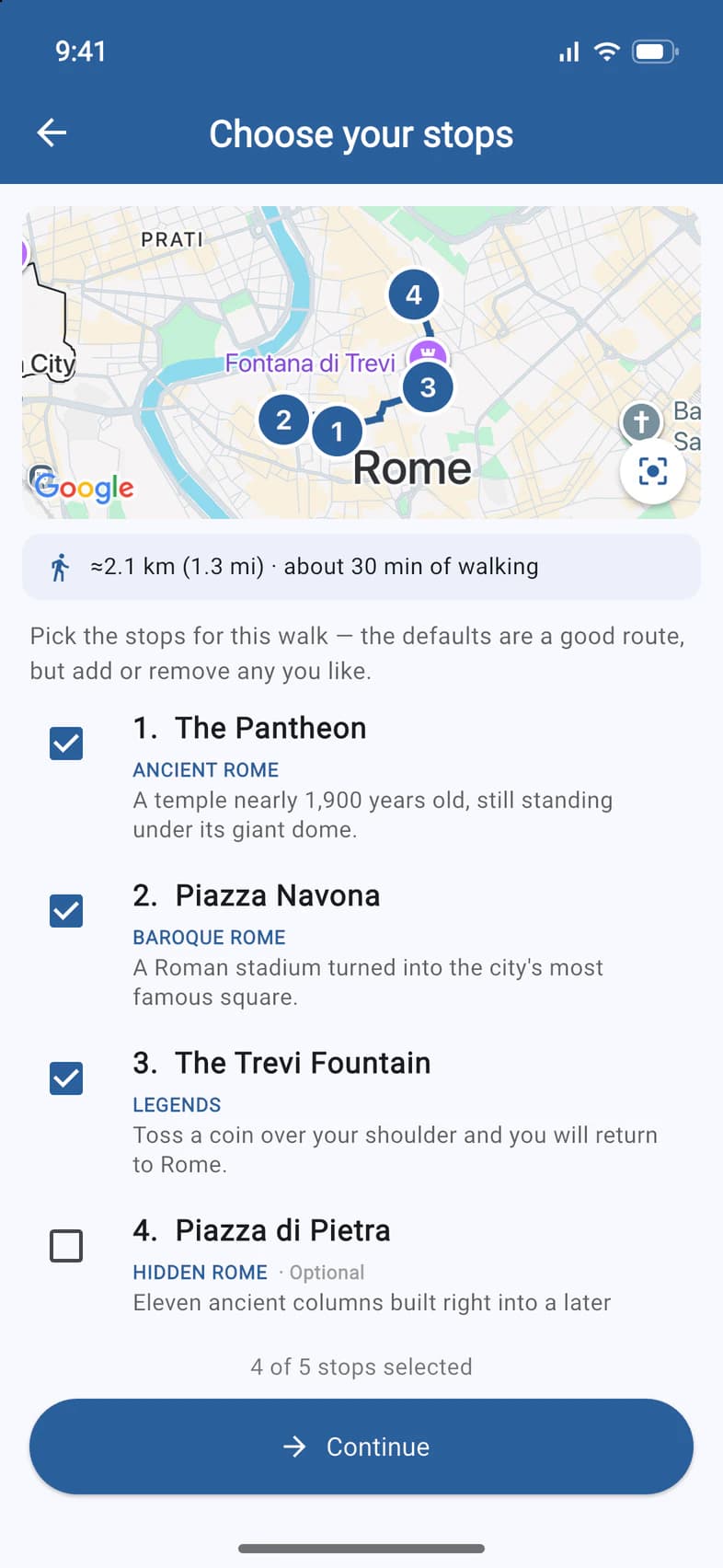
The map draws the walking route through the stops 1, with how far and how long you'll walk 2. The recommended stops are already ticked: tap a stop to drop it or add it back.
- Step 5
Add an extra, then confirm
Stops marked Optional 1 are extras and start unticked. When the list is right, tap Continue 2.
- Step 6
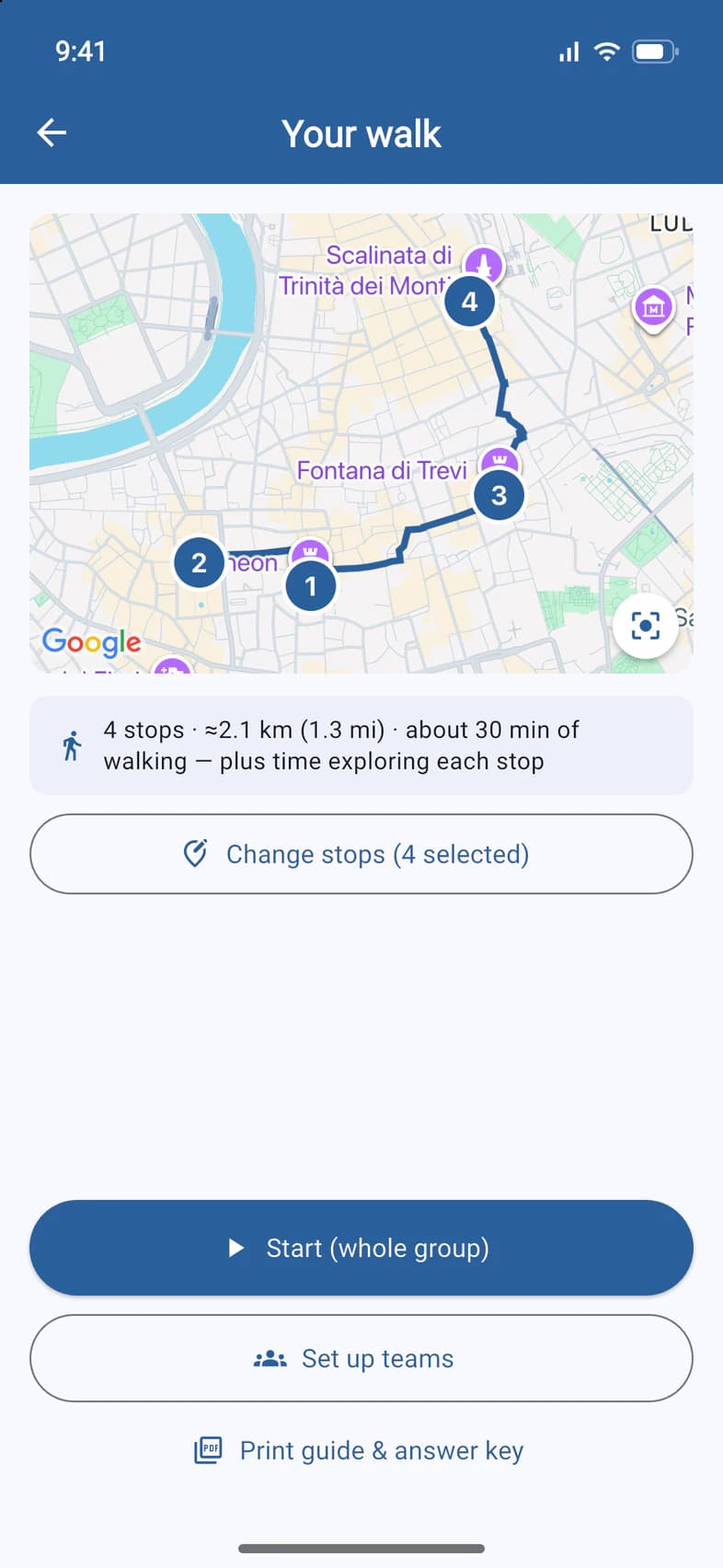
Start the quest
Your walk shows the route once more. Tap Start (whole group) 1 to walk together, or Set up teams 2 to race.
Print guide & answer key 3 makes a PDF with every stop and every answer: keep it away from the players.
The start buttons unlock once your tour has begun. Starting sends everyone traveling a notification.
- Step 7
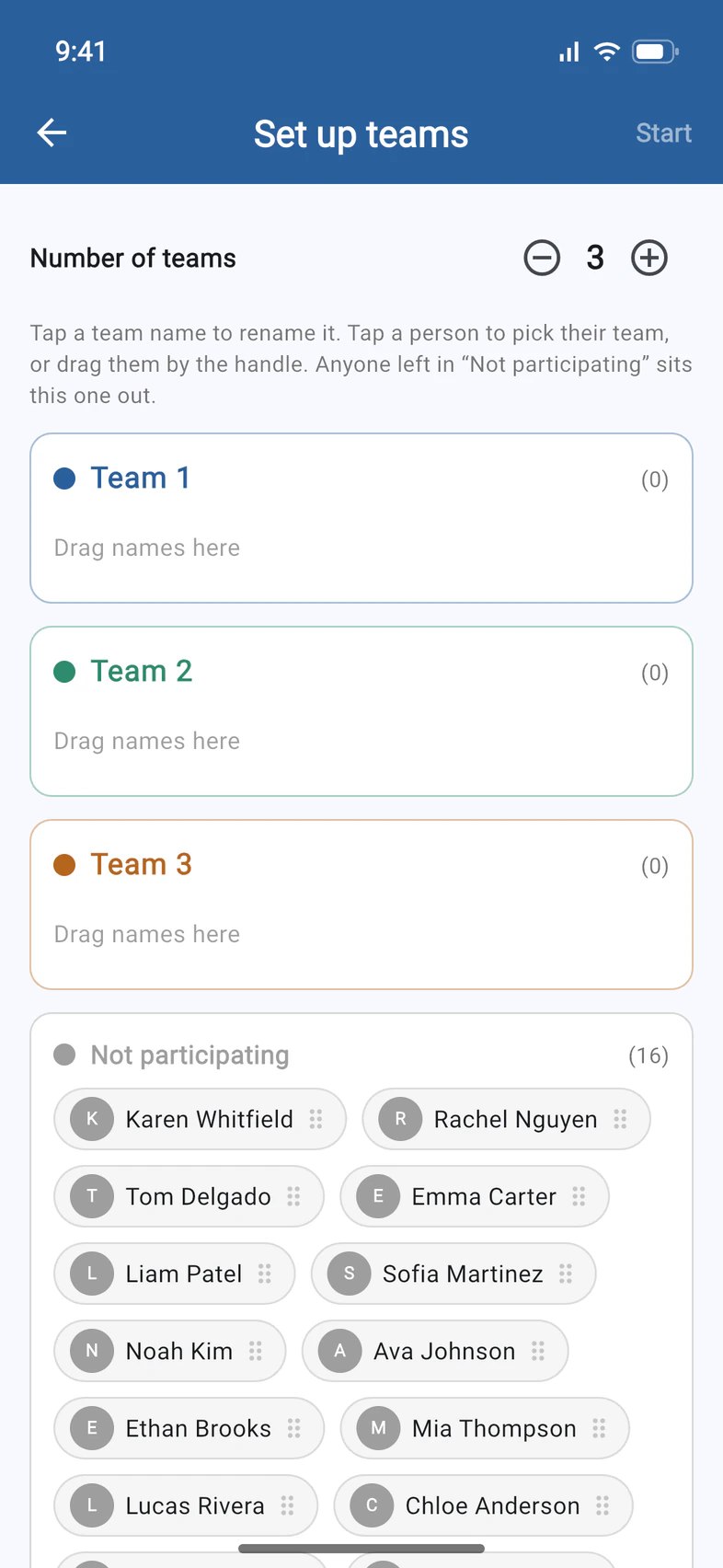
Racing? Make the teams
Choose the Number of teams 1. Everyone starts under Not participating: tap a person to pick their team, or drag them by the handle. Anyone left there sits this one out. Tap Start 2 when the teams are ready.
- Step 8
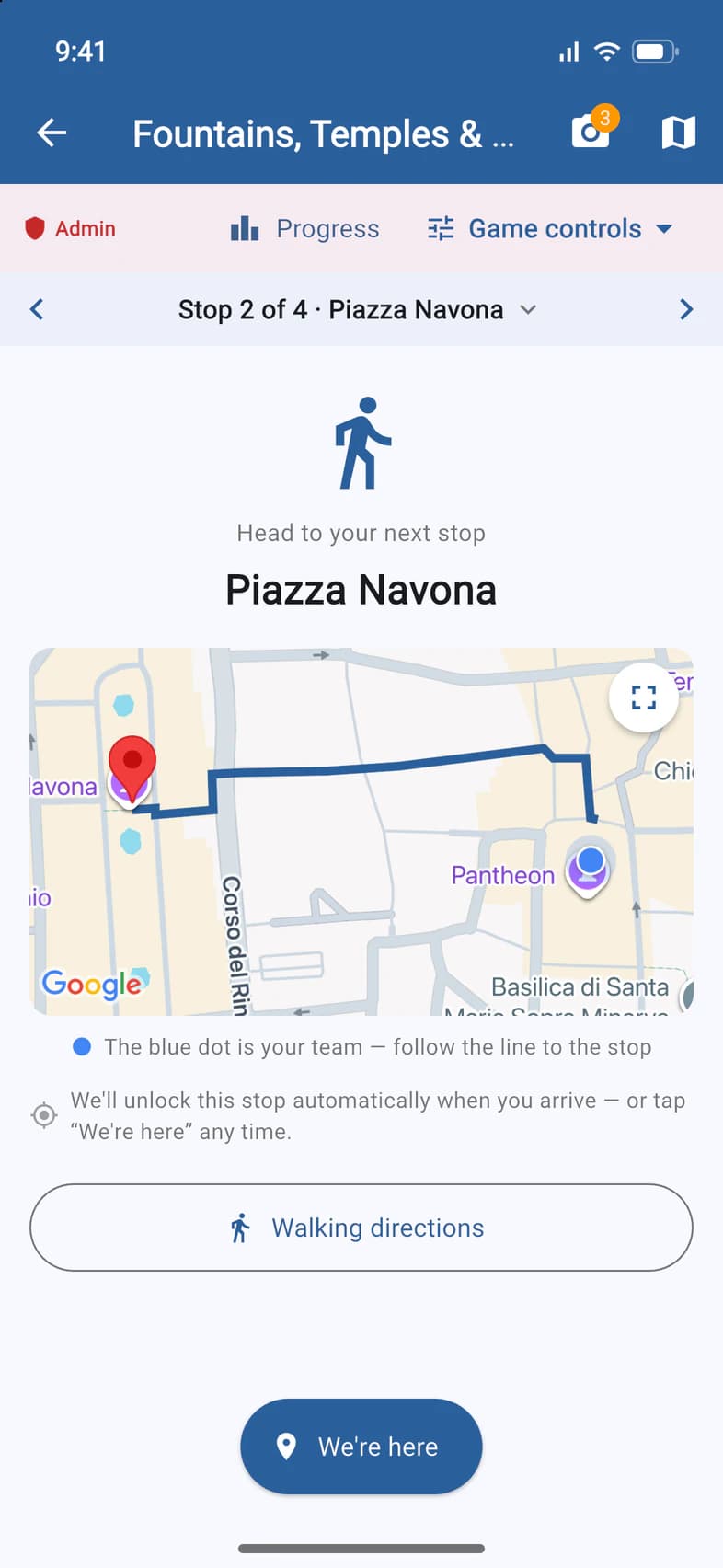
Lead from the quest
Playing as a whole group, you're on the team too: the quest opens from Home or City Quests with an Admin bar on top that only leaders see. It has Progress 1, and Game controls 2 to end the quest (results are kept), restart it, or cancel it (progress is deleted).
Racing teams you're not on? Open the quest from City Quests and tap Watch.
- Step 9
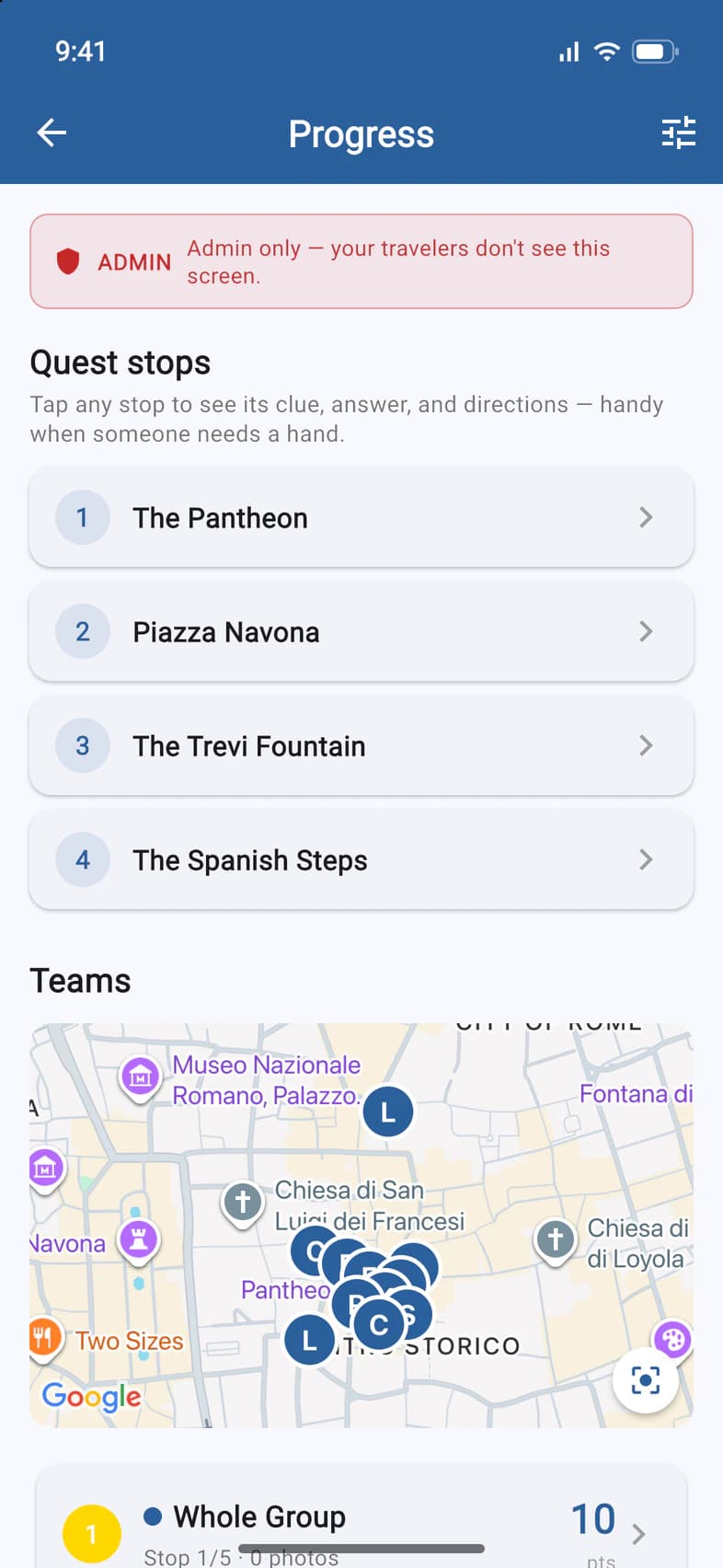
Check progress
Progress starts with the Quest stops 1: tap one for its clue, answer and directions, handy when someone needs a hand. Below, the map shows where everyone is, then each team's score.
Good to know
I don't see City Quests under Admin.
The section appears when there's a quest for one of your tour's cities and City Quests is switched on for your group. Expecting one? Ask Passports.
Does everyone need the app?
No. Teams are made from everyone traveling, app or not. Each team plays on its members' phones, so a traveler without the app simply walks with their team.
What do parents see?
Parents don't play. Once the quest ends, everyone, parents included, can open the recap from Home: the route, the teams and their photos.
Screens show a sample family and tour — your names, dates and amounts will differ. Checked against the app October 21, 2026.
Call us. A real person in Worcester picks up.
Monday to Friday, 8am to 4pm Eastern — and around the clock once your group is on tour. Or email passportsgo@passports.com.