
Read the day-by-day itinerary
The Tour tab: every day's plan, dining, flights and hotels — and a PDF to print.
The Tour tab has your whole trip: every day's plan, the flights and the hotels, plus a Dining tab for you and your admins.
- Step 1
Open the Day-by-Day
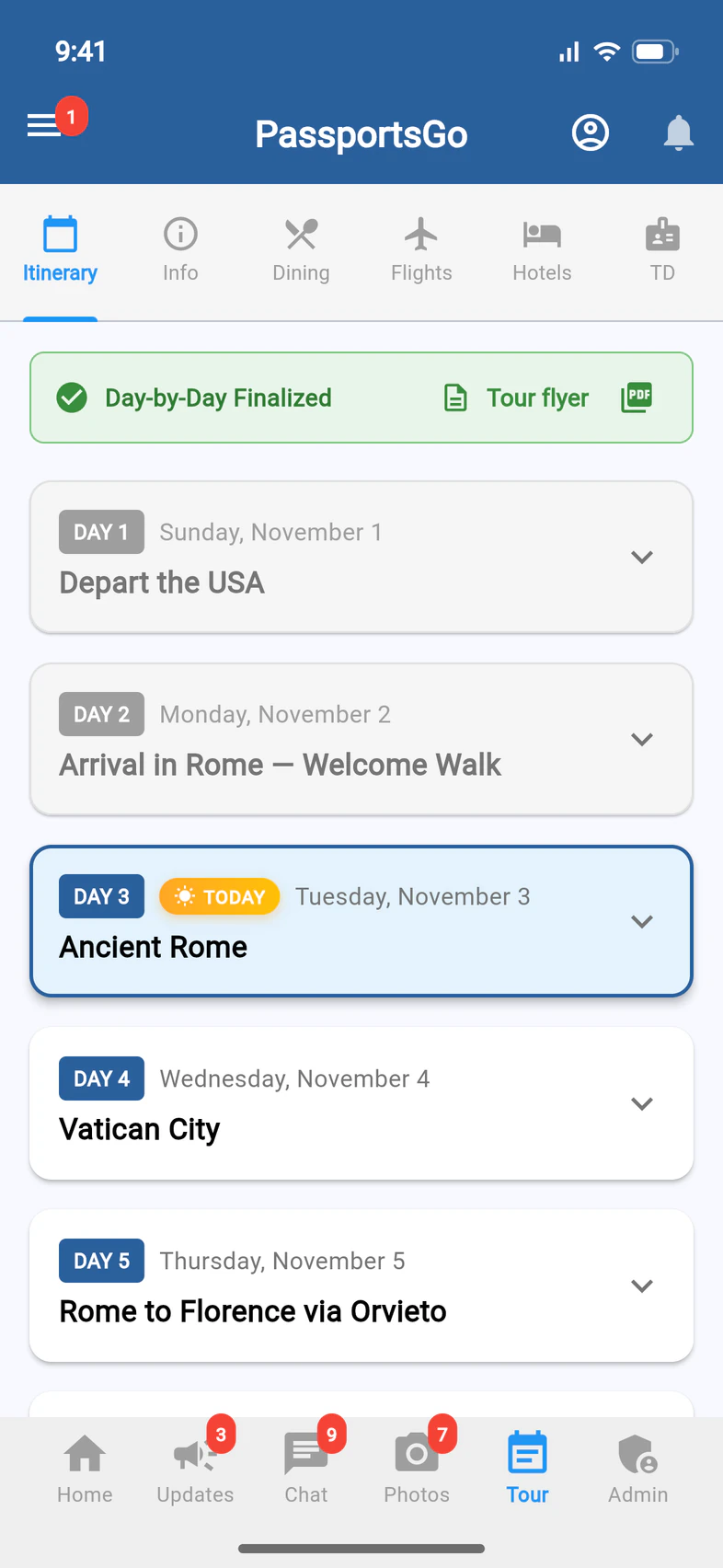
Tap Tour. At the top, Day-by-Day Finalized 1 means the plan is final; Not Final means it can still change. Tour flyer 2 opens your tour's flyer, ready to print or share. Closer to departure, if your tour allows it, the PDF icon 3 beside it exports the Day-by-Day.
Dining 4 lists the group's dietary restrictions, allergies first, and every dinner on the itinerary. Only you, your admins and your Tour Director see it. If you share the tour with another school's group, you see only your own travelers.
Once your Tour Director has joined, the last tab, TD, is how you reach them: see Work with your Tour Director.
The tour flyer is the one-page flyer, the day list with the enrollment QR code and the detailed itinerary. It takes about 15 seconds to build, then opens in the app: tap Print, or Share (Download on a computer). Only you see Tour flyer: your chaperones, families and Tour Director don't.
- Step 2
Open a day
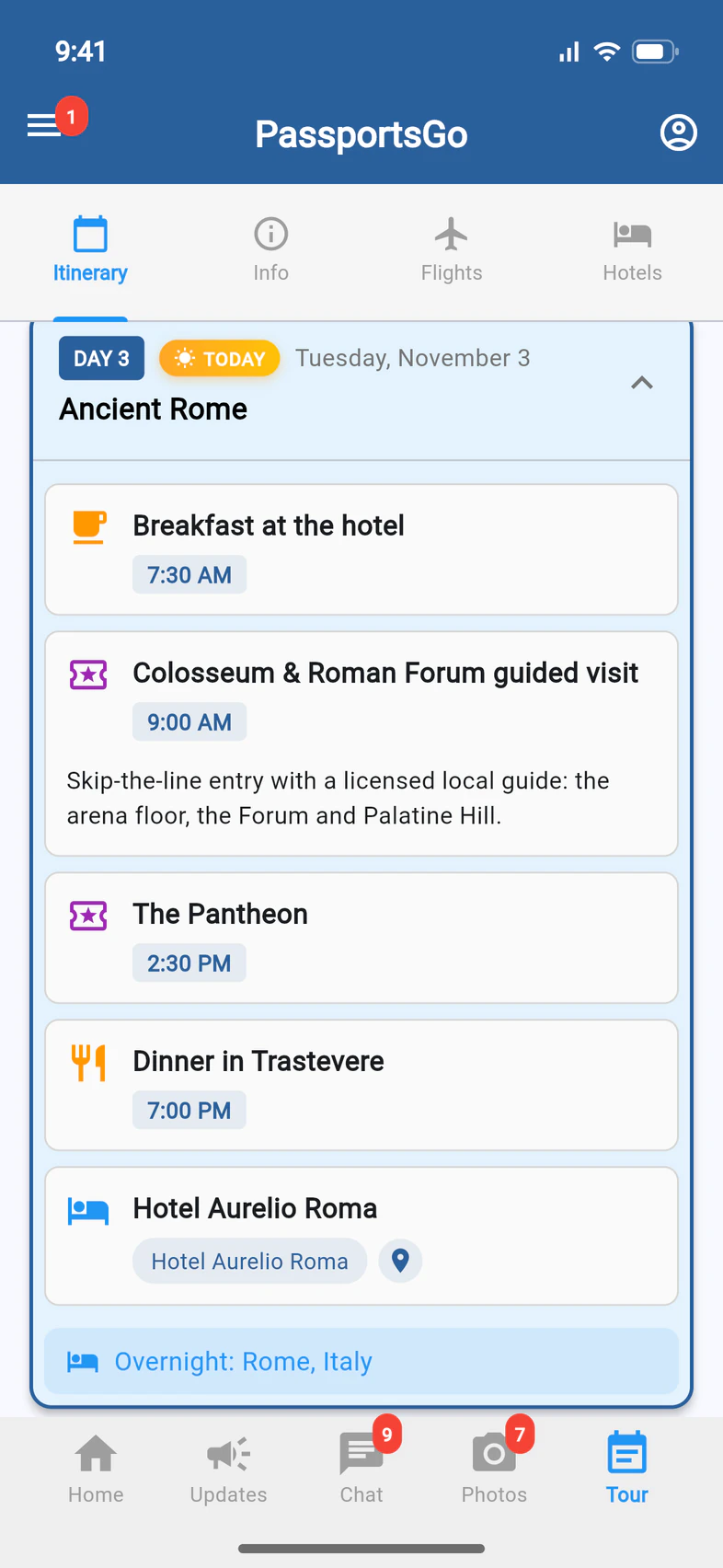
Tap a day 1 for its plan: meals, visits and the hotel, with times.
- Step 3
Flights and hotels
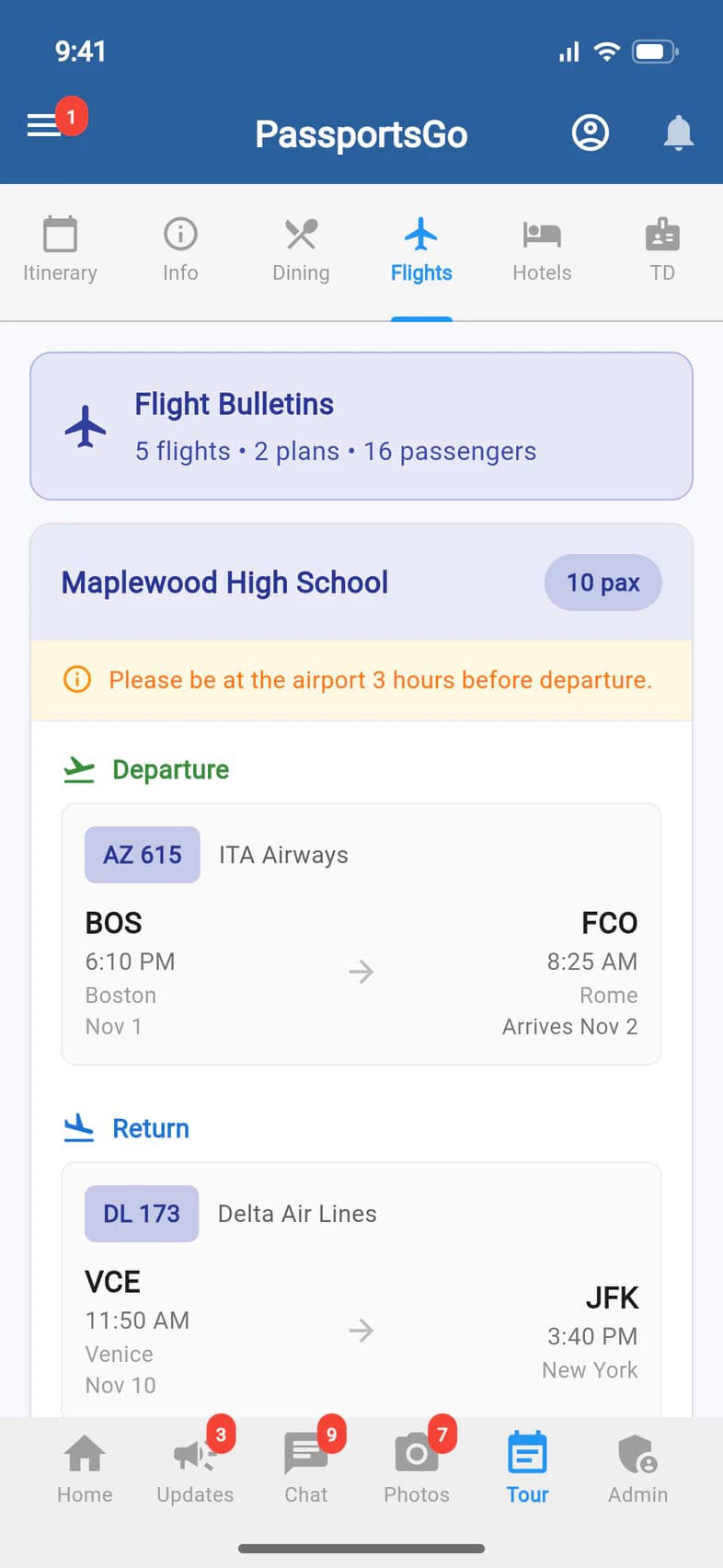
Flights 1 has every flight plan for your group, with how many flights, plans and passengers at the top 2. Each plan lists its Departure 3 and Return 4, with times local to each airport. Hotels lists each stay with its dates.
Good to know
Something in the itinerary looks wrong.
Once you're on tour, changes Passports makes to your bookings, like a new time or meeting place, show up on their own within seconds. If something still looks wrong, ask Passports from the Helpdesk: see Ask Passports a question.
Can families see the itinerary?
Yes. Travelers and parents see the Itinerary, Info, Flights and Hotels, but on Flights only the flight plans they or their traveler are on: you, your admins and your Tour Director see every plan. Dining is for you, your admins and your Tour Director, and TD for you and your admins. Tour flyer is yours alone: to hand the flyer to families, print it or share it.
A hotel just says Overnight.
Passports hasn't released your hotels yet. Until then, a hotel on the day-by-day shows only “Overnight”, with no name, address or map pin, and the exported PDF has no hotels section. Hotels says Hotel details will be available closer to departure. above any rooming lists. Once a hotel's own rooming list is open, its day also shows that hotel's Rooming Allocation and Rooming List button.
Screens show a sample family and tour — your names, dates and amounts will differ. Checked against the app November 3, 2026.
Call us. A real person in Worcester picks up.
Monday to Friday, 8am to 4pm Eastern — and around the clock once your group is on tour. Or email passportsgo@passports.com.