
Open a proposal for a future tour
Proposals for future tours sit in their own list in the menu, apart from your booked tours.
When Passports sends you a proposal for a future tour, it appears in PassportsGo before anyone has enrolled, so you can make it yours and start recruiting. Proposals have their own list in the menu, apart from your booked tours.
- Step 1
Find your proposals
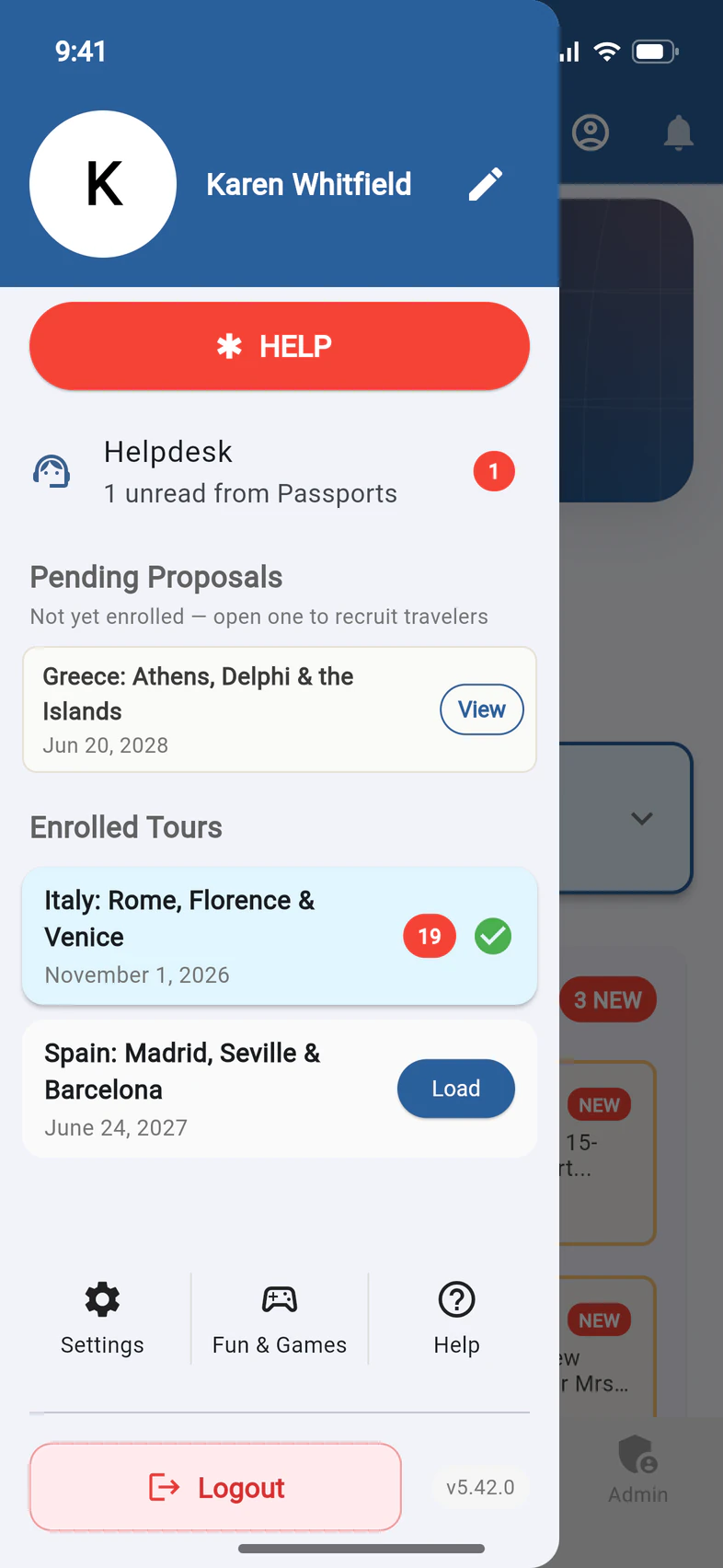
Tap ☰. Pending Proposals 1 lists the tours proposed to you that nobody has enrolled in yet, each with its departure date. Tours that are already booked are below, under Enrolled Tours 2.
With more than four proposals, the rest are behind Show all.
- Step 2
Open one
Tap View 1 next to the proposal.
- Step 3
Make it yours
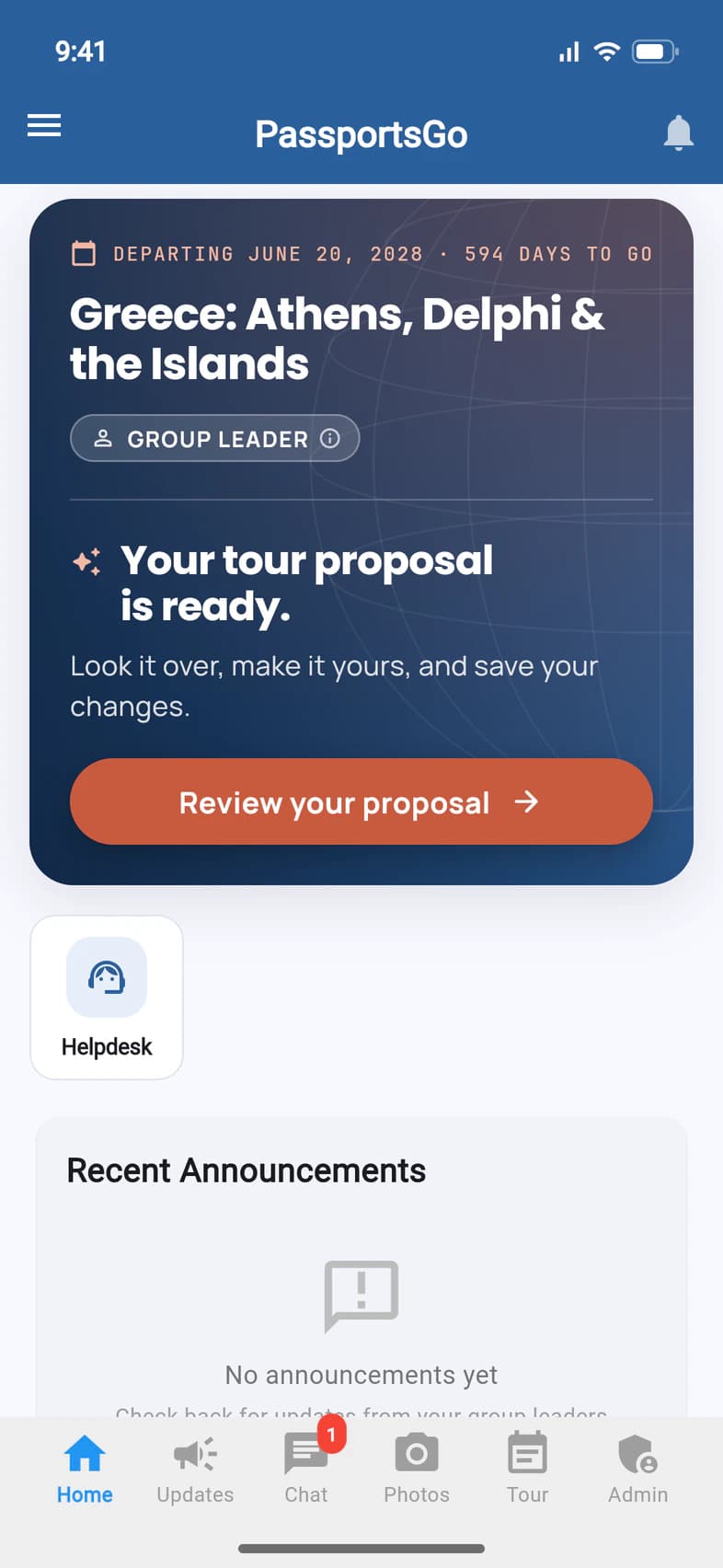
The proposal opens like a tour. Home's title card says Your tour proposal is ready. 1 Tap Review your proposal to open your Tour Proposal: look over the itinerary, try the tour options, set your Tour ID and save your changes. See Review your tour proposal.
Then invite families from Recruitment. The tour becomes active with the first enrollment.
Want help before anyone enrolls? On Admin › Chaperones & visitors, add a visitor with Can use Recruitment: see Let someone help you recruit.
Good to know
What happens when someone enrolls?
The proposal becomes an active tour and moves to Enrolled Tours in the menu. From then on, changes to the tour go to Passports as a request. Families can enroll once Passports opens enrollment: your Tour Proposal says whether it's open yet.
Home says Your tour proposal is ready.
That's your Tour Proposal. Tap Review your proposal, or anywhere on that part of the card, to look over the tour, try the options, set your Tour ID and save your changes: see Review your tour proposal. If Passports asks you to approve it, the button says Review & approve instead. Once your recruitment materials are ordered, the card reads A proposal, not yet enrolled., with your Tour ID and View your proposal.
Home says Your proposal isn't available right now.
Your Tour Advisor is preparing or revising it, so it can't be opened for now. You'll hear from them as soon as it's ready. With several proposals, one being revised is marked Being updated and Not available right now on Your tour proposals and doesn't open.
Home says You have 3 tour proposals.
With two or more proposals, tap See your proposals to compare them side by side, then open the one you like. See Review your tour proposal.
A proposal for a year I've already booked isn't listed.
Once you've booked a tour for a year, other proposals for that year under the same teacher number stay out of Pending Proposals. A second tour that Passports sets up for you that year under another teacher number is listed. Missing one? Ask your Tour Advisor.
Why are My Account and Travelers missing on a proposal?
Nobody has enrolled yet, so there are no travelers' records to open and nobody on the Traveler List.
I don't have a booked tour yet.
You can still sign in. PassportsGo opens on your proposal's Home, and the menu lists it under Pending Proposals. Enrolled Tours appears once you have a booked tour.
How do I get back to my current tour?
Tap ☰ and choose it under Enrolled Tours.
Screens show a sample family and tour — your names, dates and amounts will differ. Checked against the app November 3, 2026.
Call us. A real person in Worcester picks up.
Monday to Friday, 8am to 4pm Eastern — and around the clock once your group is on tour. Or email passportsgo@passports.com.