
Build your interest list
Paste names, emails and phone numbers — web sign-ups land on the list by themselves.
Your interest list is everyone you'd like to invite on the trip. Paste in a class list, and families who sign up on your enrollment page land on it by themselves. Nobody on the list hears from you until you message them.
- Step 1
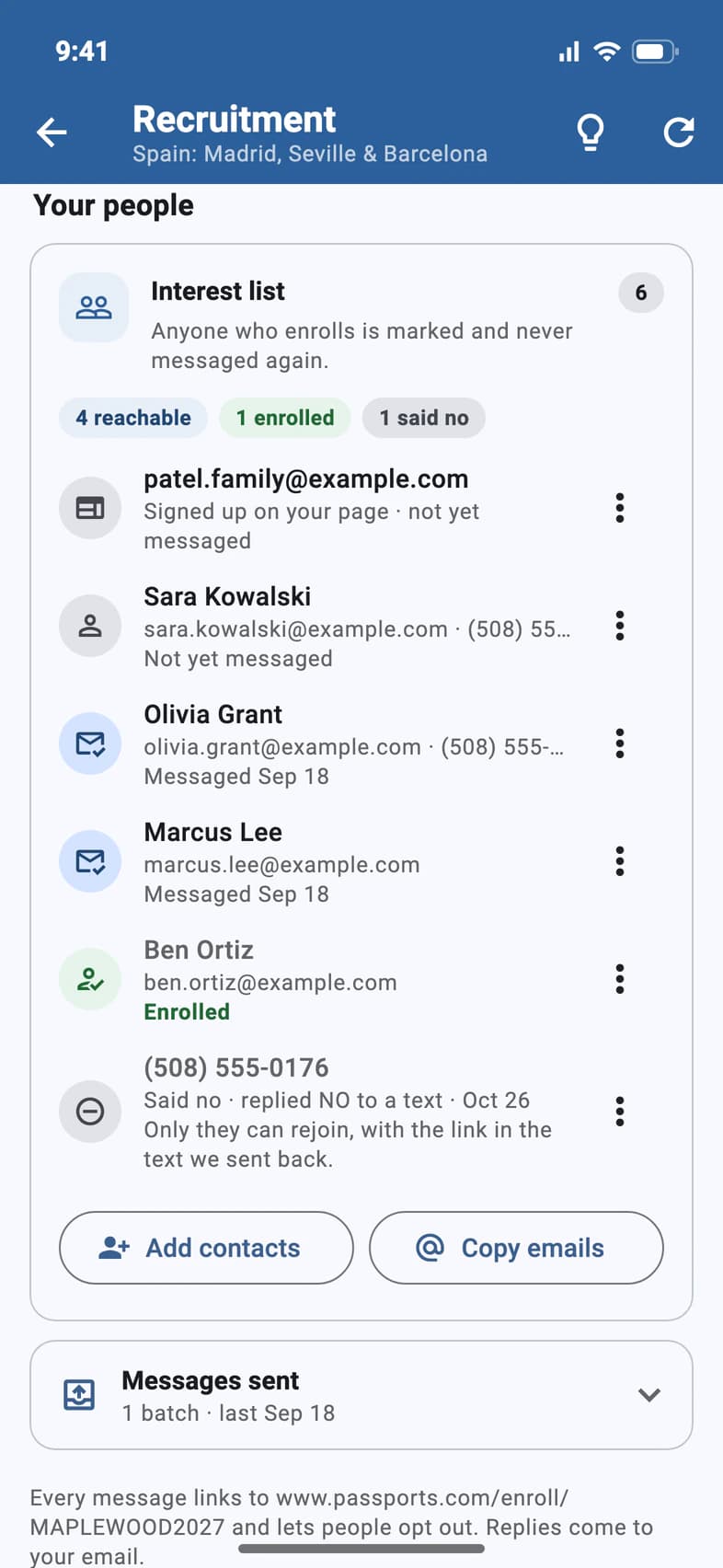
Tap Add contacts
On the Recruitment tab (Recruitment on Home, or Recruitment Hub on Admin), scroll down to Your people and tap Add contacts 1, under the list. Add families to your list opens.
While your list is empty, Add contacts is the button on the Your next step card at the top instead.
- Step 2
Paste your list
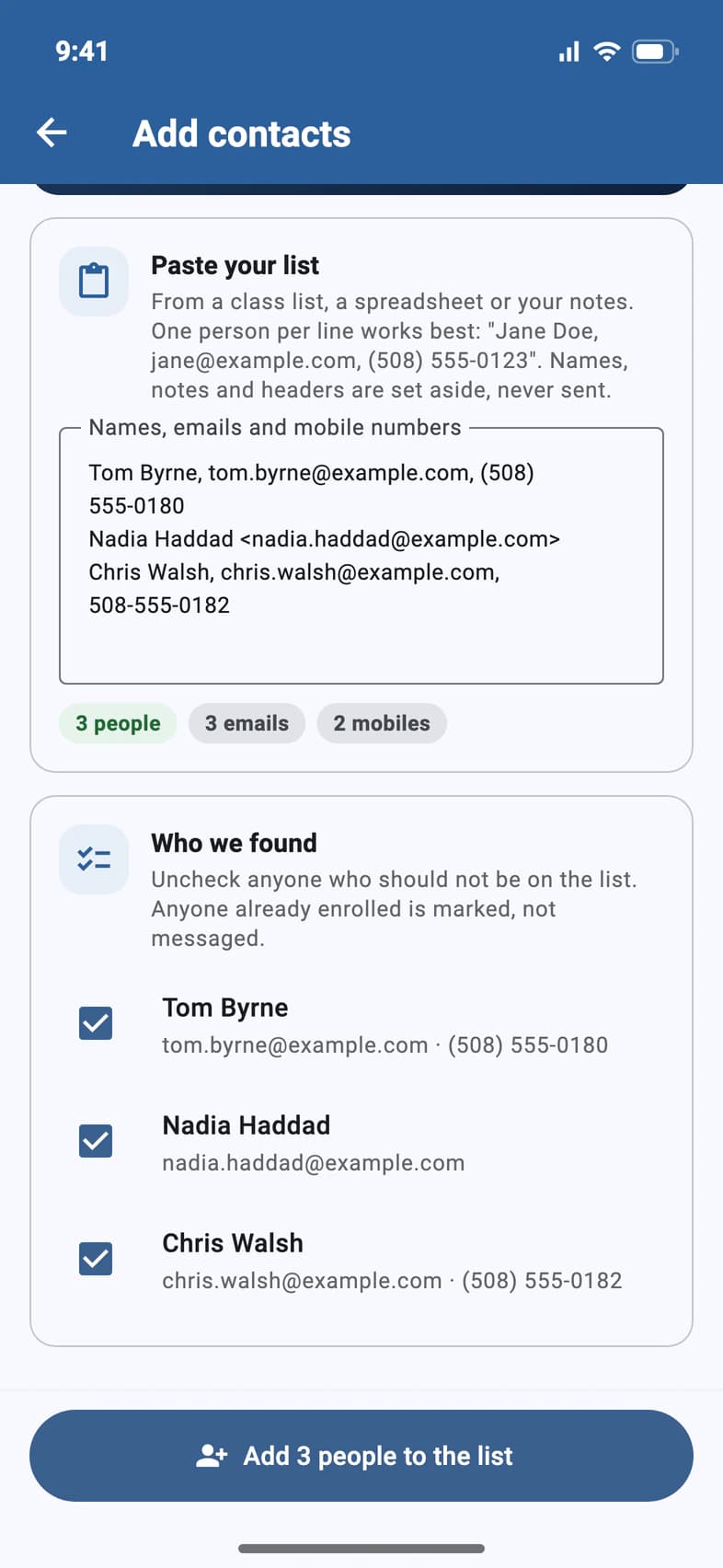
Paste names, emails and mobile numbers from a class list, a spreadsheet or your notes. One person per line works best.
PassportsGo picks out the people it can reach. Under Who we found 1, uncheck anyone who shouldn't be on the list, then tap Add … to the list 2.
A line needs an email address or a US mobile number. Anything else, like a header or a note, is set aside and never sent.
- Step 3
Message them now or later
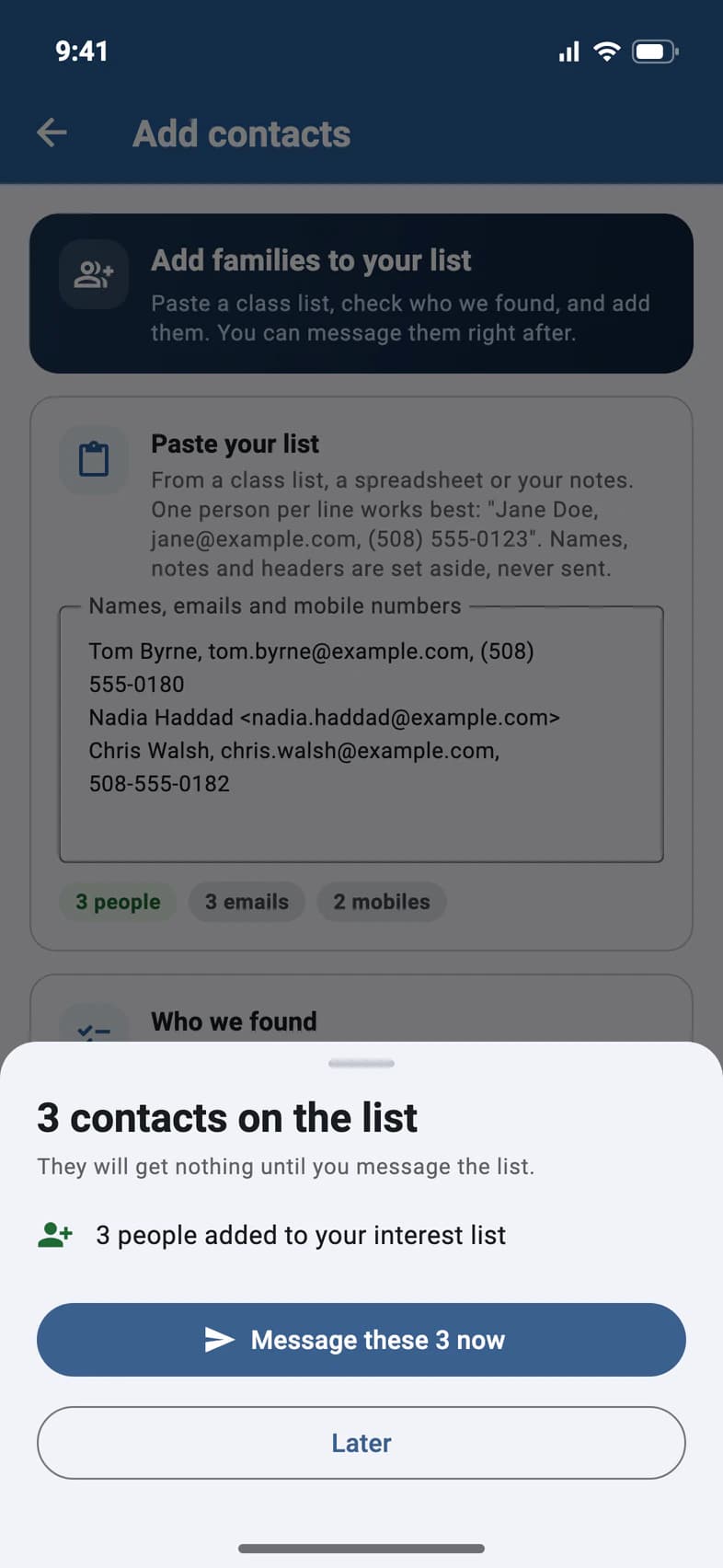
PassportsGo tells you who was added 1. They get nothing until you message the list: tap Message these … now 2, or Later 3.
- Step 4
Keep the list tidy
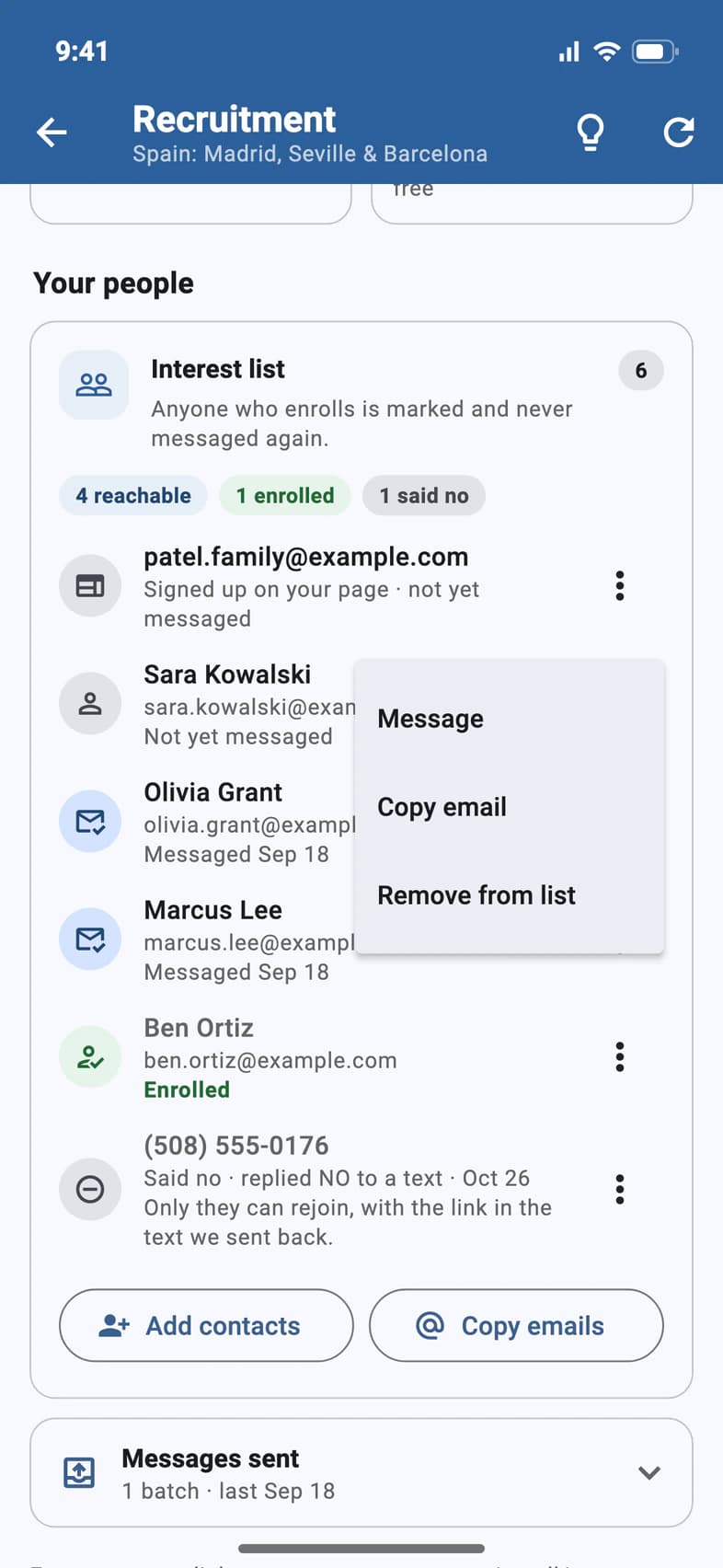
Under Your people, tap ⋮ on anyone on your list to Message 1 them on their own, Copy email 2, or Remove from list 3.
Good to know
What happens when someone on the list enrolls?
They're marked Enrolled and never get another recruitment message.
Someone asked not to be contacted.
Every message has a way to say no. Replying NO to one of our texts, or tapping Take me off the list in one of our emails, takes them off this trip's list, and the list shows them as Said no. Only they can put themselves back: pasting them in again doesn't add them. Replying STOP only stops our texts.
Can I email the list from my own email?
Yes. Under Your people, tap Copy emails beside Add contacts, keep Interest list ticked, pick Commas or Semicolons (for Outlook on Windows), and tap Copy … addresses. Paste them into the Bcc line: anyone who said no, unsubscribed, enrolled or was removed is left out, and it works even when messages are off.
To send families the full invitation from your own email, with photos, dates, hotels and the enrollment button, tap the Email me the invitation tile under Share your tour, then the Email me the invitation button: Passports emails it to you to forward. That helps when school email blocks mail from outside the district.
Can someone help me with the list?
Yes. A chaperone or visitor you've given Can use Recruitment can add and remove contacts too: see Let someone help you recruit. A contact you took off stays off if they add it again, and PassportsGo tells them only you can put it back.
Do families who sign up online need adding?
No. Every family who leaves an email on your enrollment page lands on the list by themselves.
Screens show a sample family and tour — your names, dates and amounts will differ. Checked against the app November 3, 2026.
Call us. A real person in Worcester picks up.
Monday to Friday, 8am to 4pm Eastern — and around the clock once your group is on tour. Or email passportsgo@passports.com.