
Switch between your tours
Open the menu and load another tour from Enrolled Tours.
Leading more than one tour, like this year's and next year's? PassportsGo shows one tour at a time. Switch between them from the menu.
- Step 1
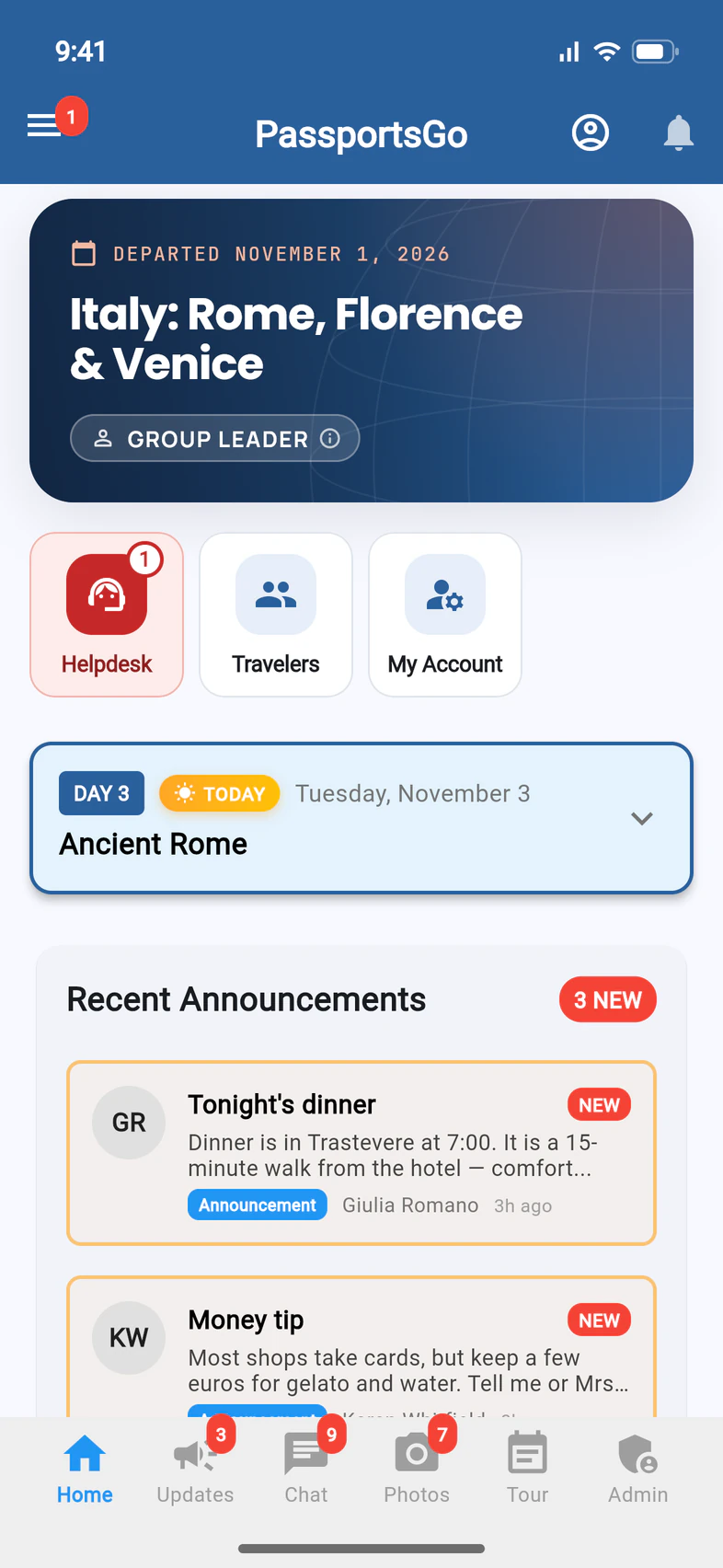
Open the menu
On Home, tap ☰ at the top left 1.
- Step 2
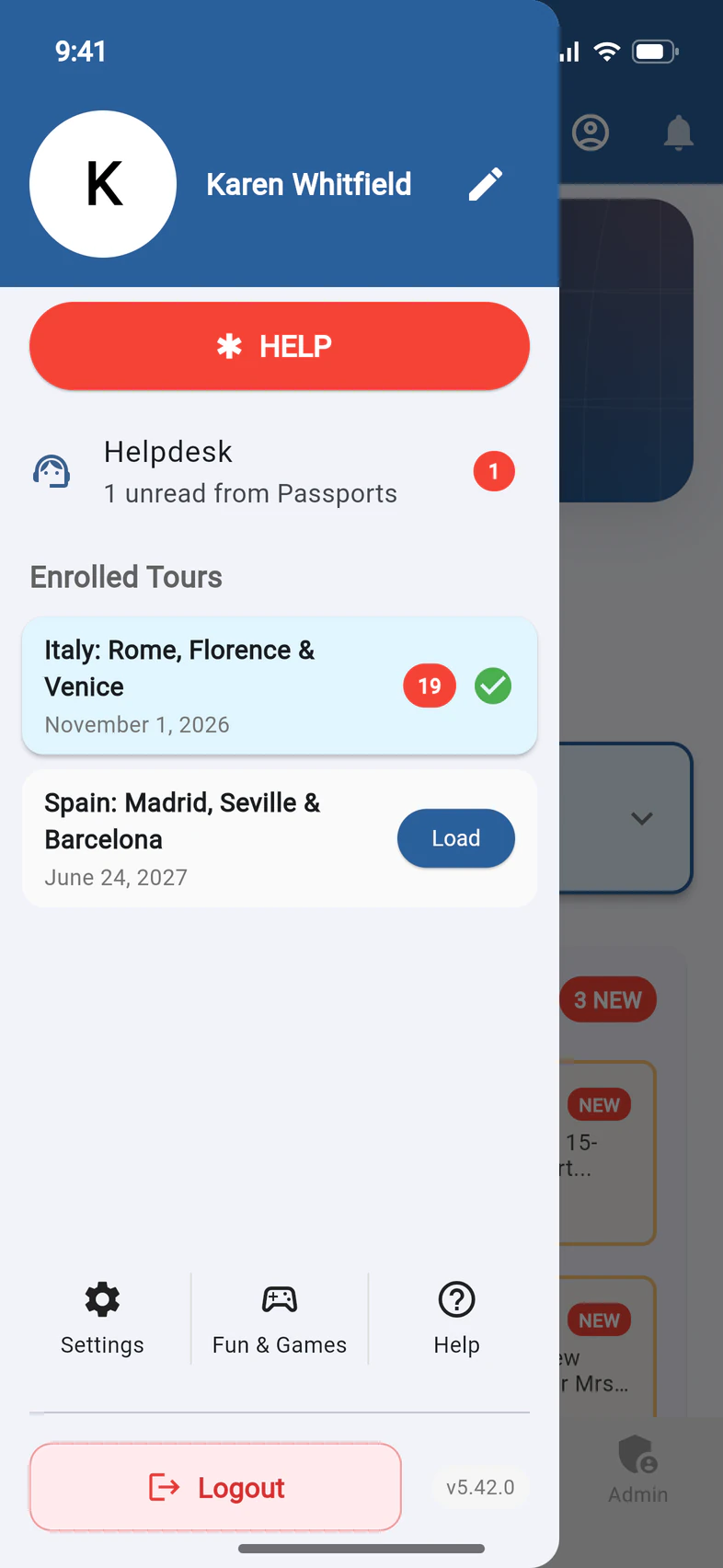
Load another tour
Under Enrolled Tours 1, the tour you're in has a green check. A red number shows what's new on a tour.
Tap Load 2 on the other tour. Home, the tabs and the menu all switch to that tour.
Good to know
I don't see Enrolled Tours.
It shows only when you're on more than one tour.
A notification opened a different tour.
A notification from another of your tours switches to that tour and opens what it's about: the chat, Photos or the post. To go back, tap ☰ and Load the tour you were in.
One of my tours says CANCELLED.
Cancelled tours stay on the list so you can look back at them.
One of my tours says PAST.
A tour that left more than 30 days ago is marked PAST, so it's never mistaken for this year's. When you open PassportsGo, it opens your current tour, not a past one. Tap Load on a past tour any time to look back at it.
Screens show a sample family and tour — your names, dates and amounts will differ. Checked against the app November 3, 2026.
Call us. A real person in Worcester picks up.
Monday to Friday, 8am to 4pm Eastern — and around the clock once your group is on tour. Or email passportsgo@passports.com.