
Add a visitor
Visitors follow the tour from home. Add one from the Traveler List and they get a one-tap sign-in link by email.
Visitors follow your tour from home, like a grandparent or your principal, and someone helping you recruit can be one too. You add them yourself, and they sign in with a one-tap link. Travelers, parents and chaperones don't need this: they sign in with the email on their enrollment.
- Step 1
Open Add a visitor
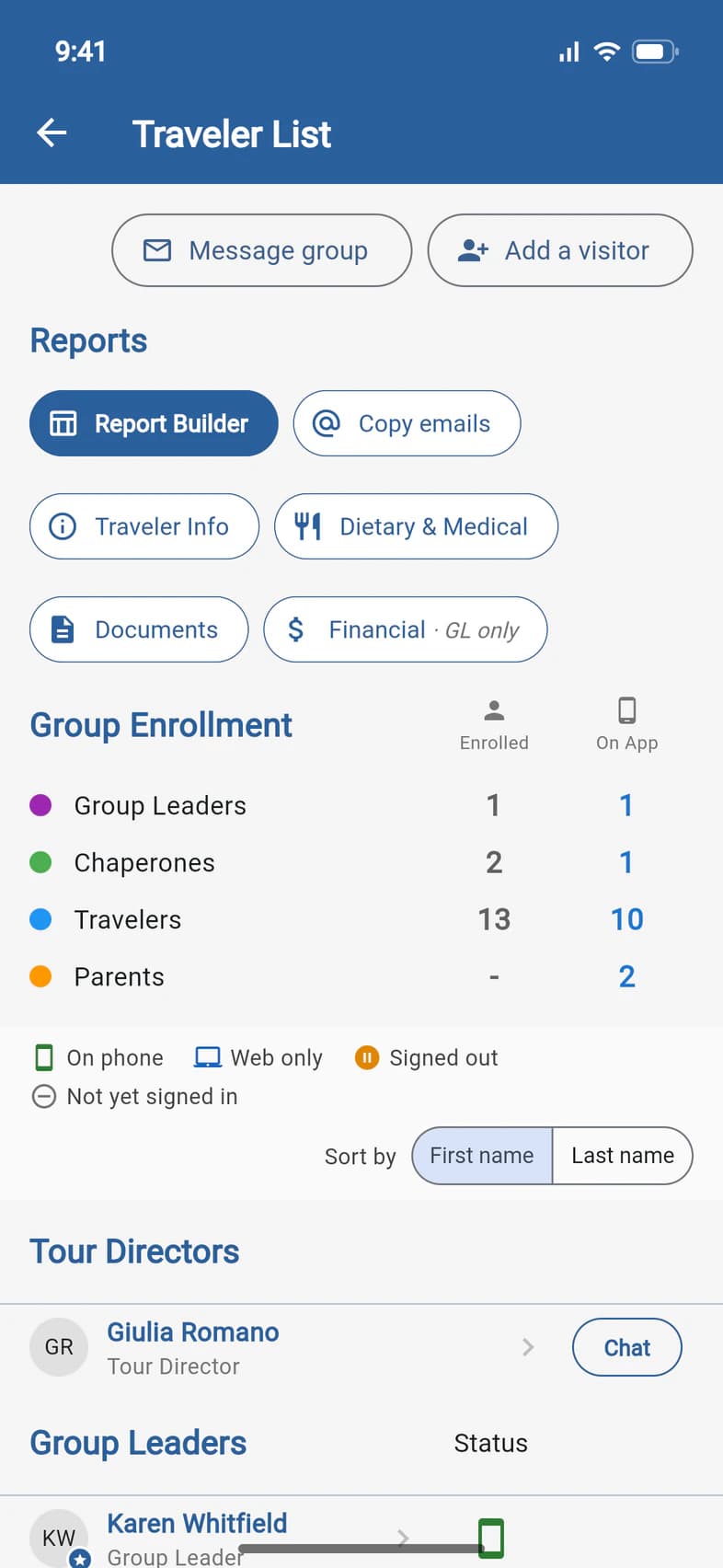
On Home, tap Travelers (or Admin, then Traveler List). At the top of the list, tap Add a visitor 1, on the right beside Message group.
It's also on Admin, under Chaperones & visitors. That's the only way in on a proposal, which has no Traveler List.
Only you, the group leader, can add visitors in the app. Passports can also add one for you, like your principal as a Group admin: ask Passports. The invitation still says you invited them, and they're listed under Visitors on this tour with the ones you add.
- Step 2
Fill in their details
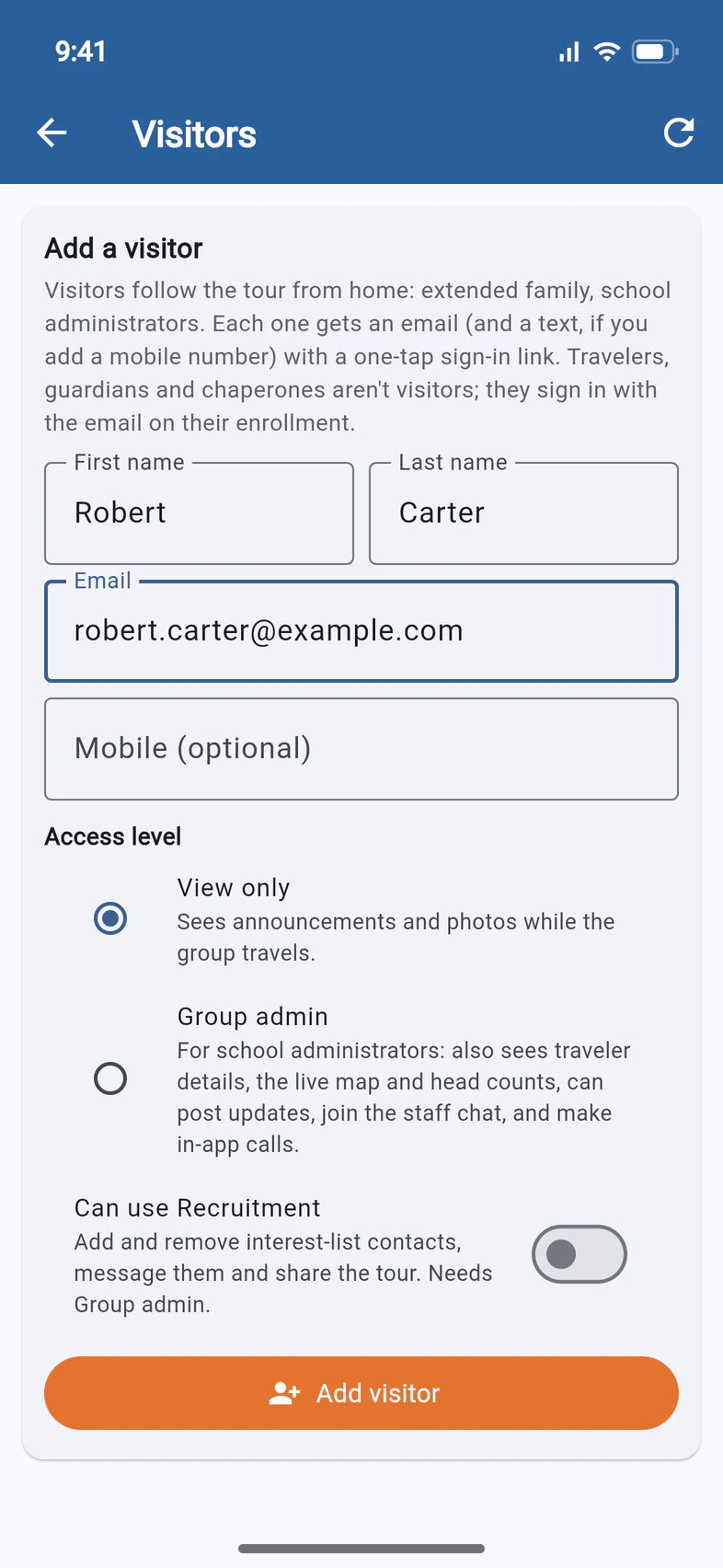
Under Add a visitor 1, type their first name, last name and email. Add a mobile number if you'd like them to get a text as well.
- Step 3
Choose what they see
Pick an Access level 1. View only sees announcements and photos while the group travels. Group admin 2 is for school administrators: they also see traveler details, the live map and head counts, can post updates, join the staff chat and make in-app calls.
Can use Recruitment 3 is for someone helping you fill your trip: turning it on selects Group admin. See Let someone help you recruit.
- Step 4
Add them
Tap Add visitor 1. They get an email with a one-tap sign-in link, and a text too if you added a mobile number.
Good to know
Can I add a parent or a traveler this way?
No. Travelers, parents and chaperones already have access: they sign in with the email on their enrollment. If one of them can't get in, send them Fix sign-in trouble.
Can a visitor help me recruit?
Yes: turn on Can use Recruitment on the form. They get one email, your invitation worded for helping with the recruiting, and its “Open in PassportsGo” button opens PassportsGo in a browser, signed in, with Recruitment on the tour's Home. Re-invite does the same. See Let someone help you recruit.
My visitor lost the email, or the link stopped working.
A sign-in link works for 30 days. After that it says This link is no longer valid. Open Add a visitor again: Visitors on this tour lists every visitor, so tap Re-invite next to their name to send a new link. Or they can sign in to PassportsGo with their email address and a code.
How do I remove a visitor?
On the Traveler List, tap their name, then Remove from this tour.
Screens show a sample family and tour — your names, dates and amounts will differ. Checked against the app November 3, 2026.
Call us. A real person in Worcester picks up.
Monday to Friday, 8am to 4pm Eastern — and around the clock once your group is on tour. Or email passportsgo@passports.com.