
Enter the traveler and guardians
The traveler's passport name, the parent or guardian who signs in and gets the bills and receipts, and an optional second parent.
The first step of enrolling is about people: the traveler, the parent or guardian who looks after the enrollment, and, if you like, a second parent.
Before you start
- The traveler's passport, if they have one: the name must match it exactly.
- Step 1
Enter the traveler
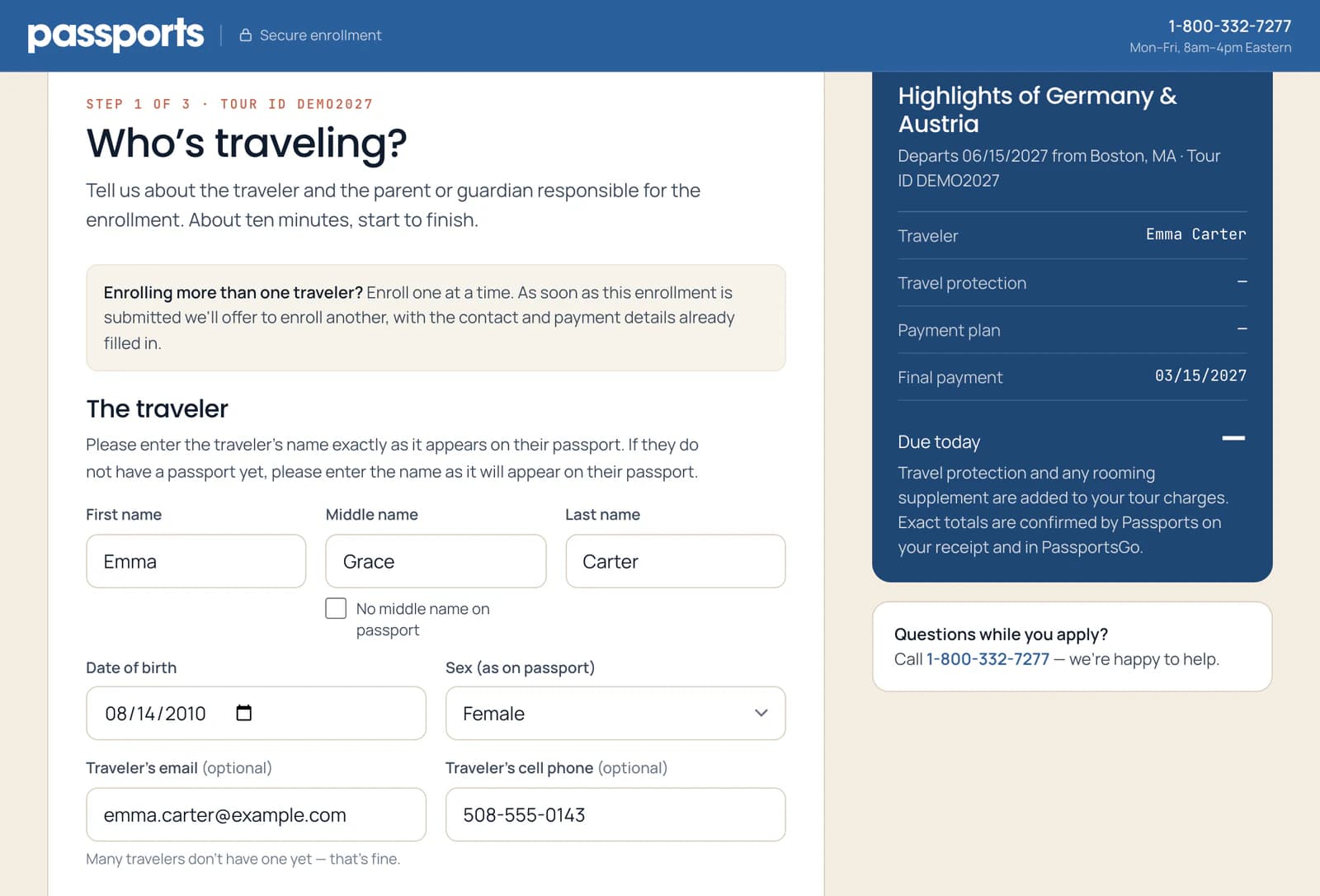
Type the traveler's name exactly as it is on their passport 1, or as it will be if they don't have one yet. No middle name on the passport? Tick No middle name on passport 2.
Then the Date of birth and Sex (as on passport) 3. The traveler's own email and cell phone 4 are optional.
Airlines charge to change a name on a ticket, so check the spelling against the passport.
- Step 2
Enter the parent or guardian
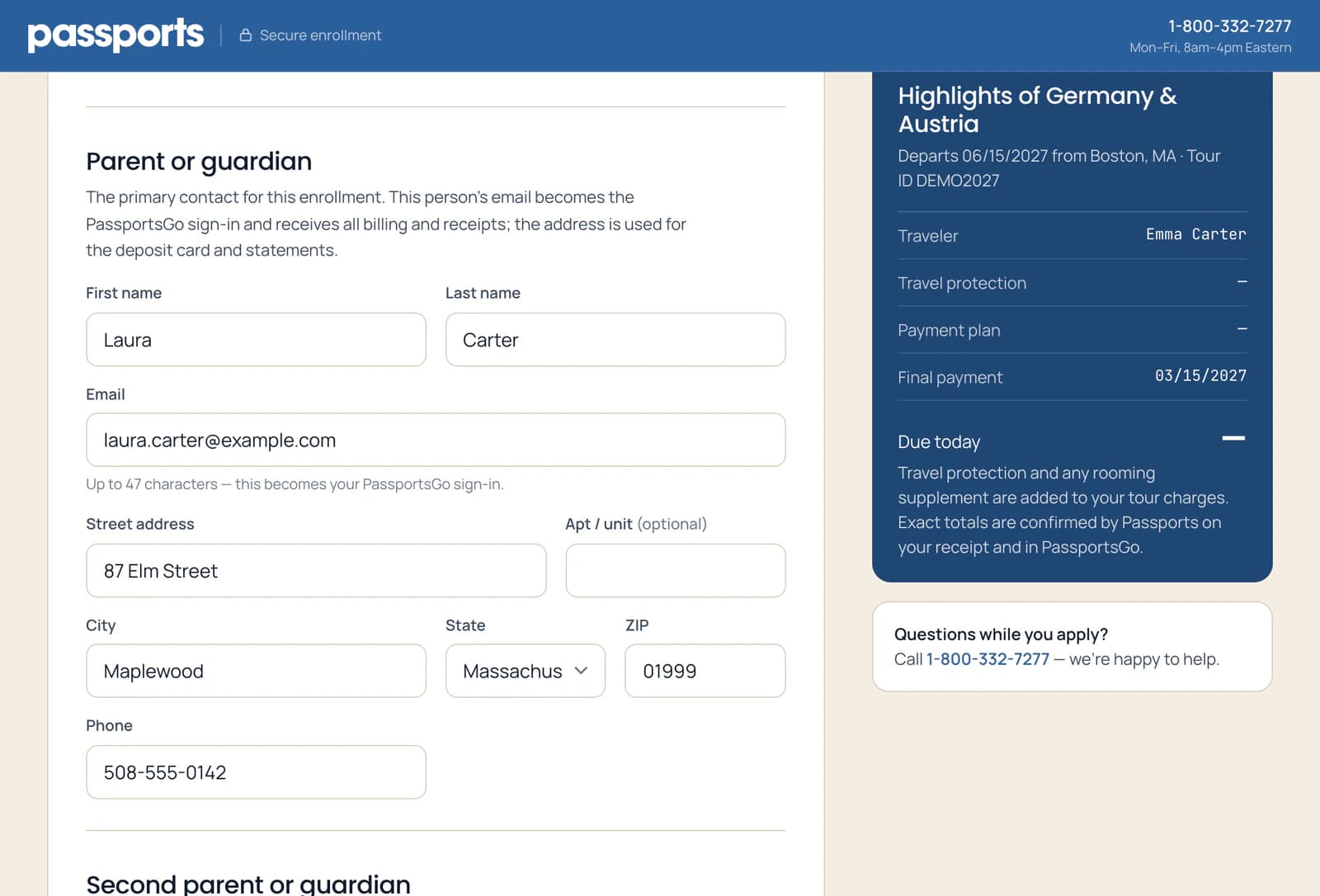
Next, the parent or guardian responsible for the enrollment 1. Their email 2 becomes the PassportsGo sign-in, and every bill and receipt goes there. The address 3 is used for the card and the statements.
Everything is required except Apt / unit.
- Step 3
Add a second parent, if you like
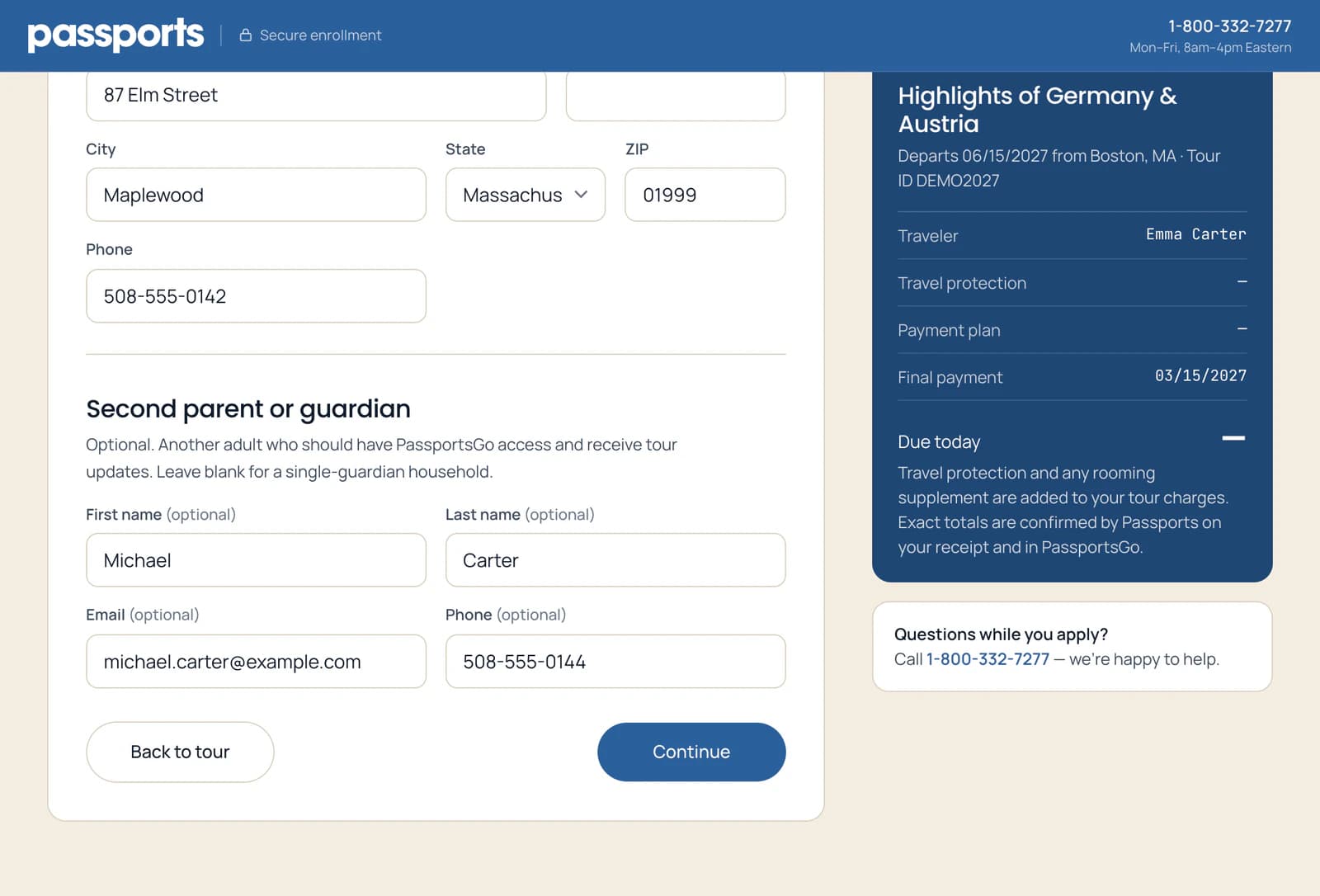
A Second parent or guardian 1 is optional: another adult who should have PassportsGo access and receive tour updates. They need their own email address. Leave it blank for a single-guardian household.
Then click Continue 2.
Good to know
The traveler is 18 or older.
Then the form offers Same as traveler. Tick it if the traveler is their own billing contact: their name and email fill in, and their email becomes the PassportsGo sign-in. The form then says Billing contact instead of Parent or guardian.
Can both parents use PassportsGo?
Yes. Add the second parent here with their own email address, and they can sign in too.
It says it couldn't find an email address.
The form checks each email address as you move on from it. If it spots a likely typo, it asks Did you mean with a corrected address: click that address to use it. We couldn't find that email domain means the part after the @ is wrong: fix it to go on. If it says We couldn't find a mailbox at this address and you're sure the address is right, click Continue again.
The traveler doesn't have a passport yet.
Enter the name as it will appear on the passport. Once you're enrolled, you add the passport itself in PassportsGo: Add passport details.
I'm enrolling more than one traveler.
Enroll one at a time. As soon as the first enrollment is submitted, the form offers to enroll another, with the contact and payment details already filled in. See After you enroll.
Screens show a sample family and tour — your names, dates and amounts will differ. Checked against the app October 7, 2026.
Call us. A real person in Worcester picks up.
Monday to Friday, 8am to 4pm Eastern — and around the clock once your group is on tour. Or email passportsgo@passports.com.