
Check the itinerary
The Tour tab: the day-by-day plan, tour info, flights and hotels.
The Tour tab has the whole trip: the plan for every day, the flights and the hotels. Parents at home can follow along too.
- Step 1
Open the day-by-day plan
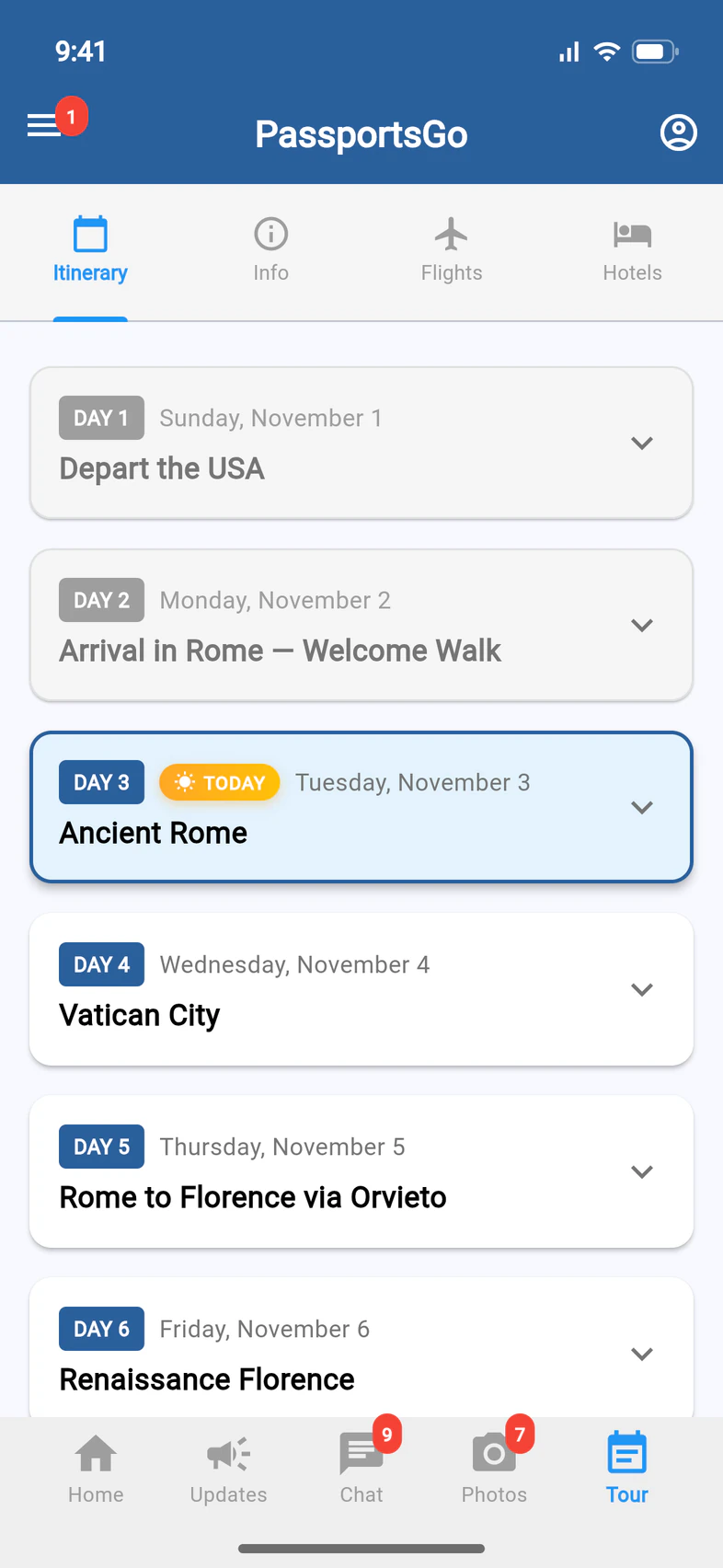
Tap Tour. Itinerary 1 lists every day of the trip, and during the tour today is marked TODAY 2. Tap a day to open it.
Info 3 sums up the trip: the countries, hotels, transportation and meals.
- Step 2
See the day
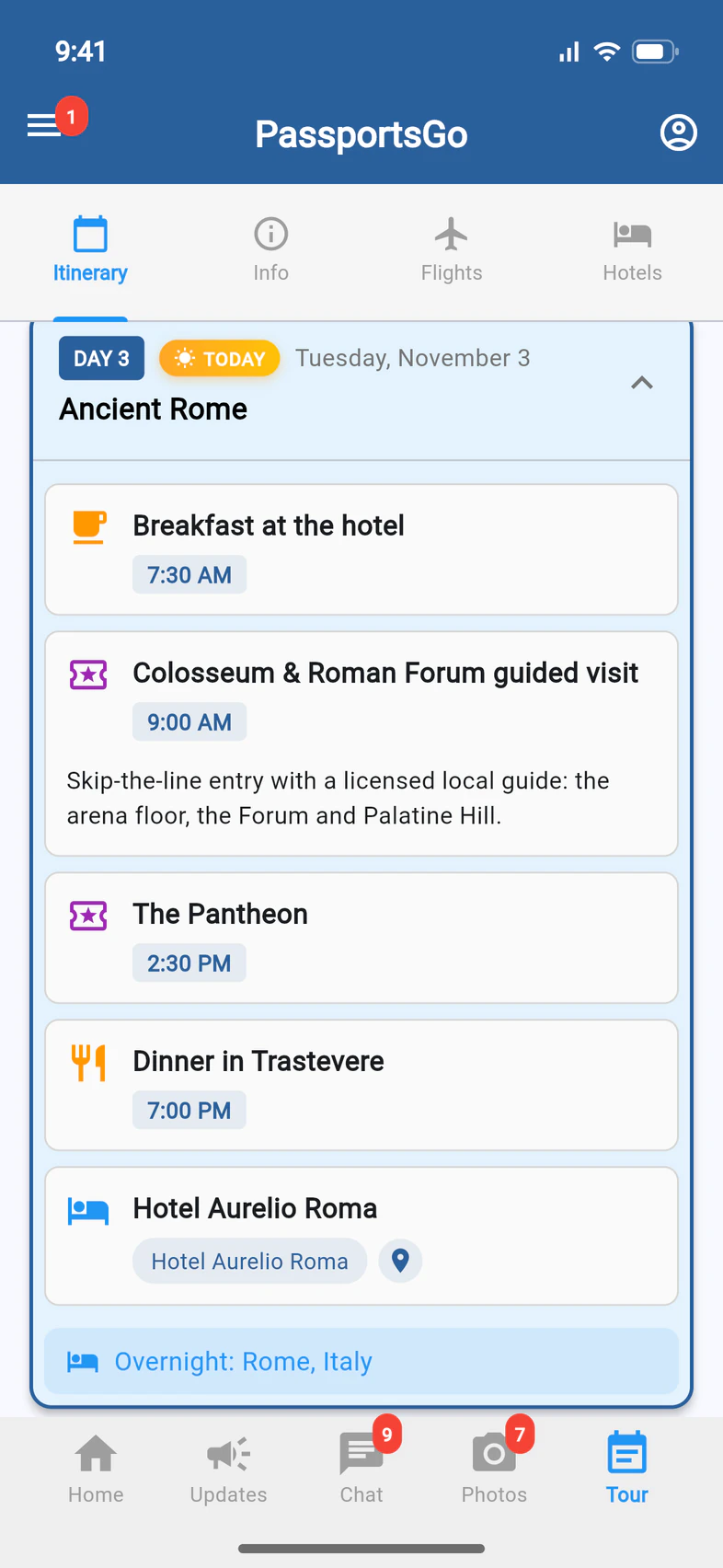
Each day 1 lists what's planned, with times: meals, visits and the hotel for the night.
Plans can change on tour. When Passports changes a booking, like a time or a meeting place, the itinerary updates on its own within seconds. Your group leader and Tour Director also post changes in Updates.
- Step 3
Check the flights
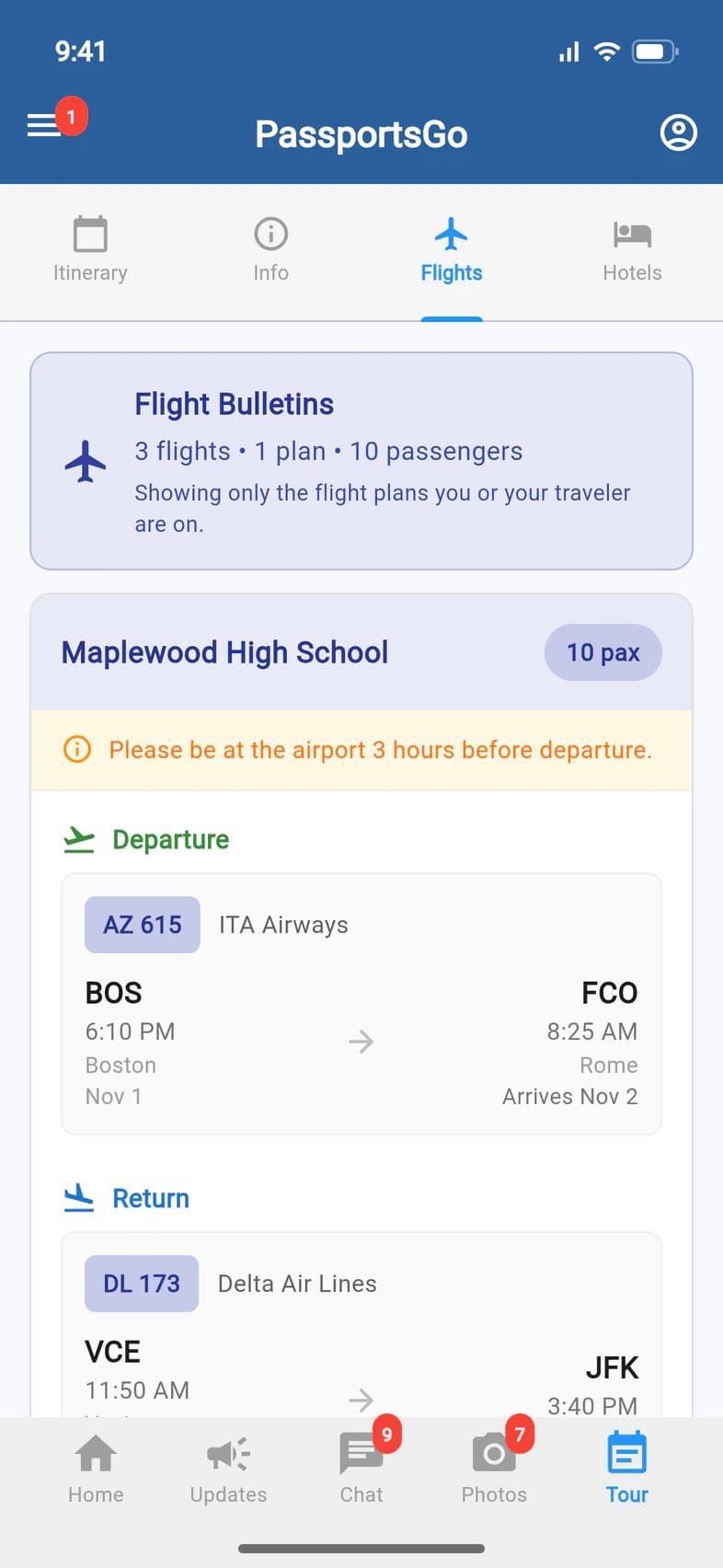
Flights 1 shows the flight plans you or your traveler are on: the Departure 2 and the Return 3, with flight numbers, times and dates. Times are local to each airport.
- Step 4
See the hotels
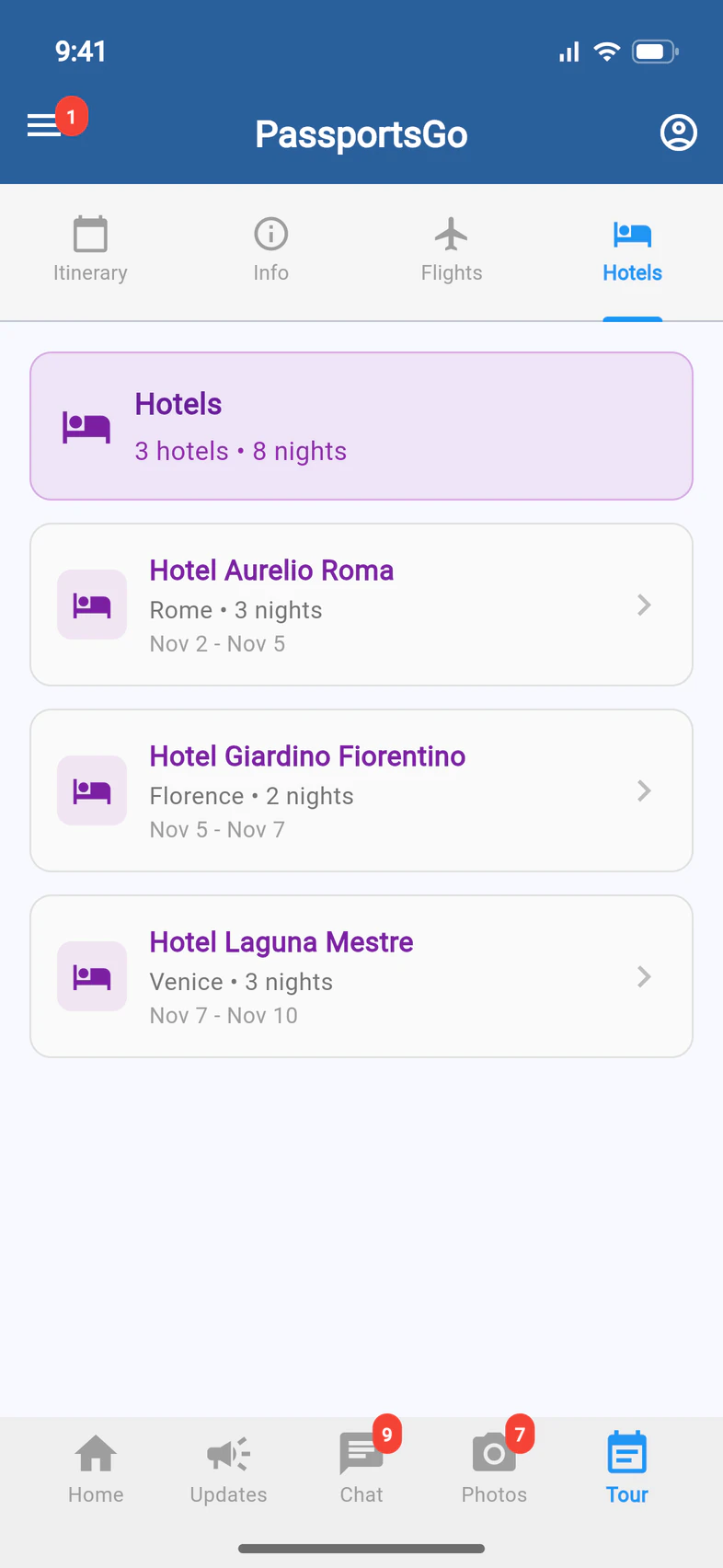
Hotels 1 lists where the group stays 2: each hotel's city, nights and dates. Tap a hotel to see more about it.
Good to know
The flights aren't there yet.
Passports adds them once the group's flights are set, usually closer to departure. Until you or your traveler is on a flight plan, Flights says No flight plans available. A traveler who didn't buy airfare from Passports meets the group at the first hotel, and Flights says so.
Why don't I see everyone's flights?
Flights shows only the flight plans you or your traveler are on. If the group flies on more than one plan, your group leader and Tour Director see them all.
A hotel just says Overnight.
Passports releases the hotels closer to departure. Until then, a hotel on the itinerary shows only “Overnight”, with no name or address, and there's no Hotels tab.
Where's my traveler's room?
On your traveler's page (My Account on Home), Room Type shows the room booked for them. Roommates show there too once the group leader shares them. See your traveler's room type and roommates.
Screens show a sample family and tour — your names, dates and amounts will differ. Checked against the app November 3, 2026.
Call us. A real person in Worcester picks up.
Monday to Friday, 8am to 4pm Eastern — and around the clock once your group is on tour. Or email passportsgo@passports.com.