
Make a Travel Bingo game
Pick a ready-made game or start blank: a bingo card or a list, squares that ask for a photo, a video or an answer, solo or in teams.
Travel Bingo is a game you make for your group: a bingo card, or a scavenger-hunt list, of things to see, try, do and say on the tour. Travelers stamp squares on their own phones, on their honor, and can add a photo, a video or a line about it for an extra point.
Start from one of our ready-made games and change whatever you like, or start from a blank card. Only the people on the tour play: parents at home don't see it.
Before you start
- PassportsGo on your phone, or passportsgo.com in a browser — signed in as the group leader, or as a chaperone you've made an admin.
- Step 1
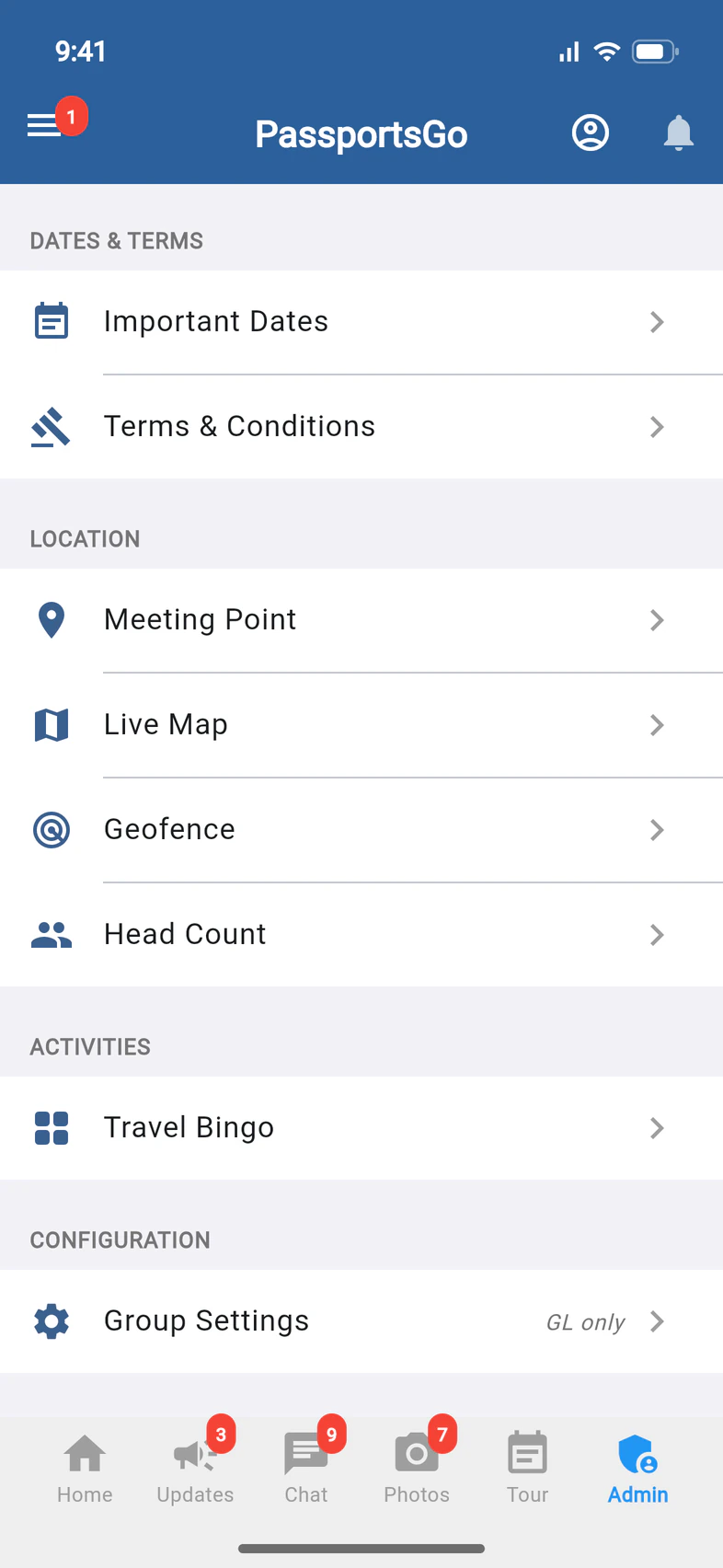
Open Travel Bingo
Tap Admin 1. Under Activities, tap Travel Bingo 2.
This is the Travel Bingo lobby, where your group's games live: Playing now, Coming up, Drafts and Finished.
Your Tour Director can make and run games for your group too, from their own app.
- Step 2
Choose a game to start from
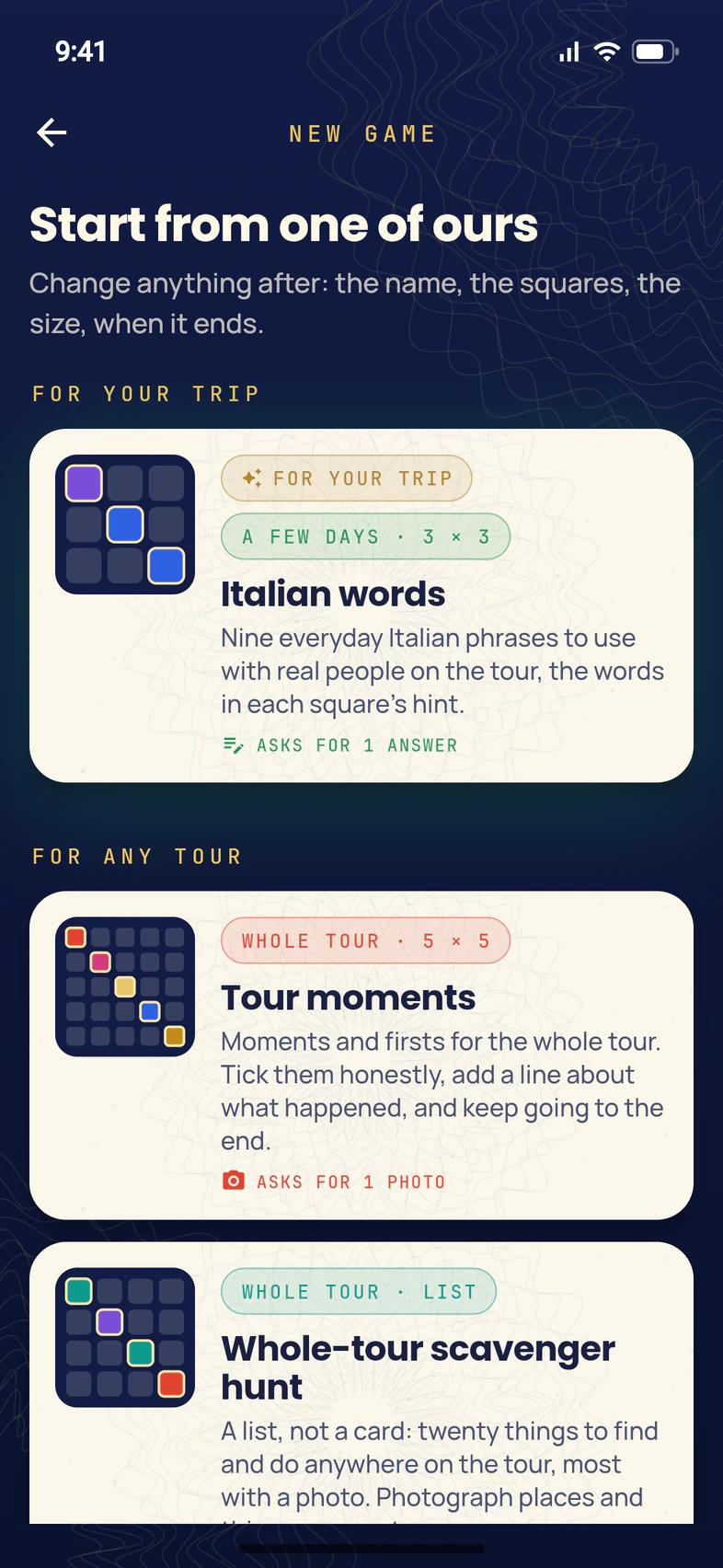
In the lobby, tap New game, then pick a game to start from:
- For your trip 1: games made for the places on your tour, like Italian words on a tour of Italy.
- For any tour: games that work anywhere, like Tour moments 2, a 5 × 5 card of moments and firsts for the whole trip.
- More places: games written for other destinations.
- Blank card or Blank list, at the very bottom, to make your own.
Each game says how long it's meant for, its size, and whether its squares ask for photos, videos or answers.
The first time you open Travel Bingo, three games wait under To get you started: tap one to go straight to it. Before your tour leaves, Before you go offers Get ready, nine things to do at home before departure.
- Step 3
Name it and pick its look
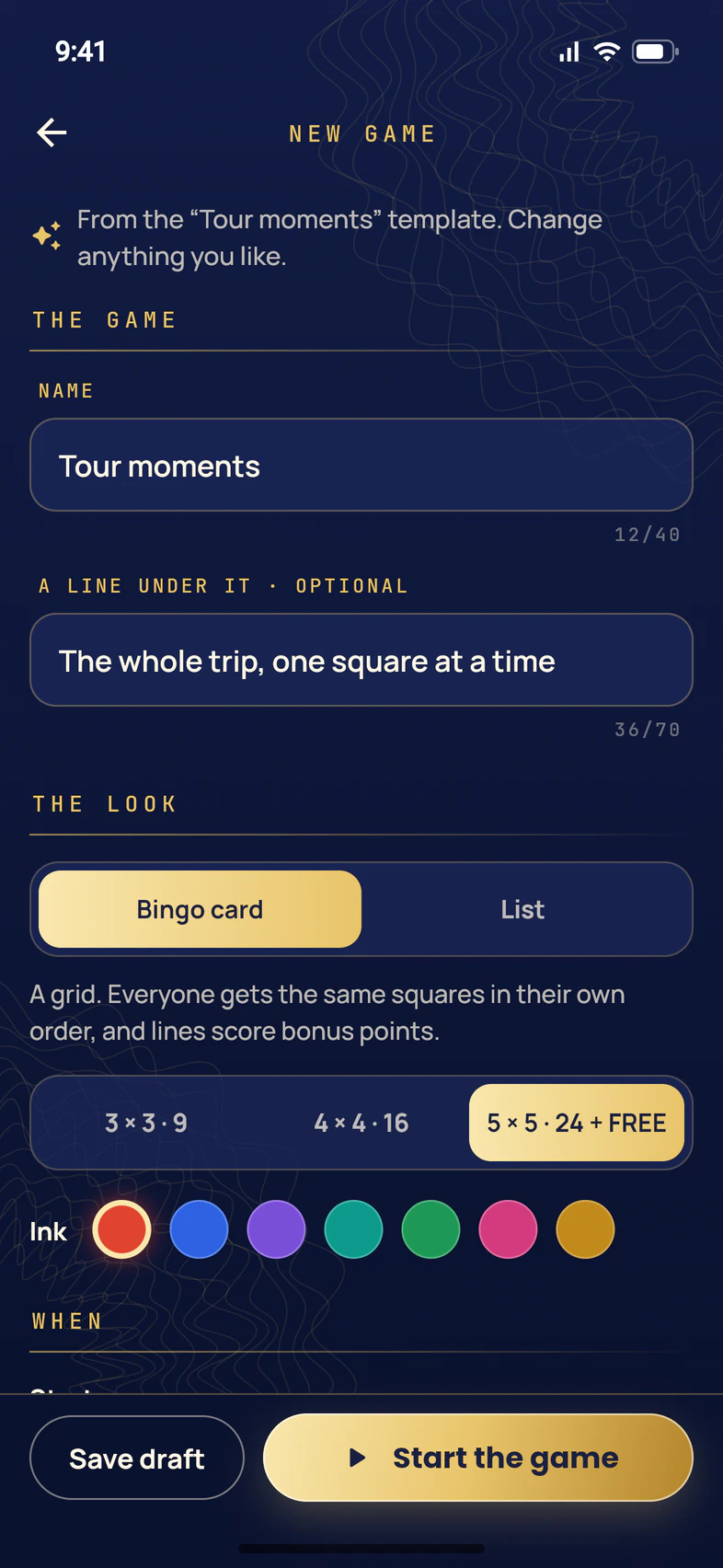
The game opens in the editor, filled in from the template. Change anything you like:
- Name 1: what everyone sees on their card. A line under it is optional.
- Bingo card or List 2. On a card, everyone gets the same squares in their own order, and lines score bonus points. A list has any number of squares and no lines: good for a whole-tour scavenger hunt.
- A card's size 3: 3 × 3 · 9, 4 × 4 · 16 or 5 × 5 · 24 + FREE (a free square in the middle).
- Ink 4: the card's color.
- Step 4
Choose when it runs and who plays
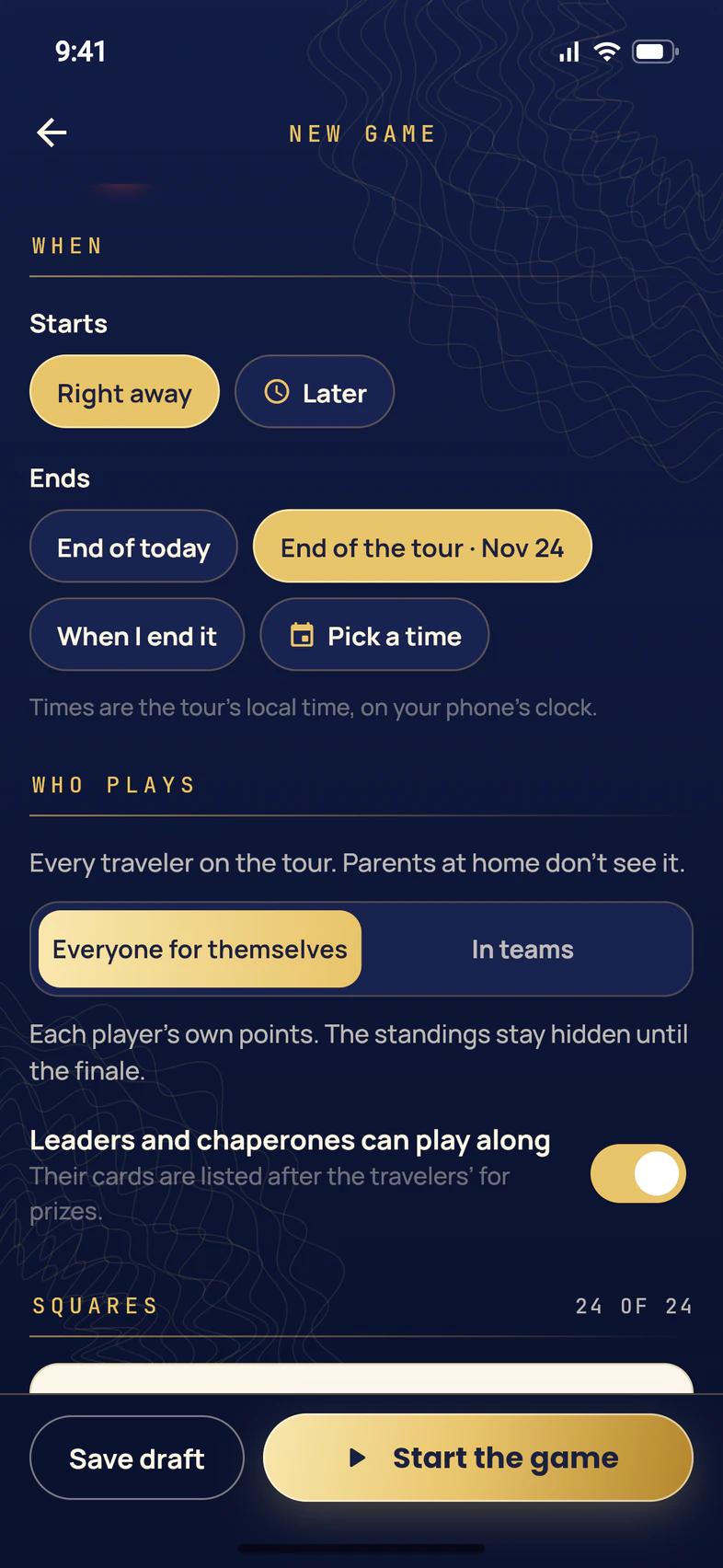
Under When, choose when the game Starts 1: Right away, or Later to pick a day and time. Then when it Ends 2: End of today, End of the tour, When I end it, or Pick a time. Times are the tour's local time.
Under Who plays, every traveler on the tour is in. Choose Everyone for themselves or In teams 3 (see the next step).
Leaders and chaperones can play along 4 is on to start with: you and your chaperones get cards too, listed after the travelers. Only travelers win awards.
- Step 5
Choose what each square needs
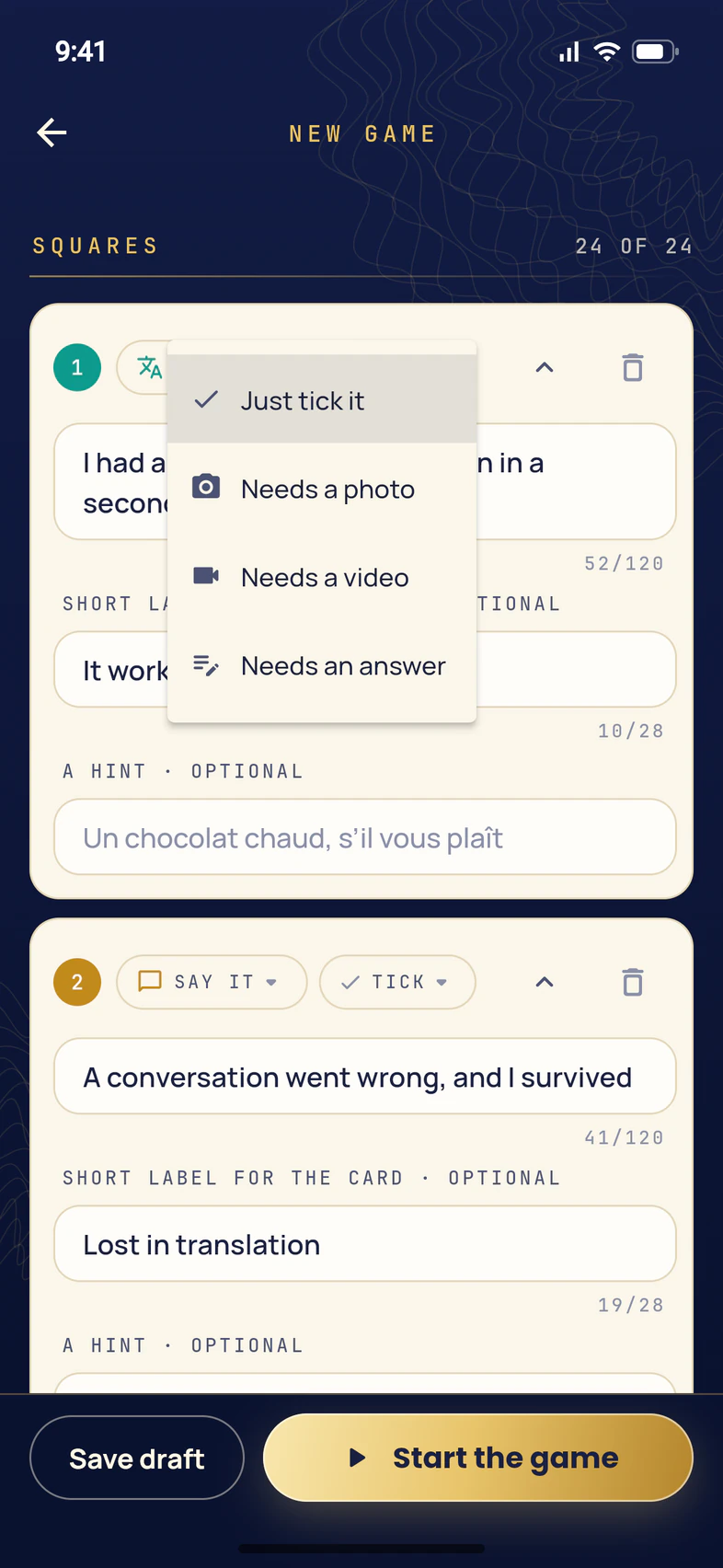
Scroll to Squares. Each square has its words and two chips: what kind of square it is (like Say it or Find it), and what it needs before it can be stamped. Tap that second chip, which starts as TICK, to choose 1:
- Just tick it: the traveler taps it, on their honor.
- Needs a photo, Needs a video or Needs an answer: they can't stamp it without one.
On any square, a traveler can still add a photo, a video or a line for an extra point. You can also reword a square, give it a Short label for the card and A hint, delete it with the bin, or tap Add a square at the end.
A card holds exactly as many squares as its size: 9, 16 or 24. The count at the top right of Squares shows how many you have.
- Step 6
Play in teams (optional)
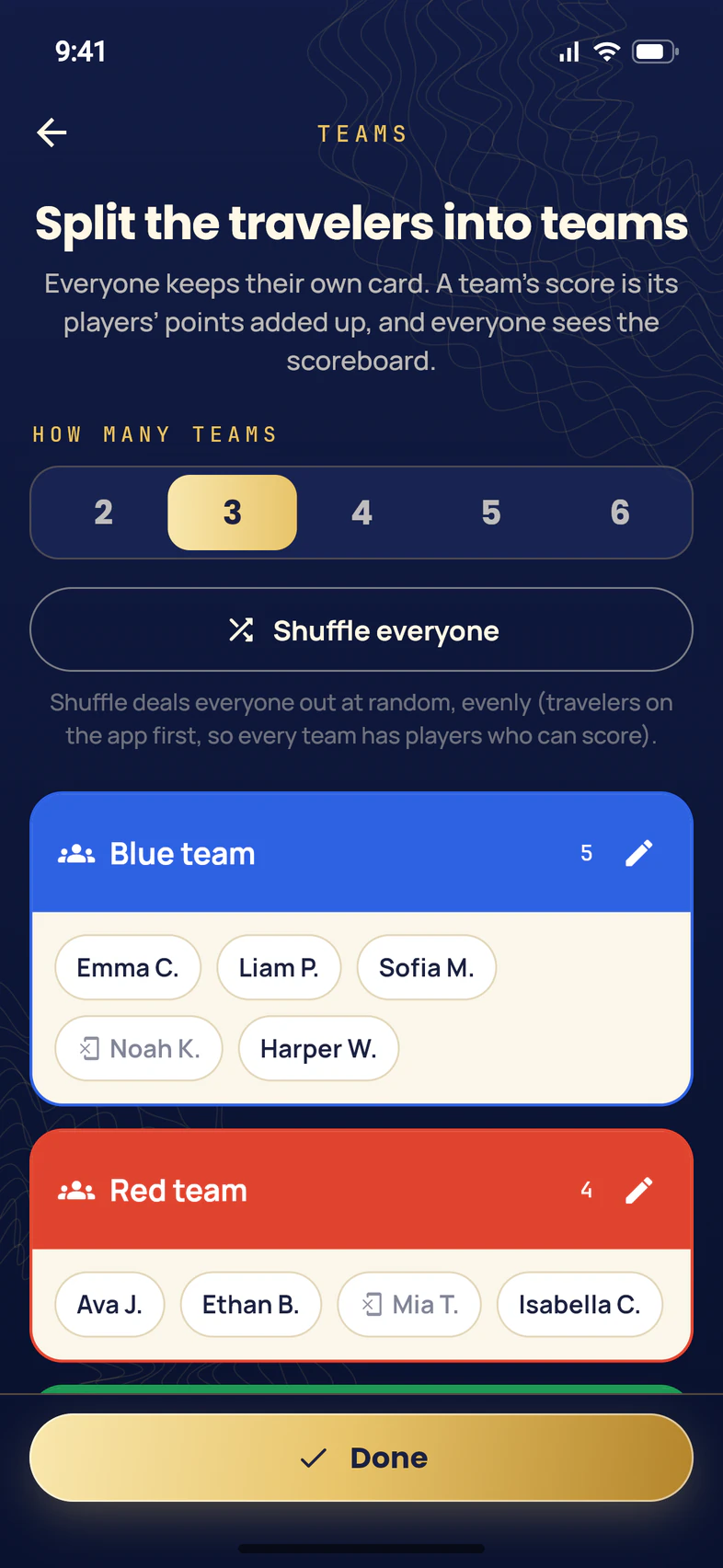
To play in teams, tap In teams under Who plays. The Teams page opens with every traveler already shuffled into two teams.
- Choose how many teams 1, from 2 to 6.
- Shuffle everyone 2 deals the travelers out again, evenly.
- Tap a name 3 to move that traveler to another team. The pencil beside a team renames it.
Tap Done 4. Everyone still plays their own card: a team's score is its players' points added up, and everyone can see the team Scoreboard.
Travelers who aren't on the app yet are greyed out. Leaders and chaperones playing along aren't on a team. You can change the teams once the game is running: in the lobby, tap the game's ⋮, then Teams.
- Step 7
Start the game
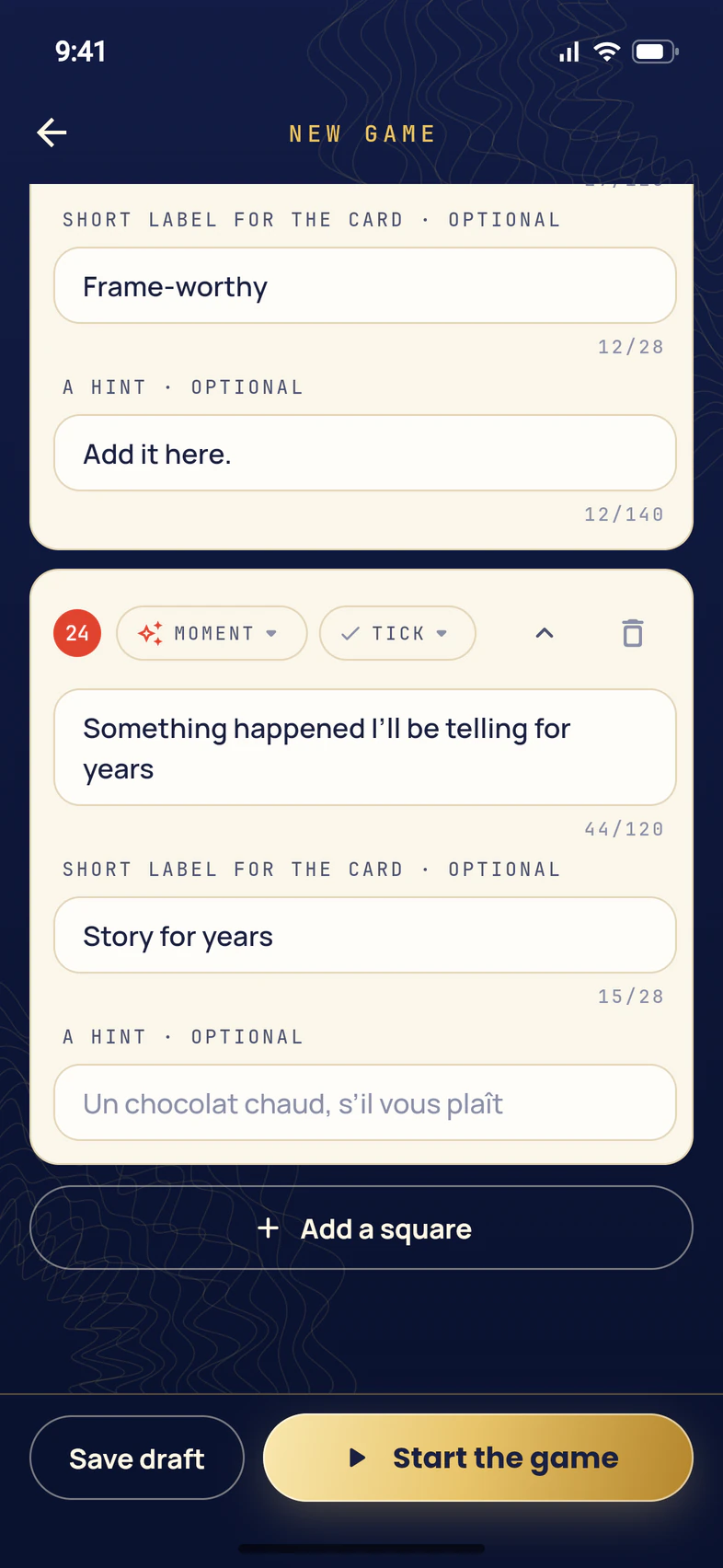
When it looks right, tap Start the game 1. If you chose Later, the button says Schedule it instead, and the game waits under Coming up.
Not ready yet? Save draft 2 keeps it under Drafts in the lobby, where only leaders see it.
If something is missing, like an empty square or too many squares for the card, a red line above the buttons says what to fix.
- Step 8
You're done
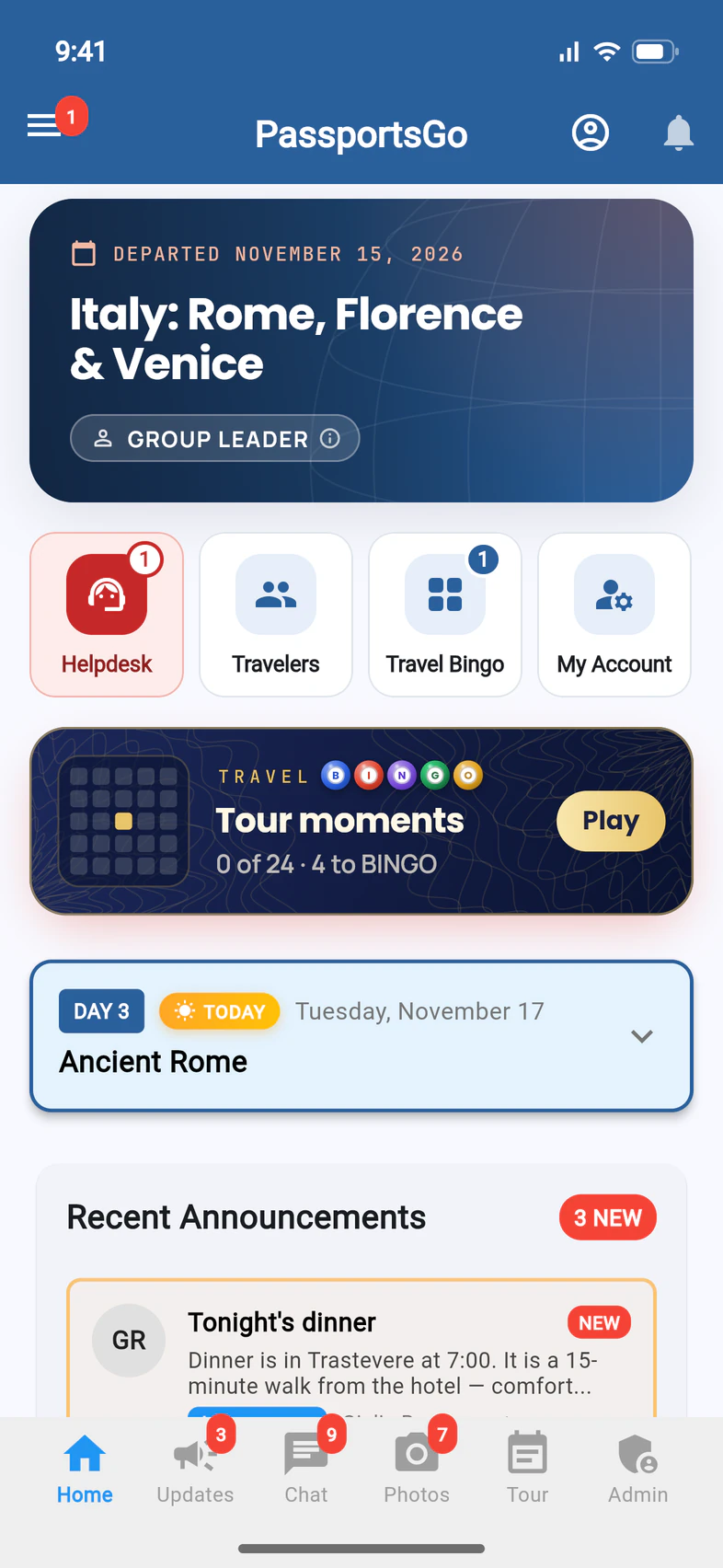
The game starts right away, and your travelers find it on Home: a dark ticket for each game being played 1, with how far they've got, and a blue Travel Bingo tile 2 that opens the lobby. Starting a game doesn't send a notification, so tell your group it's on.
For what travelers do next, see Play Travel Bingo. To follow the game and send the results at the end, see Follow a Travel Bingo game and send the results.
Good to know
Can I change a game after it starts?
Yes. In the lobby, tap the game's ⋮, then Edit. You can reword squares and change what they need; stamps already made stay. Once a game has started, its look and size are fixed, and you can't add or take away a card's squares, because everyone's card would change.
How are points counted?
1 point for each square, and 1 more when a traveler adds a photo, a video or a line, so a square that needs one is worth 2. Every line on a card scores 5 more, and a full card, or a finished list, 15 more.
Do parents see Travel Bingo?
No. It's only for the people on the tour. Parents and guardians at home don't see the games, the cards or the results.
Who can make and run games?
You, the chaperones you've made admins, and your Tour Director. A visitor you've added to look at the group can't. See Make someone an admin.
How do I delete a game?
In the lobby, tap the game's ⋮, then Delete. The app asks first. Every player's card, stamps, photos and stories go with it, and it can't be undone.
How is Travel Bingo different from a City Quest?
A City Quest is a walk through one city, stop by stop, that you start on the day. Travel Bingo is a game you set up yourself: squares travelers can stamp anywhere, in any order, for a day or the whole tour.
Screens show a sample family and tour — your names, dates and amounts will differ. Checked against the app November 17, 2026.
Call us. A real person in Worcester picks up.
Monday to Friday, 8am to 4pm Eastern — and around the clock once your group is on tour. Or email passportsgo@passports.com.