
Answer a meeting invitation
Answer from the email or text, or the RSVP tile in PassportsGo: no sign-in needed, one answer for your family.
When your group leader plans a parent meeting, a fundraiser or another get-together, you're invited by email, often by text too, and in PassportsGo. Answering takes a few seconds, and you don't need to sign in.
Your family gives one answer, and anyone in it can change it later. Say you're coming, and you can add the meeting to your calendar in one tap.
Before you start
- The invitation email or text from your group leader. Its link needs no sign-in.
- Or PassportsGo on your phone, or passportsgo.com in a browser — signed in as a parent, guardian or traveler on the trip.
- How many in your family plan to come: adults and students.
- Step 1
Open the invitation
Tap RSVP in the invitation email, or the link in the text. Your family's own page opens in your browser, with no password or code to enter.
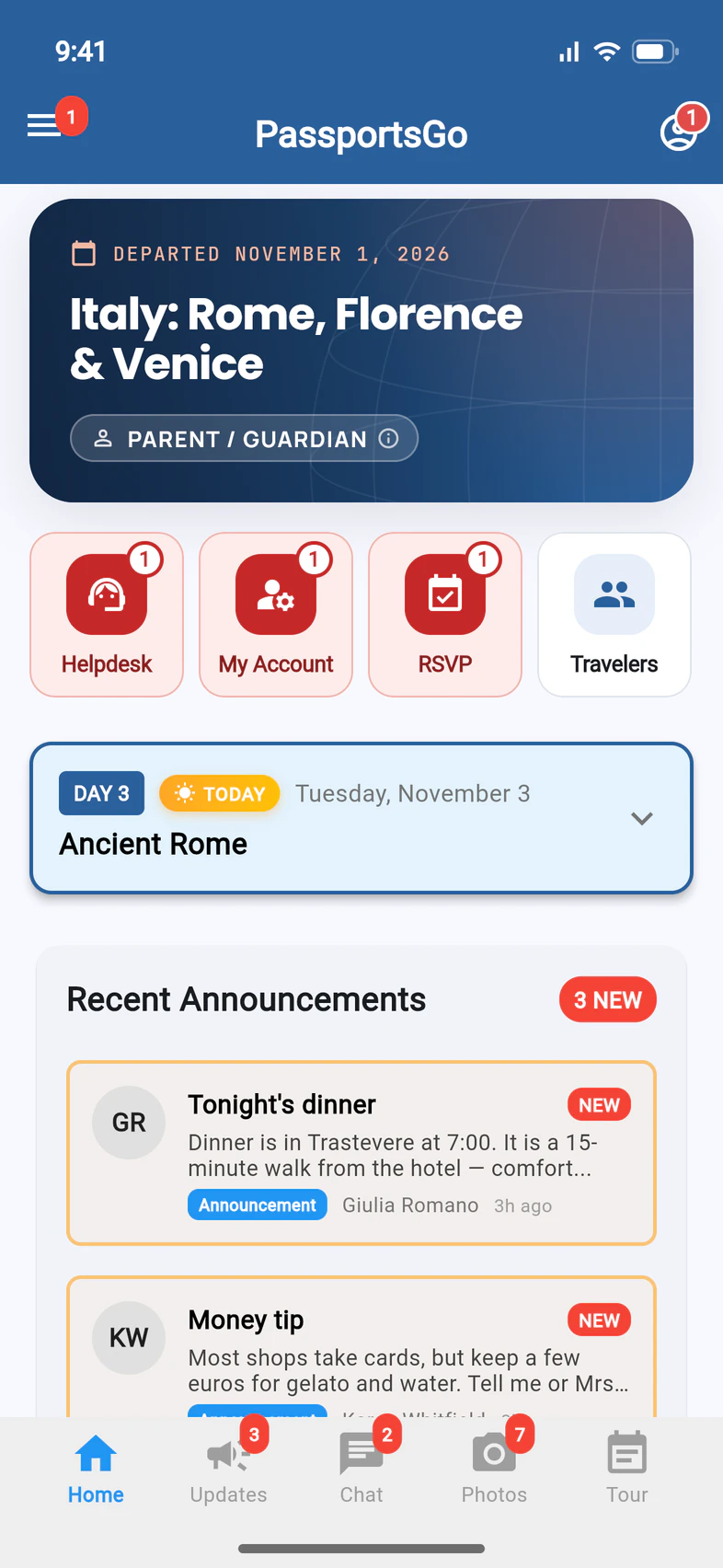
In PassportsGo, a red RSVP tile 1 on Home means a meeting is waiting for your answer (the number says how many). Tap it to open the soonest one, or tap the invitation's notification on your phone.
The page from the email or text asks the same questions in its own words: “Yes, I'll be there”, “Not sure yet” or “I can't make it”, then how many are coming and Send my answer. It's the same answer as in the app, so answer wherever is handiest.
- Step 2
Check the details
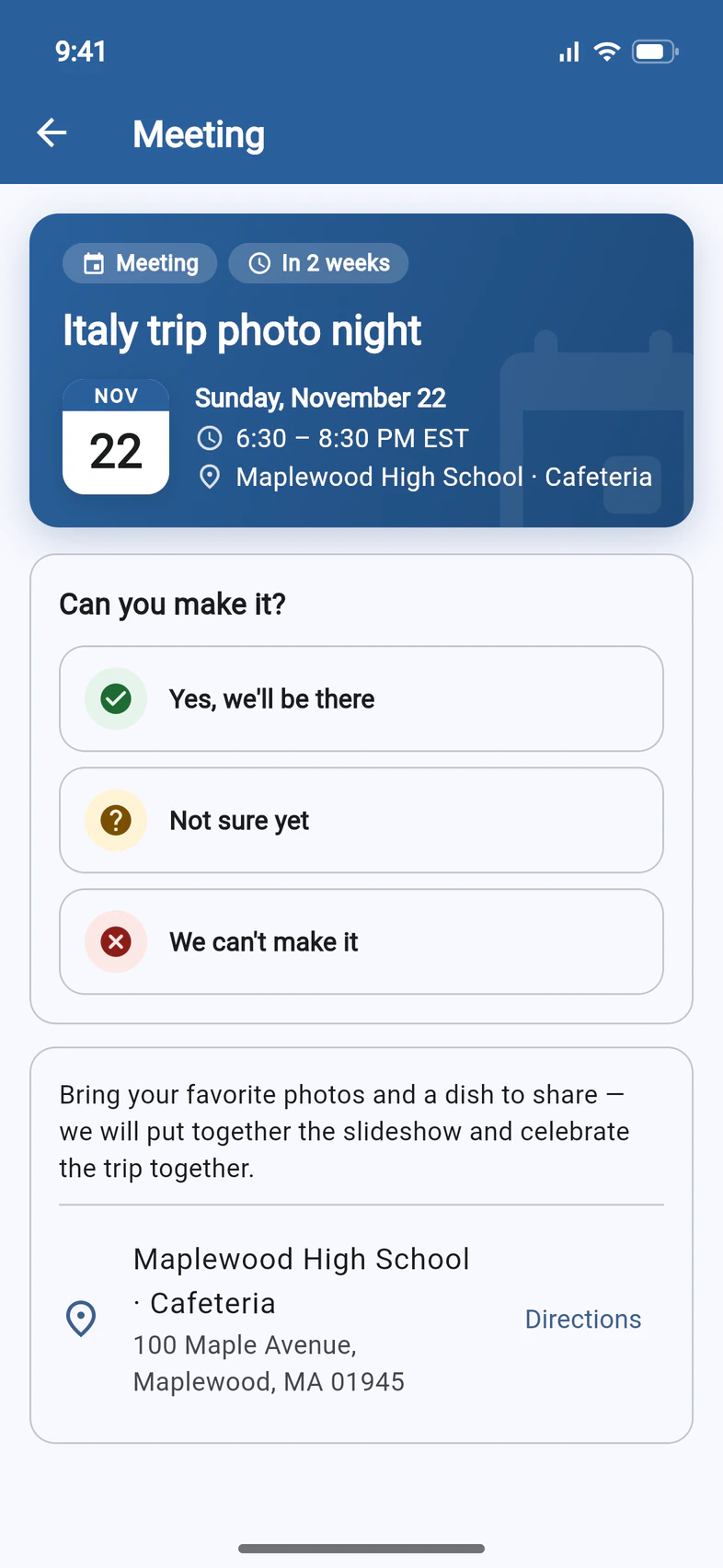
The blue card at the top shows when and where 1. Under the answers are your group leader's note and the full address, with Directions 2 to open it in Google Maps.
- Step 3
Choose your answer
Under Can you make it?, tap Yes, we'll be there 1, Not sure yet 2 or We can't make it 3.
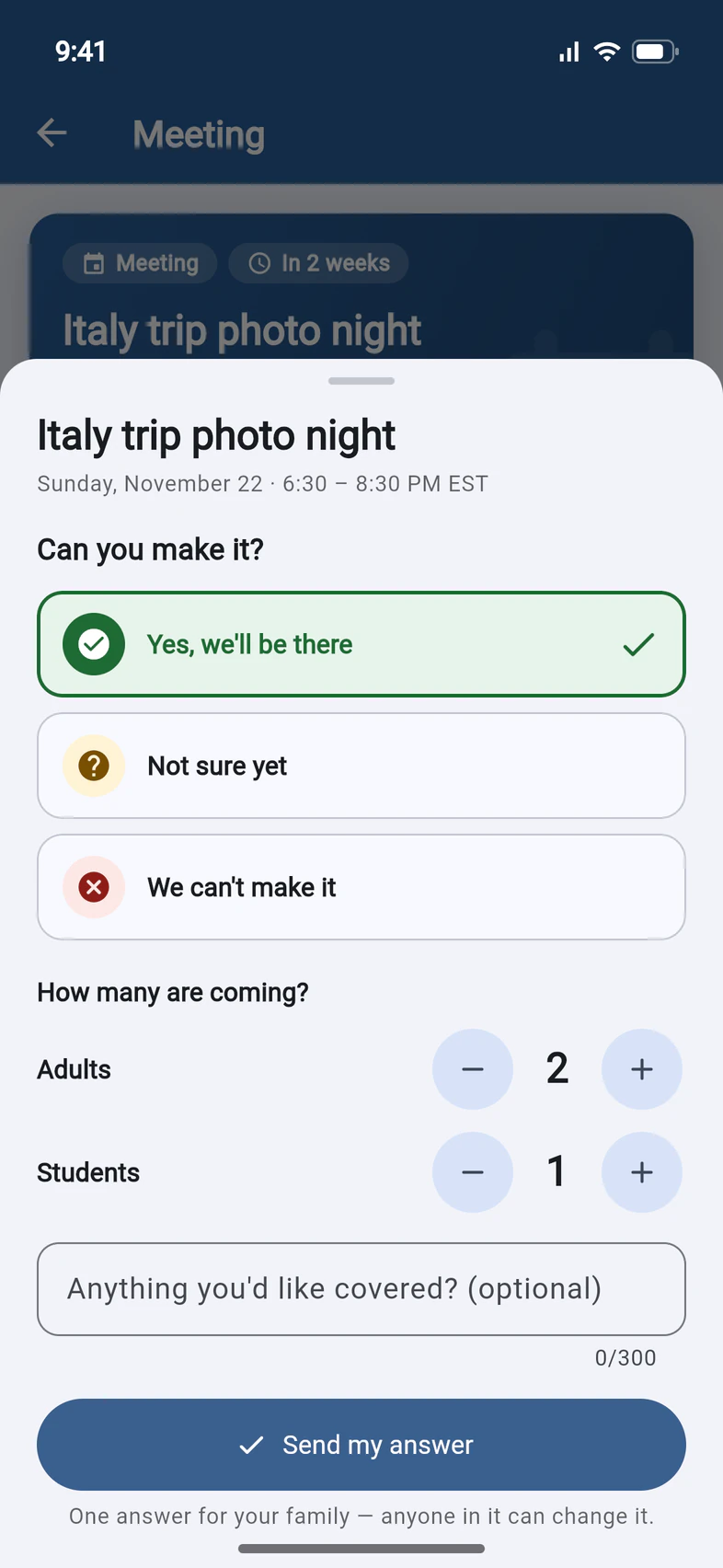
A sheet opens with that answer picked. You can still switch there.
- Step 4
Say how many are coming
Under How many are coming?, set the Adults and Students 1 with the minus and plus buttons: here, both parents and Emma.
Have a question for the meeting? Add it under Anything you'd like covered? (optional). Then tap Send my answer 2.
Not sure yet asks If you come, how many?, and we'll check back with you a few days before. We can't make it needs no count: pick a reason if you like.
- Step 5
You're done
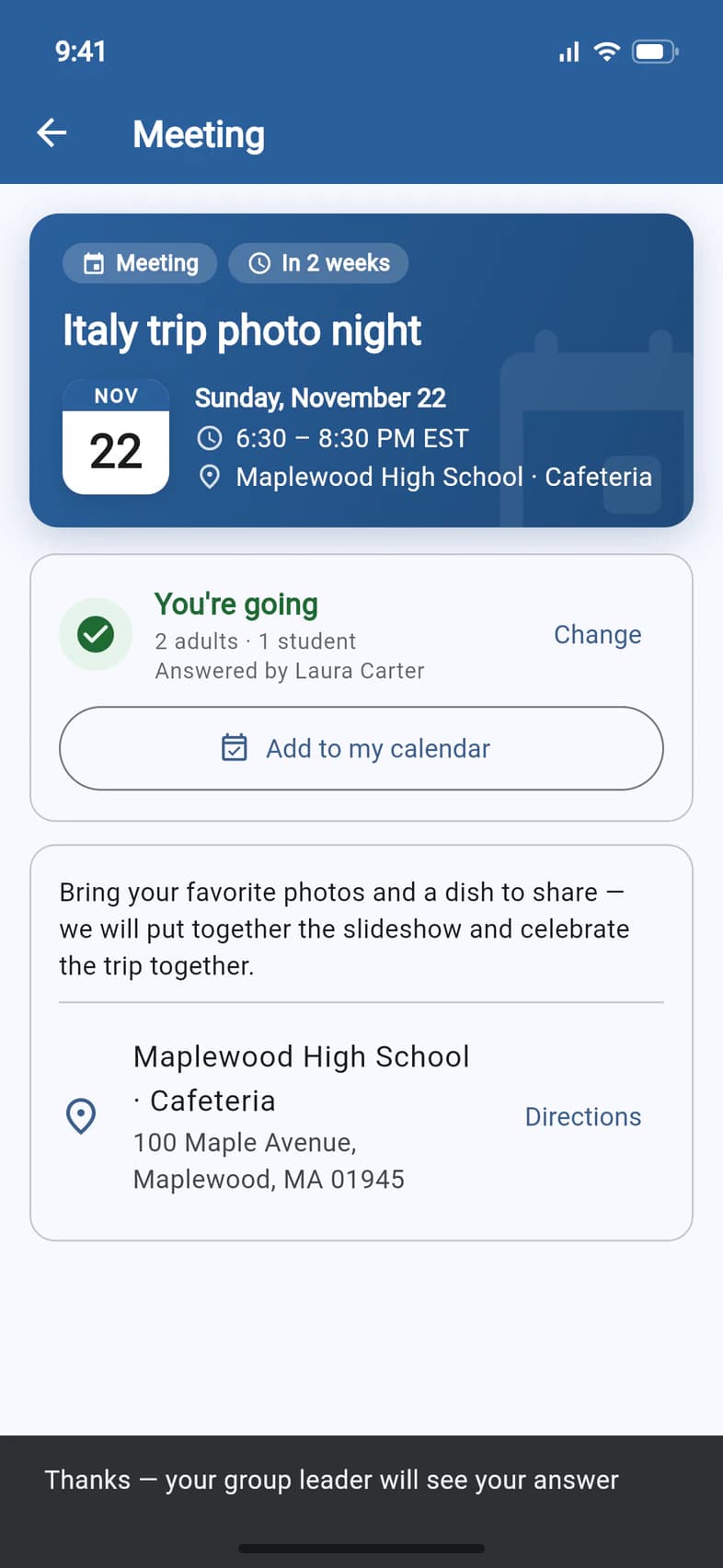
A message confirms it: Thanks — your group leader will see your answer. A confirmation email follows, with a calendar file attached when you're coming or not sure. The meeting now shows your answer, how many are coming and who answered.
- Add to my calendar 1 opens your phone's calendar with the meeting filled in: save it there. Using PassportsGo in a browser? Pick Google Calendar, or Apple Calendar or Outlook to download a calendar file.
- Plans changed? Tap Change 2 and answer again, any time before the meeting.
Good to know
Do I need to sign in?
Not from the email or text: the link opens your family's own page in your browser, with nothing to sign in to. In PassportsGo you're already signed in, and it's the same answer either way.
Someone in my family already answered.
Then you're all set. Each family gives one answer, and anyone in it (a parent, a guardian or the traveler) can change it; brothers and sisters on the same trip are answered for together. The meeting shows the latest answer, and Answered by names who gave it.
Where's the link for an online meeting?
It appears once you answer Yes, we'll be there or Not sure yet: a button such as Join on Zoom under your answer. Until then the meeting says The link appears here once you answer. It's also in your confirmation email and your reminders.
Will I get a reminder?
Yes, unless your group leader turns reminders off. They go out at noon three days before, at noon the day before, and 2 hours before the start, by email, text or app notification; the last one goes only to families who said yes. If you haven't answered, they ask again. Nobody who answers We can't make it gets one.
What if we can't make it?
Tap We can't make it, pick a reason if you like, then tap Send my answer. For a parent meeting, leave Send me what I missed ticked to get what was covered afterwards. If the meeting is recorded, Watch the recording appears on its page in PassportsGo once it's over.
I didn't get an invitation.
Invitations go to the email addresses and mobile numbers Passports has for your family. Check your spam folder, and look in PassportsGo for the red RSVP tile or a post about the meeting on Updates. Still nothing? Ask your group leader, who can send you the link again from the meeting's page.
Why does the email or text start with a note from Passports?
If a group leader added you to a trip's interest list, your first email and first text from Passports may start with a short note: who we are, who gave us your details, and how to say no. Not interested? Reply NO to the text, or use "Take me off the list" in the email: you're off that trip's list and won't hear about it again. Changed your mind? Only you can put yourself back, with the link we send you. Reply STOP to stop all our texts.
Screens show a sample family and tour — your names, dates and amounts will differ. Checked against the app November 3, 2026.
Call us. A real person in Worcester picks up.
Monday to Friday, 8am to 4pm Eastern — and around the clock once your group is on tour. Or email passportsgo@passports.com.