
Chat with the group
Group Chat for travelers, Parent Chat for parents, private chats — and messaging your group leader.
PassportsGo has a chat for your group: travelers talk in the Group Chat, parents and guardians in the Parent Chat. You can also message your group leader privately.
- Step 1
Open your chat
Tap Chat. Parents and guardians see the Parent Chat 1. Travelers see the Group Chat, with the chaperones and the group leader, and the Tour Director once the group leader adds them. Tap a chat to open it.

- Step 2
Send a message
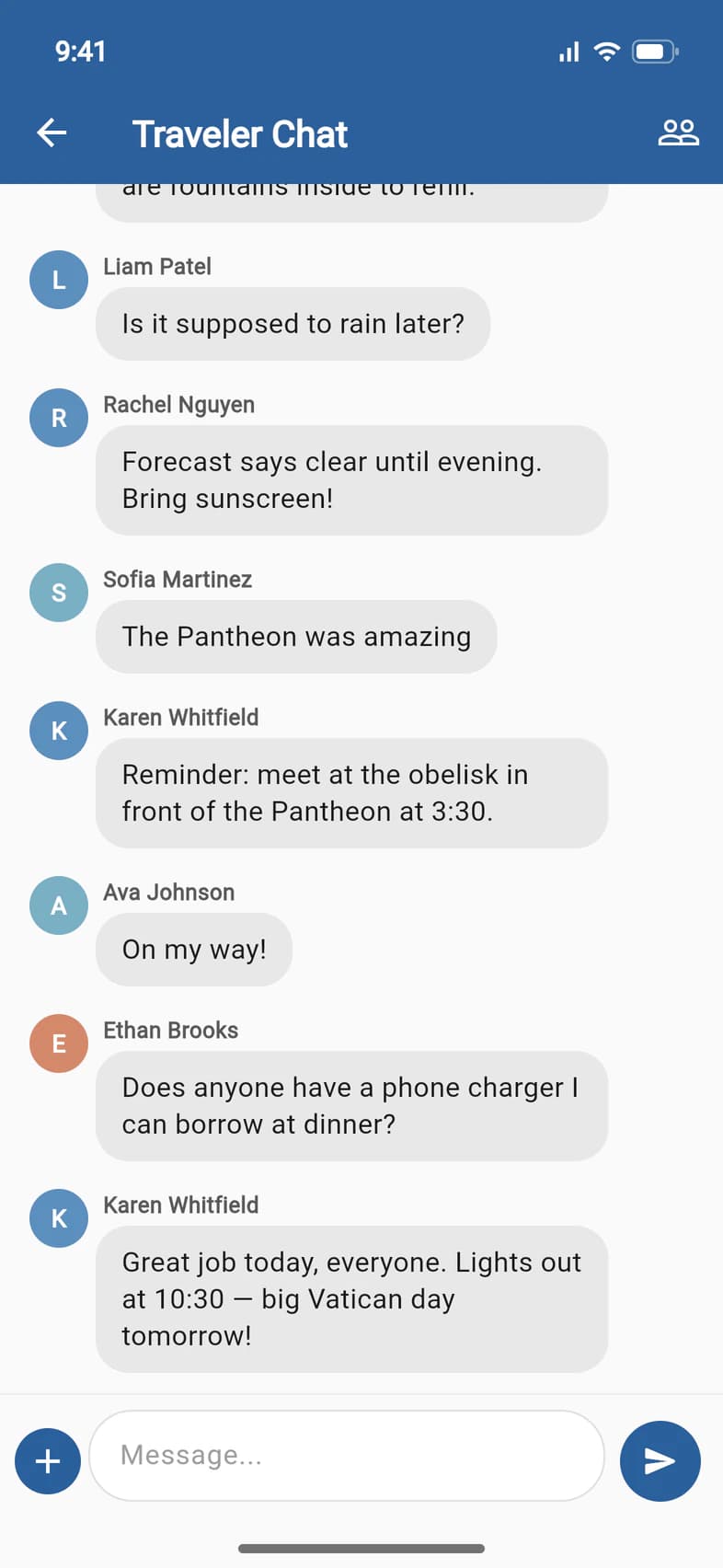
Type in Message... 1 and tap the arrow to send. Tap + 2 to add a photo, your location or a PDF.
- Step 3
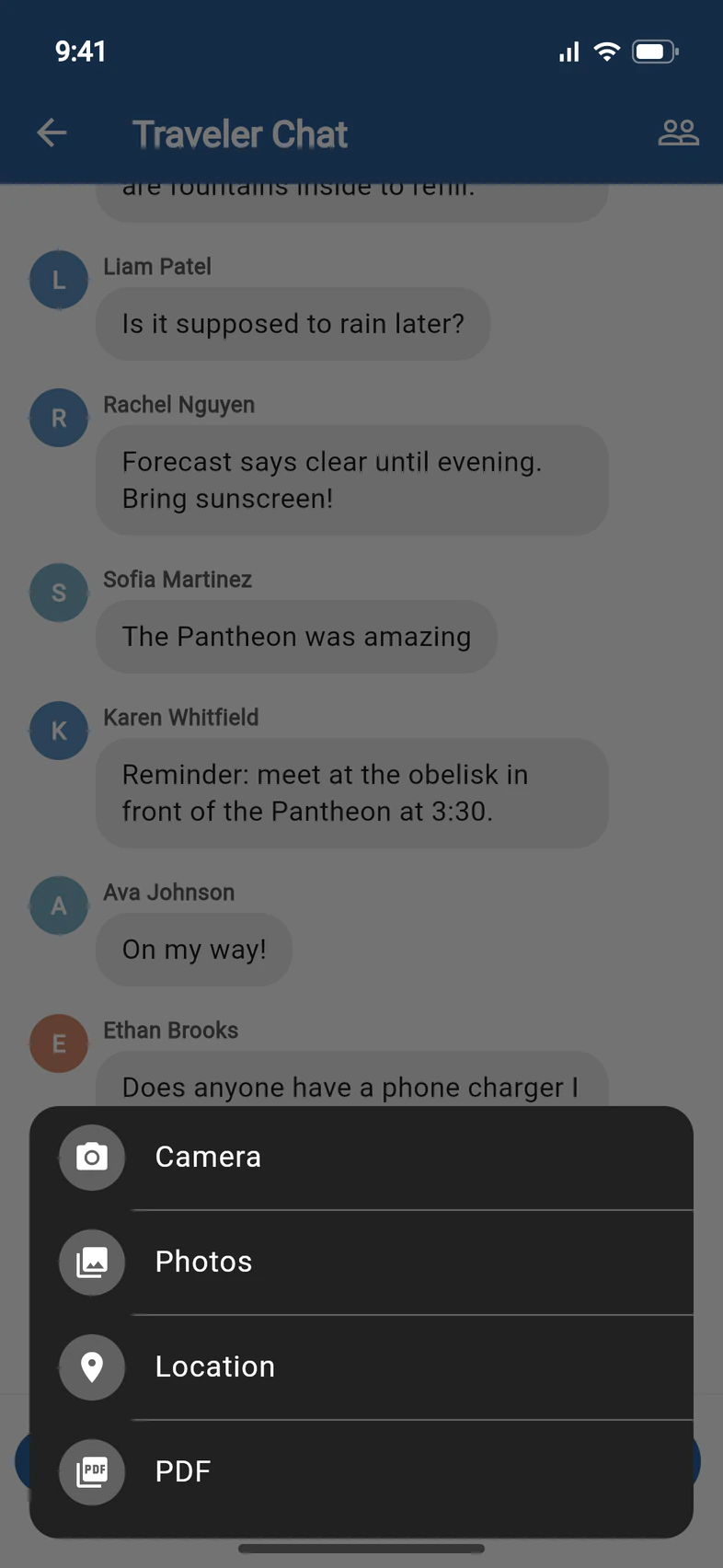
Add a photo, your location or a PDF
Pick Photos 1 for a picture, Location 2 to share where you are, or PDF 3 for a document. On a phone, Camera takes a new photo.
- Step 4
Message your group leader
On the Chat tab, tap Chat Group Leader. This starts a private conversation with your group leader, who gets a notification. Type your message and tap Send 1.

Good to know
Can parents read the travelers' Group Chat?
No. Parents and guardians have their own Parent Chat, and travelers have the Group Chat.
Someone posted something upsetting.
Press and hold the message to flag it. The group leaders are notified. Travelers can also block another traveler.
A question for Passports, not the group leader?
Use the Helpdesk: see Ask Passports a question.
Screens show a sample family and tour — your names, dates and amounts will differ. Checked against the app September 26, 2026.
Call us. A real person in Worcester picks up.
Monday to Friday, 8am to 4pm Eastern — and around the clock once your group is on tour. Or email passportsgo@passports.com.