
Read updates, vote and comment
The Updates tab — new posts, polls and comments.
Updates is where the group leader and the Tour Director post announcements: meeting times, reminders, the plan for tomorrow. Some posts have a poll, and you can comment on them.
The whole announcement, from writing it to who’s read it
Post on Updates with a title, a message and a poll, choose who sees it and know when each family is notified, then see the votes, the comments and who hasn't read it yet, and edit or delete it.
Real app screens, sample tour · narration generated with AI
- Step 1
Open Updates
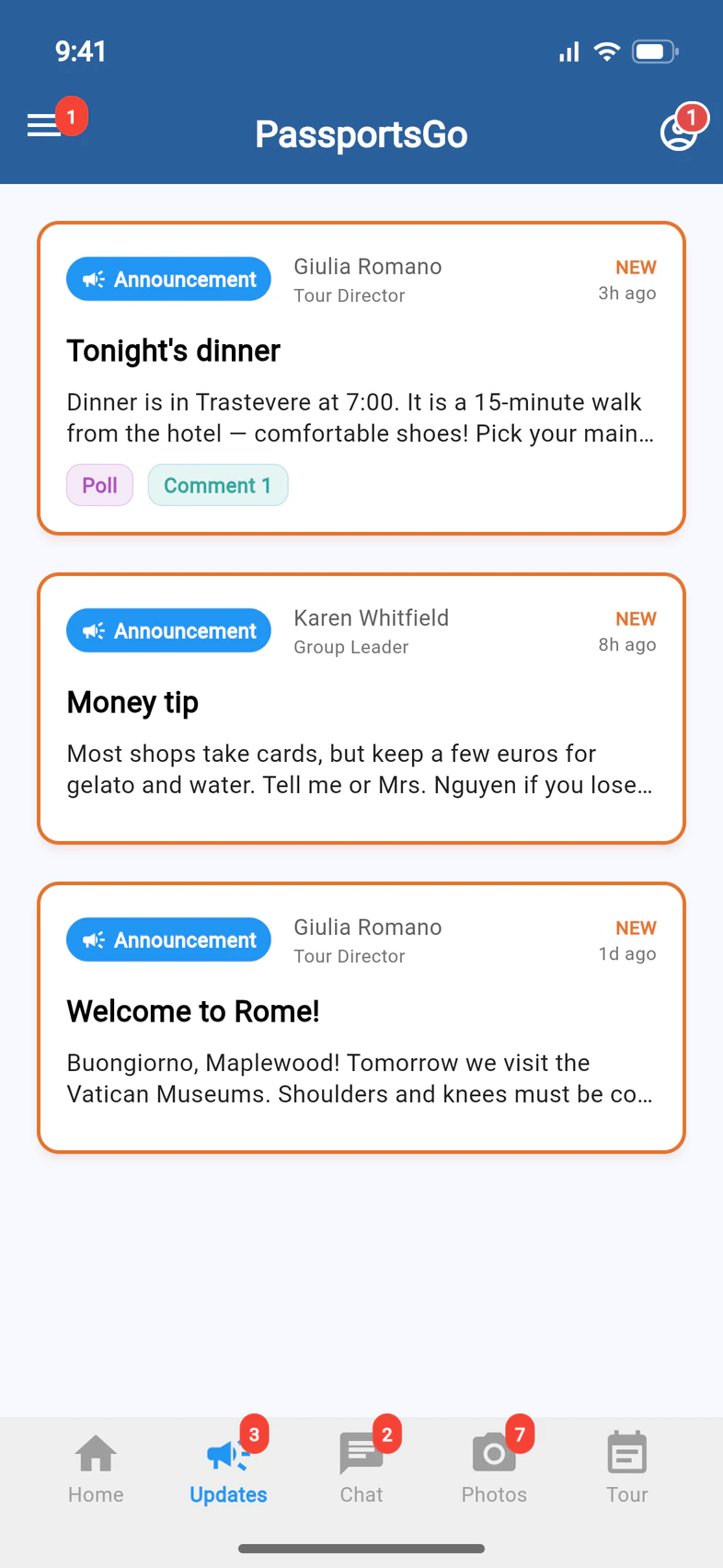
Tap Updates. The newest posts are at the top, and NEW 1 marks the ones you haven't opened. Tags under a post show it has a poll or comments. Tap a post 2 to read it all.
- Step 2
Vote in a poll
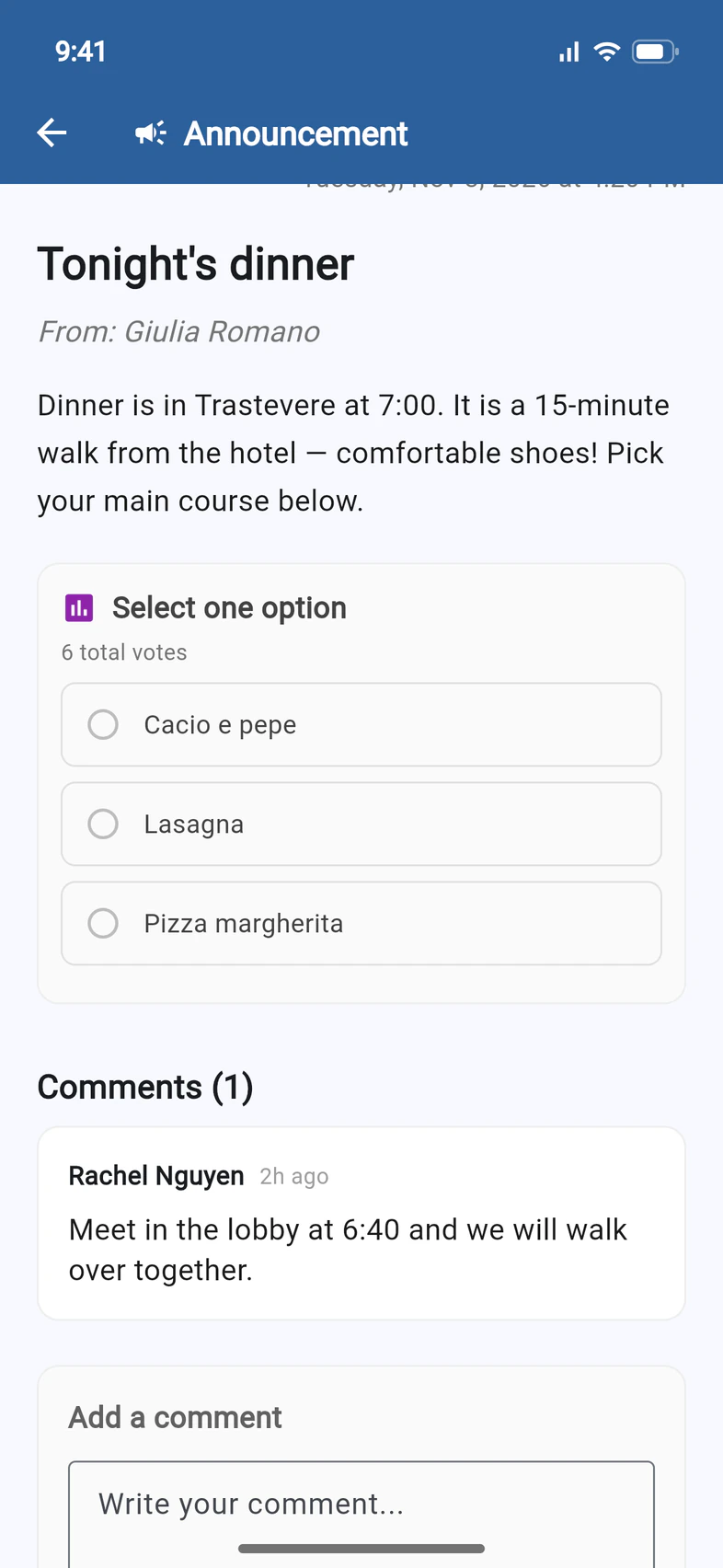
If the post has a poll 1, tap your choice 2. Your vote counts right away, and you can change it later. The results show once you've voted.
- Step 3
Comment
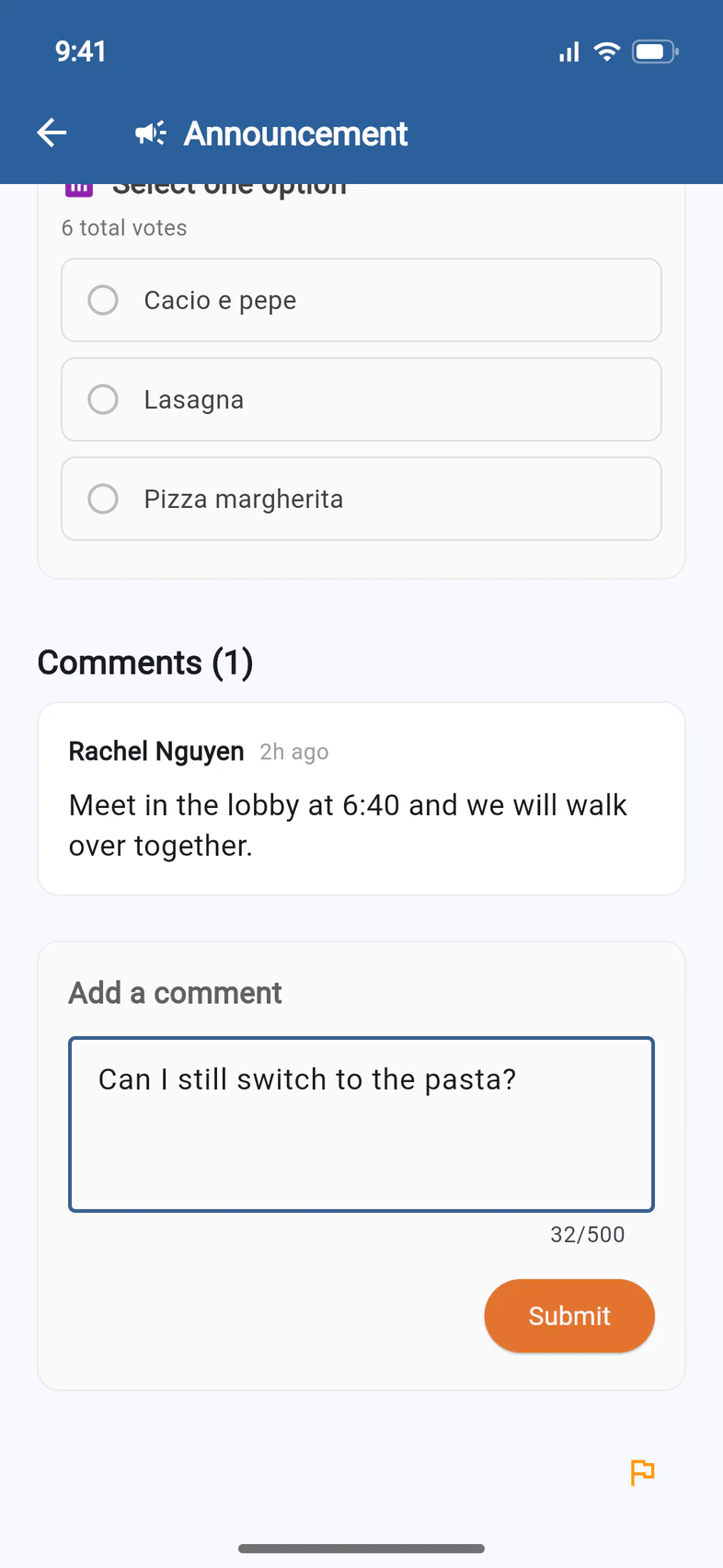
Comments 1 are under the post. Type yours under Add a comment 2 and tap Submit 3. Everyone who can see the post can read it.
Good to know
Do I get a notification for new posts?
Yes. New announcements come by email right away. If you use PassportsGo, you also get a notification, which follows the clock: at home, it waits until 8 AM between 9 PM and 8 AM, unless the post is urgent. Posts on Updates never come by text.
What's the PINNED post at the top?
Your group leader, an admin or your Tour Director can pin one post, like the meeting point or the packing list, so it stays first. It shows as a blue PINNED card at the top of Updates, above the newest posts, and on Home. Tap it to read the whole post.
My traveler sees posts I don't.
The group leader can post something for travelers only. Parents and guardians don't see those.
A post shouldn't be there.
Tap the orange flag at the bottom of the post to flag it. The group leaders are notified.
Screens show a sample family and tour — your names, dates and amounts will differ. Checked against the app October 12, 2026.
Call us. A real person in Worcester picks up.
Monday to Friday, 8am to 4pm Eastern — and around the clock once your group is on tour. Or email passportsgo@passports.com.