
Manage your devices and profile
Your signed-in devices, your photo and nickname, app updates, and deleting your account.
Your profile is your photo and the name the group sees in PassportsGo, plus which of your phone numbers get texts from Passports. Settings lists every phone and computer signed in to your account, so you can sign out the ones you don't use.
- Step 1
Open your profile
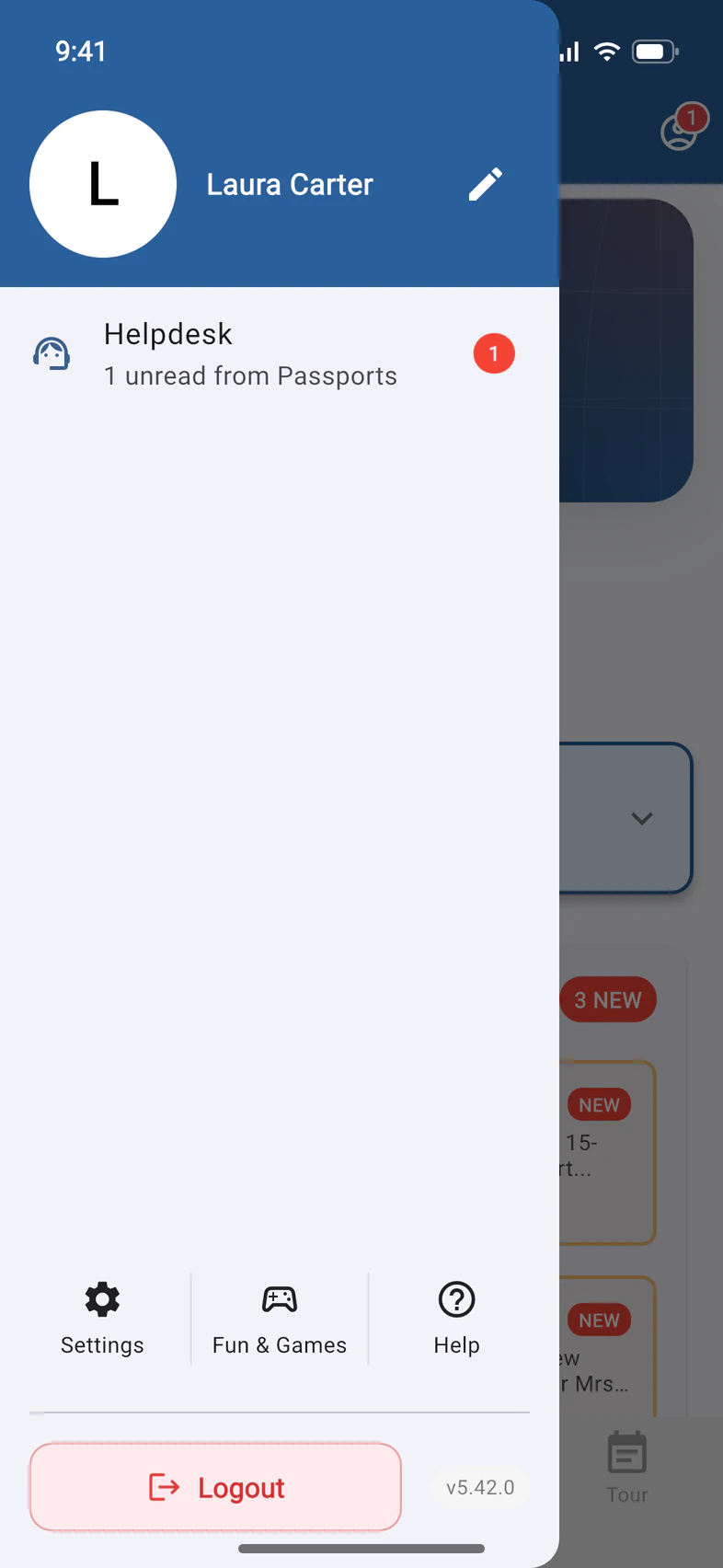
Tap ☰ at the top left of Home, then the pencil 1 next to your name.
- Step 2
Photo and nickname
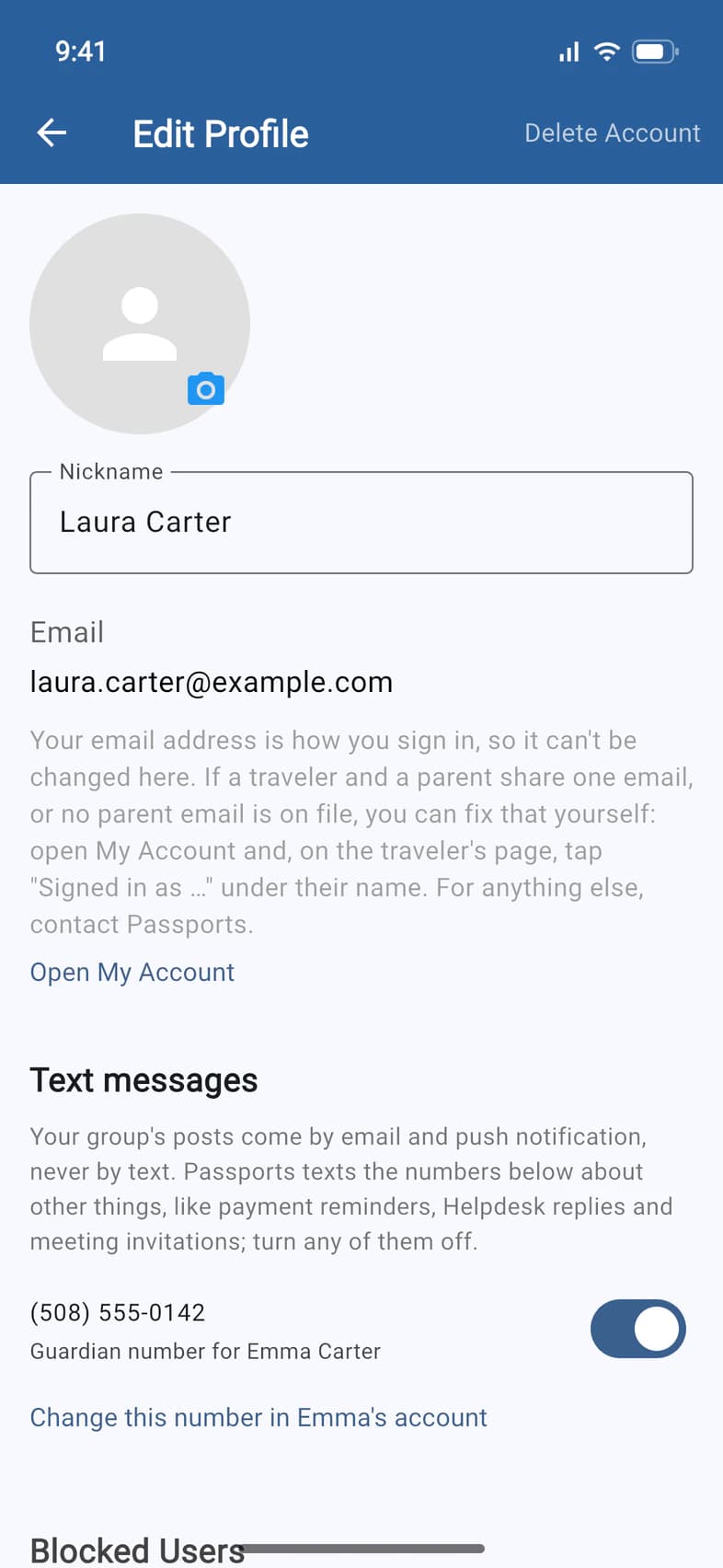
Tap the camera on the photo to add yours, and change your Nickname 1: it's the name the group sees on your messages and photos.
Your email is how you sign in, so it can't be changed here 2. If a traveler and a parent share one email, or no parent email is on file, you can fix that yourself: tap Open My Account under it, then on the traveler's page tap Signed in as … under their name. For anything else, ask Passports.
- Step 3
Choose which numbers get texts
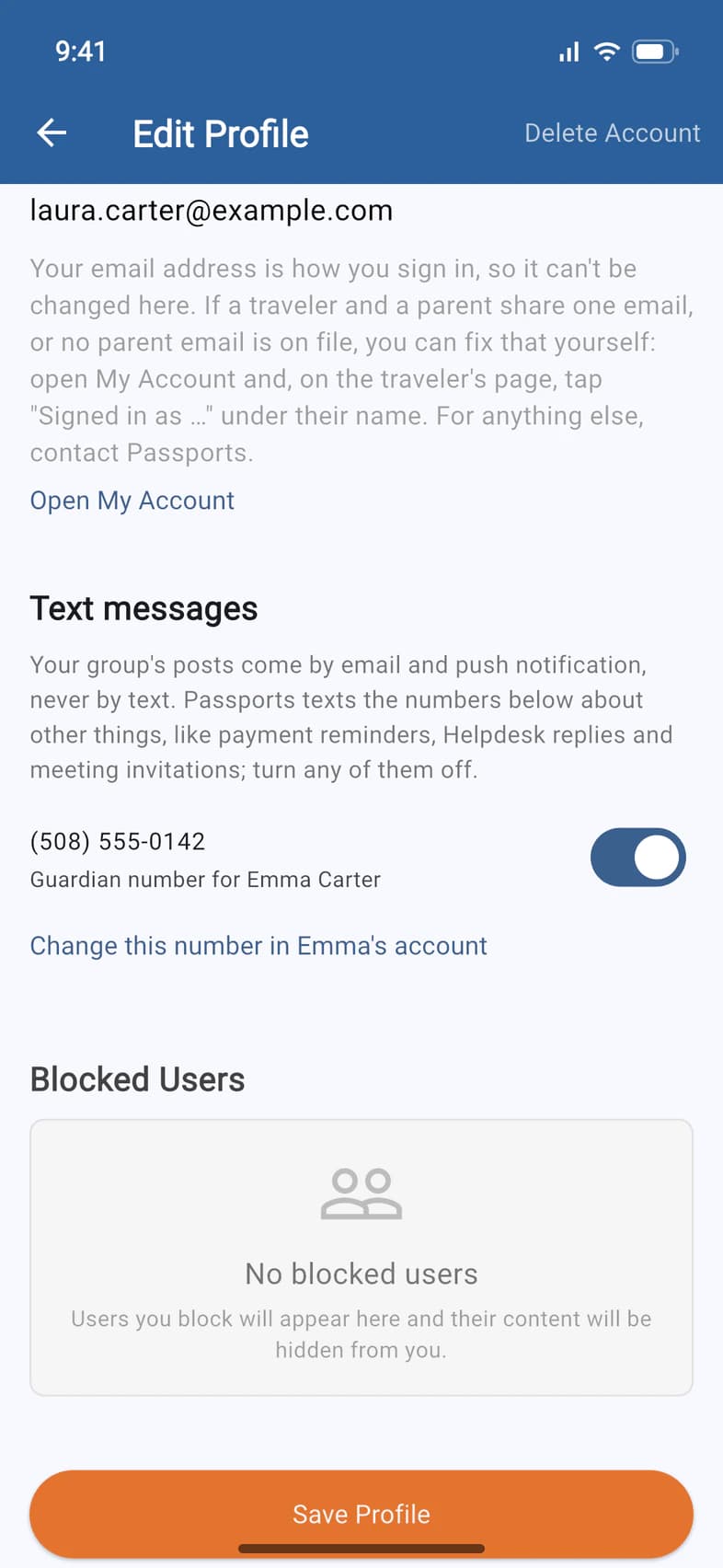
Your group's announcements come to you by email, and as a notification on any phone signed in to PassportsGo, never as a text. Passports still texts about other things, like payment reminders, Helpdesk replies and meeting invitations. Under Text messages 1, each number 2 has a switch: turn one off to stop those texts. It saves at once.
When you change your photo or nickname, tap Save Profile 3.
- Step 4
See your devices
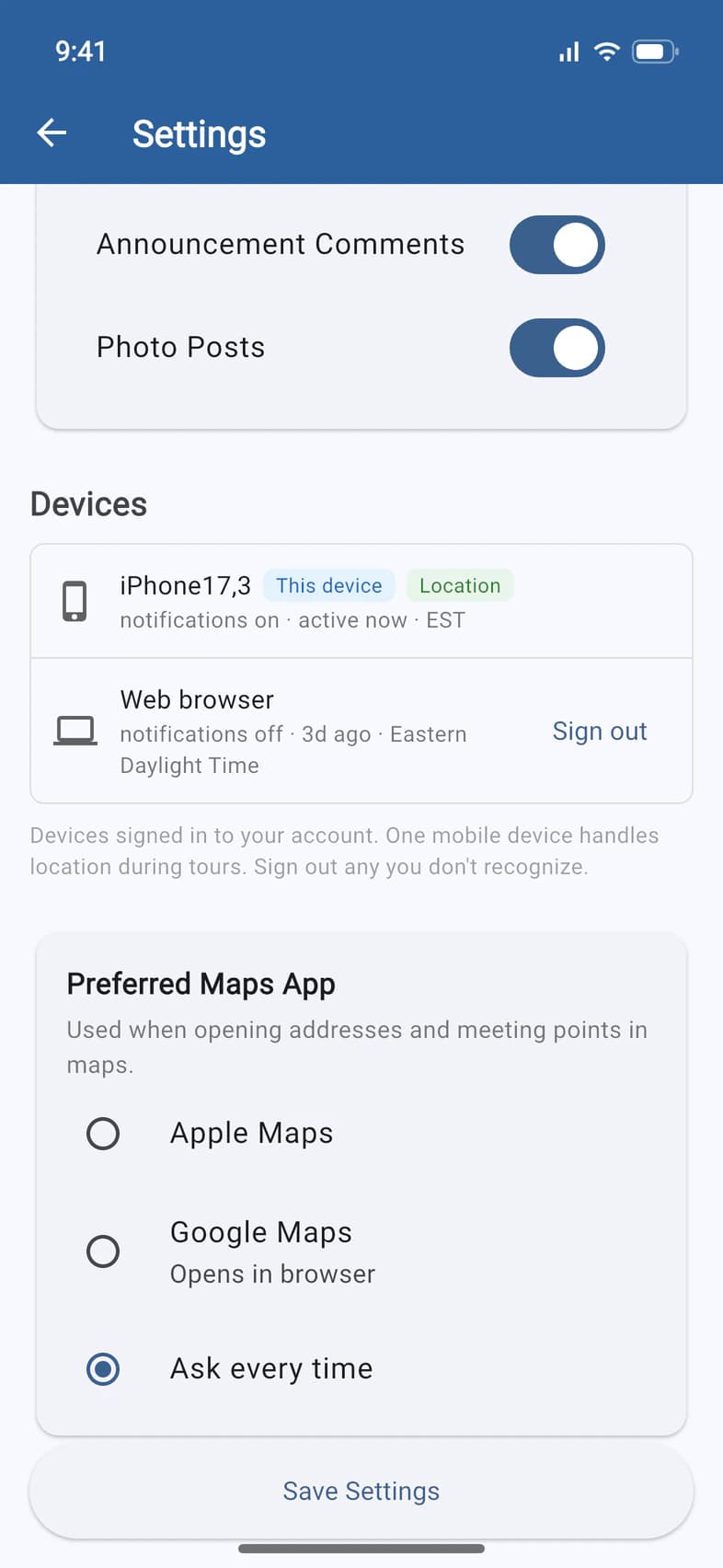
Tap ☰, then Settings, and scroll to Devices 1: every phone and browser signed in to your account. This device 2 is the one in your hand. Tap Sign out 3 beside any you don't use or don't recognize.
Location marks the phone that shares location during the tour. It only matters for travelers and chaperones: parents' locations are never collected.
- Step 5
Sign out of this phone
To sign out of the phone you're holding, tap ☰, then Logout 1 at the bottom. There's no "are you sure?": you're signed out right away, and you can sign in again with a new code.
- Step 6
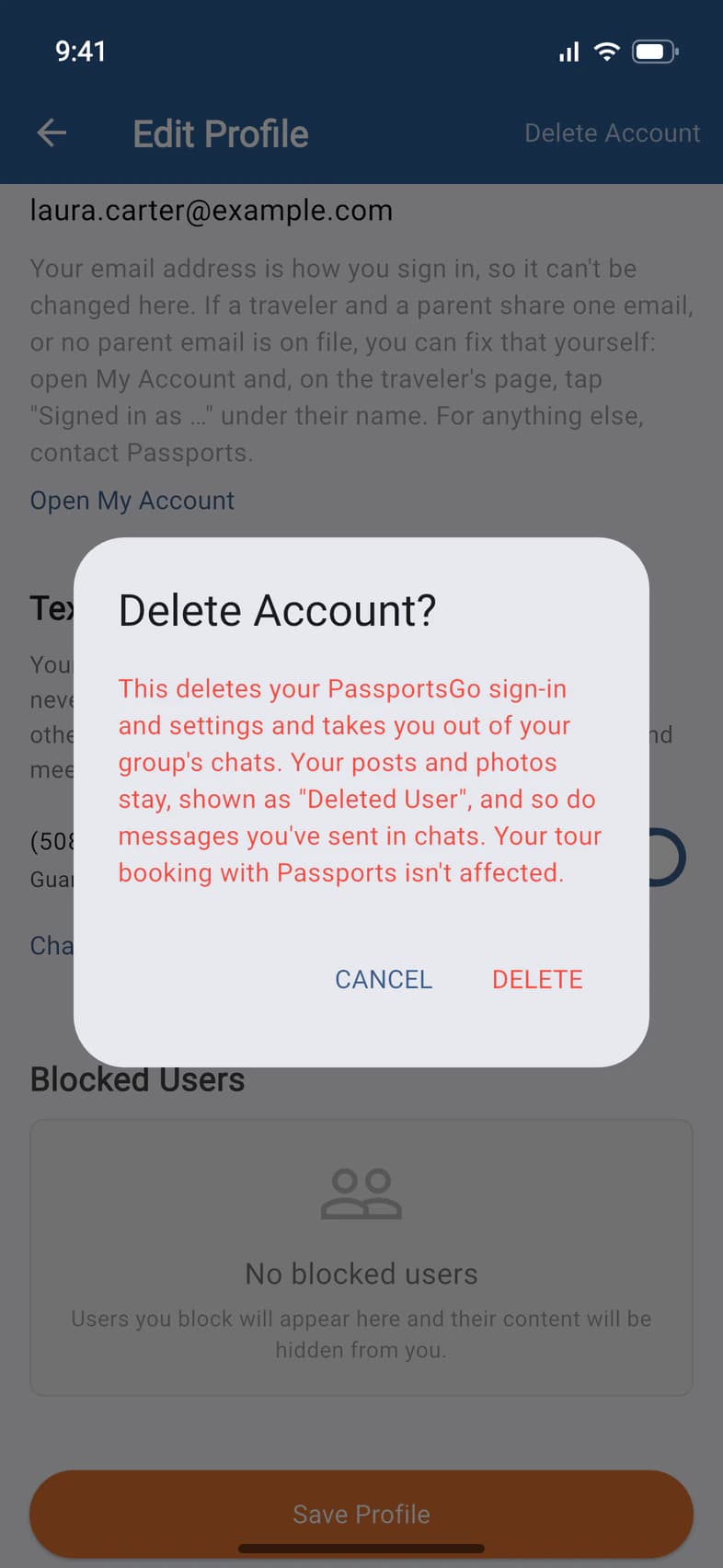
Delete your account
On Edit Profile, tap Delete Account at the top right. The app says exactly what happens 1: "This deletes your PassportsGo sign-in and settings and takes you out of your group's chats. Your posts and photos stay, shown as "Deleted User", and so do messages you've sent in chats. Your tour booking with Passports isn't affected."
Tap DELETE 2 to go ahead, or CANCEL.
Good to know
How do I update the app?
When a new version is out, your phone asks as PassportsGo opens: tap Update Now, or Not Now to do it later. Until you update, Home shows a red Update tile: tap it, then Update Now (on passportsgo.com, Refresh Now). More in Update PassportsGo.
I have a new phone.
Sign in on the new phone. Then, in Settings › Devices, sign out the old one. Travelers: if the new phone doesn't have the Location tag, tap Use for location under it.
I turned a number off by mistake.
Turn its switch back on in Text messages. If the number replied STOP to one of our texts, the switch can't turn texts back on: reply START to a Passports message.
How do I change my email address?
Ask Passports: the app can't change it. One exception you can fix yourself: if a traveler and a parent share one email address, or the parent's is missing, tap My Account on Home and, on the traveler's page, the Signed in as … line under their name. Sign-in & Finance asks who you are and, if it's needed, for the other person's email. Open My Account under your email on Edit Profile takes you there too.
Taking a photo says PassportsGo needs Camera access.
You said no when your phone asked for Camera access. Tap Open Settings on the message, allow Camera for PassportsGo, then try again. Or tap Photo Library instead: choosing a saved photo doesn't need any access. If the message says access is blocked by Screen Time or a management profile, ask whoever manages the phone.
Screens show a sample family and tour — your names, dates and amounts will differ. Checked against the app November 3, 2026.
Call us. A real person in Worcester picks up.
Monday to Friday, 8am to 4pm Eastern — and around the clock once your group is on tour. Or email passportsgo@passports.com.