
Cancel E-Z Pay or a pending payment
See upcoming payments, cancel E-Z Pay, or cancel a bank payment before it's drafted.
Once the $495 deposit is paid, you can stop E-Z Pay's monthly payments at any time. And a payment you made yourself from your bank account can be canceled until Passports sends it to your bank.
- Step 1
See your upcoming payments
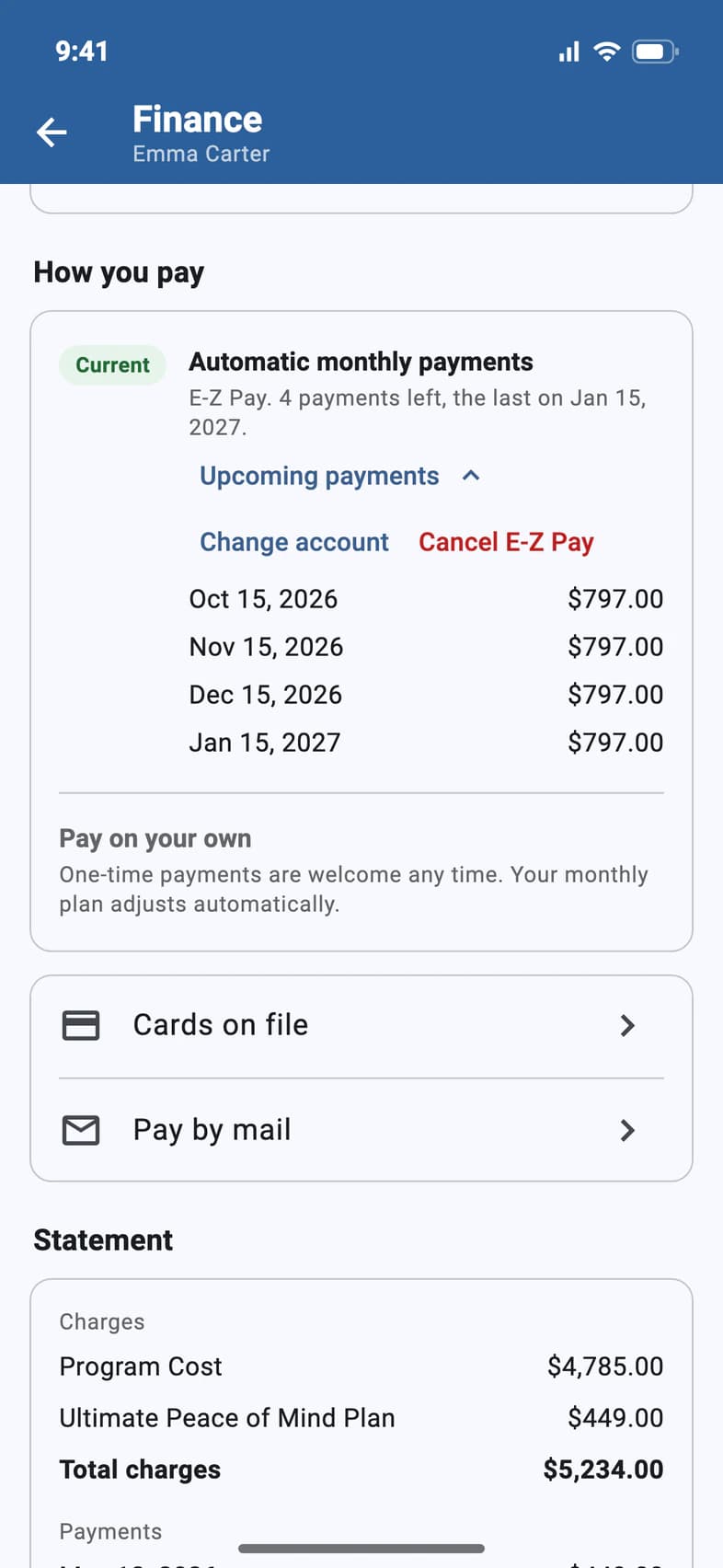
On your traveler's Finance page, How you pay shows Automatic monthly payments as current, with how many payments are left 1. Tap Upcoming payments 2 to see each date and amount.
- Step 2
Cancel E-Z Pay
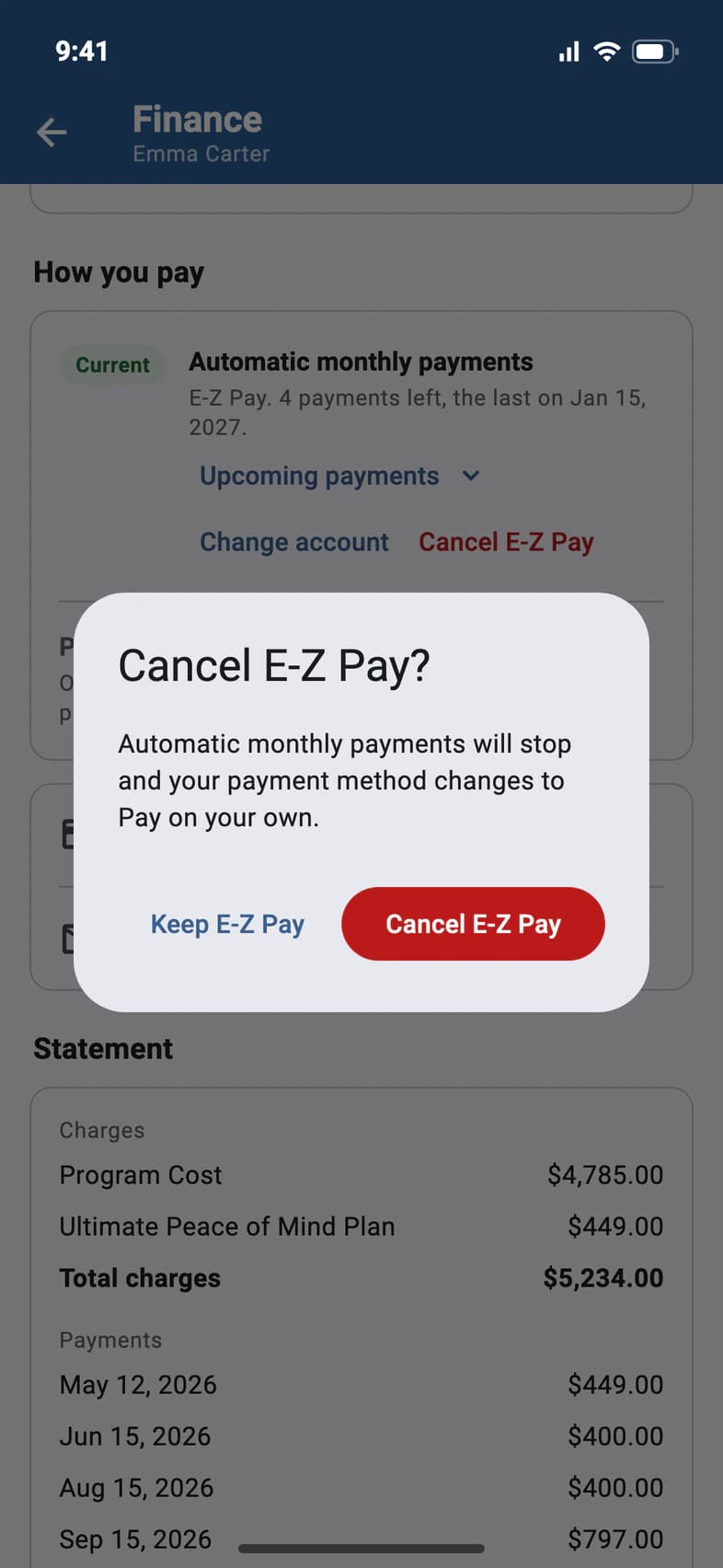
Tap Cancel E-Z Pay, then Cancel E-Z Pay again 1 to confirm. The monthly payments stop, and you're back to paying on your own: your balance and due date stay the same.
While a monthly payment is being processed, E-Z Pay can't be canceled. Finance says so; try again once it has gone through.
Only want the payments from another bank account or card? Keep E-Z Pay and tap Change account instead: see Change the account E-Z Pay uses.
Less than the $495 deposit paid so far? Paying on your own starts with that deposit, so Cancel E-Z Pay? asks what you'd like to do instead:
- Make a one-time payment of at least the rest of the deposit. Your automatic payments stop after it.
- Cancel Emma's spot on the tour opens a message to Client Services asking them to cancel it. The form says Asking to cancel a spot, and Read the cancellation terms opens the refund and cancellation rules. Tap Send, and someone from Passports will get back to you. E-Z Pay keeps running until they've processed it.
- Keep E-Z Pay: nothing changes.
- Step 3
Cancel a pending bank payment
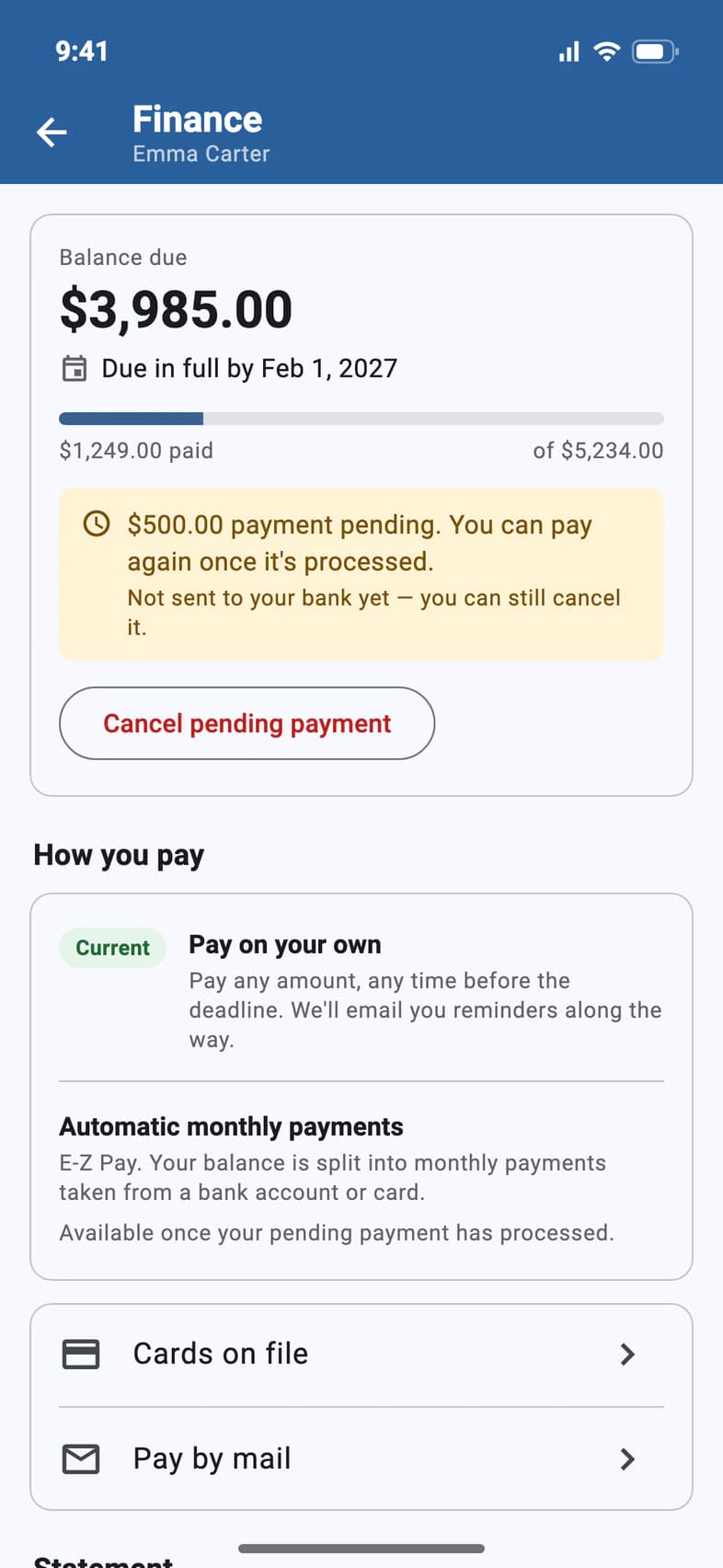
A payment from your bank account waits for Passports to send it to your bank. Until then, the top of Finance shows it as pending: Not sent to your bank yet 1. Tap Cancel pending payment 2.
- Step 4
Confirm
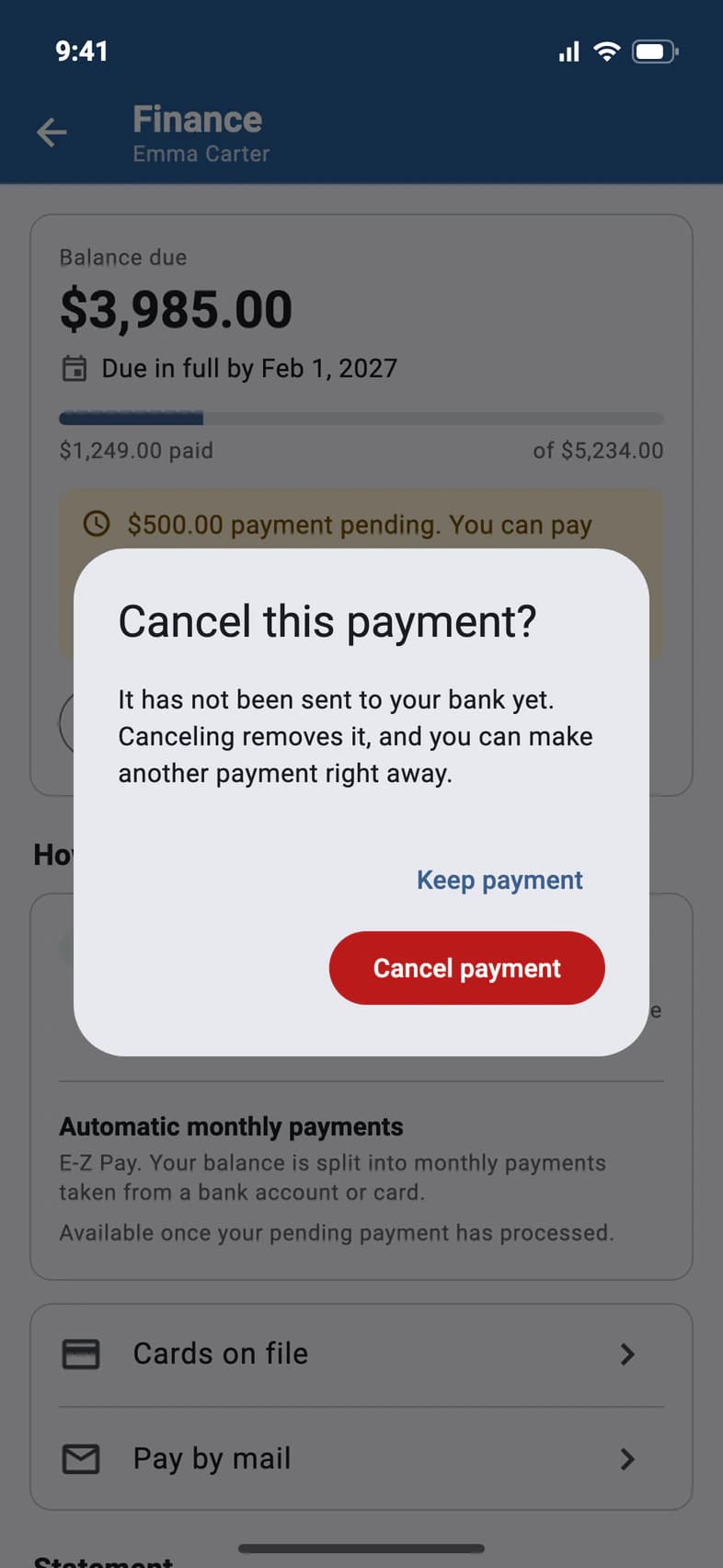
Tap Cancel payment 1. It's removed, and you can make another payment right away.
Once Finance says the payment is being processed, it can no longer be canceled.
Good to know
Can I cancel a card payment?
No: a card is charged right away. If something went wrong, tap Question about your bill? at the bottom of Finance.
Does canceling E-Z Pay change what I owe?
No. You pay the same balance yourself, by the due date on Finance. See Make a payment. Paying on your own starts with the $495 deposit, so if less than that is paid, PassportsGo asks you to pay the rest of it first: your automatic payments stop after that payment.
Our bank account or card is changing. Do I have to cancel?
No. Tap Change account under How you pay to move the payments to another bank account or card, with the same dates and amounts. See Change the account E-Z Pay uses.
My traveler is on the waitlist.
Then payments are on hold until their spot is confirmed: Finance says so, and there's nothing to pay or set up until then. If E-Z Pay was already set up, Cancel E-Z Pay is still there.
Screens show a sample family and tour — your names, dates and amounts will differ. Checked against the app October 23, 2026.
Call us. A real person in Worcester picks up.
Monday to Friday, 8am to 4pm Eastern — and around the clock once your group is on tour. Or email passportsgo@passports.com.