
Choose a payment plan
E-Z Pay's automatic monthly payments (nothing due today) versus Convenience Billing (a deposit now), and the 4% fee on card payments.
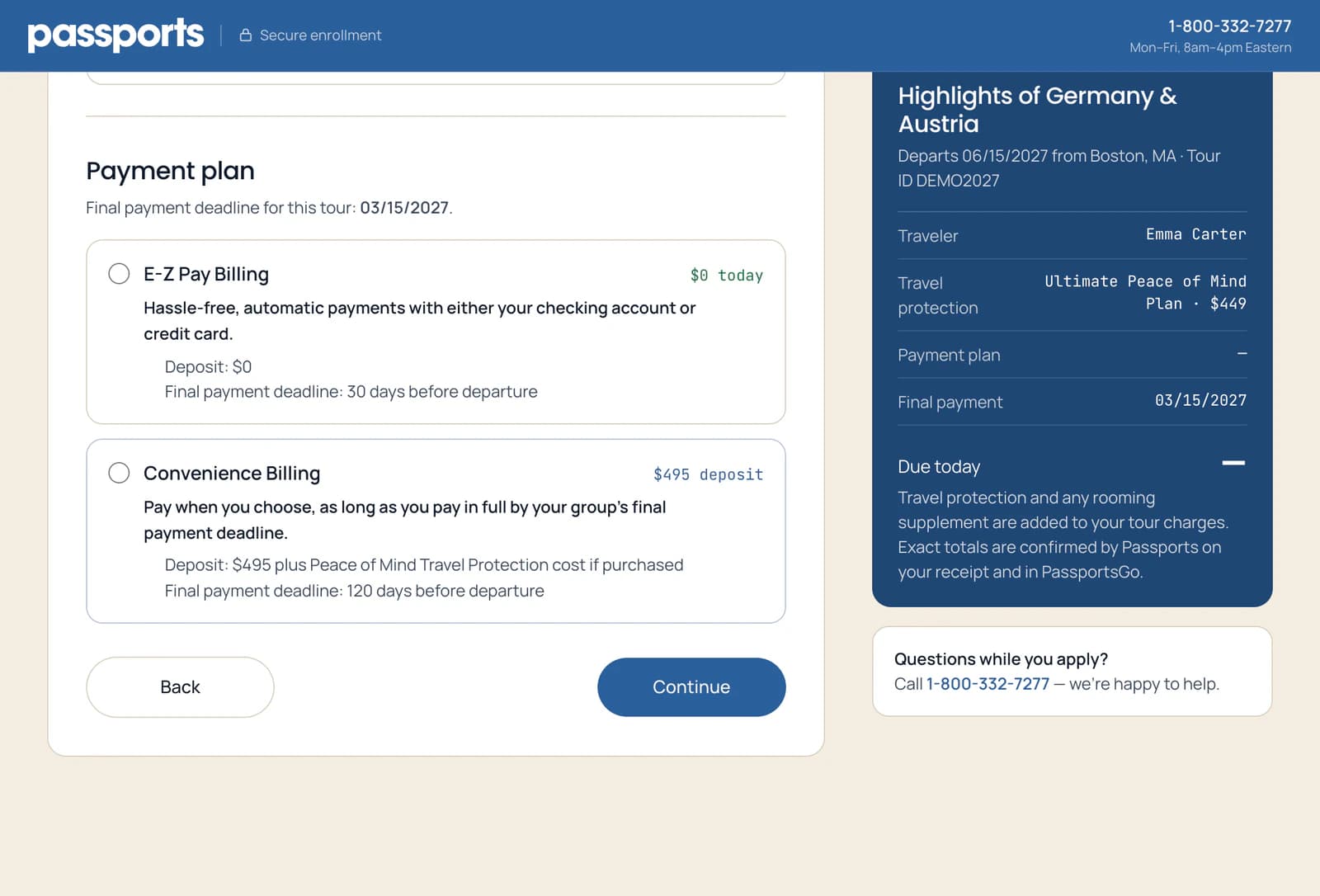
After travel protection, step 2 asks how you'd like to pay for the tour: automatic monthly payments with E-Z Pay, or a deposit now and the rest when you choose with Convenience Billing.
- Step 1
Choose a plan
E-Z Pay Billing 1: nothing due today, then automatic monthly payments.
Convenience Billing 2: a deposit now, then you pay the rest whenever you like, in full by the final payment deadline.
- Step 2
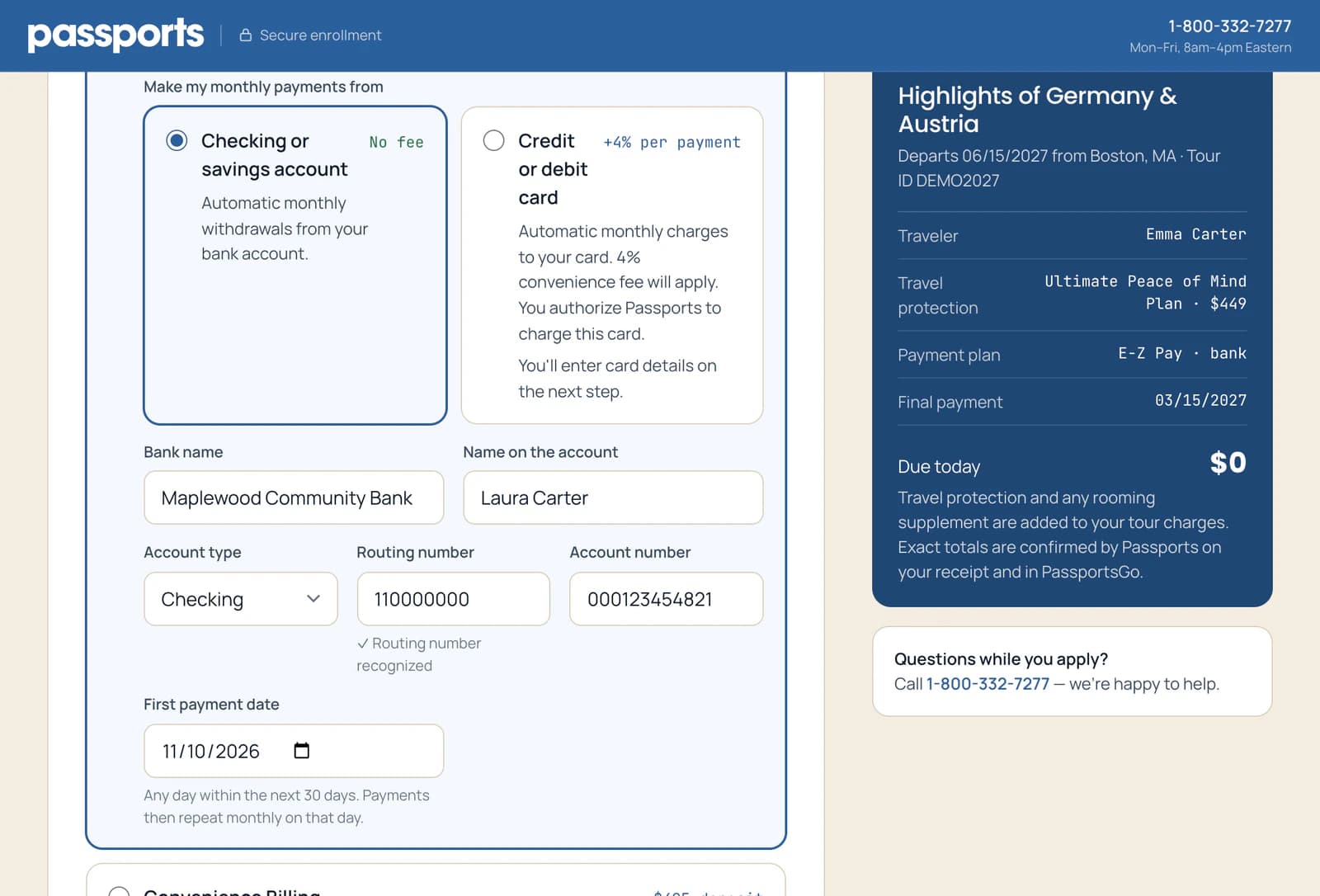
E-Z Pay: set up the payments
Choose where the monthly payments come from: a Checking or savings account 1, with no fee, or a Credit or debit card 2, which adds a 4% fee to each payment.
For a bank account, enter its details 3; the form checks the routing number as you go. Then pick the First payment date 4: any day in the next 30 days. Payments repeat monthly on that day.
Paying by card? You enter the card on the next step. Your confirmation shows the full payment schedule.
- Step 3
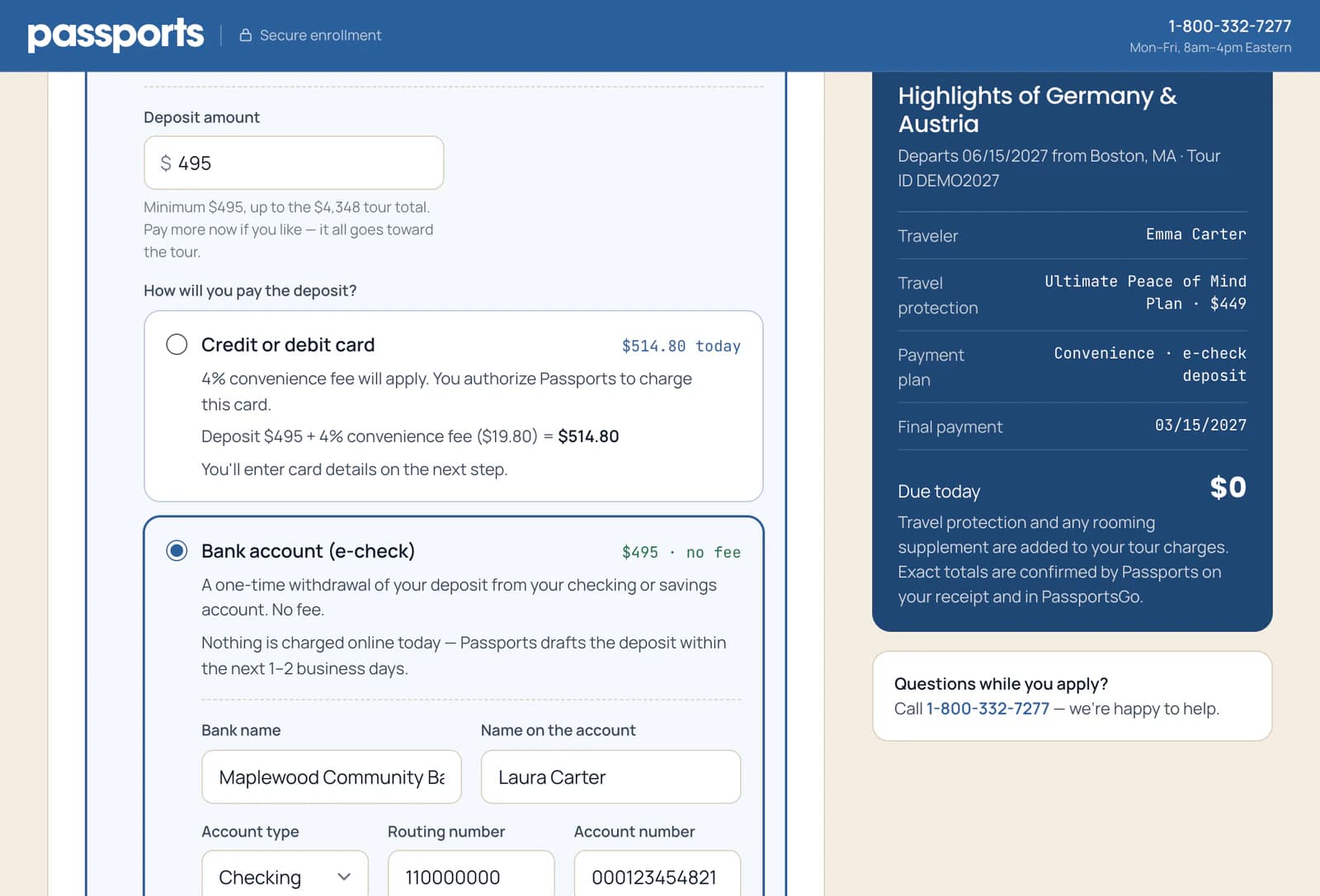
Convenience Billing: pay the deposit
The Deposit amount 1 starts at the minimum for your tour. Pay more if you like: it all goes toward the tour.
Pay it by Credit or debit card 2, charged when you submit with a 4% fee, or from a Bank account (e-check) 3 with no fee. Passports drafts it from your account within 1–2 business days.
Good to know
Where do I find the routing number?
It's the 9-digit number at the bottom left of a check, before the account number. Your bank's app or website shows both too.
Can I pay by check instead?
Not while enrolling online. Once you're enrolled, you can mail checks: Pay by check.
Can I switch to E-Z Pay later?
Yes, in PassportsGo, while E-Z Pay is open for your tour: Set up E-Z Pay.
Screens show a sample family and tour — your names, dates and amounts will differ. Checked against the app September 24, 2026.
Call us. A real person in Worcester picks up.
Monday to Friday, 8am to 4pm Eastern — and around the clock once your group is on tour. Or email passportsgo@passports.com.