
Review and submit
Check the passport name, accept the agreements, and wait for the confirmation.
Step 3 shows everything you've entered, one last time. Submitting enrolls your traveler and sends your welcome email right away.
- Step 1
Check everything
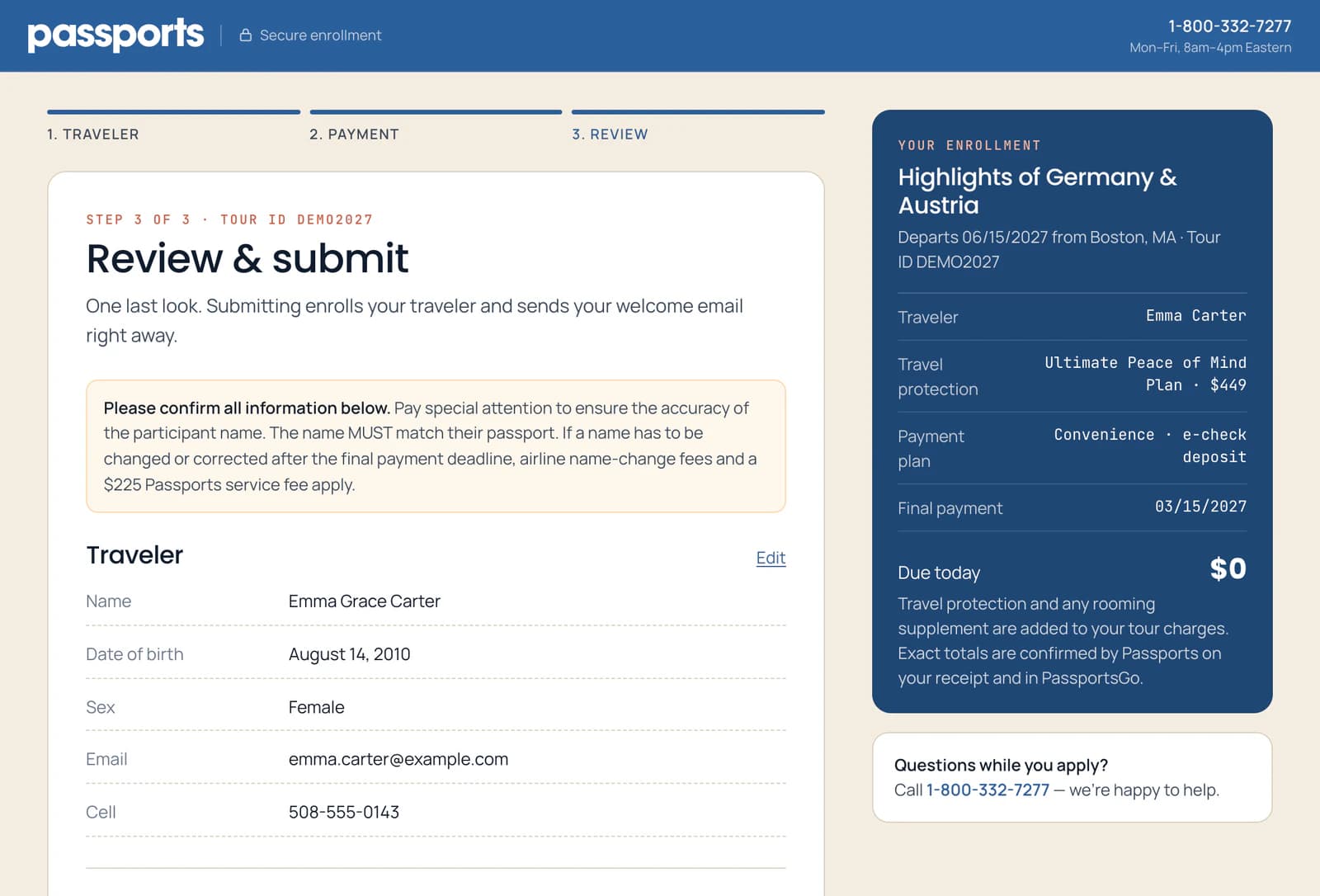
Read it all. As the note at the top says 1, the traveler's name 2 must match their passport: check it letter by letter.
To change something, click Edit 3 beside that part. You go back to that step; click Continue to come back here.
Fix any spelling now. A name changed or corrected after the final payment deadline costs the airline's name-change fees plus a $225 Passports service fee.
- Step 2
Agree, then submit
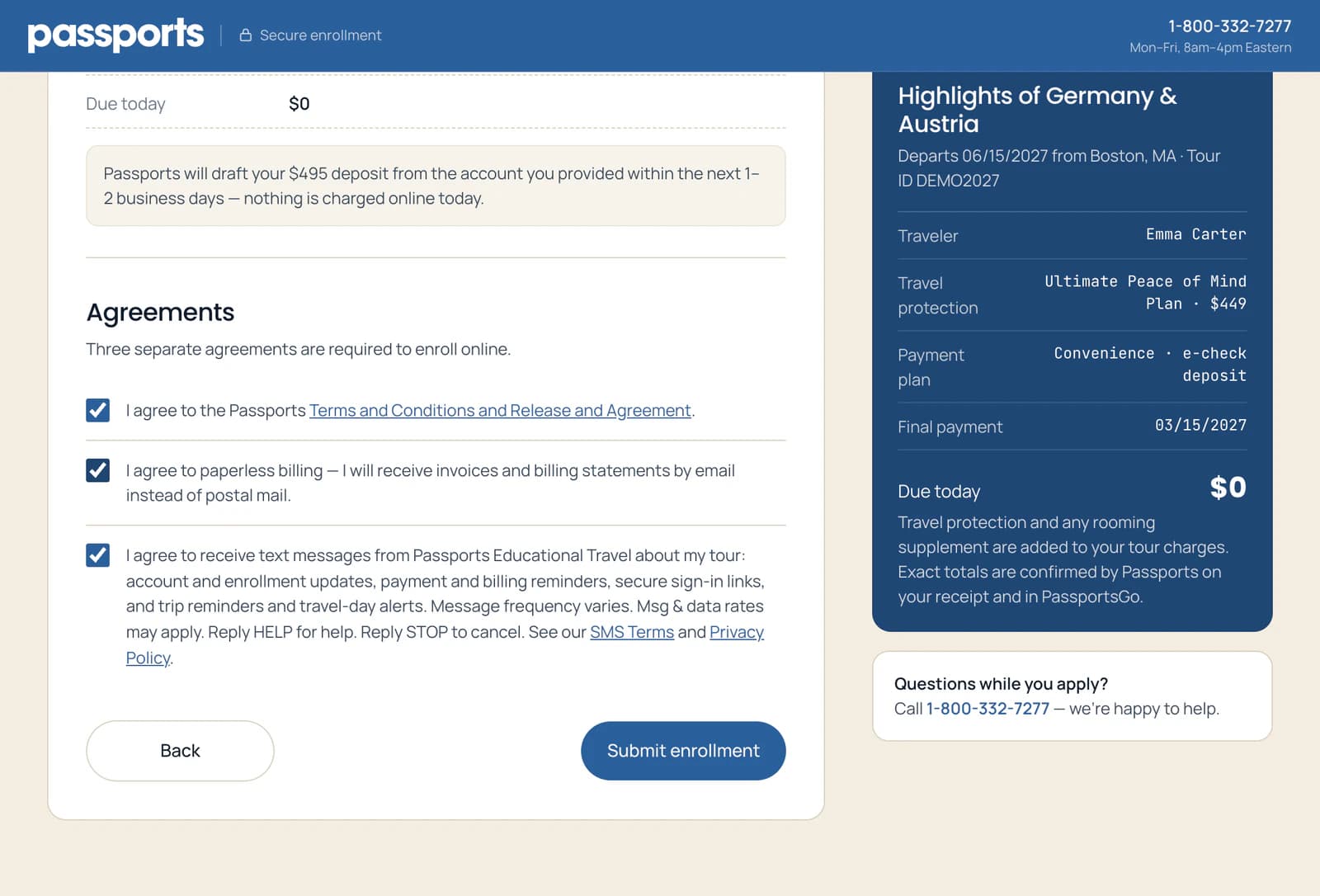
Tick the agreements 1: the Terms and Conditions, paperless billing, and text messages about the tour. The links open the full terms.
Then click the button at the bottom 2. It says what happens: Submit enrollment, Submit & pay and the amount when something is charged today, or Join the waitlist.
Paying by card? The card goes in the secure card form under Card details, above the agreements. Card details are entered directly with Square and never stored by Passports.
- Step 3
Wait for the confirmation
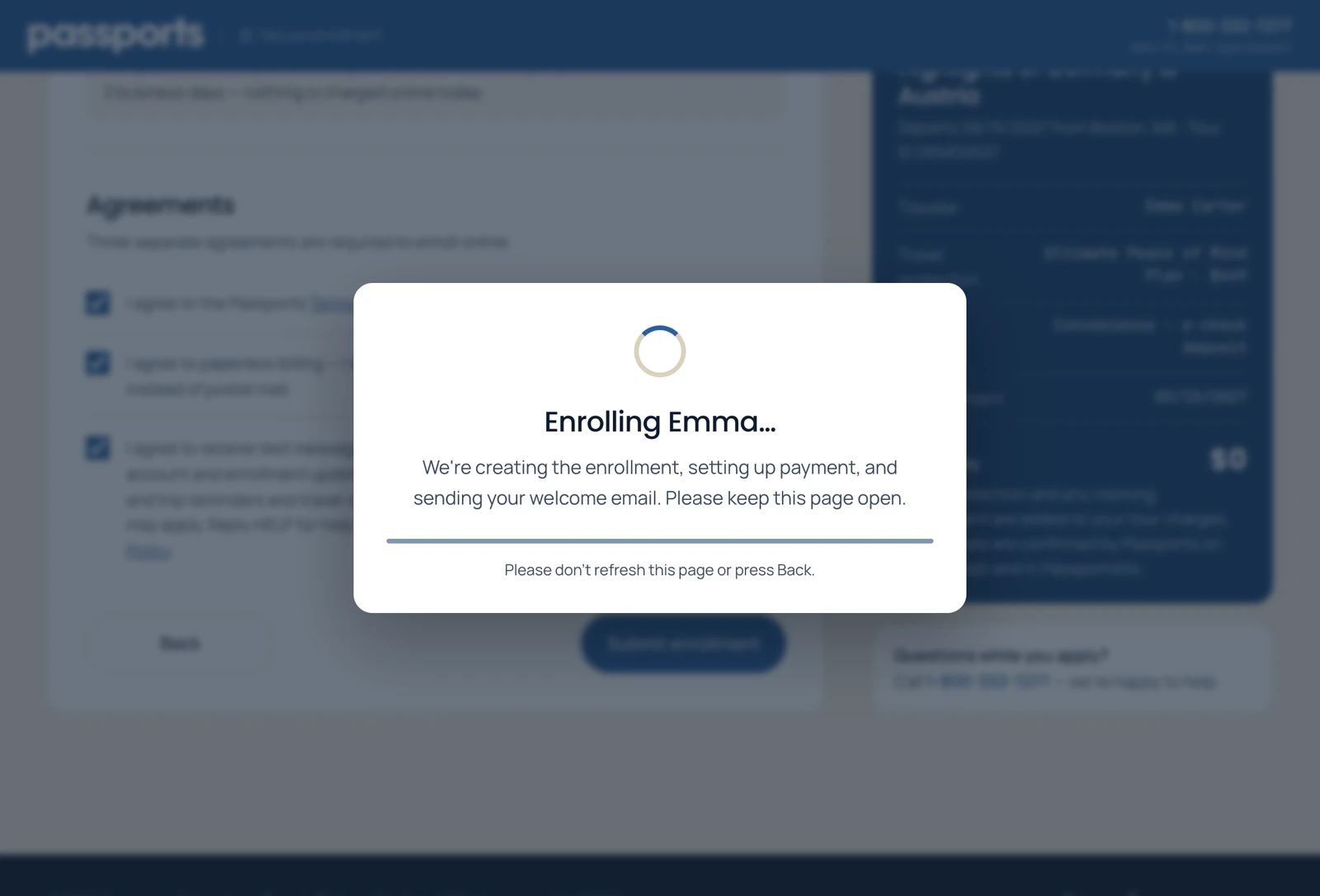
A box shows your enrollment being made 1. It usually takes 10–30 seconds. Keep the page open until it's done 2: don't refresh, go back or close the tab.
Don't start the form over. If the page stops or shows an error, see Waitlists and declined cards before you do anything else.
Good to know
I closed the page before it finished.
Your enrollment may still have gone through, so look for an email from Passports first. If none arrives within a few minutes, submit again without changing the traveler's name, date of birth or your email address: if the first one reached us, we'll recognize it. Or call Passports at 1-800-332-7277 and we'll check.
Why won't it let me submit?
Something needs fixing: the form takes you to the step with the problem, marked in red. Unticked agreements turn red too.
Screens show a sample family and tour — your names, dates and amounts will differ. Checked against the app October 13, 2026.
Call us. A real person in Worcester picks up.
Monday to Friday, 8am to 4pm Eastern — and around the clock once your group is on tour. Or email passportsgo@passports.com.