
Buy an add-on
Optional extras your tour offers — pay now or add them to your balance.
After you enroll, your tour may still offer extras: travel protection, optional excursions, or an extension. Add them in PassportsGo and pay now, or add them to your balance.
- Step 1
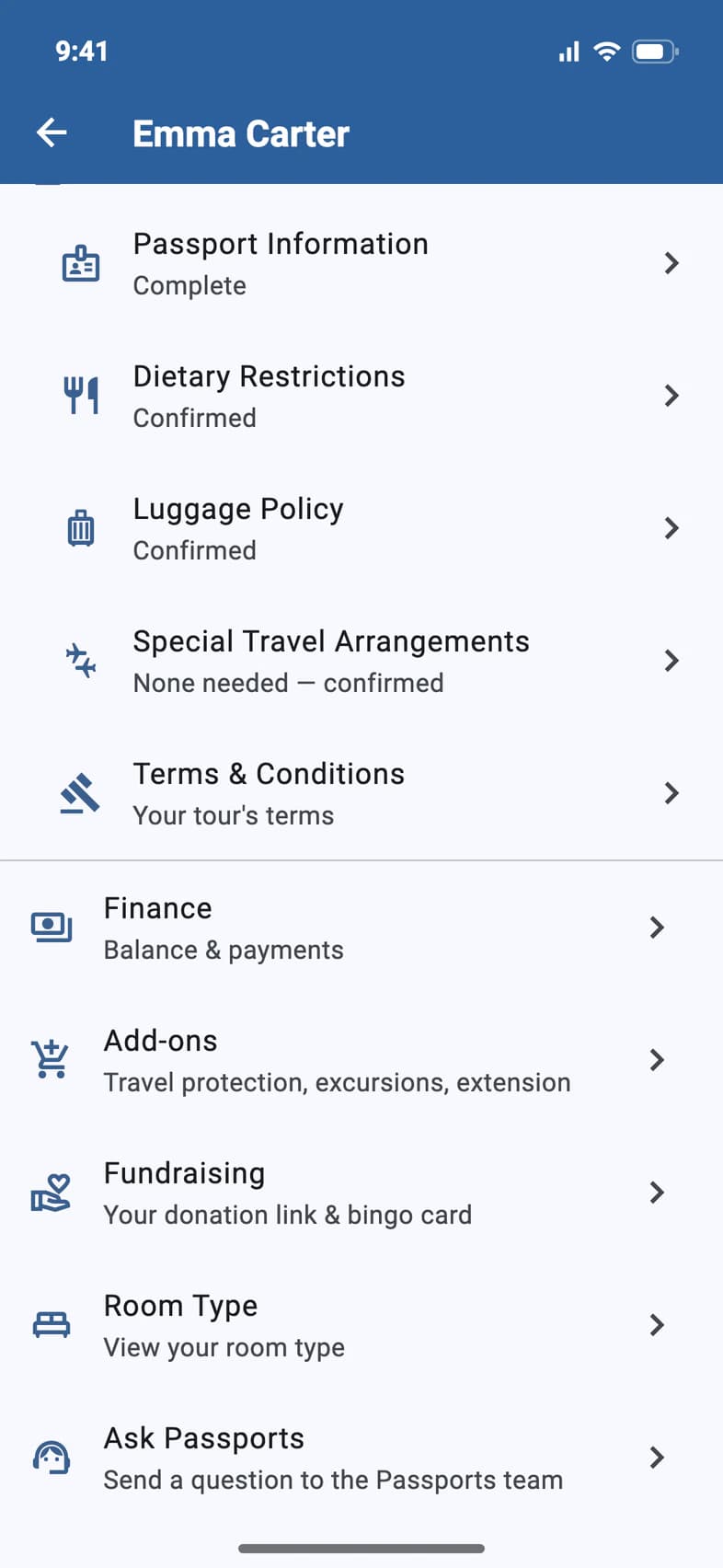
Open Add-ons
On Home, tap My Account and choose your traveler. Then tap Add-ons 1.
When everything has been bought or the last day has passed, the row says Nothing left to buy.
If Add-ons says Soon, it isn't switched on for your group yet. To add travel protection or an excursion in the meantime, ask Passports.
- Step 2
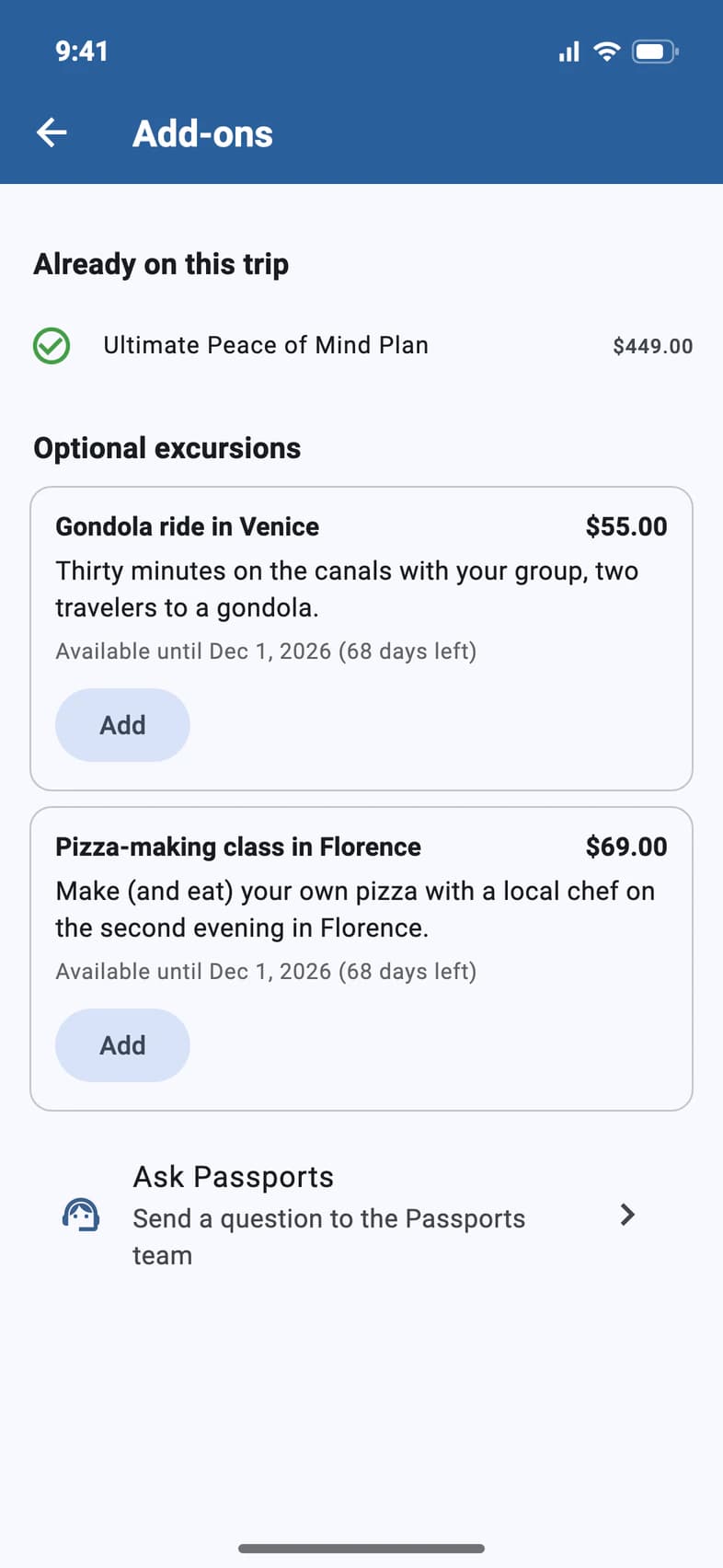
Pick your extras
Already on this trip 1 lists what you have. If your traveler already has a travel protection plan, it can show in a blue box at the top instead.
Below are the extras you can still add, like Optional excursions 2. Each shows its price and the last day to add it. Tap Add 3 on the ones you want.
- Step 3
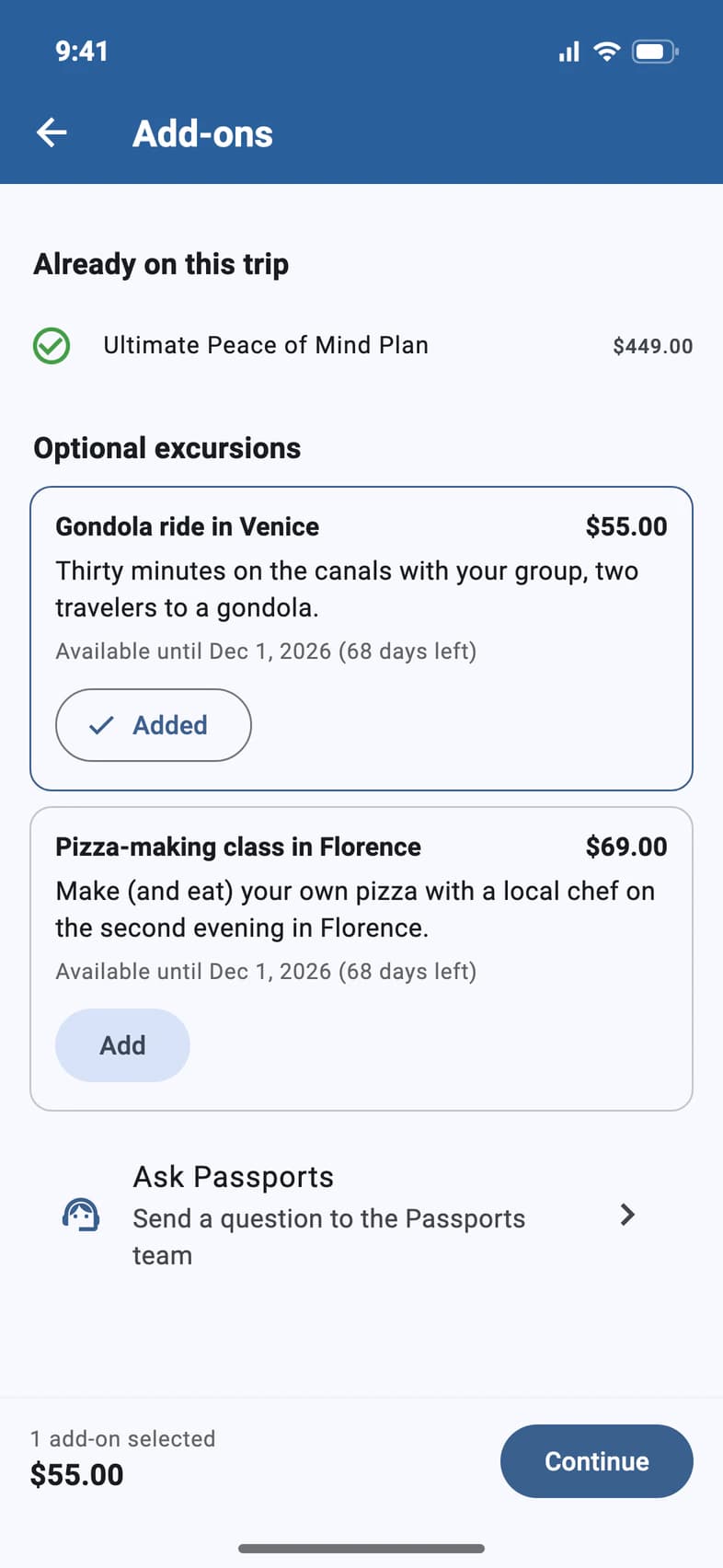
Continue
The bar at the bottom counts what you've added 1. Tap Continue 2.
- Step 4
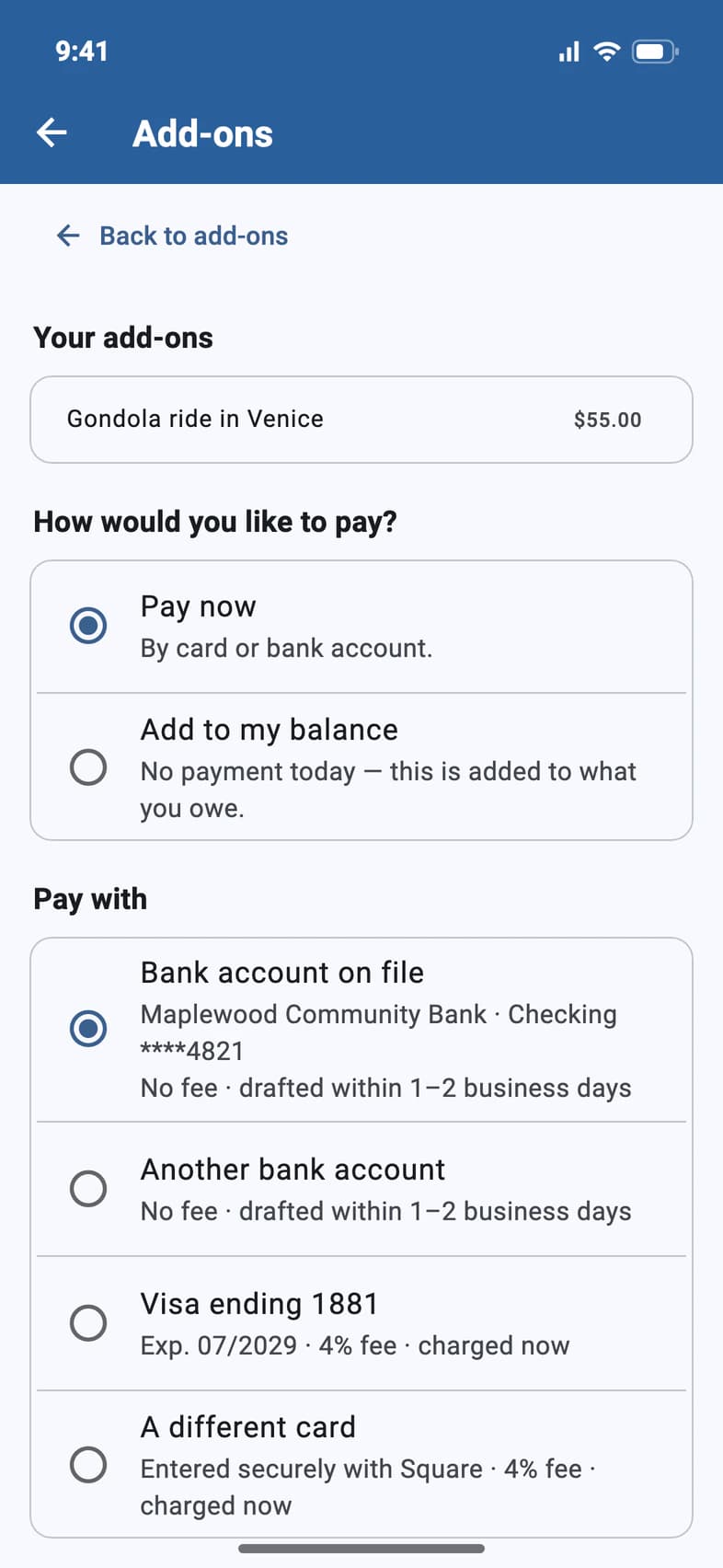
Choose how to pay
Choose Pay now 1 or Add to my balance 2. Paying now from your bank account is free, and the payment is drafted within 1–2 business days; a card adds a 4% fee and is charged right away. Adding to your balance means nothing is charged today: you pay it with the rest of the trip.
Below, a box shows the total, card fee included. It says Checking… while it updates. Tap the button under it, then confirm. With A different card, you type the card into Square's secure form after you confirm.
Good to know
Why does my add-on say Pending?
It was paid from a bank account. It shows as pending until Passports drafts the payment, within 1–2 business days. While a travel protection plan is pending, the other plans say Not available with Waiting on your pending plan payment.
Can I still add travel protection?
If your tour still offers it, it's listed under Travel protection with the last day you can add it. A traveler has one plan: when there are two, the list says Choose one plan, and picking the other one swaps it in your cart. Some tours don't offer the plans here; ask Passports.
I'm on E-Z Pay. Can I still buy add-ons?
Yes. Pay now, or add them to your balance: your monthly payments are updated to include them, and the confirmation shows the new payments.
Why is there no Add-ons for my traveler?
Add-ons show for travelers who are on the trip, to the people who can see Finance. A traveler on the waitlist gets none.
Screens show a sample family and tour — your names, dates and amounts will differ. Checked against the app September 26, 2026.
Call us. A real person in Worcester picks up.
Monday to Friday, 8am to 4pm Eastern — and around the clock once your group is on tour. Or email passportsgo@passports.com.