
Get help and send feedback
The Help & Feedback page: this help center, calling or emailing Passports, sending feedback, and your app version.
Help, in the ☰ menu, is the place to go when you're stuck: it opens these step-by-step guides, calls or emails Passports, sends feedback about the app, and shows which version of the app you have.
Feedback goes straight to the PassportsGo team: it's the place for bugs, ideas and praise. For a question about your group, a rooming list or a hotel, use the Helpdesk or call Passports.
- Step 1
Open Help
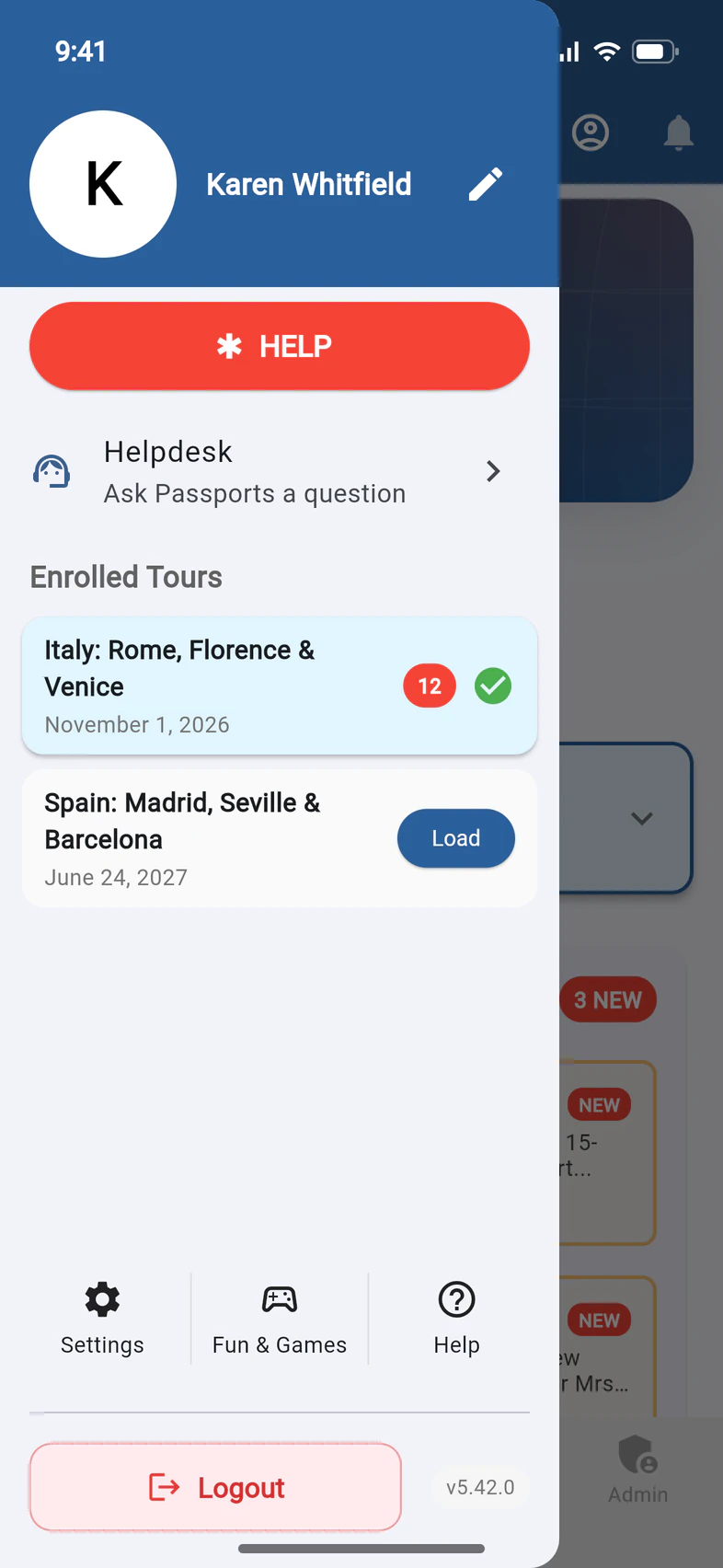
Tap ☰ at the top left of Home, then Help 1 at the bottom right of the menu, after Settings and Fun & Games.
The red HELP button 2 at the top is something else: during the tour, it lists emergency numbers. See Get help in an emergency.
On a computer, at passportsgo.com, it works the same way: ☰, then Help.
- Step 2
Open the Help Center
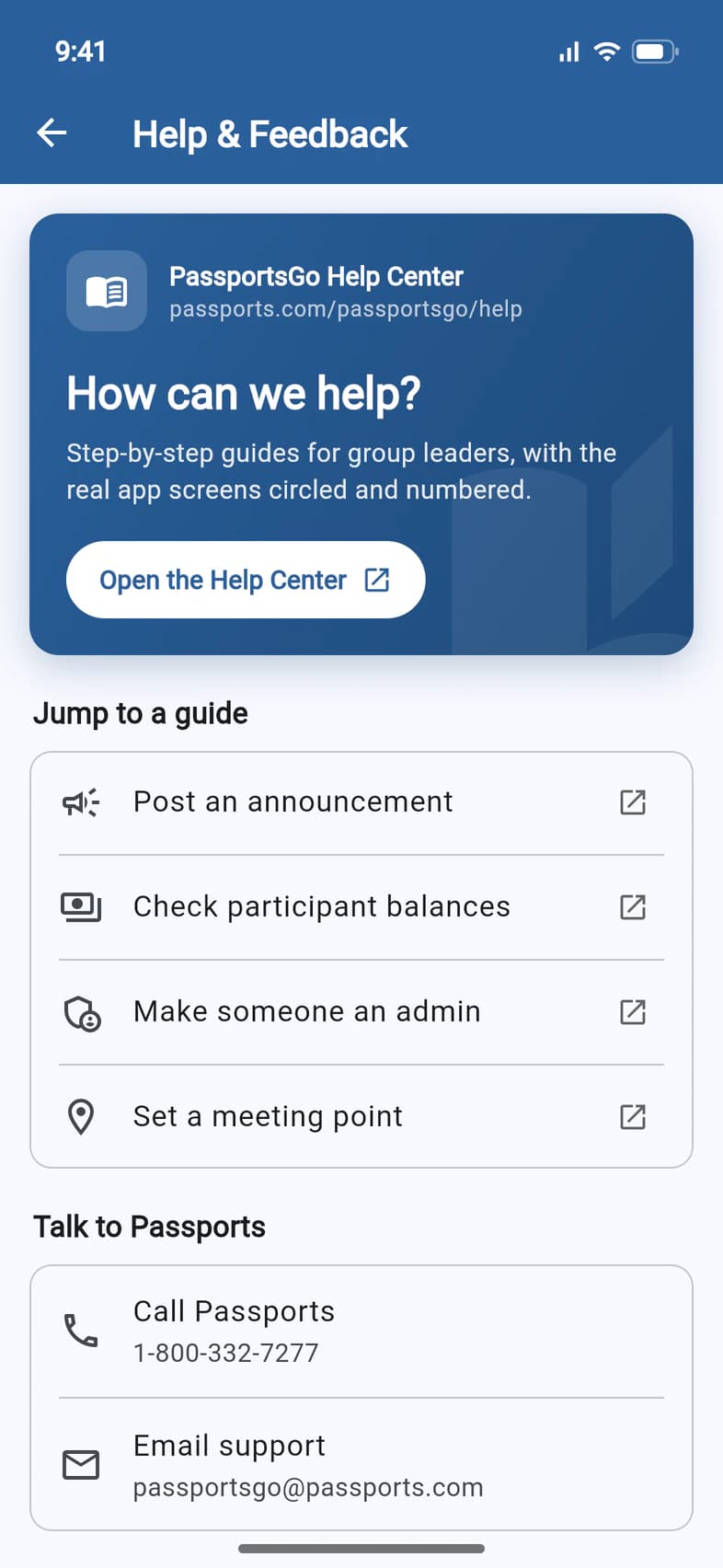
The blue PassportsGo Help Center card opens this help center in your browser, at the guides for group leaders. Tap Open the Help Center 1, or anywhere on the card.
Jump to a guide 2 goes straight to four guides group leaders use most: Post an announcement, Check participant balances, Make someone an admin and Set a meeting point.
- Step 3
Call or email Passports
Under Talk to Passports:
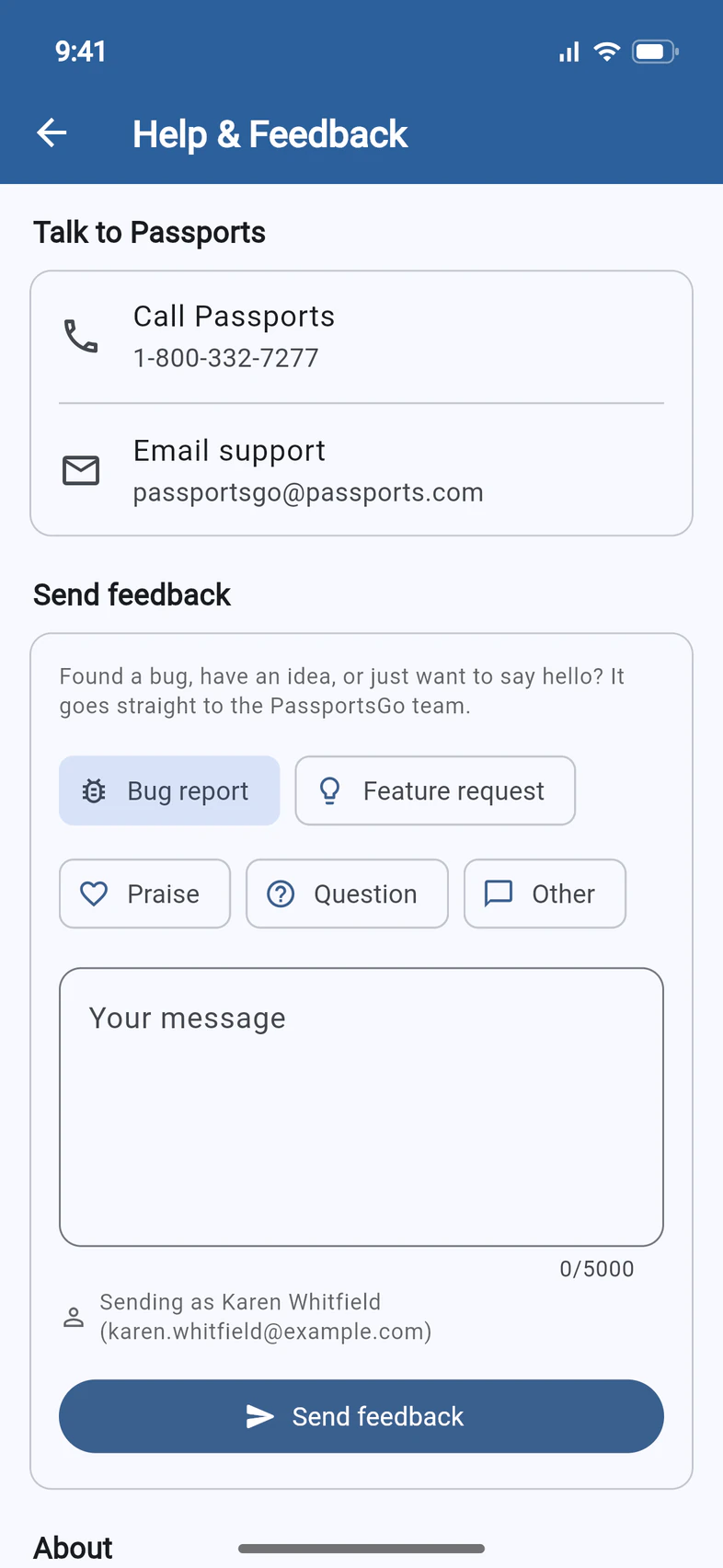
- Call Passports 1 dials 1-800-332-7277. Passports answers Monday to Friday, 8am–4pm Eastern, and around the clock once your group is on tour.
- Email support 2 starts an email to passportsgo@passports.com.
A question about your group, a rooming list or a hotel? Ask it in the Helpdesk, and the answer comes back to you in the app: see Ask Passports a question.
1-800 numbers usually don't work from outside the US. From abroad, call Passports at +1 (508) 885-4600 instead.
- Step 4
Write your feedback
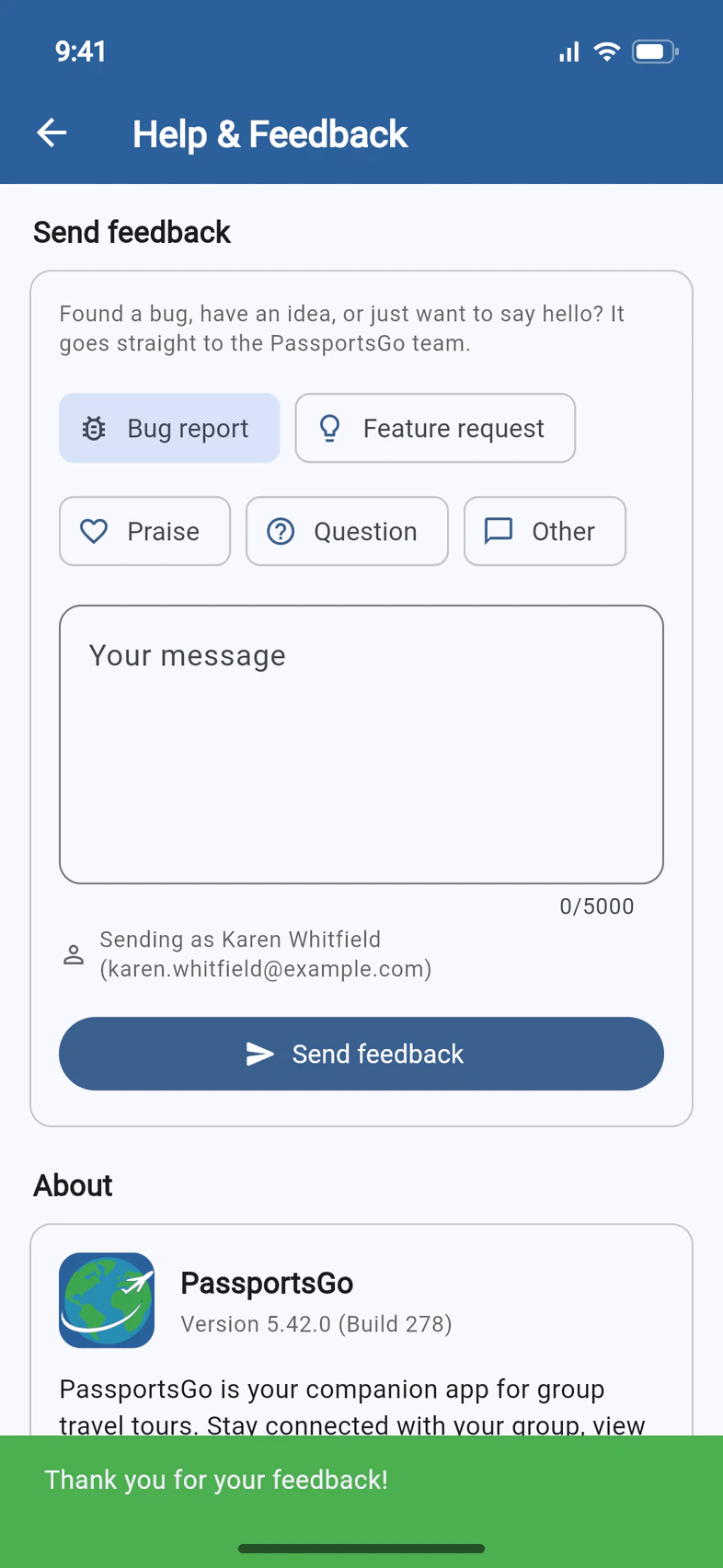
Under Send feedback, pick what it's about 1: Bug report, Feature request, Praise, Question or Other.
Then type in Your message 2: at least 10 characters, up to 5,000. For a bug, say what you tapped, what happened and what you expected.
Sending as 3 shows the name and email it's sent under.
No need to say which phone or version you have: the app adds the version, whether you're on a phone or a computer, and the tour you have open.
- Step 5
Send it
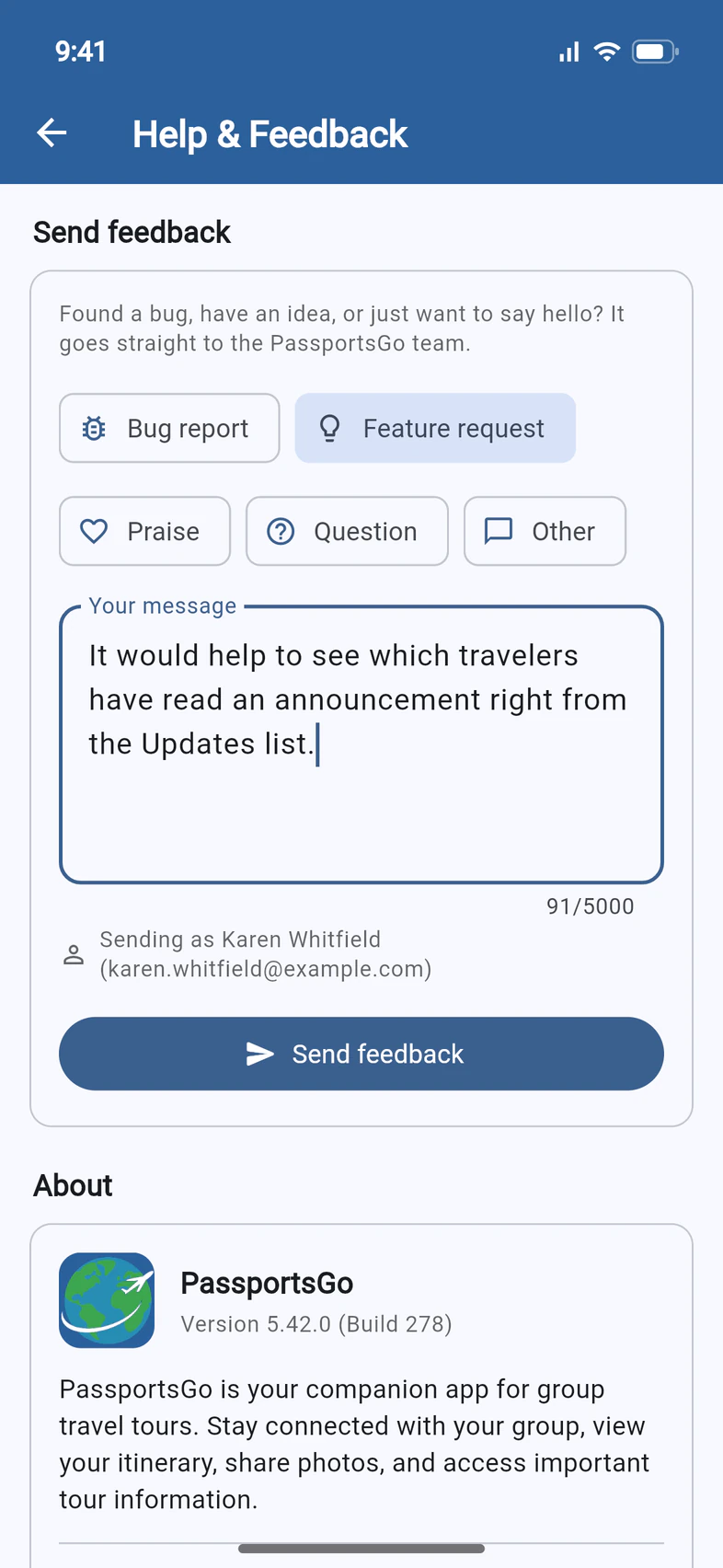
Tap Send feedback 1. A green Thank you for your feedback! 2 means it has reached the PassportsGo team, and the form clears for the next one.
If it says We couldn't send your feedback, your message is still there: check your connection and tap Send feedback again, or email it to passportsgo@passports.com.
- Step 6
Check your app version
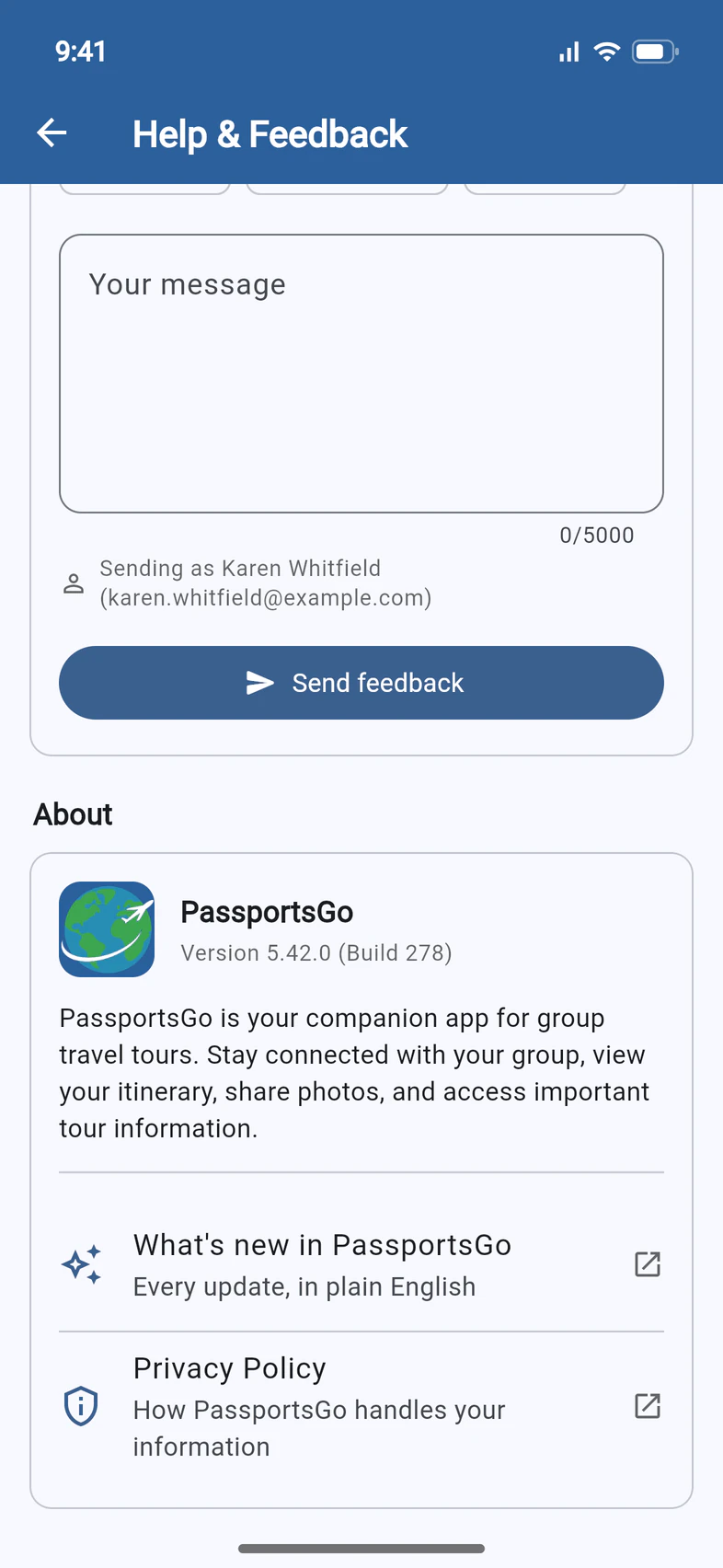
At the bottom, About shows which version of PassportsGo you have 1. Passports may ask for it when you report a problem.
What's new in PassportsGo 2 opens the list of every update, in plain English, and Privacy Policy 3 opens the PassportsGo privacy policy on passports.com.
The version number is also at the bottom of the ☰ menu, beside Logout.
Good to know
Is feedback the same as asking Passports a question?
No. Feedback is about the app itself, and it isn't a support ticket, so don't wait for an answer there. For a question about your group, a rooming list or a hotel, use the Helpdesk (Ask Passports a question). For anything urgent, call.
What goes along with my feedback?
Your name and email, as shown under Sending as, plus the app version, whether you're on a phone or a computer, and the tour you have open.
Can I send feedback from a computer?
Yes. At passportsgo.com, tap ☰, then Help, and use Send feedback the same way.
Do my travelers and parents have this page too?
Yes, everyone has Help in the ☰ menu. For them, the card and Jump to a guide open the guides for parents and travelers, like Make a payment.
Where's the privacy policy?
Tap Privacy Policy under About: it opens the PassportsGo privacy policy on passports.com. The sign-in screen's Terms of Service & Community Guidelines link has a Privacy Policy link too.
Where can I see what changed in the app?
Tap What's new in PassportsGo under About, or open What's new here in the help center.
Screens show a sample family and tour — your names, dates and amounts will differ. Checked against the app October 21, 2026.
Call us. A real person in Worcester picks up.
Monday to Friday, 8am to 4pm Eastern — and around the clock once your group is on tour. Or email passportsgo@passports.com.