
Get help in an emergency
The red HELP button: the local emergency number, your group's contacts and the Passports office.
During the tour, the red HELP button in the menu puts every emergency number in one place, for you and for your travelers: the local emergency number, you and your chaperones, and the Passports office.
HELP doesn't alert anyone by itself. It's a shortcut to call or text.
- Step 1
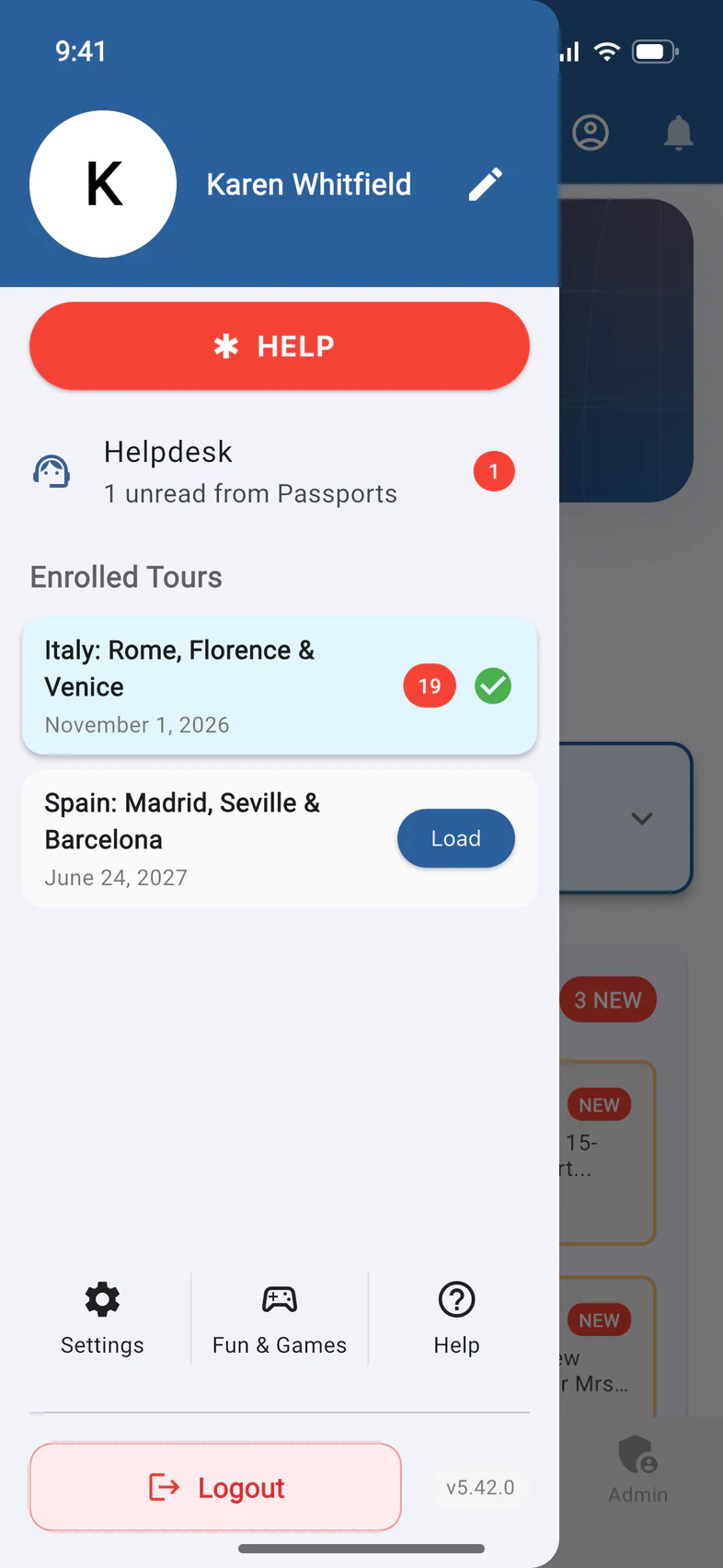
Open HELP
Tap ☰ at the top left of Home, then the red HELP button 1. Your travelers and chaperones have the same button.
- Step 2
Call local emergency services
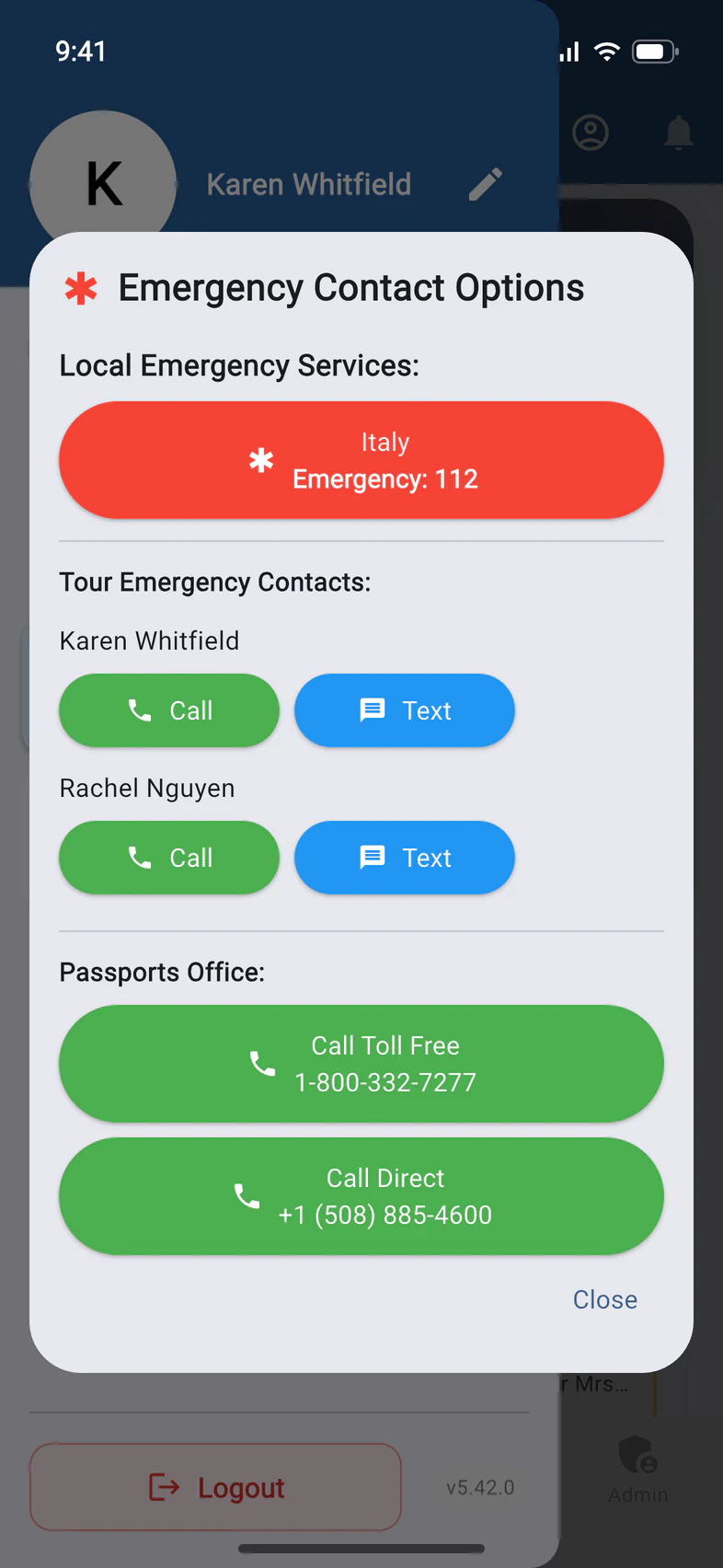
The red button 1 calls the emergency number of the country the phone is in: here, Italy's 112. If the phone can't tell where it is, it shows 112, which reaches emergency services across Europe and from most mobile phones elsewhere.
In Japan, the red button calls 119, for an ambulance or the fire service, and a second red button calls the police: 110.
- Step 3
Know who's listed
Tour Emergency Contacts 1 lists you and everyone you've made an admin, such as chaperones with Admin Functions, with Call and Text buttons. Every traveler sees this list, so they can reach you quickly.
Call and Text open the phone's dialer or messaging app with the number filled in, country code included, so they work from abroad.
Your Tour Director isn't on the list. You can reach them from Tour › TD.
- Step 4
Call Passports
Under Passports Office, tap Call Toll Free 1 or Call Direct 2. From outside the US, use Call Direct: toll-free numbers usually don't work from abroad.
Good to know
Does tapping HELP alert me or Passports?
No. It only shows the numbers. Nobody is told anything until someone calls or texts.
Who sees my phone number?
Everyone on the tour who has the app sees your name under Tour Emergency Contacts, with buttons to call or text you. Parents at home don't have HELP.
When does HELP appear?
During the tour dates only.
What if the call doesn't go through?
If the phone can't place the call or text (on a tablet or a computer, say), PassportsGo shows the number to dial for a few seconds, with Copy. Dial it from any phone.
Screens show a sample family and tour — your names, dates and amounts will differ. Checked against the app September 28, 2026.
Call us. A real person in Worcester picks up.
Monday to Friday, 8am to 4pm Eastern — and around the clock once your group is on tour. Or email passportsgo@passports.com.