
Set a geofence
Draw a circle on the map and get an alert when a traveler steps outside it.
A geofence is a circle on the map around where your group is. If a traveler goes outside it, you and your admins get an alert right away, with the path they took.
Use one for free time: a piazza, a market, a museum.
The whole geofence, start to finish
Put a circle around your group for free time, get an alert when a traveler walks out of it, see the path they took, and turn it off when you're done.
Real app screens, sample tour · narration generated with AI
Before you start
- PassportsGo on your phone, with location allowed. Geofences can't be set on passportsgo.com.
- Your tour under way: geofences only work during the tour dates.
- Step 1
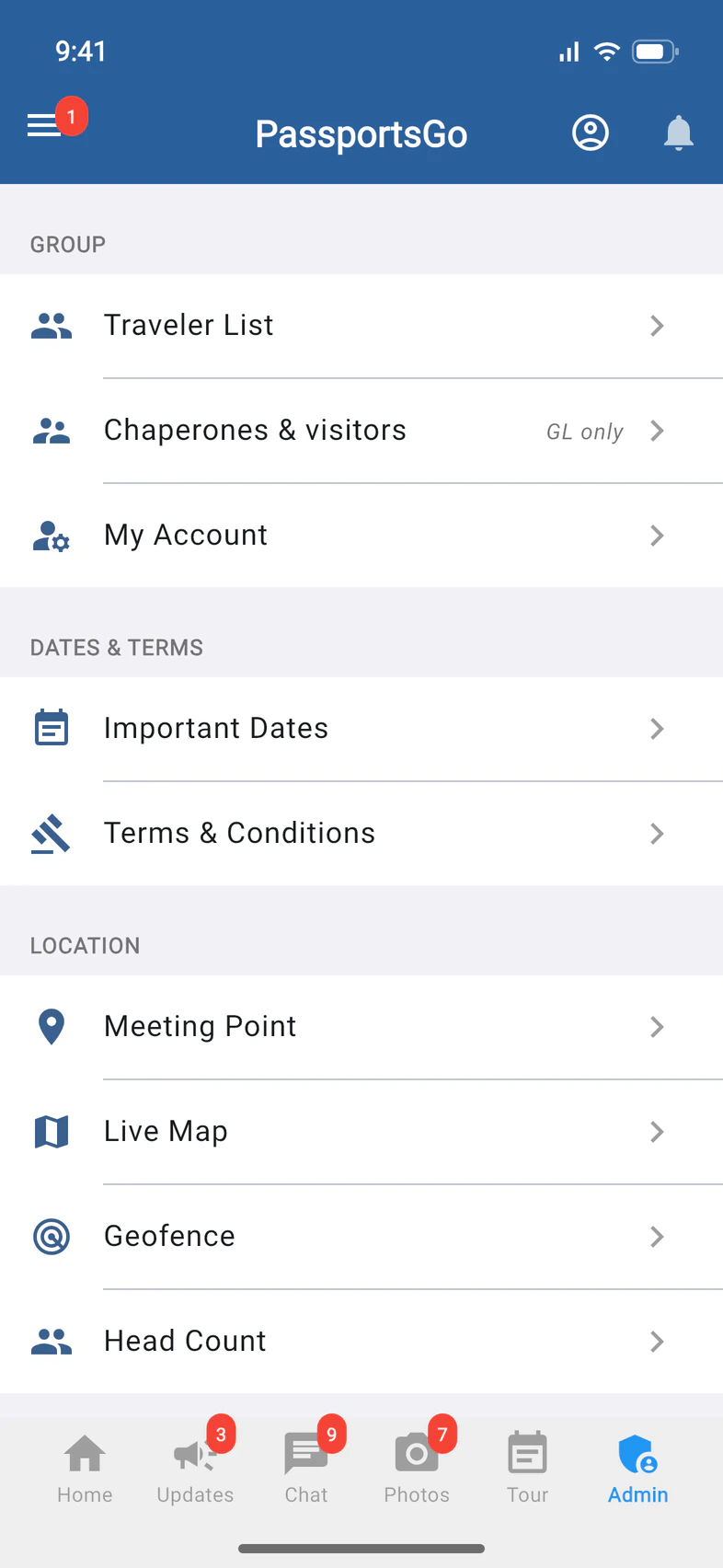
Open Geofence
Tap Admin 1, then Geofence 2.
- Step 2
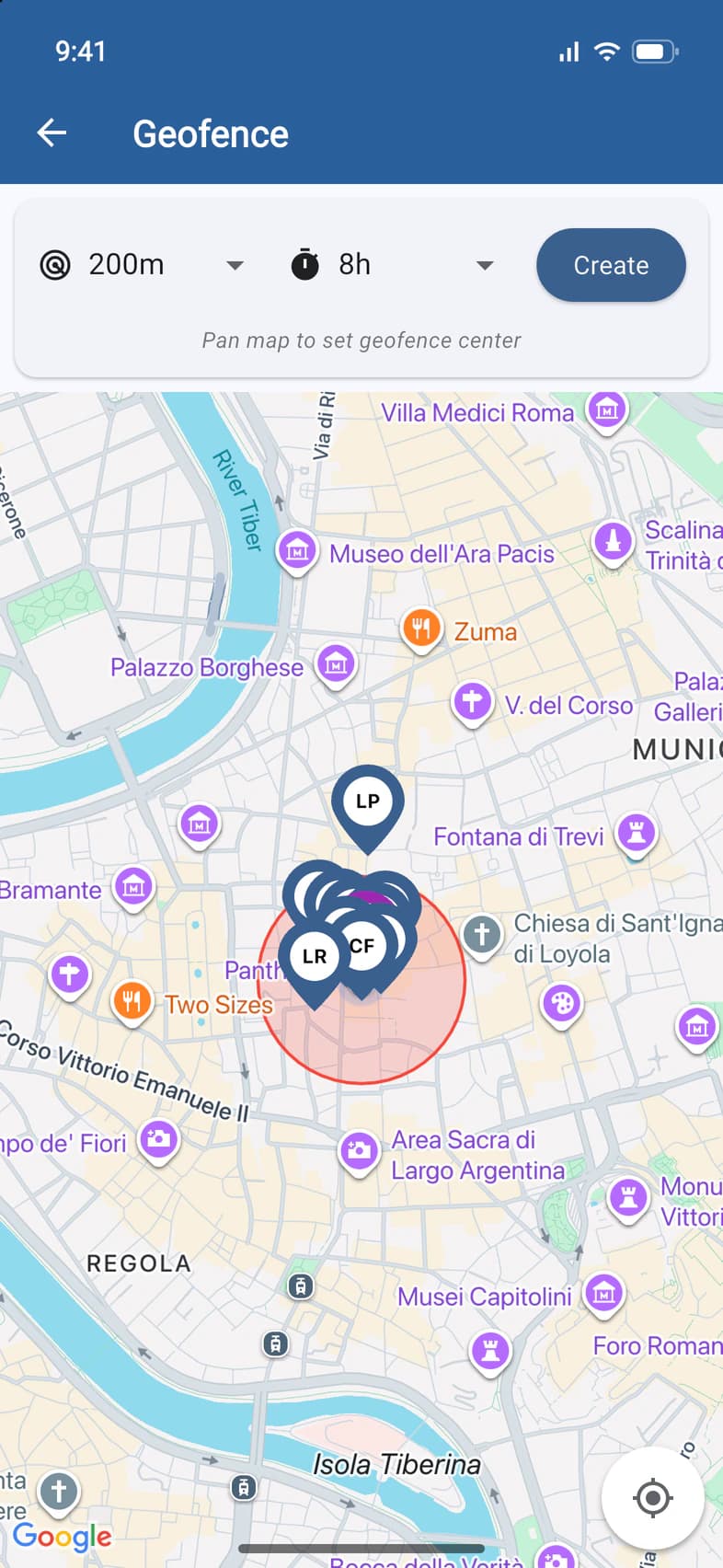
Choose its size and time
Pick how far the circle reaches from its center 1, from 50 m to 1 km, and how long it stays on 2, from 1 to 24 hours. It switches itself off when the time is up.
- Step 3
Place it and create it
The red circle is centered on the middle of the map: move the map until it covers the right area 1. Everyone's latest position shows on the map, so you can check the whole group is inside. Then tap Create 2.
- Step 4
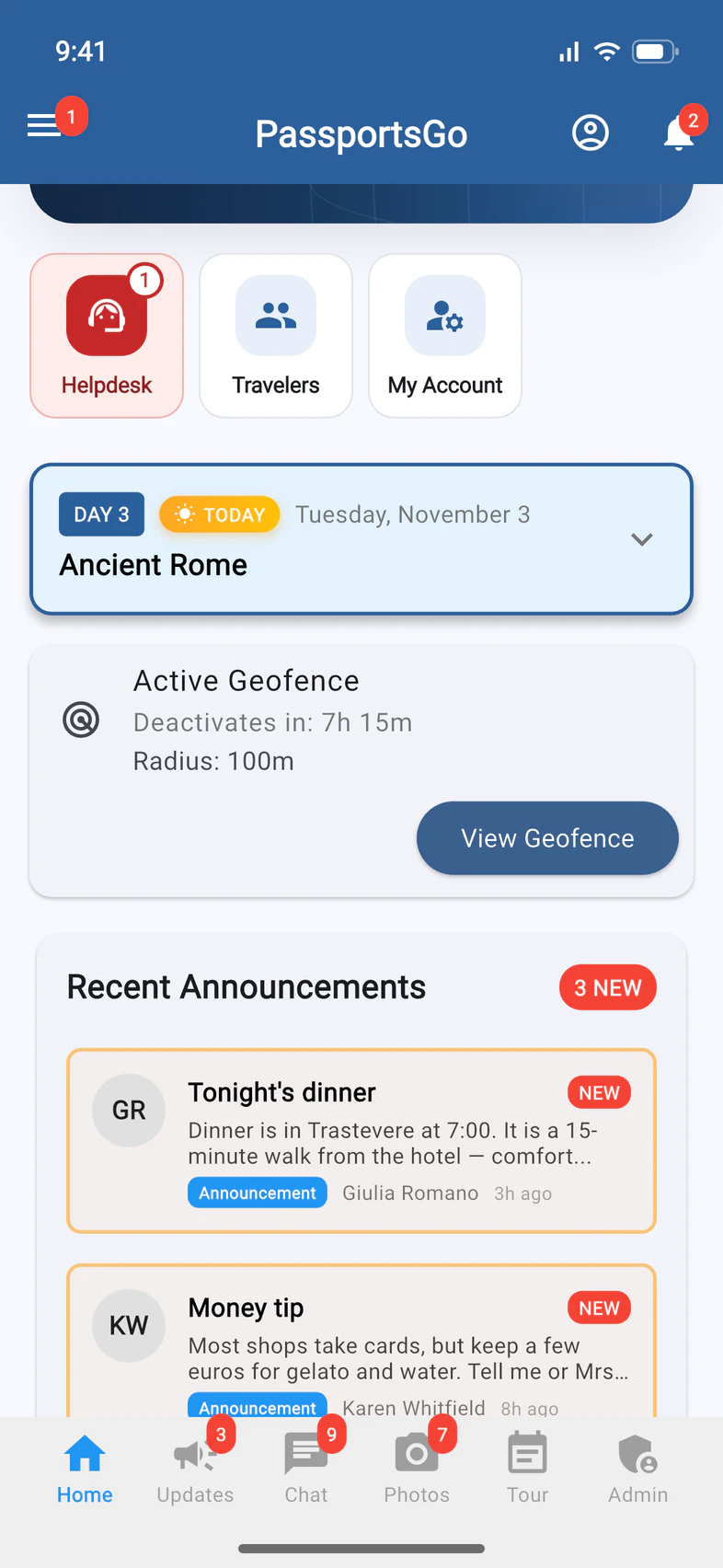
When someone leaves
If someone walks out of the circle, you and your admins get a notification, and the bell at the top of Home counts the alert 1. While the geofence is on, Home shows it too 2, counting down to when it switches itself off.
- Step 5
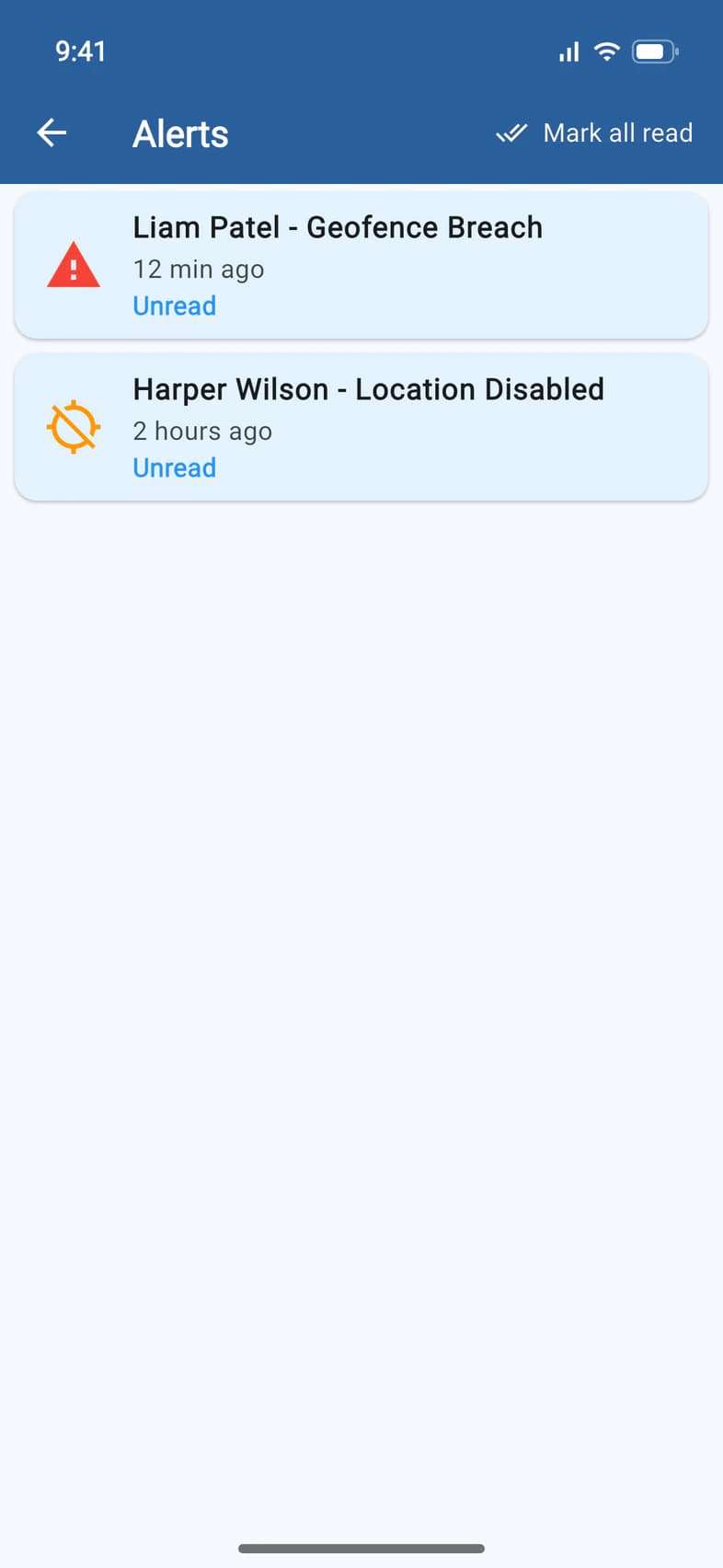
Read the alerts
Tap the bell. Alerts lists who left the area 1. When they come back inside, you and your admins get another notification, and their alert turns Resolved. It also tells you when someone switches off location sharing 2, or when their phone blocks PassportsGo from using its location (Location Blocked): from then on, neither the geofence nor Live Map can see them.
Mark all read 3 marks every alert as read and clears the count on the bell.
- Step 6
See where they went
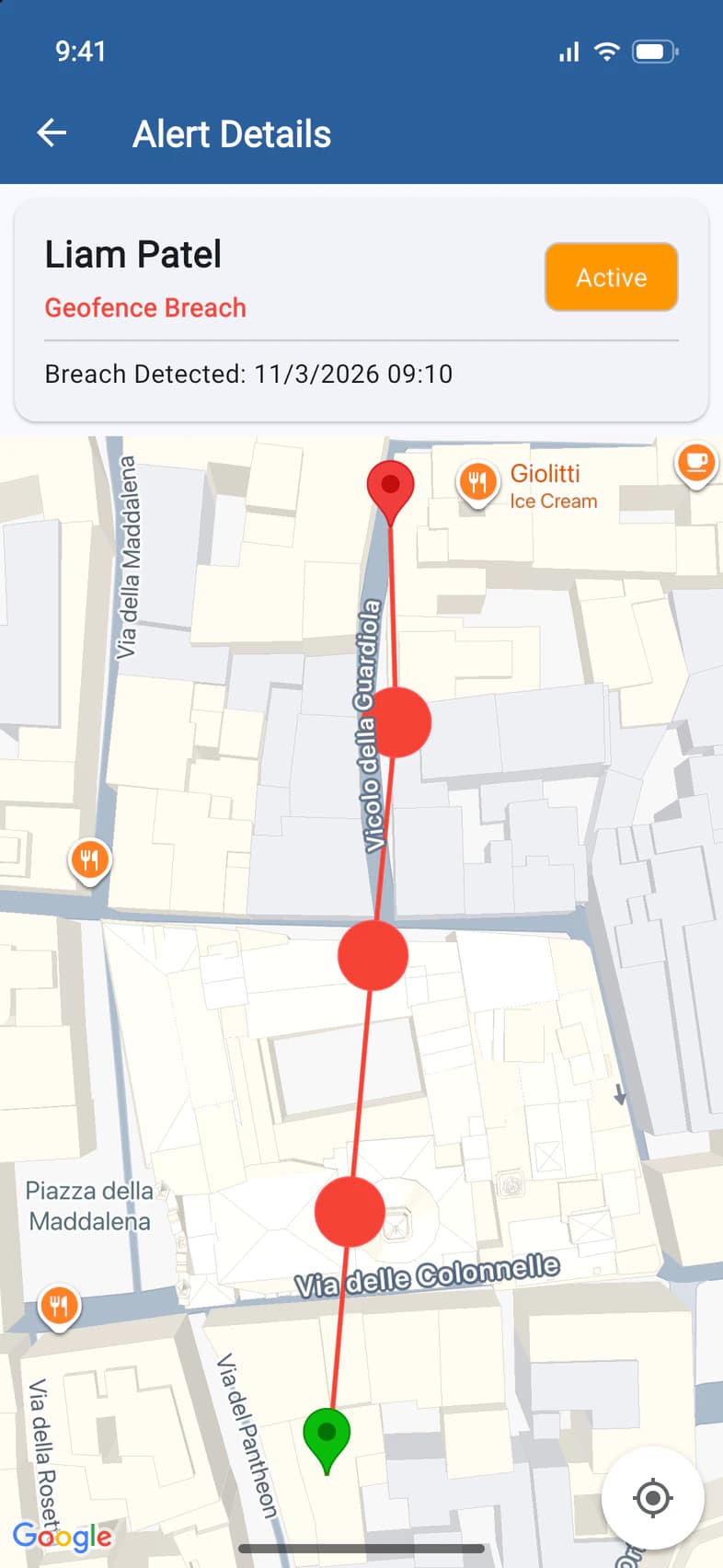
Tap an alert to see when it happened 1 and, on the map, the path from where they left the circle to where they are now. It says Active 2 until they're back inside, then Resolved.
- Step 7
Turn it off
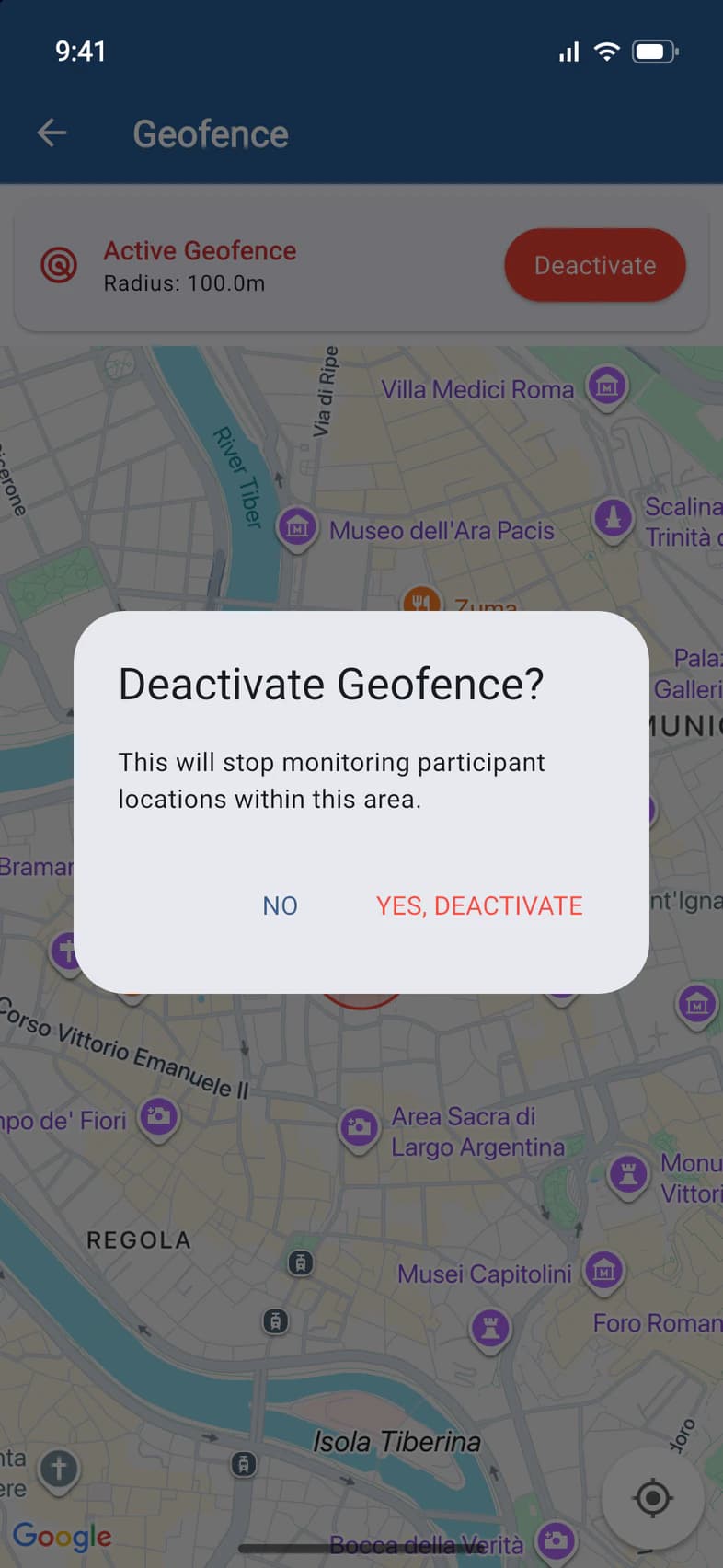
To stop it before the time runs out, open Geofence, tap Deactivate, then YES, DEACTIVATE 1.
There's one geofence at a time. To move it or change its size, deactivate it and create a new one.
Good to know
Who gets geofence alerts?
You and your admins, such as chaperones with Admin Functions. Your Tour Director never sees geofences.
What does PassportsGo record when someone leaves?
Every position of that person from the moment they leave the circle until they're back inside. That's the path on the alert's map.
Someone is outside the circle but there's no alert.
Geofences only see people who share their location. Check Live Map: people under Tracking Off or Needs Setup (sharing is on, but their phone isn't sharing yet), or whose position is old, can't trigger an alert. More in See your group on the live map.
Screens show a sample family and tour — your names, dates and amounts will differ. Checked against the app November 3, 2026.
Call us. A real person in Worcester picks up.
Monday to Friday, 8am to 4pm Eastern — and around the clock once your group is on tour. Or email passportsgo@passports.com.