
Choose your hotel
Compare the shortlist, see our recommendation, and choose before the due date.
Sometimes Passports gives you a choice of hotels for part of the tour. You compare them, see which one we recommend, and pick one before the due date.
- Step 1
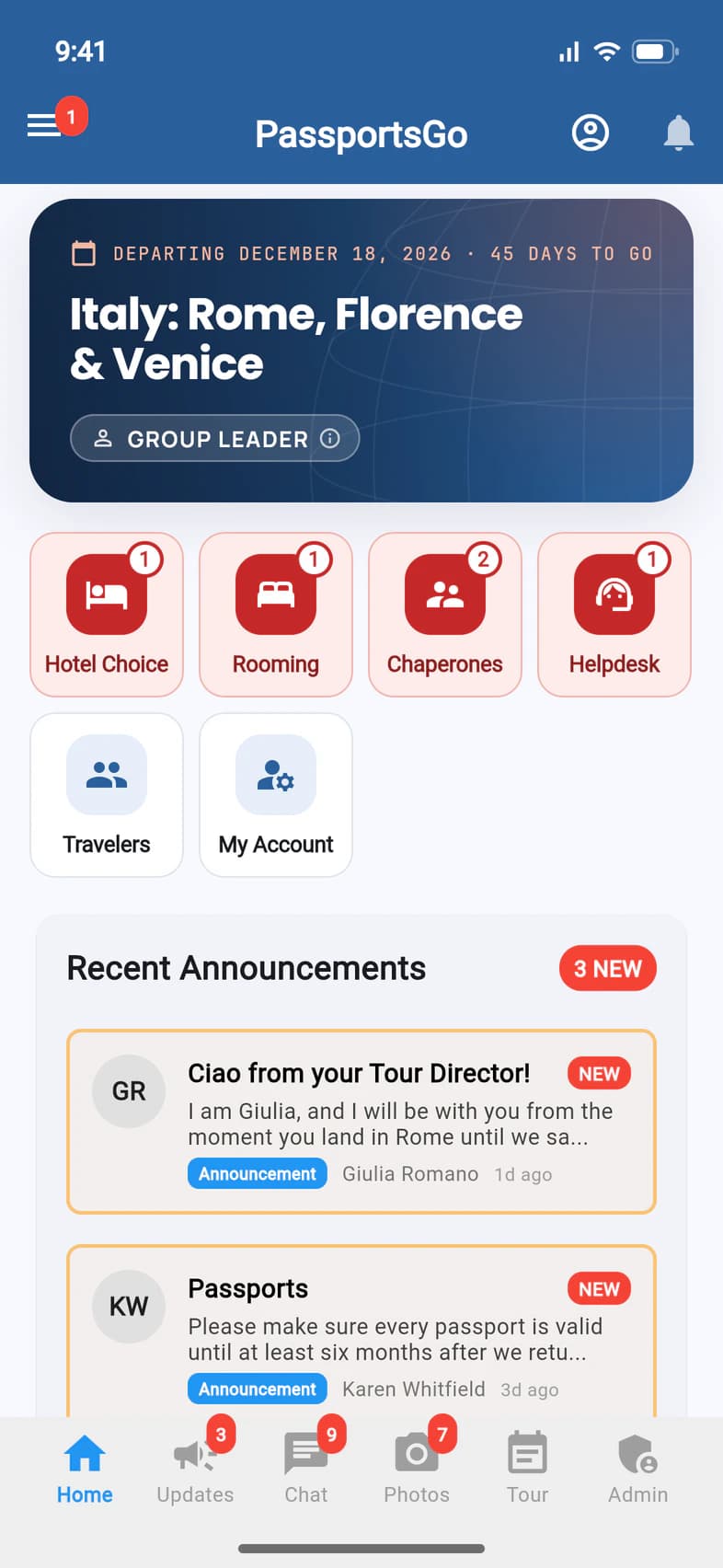
Open Hotel Choice
When a hotel choice is waiting for you, Home shows a red Hotel Choice tile 1. Passports also emails you a link. Past and current choices are under Admin › Hotel Choices.
- Step 2
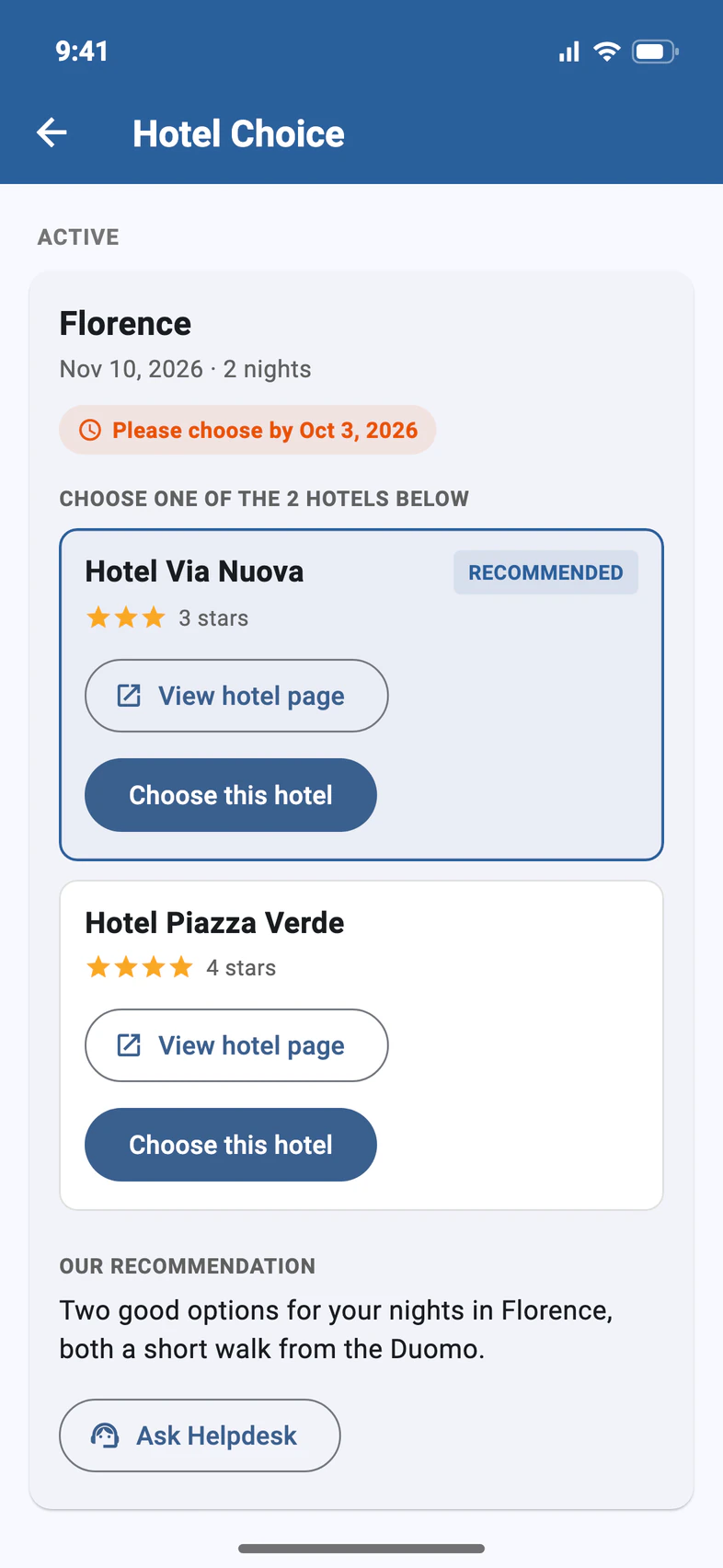
Compare the hotels
Each choice shows the city, the dates and when to choose by 1. The hotel we'd pick is marked Recommended, and Our recommendation 2 says why.
Tap View hotel page 3 for photos, location and details.
- Step 3
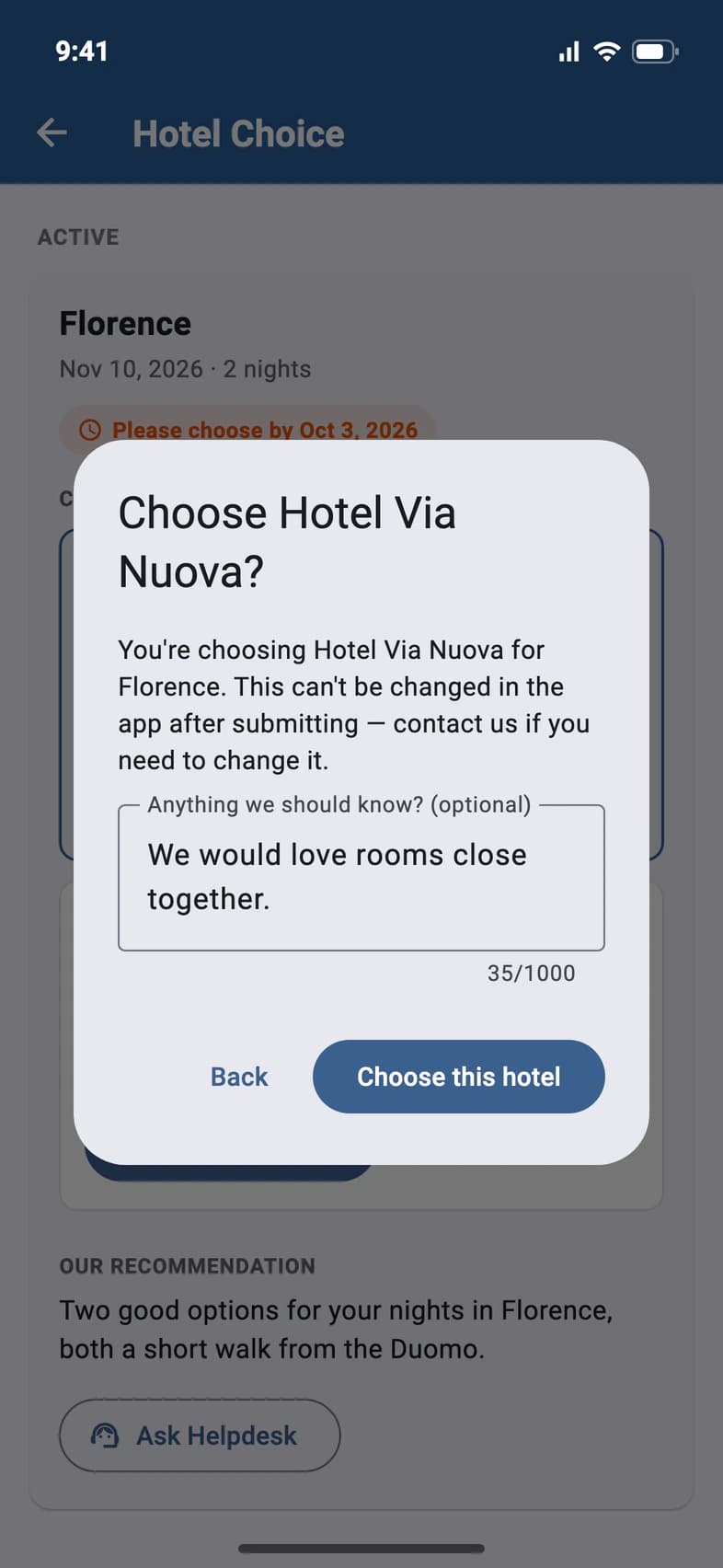
Choose one
Tap Choose this hotel under the one you want. Check the name 1, add a note for Passports if you like 2, and tap Choose this hotel 3.
You can't change the choice in the app after you send it. Tap Ask Helpdesk on the choice if you need to.
- Step 4
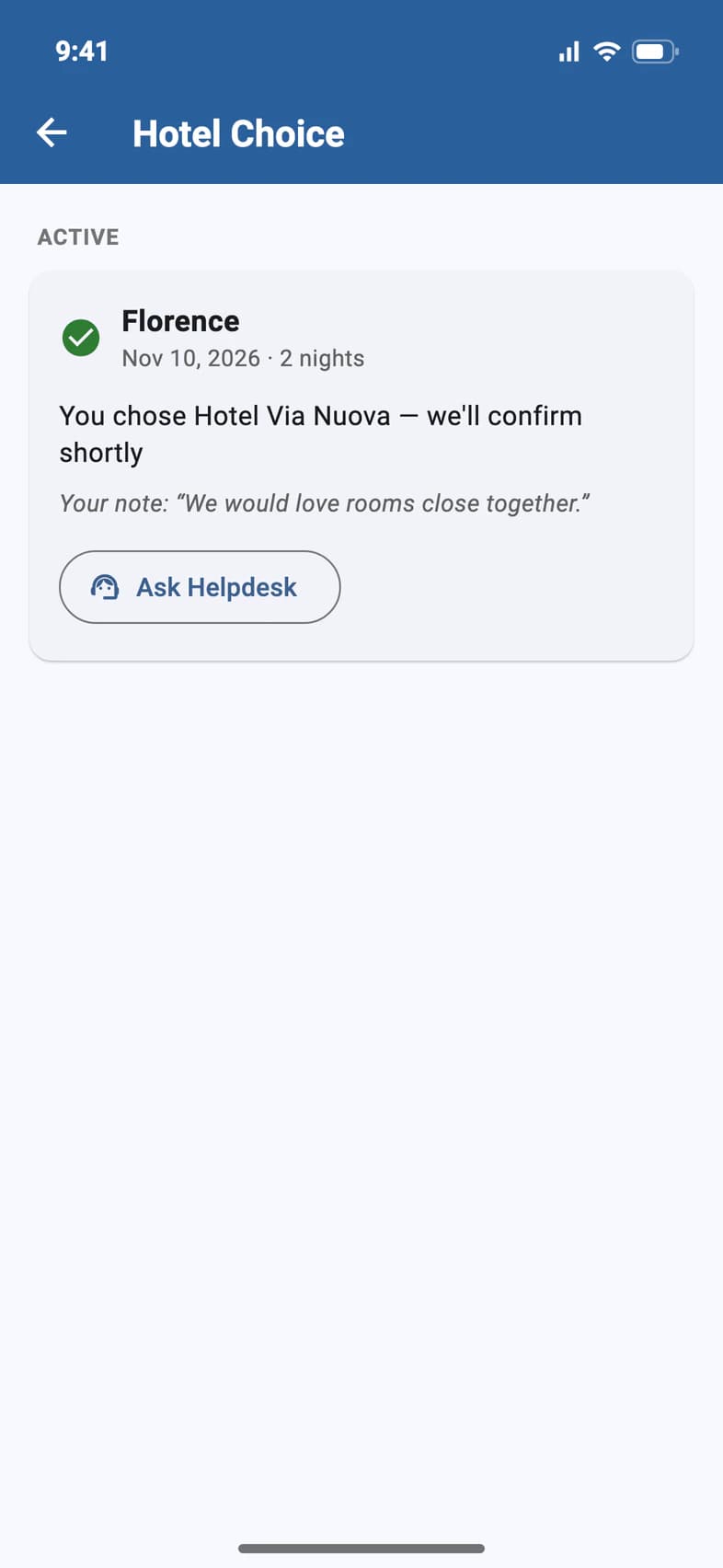
Passports confirms
Your pick 1 and your note 2 stay on the card while Passports books it. It says Confirmed once it's done.
Questions about this hotel? Ask Helpdesk 3 starts a conversation about this choice.
Good to know
What if I miss the due date?
The date turns red. Choose as soon as you can, or ask Passports about it with Ask Helpdesk.
Can my chaperones choose?
No. The hotel choice is the group leader's.
Screens show a sample family and tour — your names, dates and amounts will differ. Checked against the app November 3, 2026.
Call us. A real person in Worcester picks up.
Monday to Friday, 8am to 4pm Eastern — and around the clock once your group is on tour. Or email passportsgo@passports.com.