
Fill out your tour evaluation
Rate the tour, your Tour Director and each day's services — answers save as you go.
Your evaluation tells Passports how the tour went: the planning, your Tour Director and coach company, and every day's hotels, meals and visits. It's in the app, day by day, and every answer saves as you tap it.
You can start during the tour and finish at home.
- Step 1
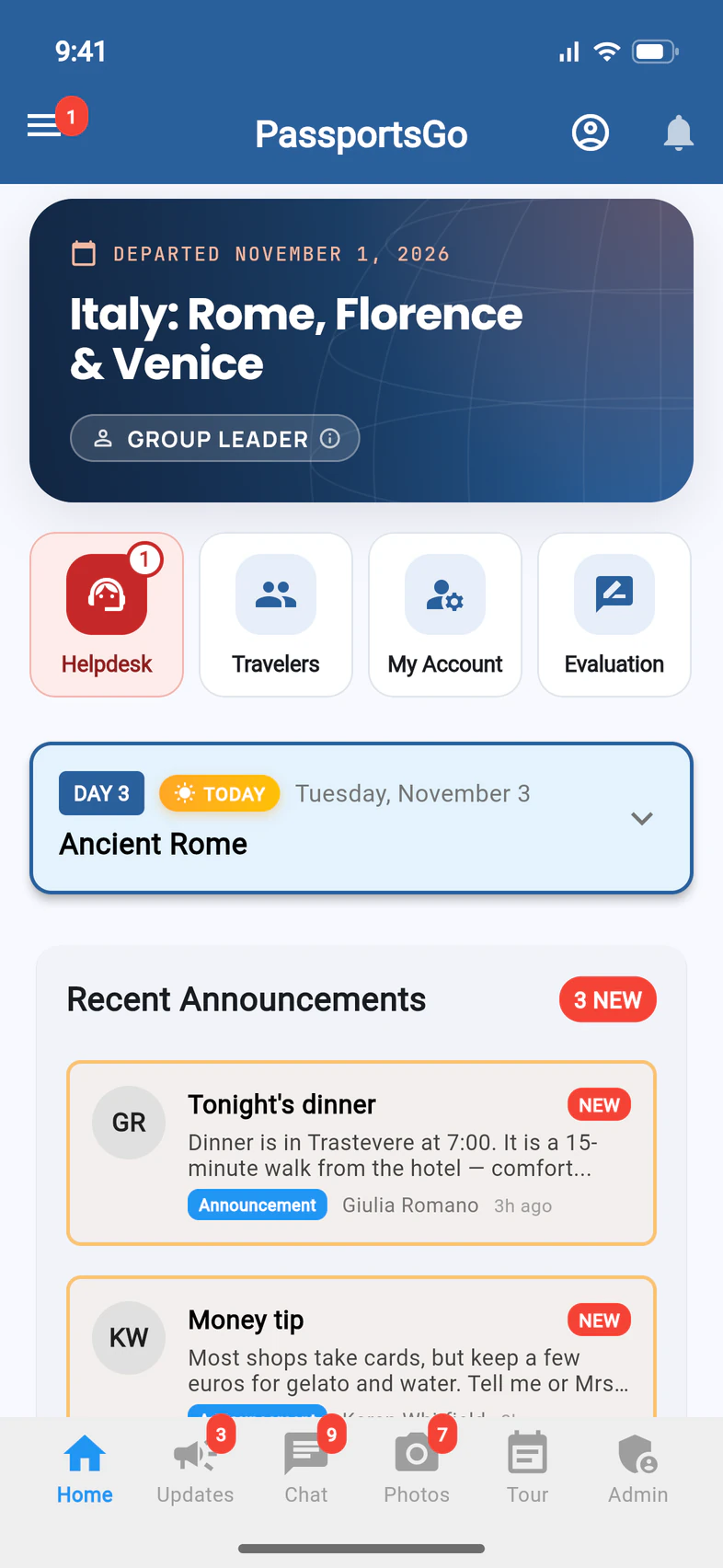
Open your evaluation
On Home, tap Evaluation 1. It's there from the first day of your tour.
- Step 2
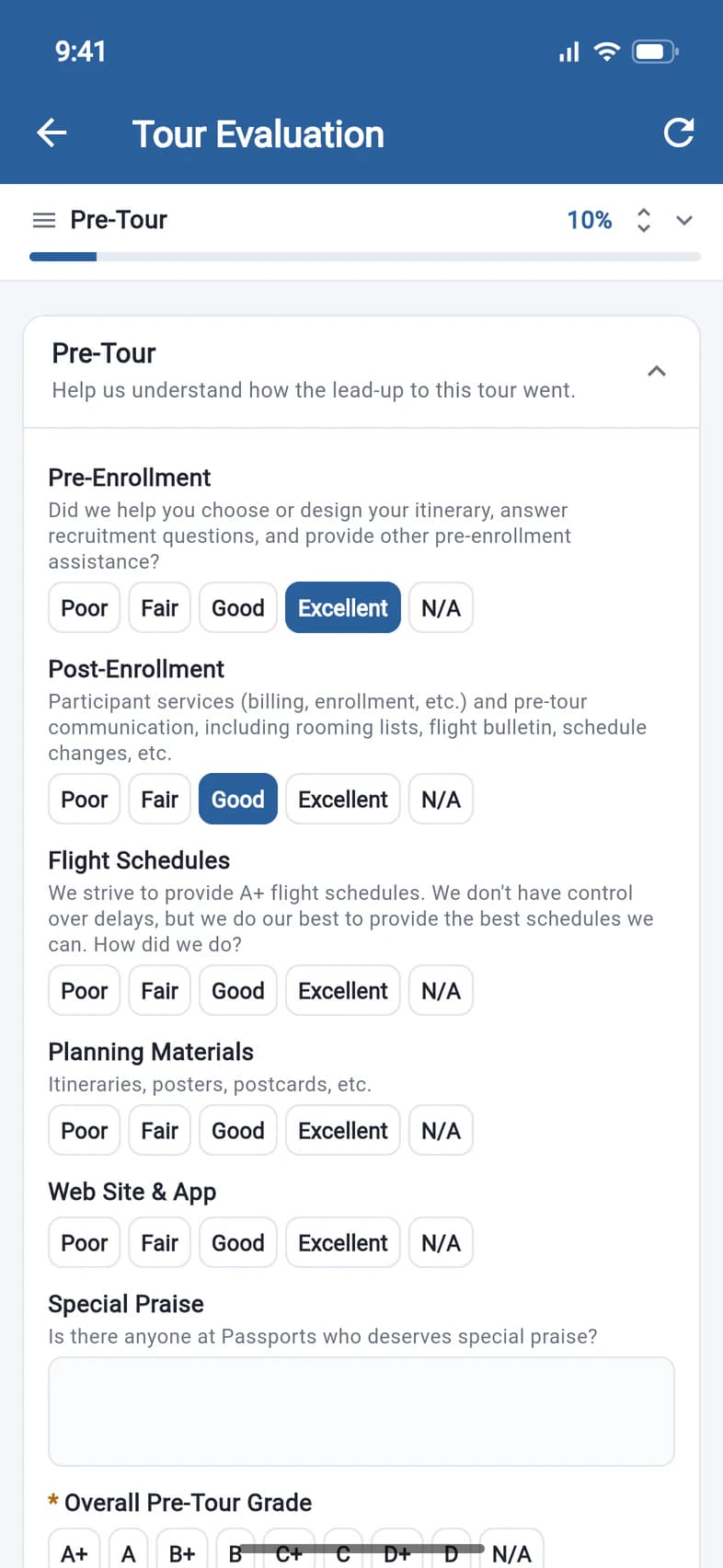
Rate as you go
Tap one answer per question 1, or N/A 2 when it doesn't apply. Each answer saves the moment you tap it, and the top of the page shows how far along you are 3.
- Step 3
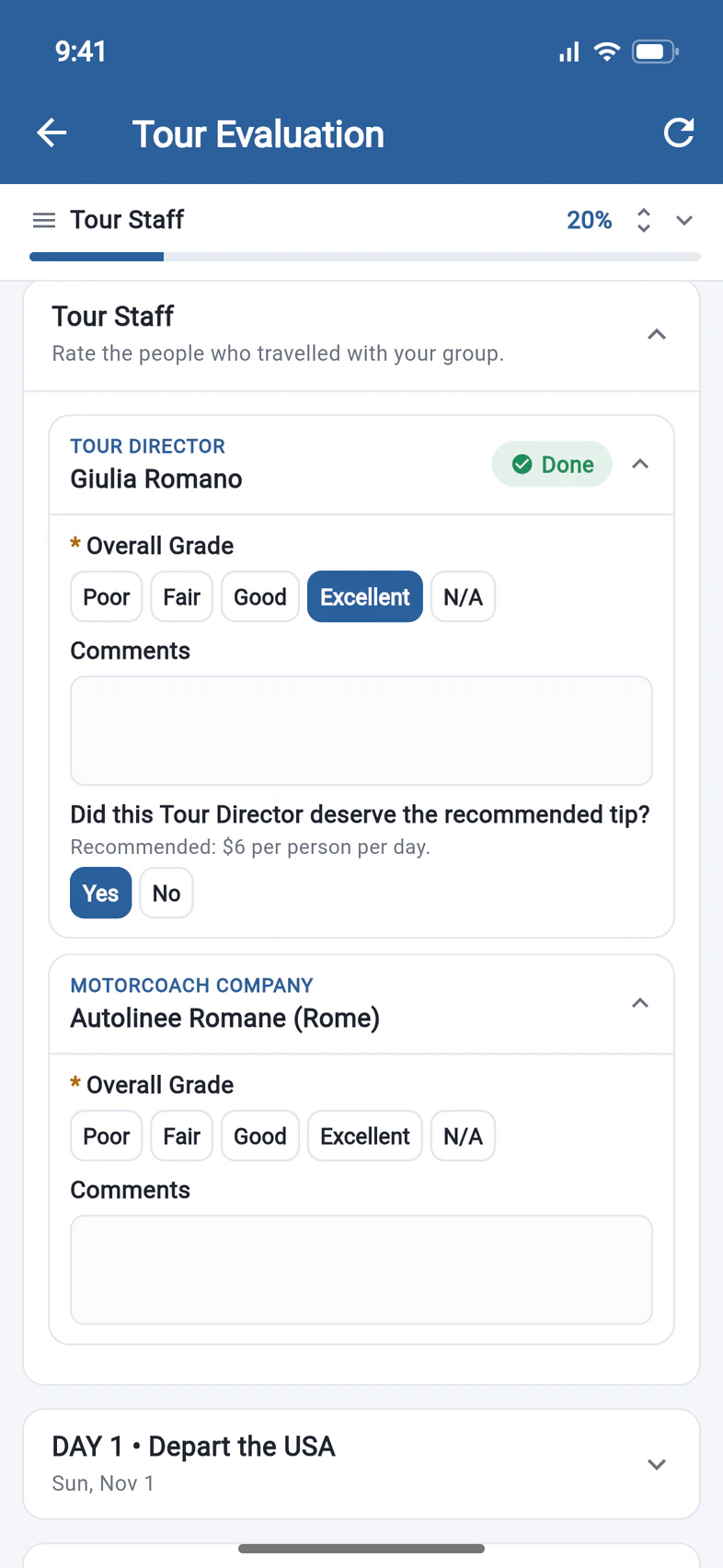
Rate your Tour Director
Under Tour Staff, grade your Tour Director 1 and the coach company. For your Tour Director you're also asked whether they deserved the recommended tip 2.
- Step 4
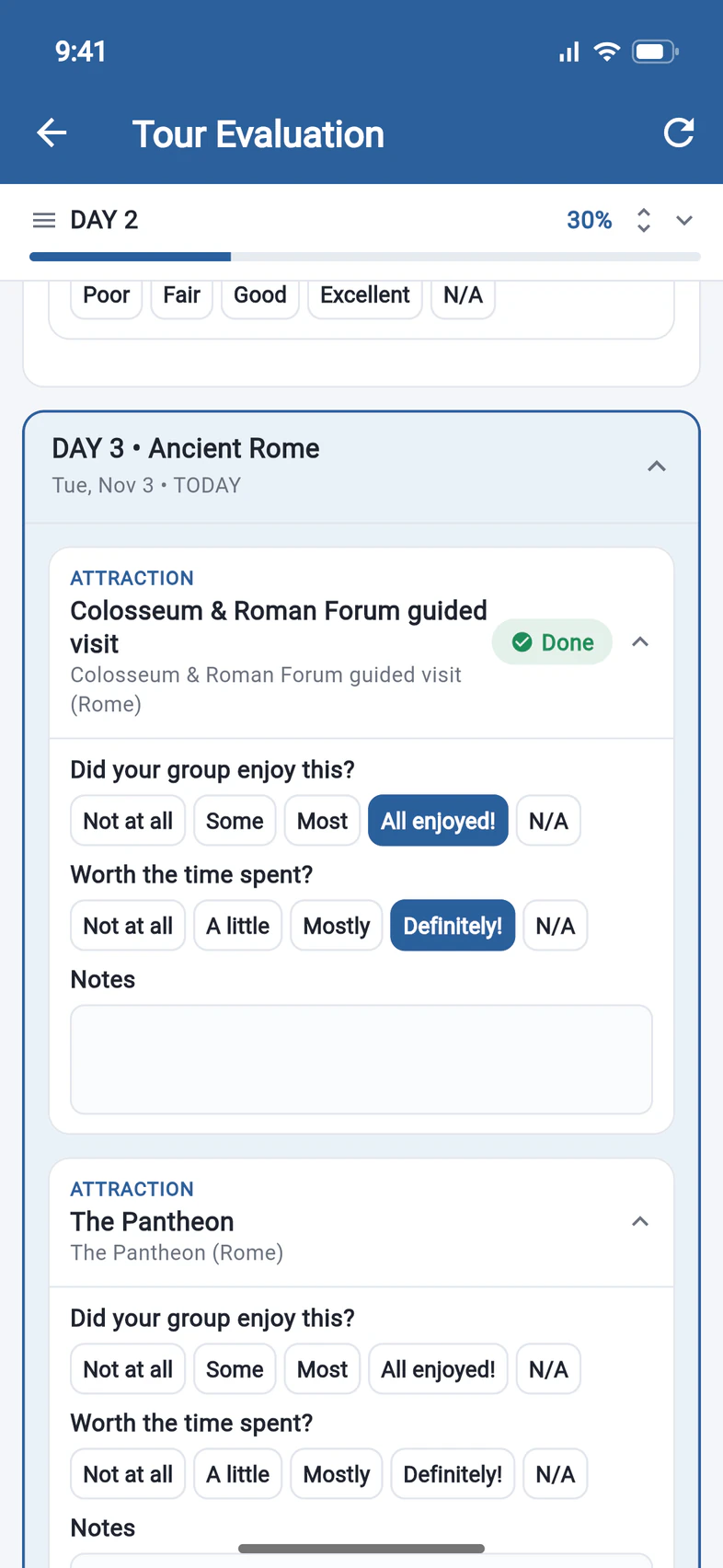
Rate each day
Each day of the itinerary has its own section 1: its hotel, meals and visits, with a few quick questions each 2 and room for notes. Rate a day while it's fresh.
- Step 5
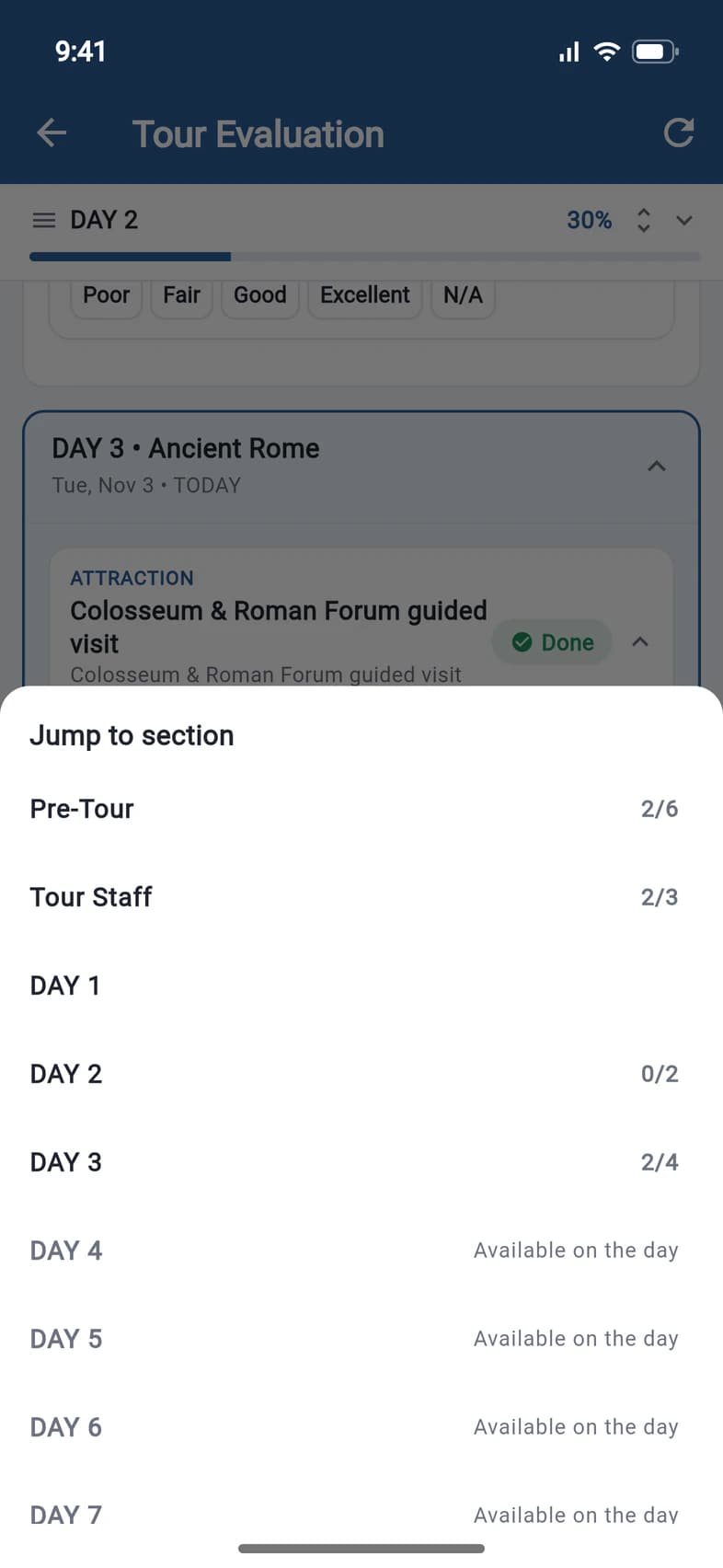
Jump to a section
Tap the top of the page for Jump to section, with how much of each section you've done. The rest of the tour's days open on the day 1.
- Step 6
Submit when you're home
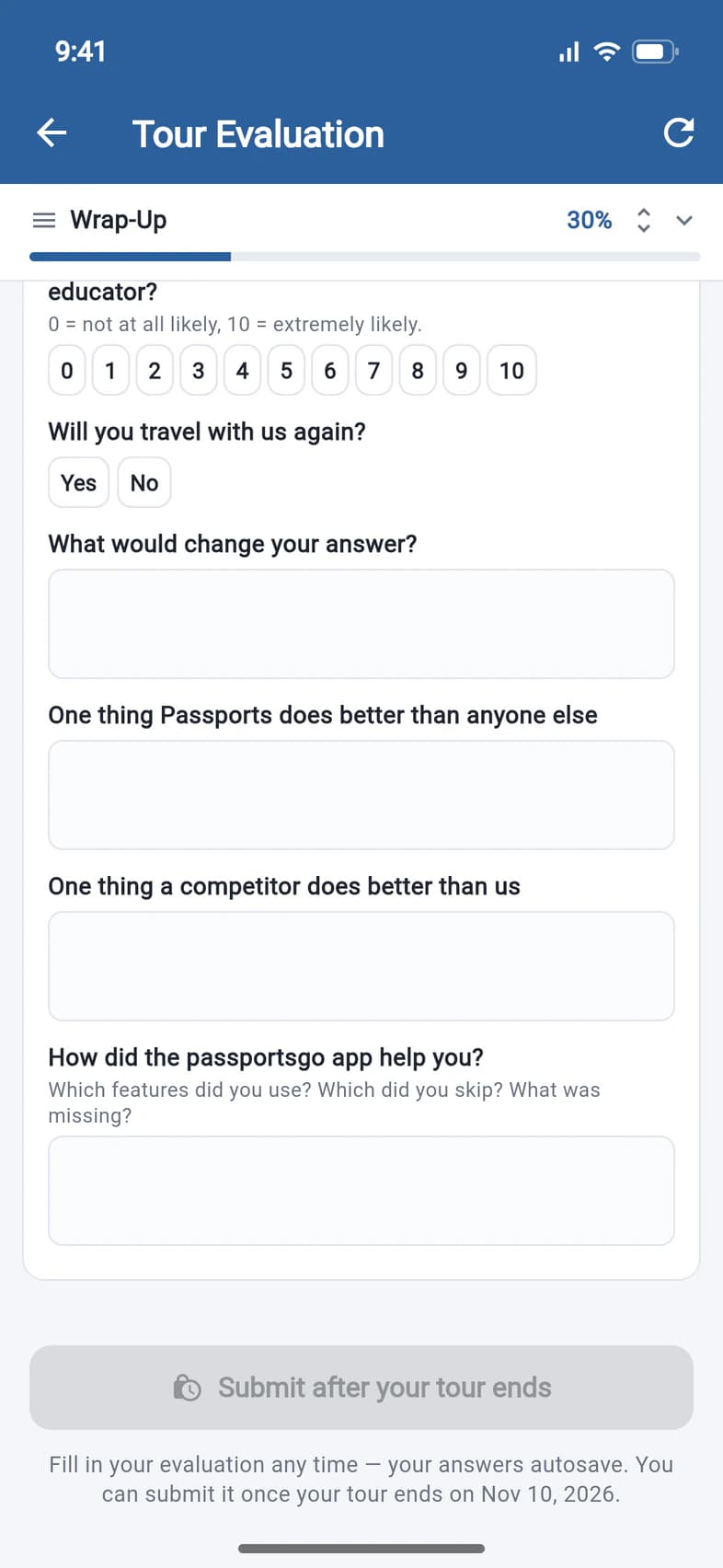
At the end of the page, the button 1 unlocks on the day your tour ends and says Submit Evaluation. Submitting tells Passports you're done; you can still change answers afterwards.
Until then it says Submit after your tour ends. Nothing is lost in the meantime: every answer is already saved.
Good to know
Do I have to answer everything?
No. Answer what you can, and tap N/A for anything that didn't happen or doesn't apply.
I don't see Evaluation on Home.
It appears on the first day of your tour. If your tour has started and it still isn't there, ask Passports.
Can I change an answer after submitting?
Yes. Everything stays editable; the button then says Submit again (notify ops) so you can let Passports know.
Screens show a sample family and tour — your names, dates and amounts will differ. Checked against the app October 12, 2026.
Call us. A real person in Worcester picks up.
Monday to Friday, 8am to 4pm Eastern — and around the clock once your group is on tour. Or email passportsgo@passports.com.